RPM Remote Print Manager Select 64 Bit 6.2.0.530beta

Product Page: https://www.brooksnet.com/content/virtual-print-server
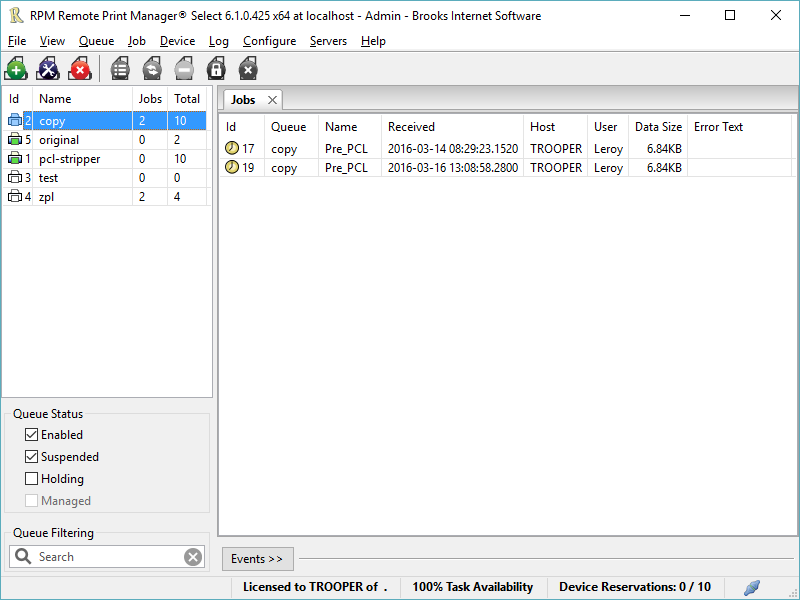
rpms-6.1.0.425.png

Printing should be one click away. but there are so many problems which make printing difficult if not impossible. RPM Remote Print Manager (RPM) has grown through the years from all the print problems our customers have brought to us. We are here to help you solve your printing problems.

RPM is our virtual printer product. Our customers have been using RPM for 20 years!
RPM as virtual printer


RPM does what you expect a virtual PDF printer to do, and more:

convert incoming print jobs to other formats, such as PDF, TIFF and PCL
save multiple documents into a single document
print the same job to multiple printers
in one pass, send to a printer and save to disk
print the same job multiple times, using separate paper trays

RPM as print server

RPM is implemented as a Windows print server. Its core capabilities include:

managing your print workflow
send print jobs to any Windows printer
send print jobs to any printer on your network using core Windows print protocols, or LPR, or direct with port 9100
archive print jobs to local folders, shared folders, or anywhere via FTP
run any local application on your print job
send your print job via email as an attachment or in the message body

RPM also provides extensive data editing, manipulation and translation.

Windows version support

RPM 6.1 supports these versions of Windows: Vista, 7, Server 2008 (including R2), Windows 8 and 8.1, Server 2012 (including R2), and Windows 10. Support for Windows XP and Server 2003 has been dropped, so we no longer test new RPM versions on these older versions of Windows.

Graphcat<

AVAide Screen Recorder for Mac

Product Page: https://www.avaide.com/screen-recorder/

QQ截图20220626141500.png

AVAide Screen Recorder for Mac can record videos, and audio you desire on Mac. It allows you to select video size like full screen, customized size. It can also select the area that you want to record. Besides, you can choose to record with the system audio or microphone audio according to your needs. Apart from that, it enables you to edit the video when recording.

Key Functions:
1. Record screen, video and audio
With AVAide Screen Recorder for Mac, you can record screen activities, audio, video tutorials, game videos and others. Meanwhile, these recordings can be recorded in HD quality and saved as MP4/MOV/M4V for easy playback.

2. Choose specific video size
This screen recorder software allows you to choose the video size like full screen, customized size on Mac. Meanwhile, you can also record your video in specific area. You can also adjust the frame rate/video quality of the recorded video to adjust the size to record.

3. Set the audio source or microphone voice
AVAide Screen Recorder for Mac allows you to choose the audio options when you record audio. You can choose the system audio or microphone audio, or select both of them according to your needs.

4. Edit video while recoding
AVAide Screen Recorder for Mac enables you to edit the recordings with its cursor options – highlight cursor or highlight clicks. You are able to add arrow, text, line, rectangle, ellipse and more while recording the video on your Mac.

5. Complete the screen capture and preview it
AVAide Screen Recorder for Mac allows you to preview the video after you finish capturing it. Thus, you can get your most desire video.

Coolcut 1.8.3.0

Product Page: https://www.coolcut.tv/index/advertise3.html?c=21

intro_04_800x600.png

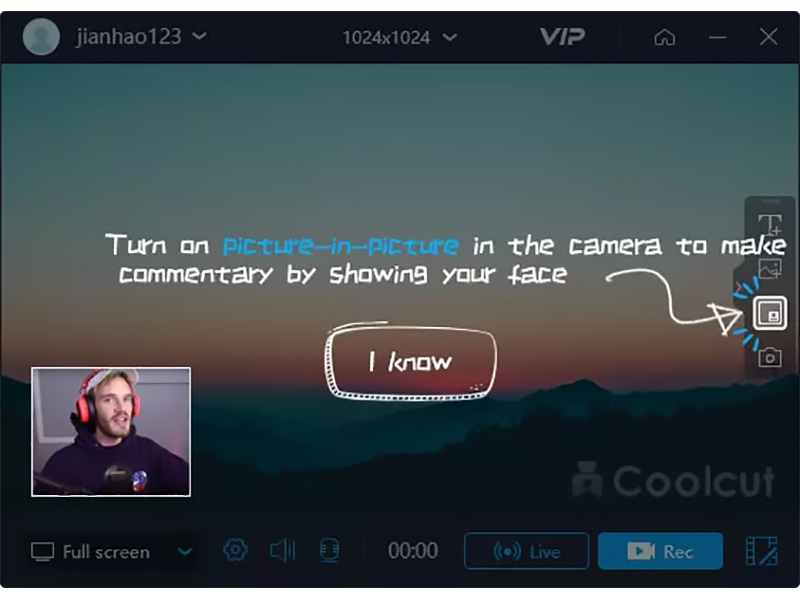
A combination of two powerful utilities, Coolcut is both an outstanding video editor and an excellent screen capture and live video recording tool. With Coolcut you can produce high-end tutorials, take screenshots of your desktop, and embellish your new videos with all kinds of transitions, effects, filters, multiple soundtracks, and audio effects, watermarks, etc., all in a convenient and intuitive timeline-based workspace and at no cost for you.
The desktop recording tool is extremely flexible, allowing you to take screenshots of your desktop and make high-quality recordings of anything taking place on your desktop. This flexibility allows you to produce tutorials and dynamic presentations, make online video and audio recordings, and save conferences, workshops, business meetings, etc., as convenient video files for later use. It comes with all the features you would expect from a professional screen recorder, with tools to add text and images to your presentations and a full set of settings to customize the quality of your recordings.
The video editor is in itself a professional tool with all the knots and bolts you find inexpensive video editing tools. Its timeline will let you place and move all kinds of media and related tracks (such as text), so you can combine and overlap them in the most convenient way just by dragging them with your mouse. The video player embedded in its interface will let you check, modify, and correct all of the changes you perform on your videos. Transitions, soundtracks, filters, text-to-speech capabilities, green screen, dubbing, speed change, and the most common editing features are all part of this impressive editor.