Category Archives: Audio & Multimedia

Audio Encoders/Decoders, Audio File Players, Audio File Recorders, CD Burners, CD Players, Multimedia Creation Tools, Music Composers, Other, Presentation Tools, Rippers & Converters, Speech, Video Tools

Apeaksoft Screen Recorder for Mac 2.0.38

Type: Shareware
Cost: $19.96
Size: 20.79 MB
Release date: Mar 18 2021
Platform: Mac OS X,
Publisher’s Site:  https://www.apeaksoft.com/
Publisher’s Product Page:  https://www.apeaksoft.com/screen-recorder/
Country: China

Apeaksoft Screen Recorder for Mac

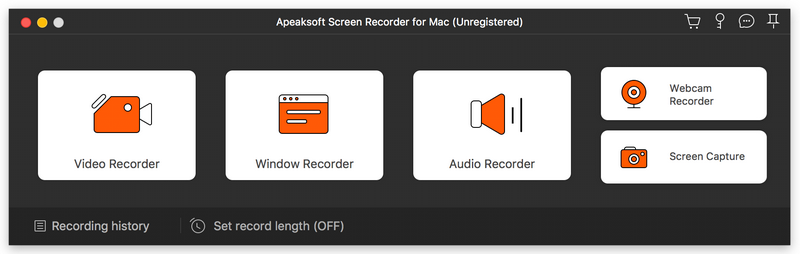
Apeaksoft Screen Recorder for Mac makes it easy to record videos and audio played on Mac. The powerful video recording function allows you to save almost all videos to your Mac, such as online streaming videos you cannot download, video tutorials you want to capture and video meetings you want to save. You could also record the microphone voice and capture the screenshot on Mac.


Key functions:

1. Record videos freely
Having trouble in downloading some videos you want? Apeaksoft Screen Recorder for Mac is your best choice. With it, you could record the videos which you could not download without any hassle. And you could change the output format before recording as you like. In addition, it also has various editing functions.

2. Record audio files easily
Apeaksoft Screen Recorder for Mac enables you to record various music, radio or online audio instead of downloading them. You can save the recorded audio in MP3, WMA, AAC, M4A for future playback. Moreover, it can record microphone voice easily, you just need to choose microphone audio and turn off system audio to easily record the voice you need. Recording system sound could also be realized with it.

3. Take snapshots easily
Apeaksoft Screen Recorder for Mac enables you to take screen capture, and you could add watermark to your screen capture. Moreover, you are able to annotate the snapshots with a text box, arrow, highlight and more.

4. Highlight the mouse cursor as you wish
This is especially useful when you make video presentations. You can highlight the mouse cursor to make your act easier to be tracked on screen. Also you can define the color and the shape of the highlight.

Graphcat<

Aiseesoft FoneTrans 9.1.60

Type: Shareware
Cost: $39.96
Size: 1.67 MB
Release date: Jul 09 2021
Platform: Win2000,WinXP,Win7 x32,Win7 x64,Windows 8,Windows 10,WinServer,WinOther,WinVista,WinVista x64
Publisher’s Site:  http://www.aiseesoft.com
Publisher’s Product Page:  https://www.aiseesoft.com/ios-transfer/
Country: China


Aiseesoft FoneTrans

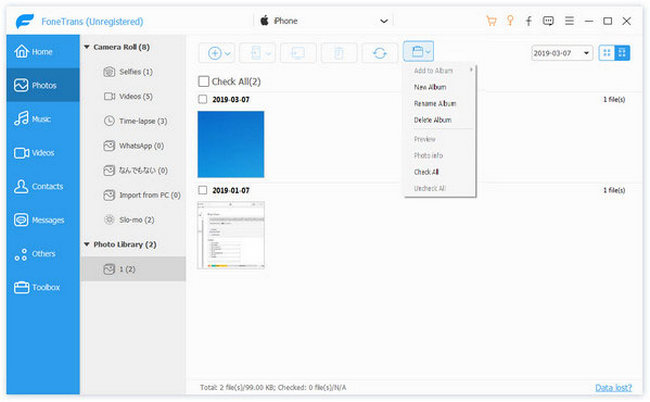
Aiseesoft FoneTrans is powerful iPhone transfer software, which does well in file transfer between iOS devices and computer. It can help you sync and manage photos, music, contacts, messages, videos, notes, calendars, Safari, eBooks and call log from iPhone/iPad/iPod. It’s compatible with the latest iOS 15. It also enables you to make iPhone ringtone and convert image format from HEIC to JPG/PNG and more. And now it enables you to rotate photos when previewing them.

Key Features:
1. Transfer file between iOS device and PC
FoneTrans can help you import video, music, photo and other media files from computer to iPhone/iPad/iPod for enjoyment anywhere and anytime. It also allows you to export files from iOS devices to computer/iTunes for backup.

2. Share files between iPhone/iPod/iPad
Apart from transferring files between computer and iOS devices, you are allowed to transfer files between any iOS devices for file sharing and the shareable files include music, movie, picture, TV show, Podcast, iTunes U, eBook, camera roll, ringtone, etc.

3. Back up iPhone SMS (MMS) and Contacts
With FoneTrans, you can copy SMS to PC for backup and they can be saved in excel, text or html format. Users can also back up the important contacts to PC in case of losing or damaging of their iDevice.

4. De-duplicate Function
To avoid repeated contacts/music, you can delete repeated ones or merge different contacts of the same person.

5. Ringtone Maker and HEIC Converter
In the toolbox, there are two other features that allow you to make ringtones for your iOS device at ease. You can also convert HEIC images to other common formats like JPG or PNG.

Coolcut 1.8.2

Type: Freeware
Cost: $0
Size: 633.00 kB
Release date: Nov 17 2021
Platform: Win2000,WinXP,Win7 x32,Win7 x64,Windows 8,Windows 10,WinServer,WinOther,WinVista,WinVista x64
Publisher’s Site:  https://www.coolcut.tv/index/advertise3.html?c=21
Publisher’s Product Page:  https://www.coolcut.tv/index/advertise3.html?c=21
Country: China


Coolcut

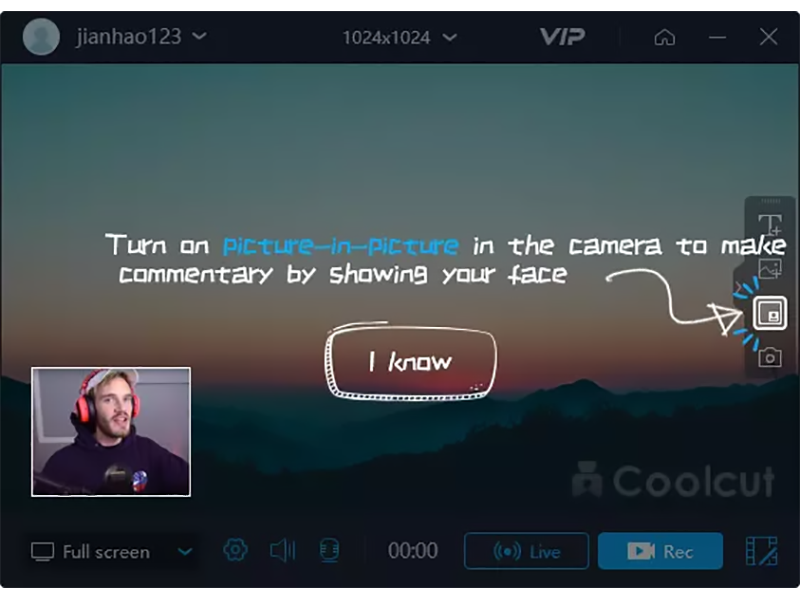
A combination of two powerful utilities, Coolcut is both an outstanding video editor and an excellent screen capture and live video recording tool. With Coolcut you can produce high-end tutorials, take screenshots of your desktop, and embellish your new videos with all kinds of transitions, effects, filters, multiple soundtracks, and audio effects, watermarks, etc., all in a convenient and intuitive timeline-based workspace and at no cost for you.
The desktop recording tool is extremely flexible, allowing you to take screenshots of your desktop and make high-quality recordings of anything taking place on your desktop. This flexibility allows you to produce tutorials and dynamic presentations, make online video and audio recordings, and save conferences, workshops, business meetings, etc., as convenient video files for later use. It comes with all the features you would expect from a professional screen recorder, with tools to add text and images to your presentations and a full set of settings to customize the quality of your recordings.
The video editor is in itself a professional tool with all the knots and bolts you find inexpensive video editing tools. Its timeline will let you place and move all kinds of media and related tracks (such as text), so you can combine and overlap them in the most convenient way just by dragging them with your mouse. The video player embedded in its interface will let you check, modify, and correct all of the changes you perform on your videos. Transitions, soundtracks, filters, text-to-speech capabilities, green screen, dubbing, speed change, and the most common editing features are all part of this impressive editor.