Category Archives: Audio & Multimedia

Audio Encoders/Decoders, Audio File Players, Audio File Recorders, CD Burners, CD Players, Multimedia Creation Tools, Music Composers, Other, Presentation Tools, Rippers & Converters, Speech, Video Tools

Apeaksoft Video Converter Ultimate 2.1.18

Type: Shareware
Cost: $55.20
Size: 1.68 MB
Release date: Mar 03 2021
Platform: Win2000,WinXP,Win7 x32,Win7 x64,Windows 8,Windows 10,WinServer,WinOther,WinVista,WinVista x64
Publisher’s Site:  https://www.apeaksoft.com/
Publisher’s Product Page:  https://www.apeaksoft.com/video-converter-ultimate/
Country: China

Apeaksoft Video Converter Ultimate

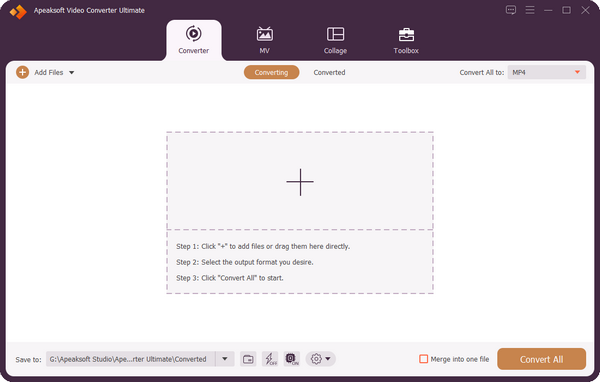
Apeaksoft Video Converter Ultimate is able to convert any video/audio files to other formats so that you can enjoy your media files on more devices. Before conversion, you could edit video effects. And the enhance function enables you to enhance the video quality.


Key functions:

1. Convert all kinds of media files
Apeaksoft Video Converter Ultimate is skilled at converting any video/audio files to various formats such as MP4, AVI, WMV, FLAC, WMA, MP3, etc. In addition, it supports different devices, like Samsung, iPhone, PSP, Avid, Wii, Adobe Permiere, etc.

2. Convert DVD and 3D videos
With this excellent software, you could edit and convert your DVD disc/ISO files/folder at ease. It could not only convert DVD to main videos, but also convert the selected DVD titles to other file formats. Before conversion, you are able to trim/crop/rotate your videos, add watermark to your videos, etc. It could also convert common videos to 3D videos so that you could view it with 3D glasses freely.

3. Make GIF, edit ID3 tag, compress large files, make MV
With Apeaksoft Video Converter Ultimate, you are able to create many interesting GIF images. In addition, you could use the metadata editor to edit ID3 tag of your music files. Usually, it is difficult to send large files to others, Apeaksoft Video Converter Ultimate could compress the large files to smaller size. Moreover, you could make your own beautiful MV with Apeaksoft Video Converter Ultimate. It provides various themes for you.

4. Powerful editing and video enhancement function
You can enhance the video by upscaling resolution, optimizing brightness and contrast, removing video noise and reducing video shaking. You are also able to edit your video: crop the video area size, clip/rotate your videos and add watermark, etc.

Graphcat<

Windows 10 Codec Pack 2.1.9

Type: Freeware
Cost: $0.00
Size: 44.36 MB
Release date: Feb 05 2021
Platform: Win2000,WinXP,Win7 x32,Win7 x64,Windows 8,Windows 10,WinServer,WinOther,WinVista,WinVista x64
Publisher’s Site:  http://www.windows10codecpack.com
Publisher’s Product Page:  https://www.windows10codecpack.com/
Country: Great Britain


Windows 10 Codec Pack

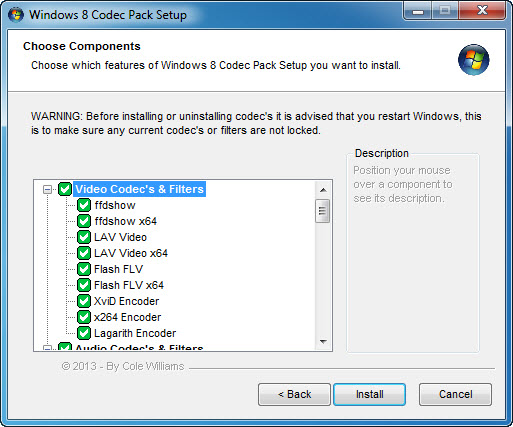
The Windows 10 Codec Pack is a free easy to install bundle of codecs/filters/splitters used for playing back movie and music files. After installation you will be able to play 99.9% of files through your media player, along with VCDs, SVCDs, and DVDs.
Additional file associations are applied to make Windows Media Player play BDMV (unencrypted BluRay/AVCHD), EVO (unencrypted HD-DVD), MKV, M2TS, MP4, VOB, OGM, WEBM, FLV, and NUV movie files, as well as AC3, DTS, FLAC, APE, OGG, WV, TTA, OFR, SHN music files, and finally MO3, IT, XM, S3M, MTM, MOD, and UMX tracker audio files. Compression types supported include AVC, H.264, x264, H.263, H.261, DivX, XviD, Flash Video, MJPEG, MPEG4, MPEG2, along with many more.
The package detects the best proof tested settings with additional options for CPU, GPU, and DXVA compatibility. Audio options during install allow users to set output from basic 2.0 channel stereo, right up to 7.1 channel output. Digital audio S/PDIF / HDMI passthrough for home theatre systems can be set by the user to output Dolby Digital AC3, Dolby Digital Plus E-AC3, Dolby TrueHD, DTS, DTS-HD, even multichannel non-AC3/DTS audio (for example 5.1 channel FLAC) can be set to encode as AC3 and output to digital S/PDIF / HDMI.
Included in the package are a number of encoder codec’s, allowing you to encode files in formats such as DivX and XviD in your favourite encoding application.
Please note that protected formats may require a specific player. 32-bit and 64-bit version of Windows Media Player are supported as well as most other players. The package supports 32-bit and 64-bit versions of Windows.

Vidmore Screen Recorder 1.1.32

Type: Shareware
Cost: $29.95
Size: 1.80 MB
Release date: Jun 29 2021
Platform: Win2000,WinXP,Win7 x32,Win7 x64,Windows 8,Windows 10,WinServer,WinOther,WinVista,WinVista x64
Publisher’s Site:  https://www.vidmore.com/
Publisher’s Product Page:  https://www.vidmore.com/screen-recorder/
Country: China


Vidmore Screen Recorder

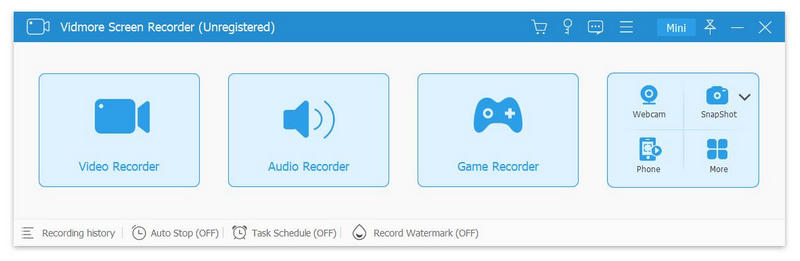
Do you have trouble in downloading some video or audio files? If you are looking for a solution to this problem, Vidmore Screen Recorder is your best choice. With it, you are able to record the video and audio files you could not download. And you could select the area you want to record according to your need.

Key functions:

1. Record video and audio files
Vidmore Screen Recorder is good at recording any video and audio files that you could not download. With this powerful recording software, you could save any precious video or audio files as you like. In addition, the audio recorder function also allows you to record the system and microphone sound.

2. Game recorder, record webcam
If you are a game lover, you should not miss Vidmore Screen Recorder, its game recorder function lets you record 2D/3D games, flash games and online games on your computer easily. In addition, it could also record your webcam with high output quality.

3. Trim recordings and task schedule
If you want to cut the recorded part after your finish the recording, please do not worry, the trim function could help you solve this problem. You could choose the start and end time for your recorded clip rather than recording it again. With the task schedule function, you just need to set the starting time, ending time and the duration, it will record automatically.

4. Editing function
With the powerful editing function, you could add text, arrows and shapes to your recording or screenshot. What is more, you could also set video format, video codec and video quality as you like. In addition, adding mouse click and mouse area effects while recording is also possible.