Category Archives: Audio & Multimedia

Audio Encoders/Decoders, Audio File Players, Audio File Recorders, CD Burners, CD Players, Multimedia Creation Tools, Music Composers, Other, Presentation Tools, Rippers & Converters, Speech, Video Tools

VideoProc Vlogger 1.0

Type: Freeware
Cost: $0
Size: 148.97 MB
Release date: Sep 17 2021
Platform: Win2000,WinXP,Win7 x32,Win7 x64,Windows 8,Windows 10,WinServer,WinOther,WinVista,WinVista x64
Publisher’s Site:  https://www.videoproc.com
Publisher’s Product Page:  https://www.videoproc.com/video-editing-software/
Country: China

VideoProc Vlogger

VideoProc Vlogger is designed by Digiarty Software. Its a fully-featured free video editing software to ensure users can make impressive edits for everyday creativity, special moments or just fun. Its friendly with low-end computers, makes 4K editing stable and smooth, and supports many media formats and codecs.


The basic features allow you to split and crop video clips, add text and filters, add transitions between shots, add music to the video, etc. For more advanced and non-professional hobbyists, VideoProc Vlogger supports premium features from an advanced audio editor to motion crop and speed ramp capabilities that are not covered in other free video editing software.

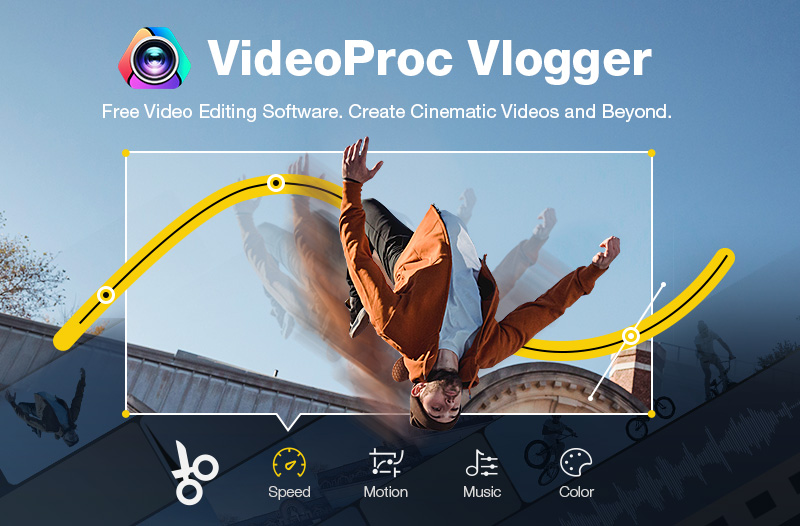
Whether youre new to video editing or somewhat familiar with its basic concepts, VideoProc Vlogger has all of the major bases covered, including motion, speed, audio, and color.

Creative Features
Motion – Create camera movements including Zoom in/out, Pan, Tilt, Dolly, Truck, Rotate or add keyframes to customize motion path and directions.
Speed – Accelerate or slow down the video speed with the 14 built-in effects, or manually control it by dragging the Bezier curve.
Audio – Edit the audio with 12 built-in audio filters, including stereo effects, denoise, high-pass, etc.
Color – Correct and grade video color with 93 built-in LUTS and filters; add third-party LUTS and more.

Highlight Features
Fully hardware accelerated 4K editing.
Intuitive and precise timeline editing.
Supports 999+ tracks in the timeline.
A high quality render engine.
Review your edit in real-time.
Auto save projects during editing.
Edit with shortcuts.

Graphcat<

Apeaksoft Screen Recorder for Mac 2.0.56

Type: Shareware
Cost: $19.96
Size: 25.64 MB
Release date: Oct 20 2021
Platform: Mac OS X,
Publisher’s Site:  https://www.apeaksoft.com/
Publisher’s Product Page:  https://www.apeaksoft.com/screen-recorder/
Country: China


Apeaksoft Screen Recorder for Mac

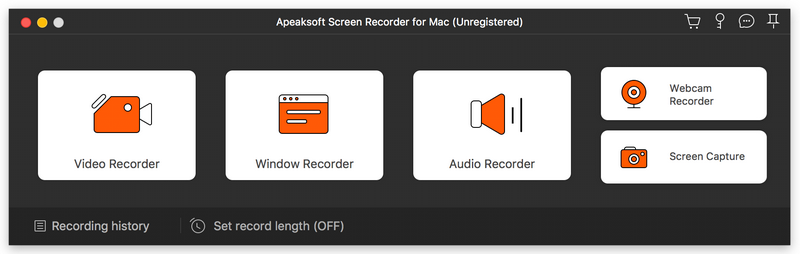
AApeaksoft Screen Recorder for Mac makes it easy to record videos and audio played on Mac. The powerful video recording function allows you to save almost all videos to your Mac, such as games you are playing, video tutorials you want to capture and video meetings you want to save. You could also record microphone voice and capture screenshot on Mac.

Key functions:

1.Record videos freely
Having trouble in downloading some videos you want? Apeaksoft Screen Recorder for Mac is your best choice. With it, you could record the videos which you could not download without any hassle. And you could change the output format before recording as you like. In addition, it also has various editing functions.

2.Record audio files easily
Apeaksoft Screen Recorder for Mac enables you to record various music, radio or audio instead of downloading them. You can save the recorded audio in MP3, WMA, AAC, M4A for future playback. Moreover, it can record microphone voice easily, you just need to choose microphone audio and turn off system audio to easily record the voice you need. Recording system sound could also be realized with it.

3.Take snapshots easily
Apeaksoft Screen Recorder for Mac enables you to take screen capture, and you could add watermark to your screen capture. Moreover, you are able to annotate the snapshots with a text box, arrow, highlight and more.

4.Highlight the mouse cursor as you wish
This is especially useful when you make video presentations. You can highlight the mouse cursor to make your act easier to be tracked on screen. Also you can define the color and the shape of the highlight.

Video Converter Ultimate for Mac 2.2.6

Type: Shareware
Cost: $55.20
Size: 113.72 MB
Release date: Oct 20 2021
Platform: Mac OS X,
Publisher’s Site:  https://www.apeaksoft.com/
Publisher’s Product Page:  https://www.apeaksoft.com/video-converter-ultimate/
Country: China


Video Converter Ultimate for Mac

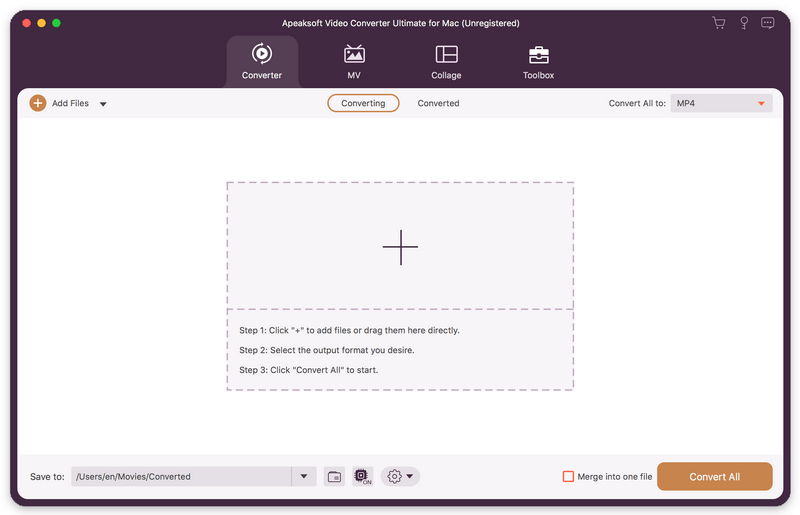
Apeaksoft Video Converter Ultimate for Mac is able to convert media files to other popular formats like MP4, MOV, AVI, MP3, so that you can enjoy your videos on portable devices. Before conversion, you could edit video effects as you like.

Key functions:

1. Convert various media files and home-made DVD movies
Apeaksoft Video Converter Ultimate for Mac could convert all kinds of media files to other formats such as MP4, AVI, MKV, MOV, MXF, AAC, FLAC, M4A, WAV, etc. Moreover, it supports many portable devices, like Samsung, iPhone, etc. In addition, it could convert your home-made DVD disc/folder/ISO files to videos so that you could view them easily.

2. Make MV and Collage
The MV function in Apeaksoft Video Converter Ultimate for Mac enables you to make customized MV with various themes and edit the MV before exporting. The Collage function allows you to create collage with at most 13 videos and images.

3. Edit your videos before conversion
Apeaksoft Video Converter Ultimate for Mac is not only a video converter but also a video editor. With the powerful video editing function, you could rotate/crop/merge/trim your videos, adjust brightness, contrast, saturation and hue, select suitable filter, add watermark, choose audio track, add/edit subtitles, etc.

4. Edit media metadata, compress file, enhance video, make GIFs and 3D files Apeaksoft Video Converter Ultimate for Mac also provides some useful tools for users. You are able to edit the ID3 tag, compress large files to smaller size, enhance your videos. In addition, you could also make wonderful GIFs and create your own 3D files.