Category Archives: Audio & Multimedia

Audio Encoders/Decoders, Audio File Players, Audio File Recorders, CD Burners, CD Players, Multimedia Creation Tools, Music Composers, Other, Presentation Tools, Rippers & Converters, Speech, Video Tools

Coolcut 1.8

Type: Freeware
Cost: $0
Size: 633.00 kB
Release date: May 18 2021
Platform: Win2000,WinXP,Win7 x32,Win7 x64,Windows 8,Windows 10,WinServer,WinOther,WinVista,WinVista x64
Publisher’s Site:  https://coolcut.tv/
Publisher’s Product Page:  https://coolcut.tv/
Country: China

Coolcut

1.4K ultra high-definition computer screencap to capture wonderful moments
2.Custom framerate and code rate of picture quality, perfectly record all popular games
3.Fast cutting and combination of video clips
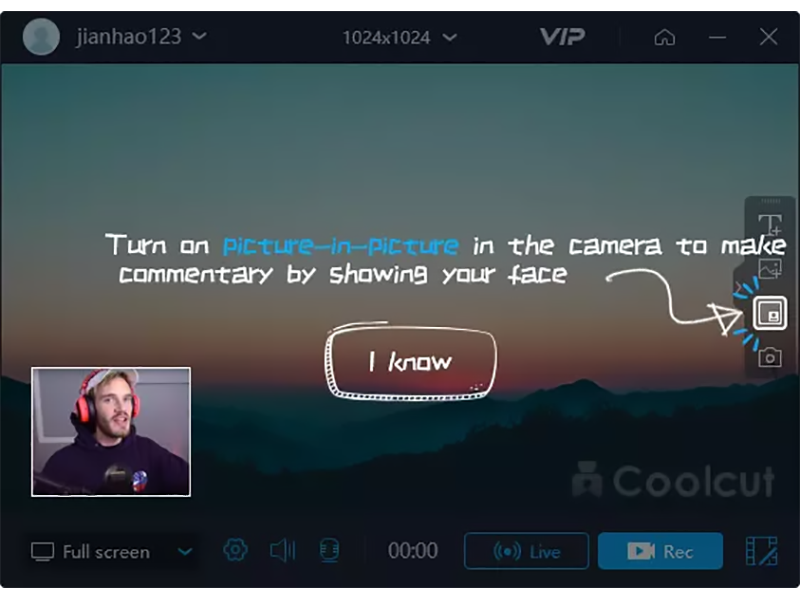
4.Use picture-in-picture track to overlap multiple video clips
5.Convert text into a voice segment by one touch
6.Ultra high-definition recording online learning coursework preparation and online films
7.Accurate recording of microphone audios to add fine background music to the works

Graphcat<

Vidmore Video Enhancer 1.0.10

Type: Shareware
Cost: $19.95
Size: 38.08 MB
Release date: Jun 22 2021
Platform: Win2000,WinXP,Win7 x32,Win7 x64,Windows 8,Windows 10,WinServer,WinOther,WinVista,WinVista x64
Publisher’s Site:  https://www.vidmore.com/
Publisher’s Product Page:  https://www.vidmore.com/video-enhancer/
Country: China


Vidmore Video Enhancer

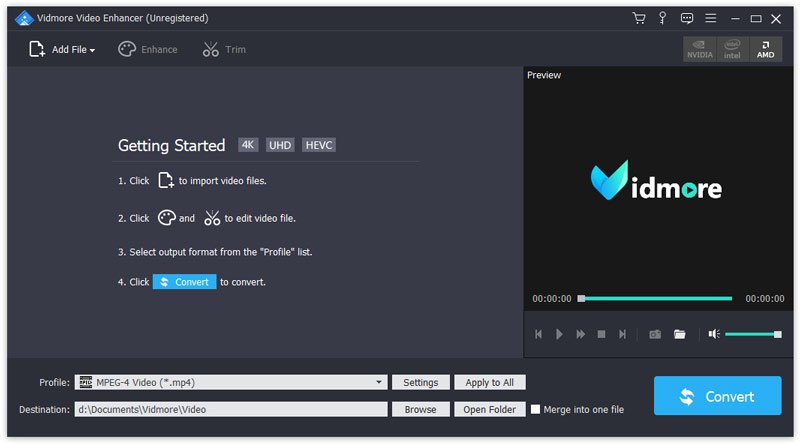
Vidmore Video Enhancer is powerful in enhancing your video quality. It allows you to adjust the brightness/contrast/hue, etc. of your videos. It could also remove the video noise and reduce the video shaking.


Key functions:

1. Enhance video quality
As a comprehensive video enhancement program, Vidmore Video Enhancer could enhance your video quality greatly by upscaling video resolution from low to high, optimizing brightness/contrast/saturation/hue, etc. Moreover, it could remove the noise of videos and create clear videos for you. If you have a shaky video, Vidmore Video Enhancer could reduce the video shaking for you and help you produce more stable videos.

2. Rotate/crop/trim your videos
With the various powerful editing function, you could rotate your videos vertically or horizontally and cut off the unwanted part of your videos by cropping it.

3. Add watermark to videos or merge videos
If you want to add text or watermark to your videos, Vidmore Video Enhancer is your top choice. You could add any text or watermark you want to your personal videos. It is also simple to merge several videos to one single video.

4. Easy to use and fast conversion speed
Vidmore Video Enhancer is designed simply for users who is not familiar with computer, you could enhance your video quality just in few clicks. And with the advanced conversion core, it could convert videos and finish the task in a short time.

AnyMP4 DVD Creator 7.2.70

Type: Shareware
Cost: $35.00
Size: 1.95 MB
Release date: Nov 04 2021
Platform: Win2000,WinXP,Win7 x32,Win7 x64,Windows 8,Windows 10,WinServer,WinOther,WinVista,WinVista x64
Publisher’s Site:  https://www.anymp4.com/
Publisher’s Product Page:  https://www.anymp4.com/dvd-creator/
Country: China


AnyMP4 DVD Creator

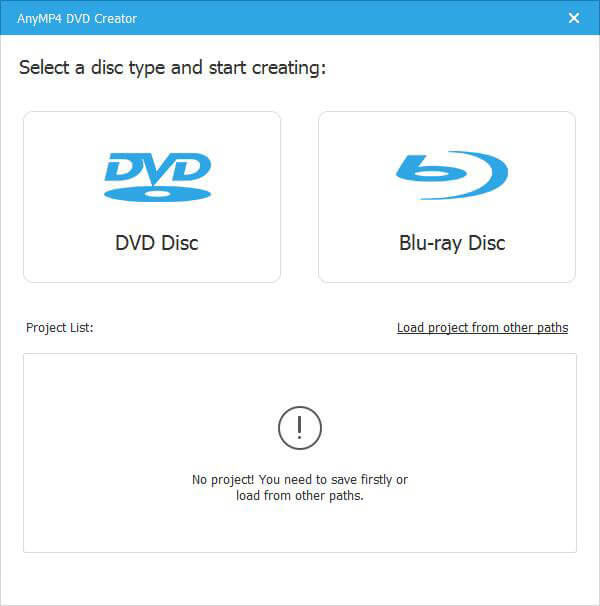
AnyMP4 DVD Creator is intended to create DVD disc, DVD folder and DVD ISO files from TS, MTS, M2TS, TRP, TP, MGP, MPEG, MPEG-2, MPA, VOB, DAT, MP4, M4V, RM, RMVB, WMV, ASF, MKV, AVI, 3GP, 3G2, FLV, SWF, F4V, MPV, MOD, TOD, QT, MOV, DV, DIF, MJPG, MJPEG, NSV, WEBM video formats. It supports DVD-5 (4.7GB), DVD-9 (8.5GB), and DVD format like DVD-R, DVD+R, DVD-RW, DVD+RW and DVD-RAM.

Key Features:

1. Create DVD from various video files.
Nearly all kinds of video can be burned into DVD disc, DVD folder or DVD ISO files, such as 3GP, AVI, DV, VOB, FLV, M2TS, MTS, SWF, MKV, MPG, MPEG, MPA, DAT, MP4, TS, NSV, MOV, QT, RMVB, etc.

2. Edit the source video.
AnyMP4 DVD Creator provides users with powerful video editing functions. With it, users can clip the video to any time length by setting the start and end time, cut off unwanted playing areas of the video to fit different portable players, personalize the video with the image or text watermarks, even adjust the video brightness, saturation, contrast, hue, and volume. Also, you can now add video filtering effect to video before burning.

3. Create stylish DVD menu.
This DVD Creator allows users to attach menus before burning. You can choose the menu template, select the menu frame, and button style, edit the menu text content, and define its font, size and color, even add the background picture and music.

4. Add and set audio track.
You can choose the audio track and add your own audio track or background music to the DVD. Users are also allowed to adjust the volume, and choose audio encoder, bitrate, and channels.