Category Archives: Audio & Multimedia

Audio Encoders/Decoders, Audio File Players, Audio File Recorders, CD Burners, CD Players, Multimedia Creation Tools, Music Composers, Other, Presentation Tools, Rippers & Converters, Speech, Video Tools

Apeaksoft Blu-ray Player 1.1.16

Type: Shareware
Cost: $39.20
Size: 1.60 MB
Release date: Sep 26 2021
Platform: Win2000,WinXP,Win7 x32,Win7 x64,Windows 8,Windows 10,WinServer,WinOther,WinVista,WinVista x64
Publisher’s Site:  https://www.apeaksoft.com/
Publisher’s Product Page:  https://www.apeaksoft.com/blu-ray-player/
Country: China

Apeaksoft Blu-ray Player

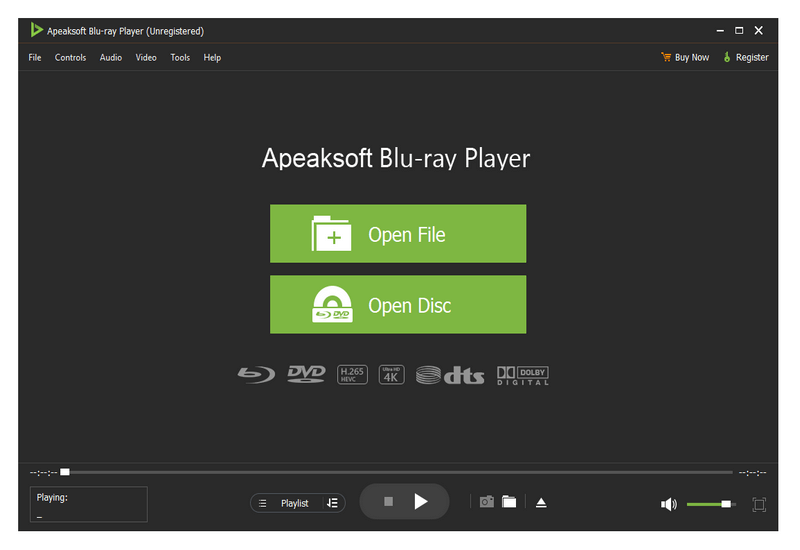
Apeaksoft Blu-ray Player can play DVD/Blu-ray disc/folder/ISO files with high image quality. Meanwhile, it can also support 4K and 1080p HD videos. Besides, it allows you to play common videos including MP4, MOV, AVI, M4V, MPEG, MKV, FLV, etc. This magical software also enables you to select your needed audio track, subtitle track as well as the video track.


Key functions:

1. Play DVD/Blu-ray disc/folder/ISO files with perfect effect
This professional Blu-ray Player can play DVD/Blu-ray disc/folder/ISO files with high-quality and it would bring you wonderful watching experience.

2. Play 4K videos, 1080p HD videos and common videos
With the assistance of Apeaksoft Blu-ray Player, you can play your 4K videos like 4K H.265 MP4, 4K H.264 TS, 4K MKV and others with high-quality. Furthermore, it is able to play 1080p videos like HD AVI Video (.avi), HD H.264/MPEG-4 AVC Video (.mp4), HD MKV Video Format (.mkv), HD MOV Video (.mov) and so on. Meanwhile, it can also play common videos like MP4, MOV, AVI, M4V, MPEG, MKV, FLV, TS etc.

3. Region free and various playback modes
As we all know that more and more Blu-ray discs have a region code, Apeaksoft Blu-ray Player could do you a favor in this case. With it, you could play any Blu-ray disc for region free. In addition, it provides various playback modes for users. When watching videos, you could change the screen size and move to the chapter or part you want to watch according to your need.

4. Customize your watching experience
This Blu-ray player software also allows you to adjust image and audio effect. You are able to change audio track, audio channel and audio device to get better audio effect. You can also choose video track or subtitle.

Graphcat<

Nero Platinum Suite 2021 23.5.1010

Type: Shareware
Cost: $42.95
Size: 912.24 MB
Release date: Dec 23 2020
Platform: Win2000,WinXP,Win7 x32,Win7 x64,Windows 8,Windows 10,WinServer,WinOther,WinVista,WinVista x64
Publisher’s Site:  http://www.nero.com
Publisher’s Product Page:  http://www.nero.com/eng/products/nero-platinum/
Country: Germany


Nero Platinum Suite 2021

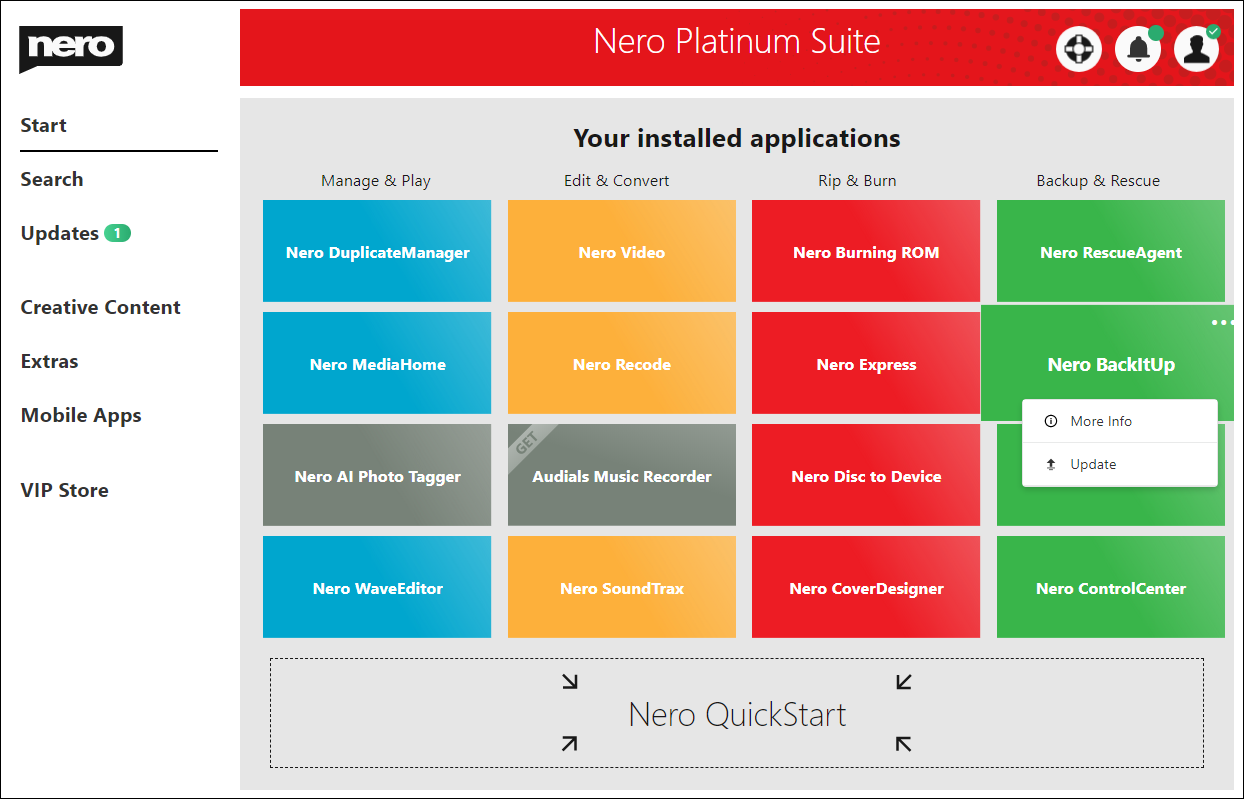
Nero DuplicateManager Photo cleans your photo archive quickly and reliably.

Nero BackItUp
Nero BackItUp quickly and easily backs up your valuable data to an external hard drive, optical media, or the cloud.

Nero Video
Nero Video leaves nothing to be desired when it comes to creating videos and slideshows in an easy, fast and professional way.

Nero Recode
Nero Recode converts and rips videos and music to all standard formats for your mobile devices.

Nero MediaHome
Nero Media Home is the ultimate media organizer. Now featuring a world first: the Nero AI Photo Tagger.

Nero Burning ROM
Nero Burning ROM is still the #1 software for burning and copying data, video, photos, and music to CD, DVD, and Blu-ray Discs.

Vidmore DVD Creator 1.0.30

Type: Shareware
Cost: $29.95
Size: 1.78 MB
Release date: Sep 08 2021
Platform: Win2000,WinXP,Win7 x32,Win7 x64,Windows 8,Windows 10,WinServer,WinOther,WinVista,WinVista x64
Publisher’s Site:  https://www.vidmore.com/
Publisher’s Product Page:  https://www.vidmore.com/dvd-creator/
Country: China


Vidmore DVD Creator

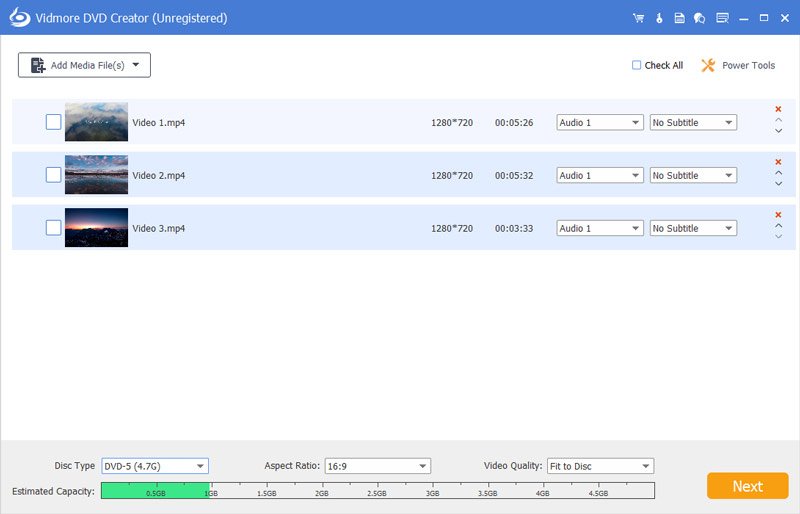
Vidmore DVD Creator enables you to make all kinds of popular videos to DVD or Blu-ray disc/folder/ISO file, such as MP4, AVI, MOV, WMV, MKV, FLV, TS, MTS, M2TS and so on. You could adjust the brightness and saturation of your videos and add watermark/audio track/subtitle to your videos before burning.

Key functions:

1. Make DVD or Blu-ray with any video
If you want to create your own DVD or Blu-ray, Vidmore DVD Creator is your top choice. It could burn any videos to DVD or Blu-ray disc/folder/ISO file. It supports all popular video formats like MP4, AVI, MOV, WMV and more. It also supports many disc types such as DVD-R/RW, DVD+R/RW, DVD+R DL, etc.

2. Edit your videos before burning
If you want to edit your videos before burning, Vidmore DVD Creator could also do you a favor. With it, you could trim/crop/rotate your videos. Enhancing your videos by adjusting the brightness, saturation, contrast is also possible. In addition, you could add audio track, watermark and subtitles to your videos. It is also able to insert chapters to long video automatically or manually.

3. Customize DVD menu
Vidmore DVD Creator provides various DVD menu templates, you could choose one according to your need. Moreover, you could customize the DVD menu by changing the content/font/color/size, etc. And you could also add background music or picture from your local files.

4. Preview your movies and fast burning speed
Vidmore DVD Creator enables you to preview videos before burning. And with the advanced technology of Intel, CUDA and AMD acceleration, it could provide fast burning speed for you, so you do not need to wait for long before enjoying your movies.