Category Archives: Audio & Multimedia

Audio Encoders/Decoders, Audio File Players, Audio File Recorders, CD Burners, CD Players, Multimedia Creation Tools, Music Composers, Other, Presentation Tools, Rippers & Converters, Speech, Video Tools

Aiseesoft Mac Video Converter Ultimate 10.0.8

Type: Shareware
Cost: $25
Size: 68.14 MB
Release date: Mar 31 2021
Platform: Mac OS X,
Publisher’s Site:  https://www.aiseesoft.com
Publisher’s Product Page:  https://www.aiseesoft.com/mac-video-converter-ultimate/
Country: China

Aiseesoft Mac Video Converter Ultimate

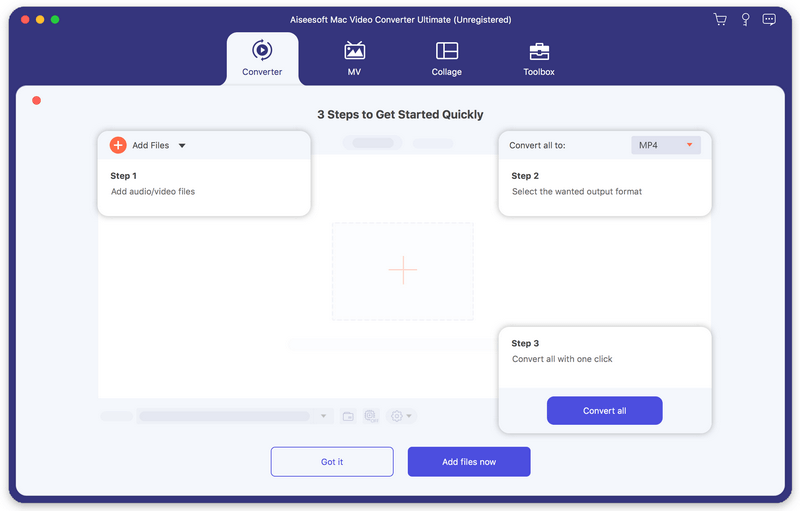
Aiseesoft Mac Video Converter Ultimate helps convert any video to other formats like MP4, MOV, AVI and more, so that you can enjoy your videos on more devices. Before your conversion, you could edit video effects. And the enhancement function enables you to enhance video quality by optimizing brightness and contrast, upscaling video resolution, removing video noise and reducing video shaking.


Key features

1. Convert video/home-made DVD to popular formats on Mac
It is designed to convert home-made DVD and any other video to MP4, AVI, MOV, MKV, etc. It also converts your 4K video to other 360p, 720p, 1080p video. You are also allowed to convert music video to any audio formats such as MP3, AAC, AC3 and OGG. In addition, with the CUDA and AMD technology of this software, you can get the 10X converting speed than other software in the market.

2. Various video solutions
Aiseesoft Mac Video Converter Ultimate newly added video enhance, compress and GIF maker features, which offers more options for users to get a more stunning video. You can rotate the video to the correct angle and enhance the video by upscaling resolution, optimizing brightness and contrast, removing video noise and reducing video shaking. If you need to upload videos to social platforms like YouTube, Instagram, etc., you can compress video size at first.

3. Support external audio track and multi-audio track
You are allowed to add external audio track to your video, and you could import more than one audio file for one video to create your own video effects. You can also add your own subtitle if there is an unsynchronized subtitle to a movie.

4. Support various devices
This software works well with the latest iPhone, iPad, iPod and Samsung, HTC, PS3, Xbox and more mobile devices, so that you can play the converted videos with the supported formats and enjoy them anytime and anywhere.

Graphcat<

Aiseesoft FoneTrans 9.1.68

Type: Shareware
Cost: $39.96
Size: 1.80 MB
Release date: Nov 04 2021
Platform: Win2000,WinXP,Win7 x32,Win7 x64,Windows 8,Windows 10,WinServer,WinOther,WinVista,WinVista x64
Publisher’s Site:  https://www.aiseesoft.com/
Publisher’s Product Page:  https://www.aiseesoft.com/ios-transfer/
Country: China


Aiseesoft FoneTrans

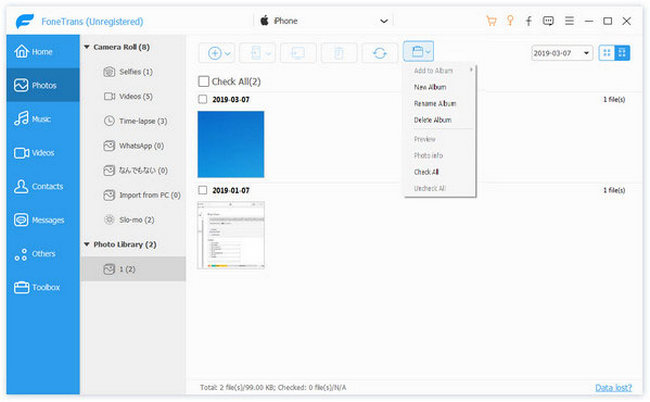
Aiseesoft FoneTrans is powerful iPhone transfer software, which does well in file transfer between iOS devices and computer. It can help you sync and manage photos, music, contacts, messages, videos, notes, calendars, Safari, eBooks and call log from iPhone/iPad/iPod. It’s compatible with the latest iOS 15. It also enables you to make iPhone ringtone and convert image format from HEIC to JPG/PNG and more. And now it enables you to rotate photos when previewing them.

Key Features:
1. Transfer file between iOS device and PC
FoneTrans can help you import video, music, photo and other media files from computer to iPhone/iPad/iPod for enjoyment anywhere and anytime. It also allows you to export files from iOS devices to computer/iTunes for backup.

2. Share files between iPhone/iPod/iPad
Apart from transferring files between computer and iOS devices, you are allowed to transfer files between any iOS devices for file sharing and the shareable files include music, movie, picture, TV show, Podcast, iTunes U, eBook, camera roll, ringtone, etc.

3. Back up iPhone SMS (MMS) and Contacts
With FoneTrans, you can copy SMS to PC for backup and they can be saved in excel, text or html format. Users can also back up the important contacts to PC in case of losing or damaging of their iDevice.

4. De-duplicate Function
To avoid repeated contacts/music, you can delete repeated ones or merge different contacts of the same person.

5. Ringtone Maker and HEIC Converter
In the toolbox, there are two other features that allow you to make ringtones for your iOS device at ease. You can also convert HEIC images to other common formats like JPG or PNG.

AnyMP4 MTS Converter for Mac 8.2.20

Type: Shareware
Cost: $26.25
Size: 48.51 MB
Release date: Jun 01 2021
Platform: Mac OS X,
Publisher’s Site:  https://www.anymp4.com
Publisher’s Product Page:  https://www.anymp4.com/mts-converter-for-mac/
Country: China


AnyMP4 MTS Converter for Mac

AnyMP4 MTS Converter for Mac is the best solution for you to convert MTS to any other video formats, including the HD videos on Mac. It can convert MTS to AVI, MTS to MP4, MTS to VOB, MTS to iPod/iPhone and other devices. Besides, you can easily extract the audio files from any MTS video and convert them to AAC, OGG, WAV, WMA audio format. Then you can enjoy video/audio with your family and friends on any portable players.

Key Features:

1. Convert MTS to other video/audio formats.
AnyMP4 MTS Converter for Mac can convert MTS and other video/audio files to the video format of AMV, ASF, AVI, DivX, Flash H264, FLV, SWF, H.264 AVI, H.264/MPEG-4 AVC, M4V MPEG-4, DV, MKV, MOV, MPEG-1, MPEG-2, MPEG-4, MTV, VOB, WMV, XviD, VCD, WebM or audio format of AAC, AC3, AIFF, AMR, AU, FLAC, M4A, MKA, MP2, MP3, OGG, WAV, WMA.

2. Adjust output video effect.
With AnyMP4 MTS Converter for Mac, you are allowed to define output video and audio parameters, such as Video Resolution, Video Bitrate, Frame Rate, Encoder and Audio Channels, Sample Rate, Encoder, Audio Bitrate as well as video Brightness, Contrast, Saturation, Hue, and Volume. Personalizing your video with the image or text watermarks can be realized as well.

3. Versatile editing functions.
AnyMP4 MTS Converter for Mac can provide powerful editing functions. It can totally optimize the output video by adjusting video effect, trimming video length, cropping video frame, merging video chapters, and adding video watermark.

4. Easy to use and batch conversion function.
AnyMP4 MTS Converter for Mac is easy to use. The whole process of conversion can be finished just in clicks. In addition, it can save the time of conversion greatly with batch conversion. Then, you can enjoy your audio/video files freely.