Category Archives: Audio & Multimedia

Audio Encoders/Decoders, Audio File Players, Audio File Recorders, CD Burners, CD Players, Multimedia Creation Tools, Music Composers, Other, Presentation Tools, Rippers & Converters, Speech, Video Tools

Aiseesoft MOD Converter for Mac 9.2.18

Type: Shareware
Cost: $23.20
Size: 49.63 MB
Release date: Jan 11 2021
Platform: Mac OS X,
Publisher’s Site:  https://www.aiseesoft.com/
Publisher’s Product Page:  https://www.aiseesoft.com/mod-converter-for-mac.html
Country: China
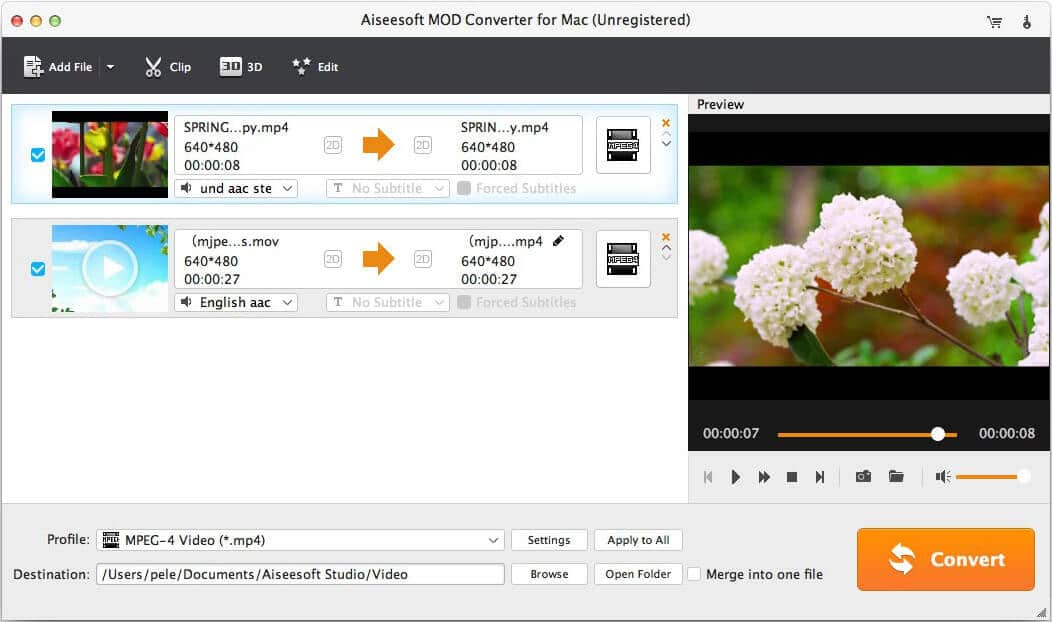

Aiseesoft MOD Converter for Mac

Aiseesoft MOD Converter for Mac can help you convert Mod videos captured by by Canon, JVC and Panasonic camcorder to MOV, MP4, MPEG, AVI, 3GP, WMV, M4V, FLV, WebM, M4V, MKV and other video formats. Also it enables you to extract audio track from MOD file and converting it to MP3, AAC, AC3, OGG, WAV, WMA and other audio formats you need.


Key Features

1. Play MOD files on various portable devices
This Mac MOD converter allows you to enjoy your MOD videos on all popular portable devices, like iPhone 11 Pro Max/11 Pro/11/XS/XS Max/XR, etc., Samsung Galaxy S8 edge/Note 8, HTC 10/One X9, HUAWEI P20/Mate 8, LG G5/V10, etc. as well as PSP, PS4,and other portable devices. Besides, it supports Mac OS X 10.5 and higher version, including Mac OS Catalina.

2. Powerful built-in video editing functions
This MOD Converter for Mac is built with powerful editing functions that enables you to customize the MOD video as you like. For example, you can clip any segment of MOD video, crop the video frame, rotate the source video, add watermark, adjust video effects like brightness, contrast, hue, saturation and merge several MOD files into one.

3. Convert MOD files to 3D
You can make MOD video conversion to 3D effects and play the converted videos on 3D TVs.

4. Customize output settings
You are able to adjust video resolution, bit rate, frame rate, sample rate, video/audio encoder of the output video at your will.

Graphcat<

Vidmore DVD Creator 1.0.26

Type: Shareware
Cost: $29.95
Size: 1.78 MB
Release date: Feb 23 2021
Platform: Win2000,WinXP,Win7 x32,Win7 x64,Windows 8,Windows 10,WinServer,WinOther,WinVista,WinVista x64
Publisher’s Site:  https://www.vidmore.com/
Publisher’s Product Page:  https://www.vidmore.com/dvd-creator/
Country: China


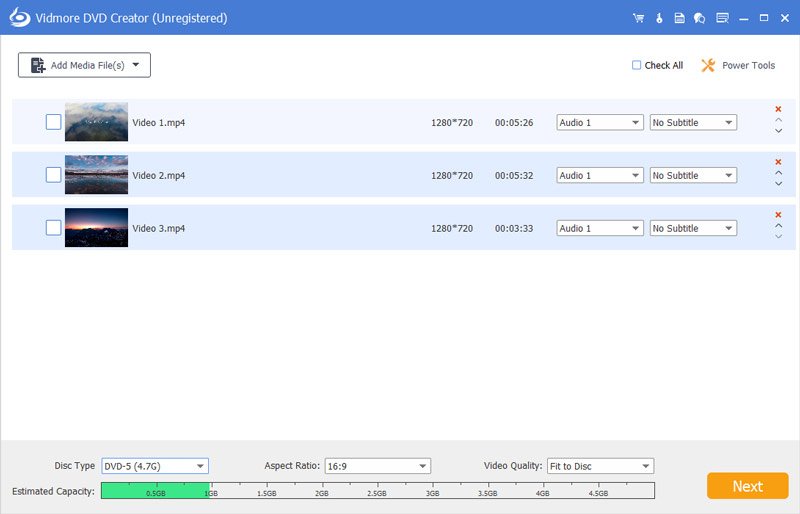
Vidmore DVD Creator

Vidmore DVD Creator enables you to make all kinds of popular videos to DVD or Blu-ray disc/folder/ISO file, such as MP4, AVI, MOV, WMV, MKV, FLV, TS, MTS, M2TS and so on. You could adjust the brightness and saturation of your videos and add watermark/audio track/subtitle to your videos before burning.

Key functions:

1. Make DVD or Blu-ray with any video
If you want to create your own DVD or Blu-ray, Vidmore DVD Creator is your top choice. It could burn any videos to DVD or Blu-ray disc/folder/ISO file. It supports all popular video formats like MP4, AVI, MOV, WMV and more. It also supports many disc types such as DVD-R/RW, DVD+R/RW, DVD+R DL, etc.

2. Edit your videos before burning
If you want to edit your videos before burning, Vidmore DVD Creator could also do you a favor. With it, you could trim/crop/rotate your videos. Enhancing your videos by adjusting the brightness, saturation, contrast is also possible. In addition, you could add audio track, watermark and subtitles to your videos. It is also able to insert chapters to long video automatically or manually.

3. Customize DVD menu
Vidmore DVD Creator provides various DVD menu templates, you could choose one according to your need. Moreover, you could customize the DVD menu by changing the content/font/color/size, etc. And you could also add background music or picture from your local files.

4. Preview your movies and fast burning speed
Vidmore DVD Creator enables you to preview videos before burning. And with the advanced technology of Intel, CUDA and AMD acceleration, it could provide fast burning speed for you, so you do not need to wait for long before enjoying your movies.

Tipard Total Media Converter 9.2.36

Type: Shareware
Cost: $46.75
Size: 38.23 MB
Release date: Jun 09 2021
Platform: Win2000,WinXP,Win7 x32,Win7 x64,Windows 8,Windows 10,WinServer,WinOther,WinVista,WinVista x64
Publisher’s Site:  https://www.tipard.com/
Publisher’s Product Page:  http://www.tipard.com/total-media-converter.html
Country: China


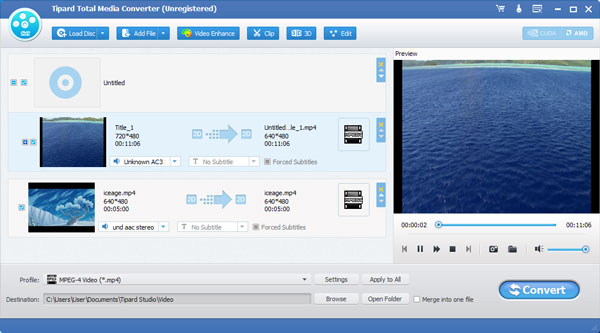
Tipard Total Media Converter

Tipard Total Media Converter can easily help you convert DVD and video files to any other video or audio formats. These video formats include MP4, AVI, MOV, M4V, WMV and so on. And the audio formats contain MP3, FLAC, WAV, WMA, AAC, ALAC, AC3 and more. Meanwhile, it can convert any DVD movie and video files to 3D video format like 3D MP4, 3D AVI, 3D MOV and so on. Besides, it is highly compatible with Windows 10.

Key functions:
1.Convert DVD disc to MP4, MOV, M4V and more
Tipard Total Media Converter can help you convert DVD disc, DVD folder, and ISO image file to any video such as MP4, MOV, M4V, MKV, AVI, WMV, TS and more. So you can enjoy them on your mobile devices.

2.Convert any video to MP4, MKV, AVI and so on
Tipard Total Media Converter supports any popular video formats like MP4, MKV, WMV, MOV, FLV, AVI and so on, and it also supports 1080p HD videos like TS, HD H.264, HD MPEG4, HD MP4 and so on.

3.Convert video/ DVD to MP3, FLAC, WAV and more
Tipard Total Media Converter can extract audio from any general video files and video movie, and convert it to any popular audio format like MP3, FLAC, WAV, WMA, AAC, ALAC, AC3 and more.

4.Powerful editing functions
This media converter software provides you with multiple editing functions. Firstly, you can trim a video into several segments. Secondly, you can adjust video effect like Brightness, Contrast, Saturation, Hue and Volume. Thirdly, you can add text/image watermark to the video.

5.Merge several videos and rename your new video
This software allows you to merge two or more videos into one file. Besides, you can name your new video with a unique name.

6.High converting speed
With the NVIDIA CUDA & AMD APP encoding technology, the converting speed of Tipard Total Media Converter has been greatly improved.