Category Archives: Audio & Multimedia

Audio Encoders/Decoders, Audio File Players, Audio File Recorders, CD Burners, CD Players, Multimedia Creation Tools, Music Composers, Other, Presentation Tools, Rippers & Converters, Speech, Video Tools

Apeaksoft Blu-ray Player 1.1.10

Type: Shareware
Cost: $39.20
Size: 1.60 MB
Release date: Mar 18 2021
Platform: Win2000,WinXP,Win7 x32,Win7 x64,Windows 8,Windows 10,WinServer,WinOther,WinVista,WinVista x64
Publisher’s Site:  https://www.apeaksoft.com/
Publisher’s Product Page:  https://www.apeaksoft.com/blu-ray-player/
Country: China

Apeaksoft Blu-ray Player

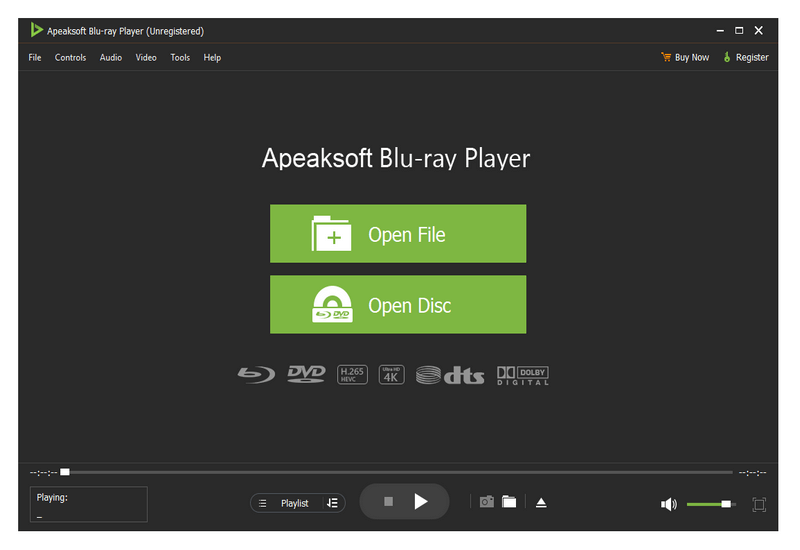
Apeaksoft Blu-ray Player can play DVD/Blu-ray disc/folder/ISO files with high image quality. Meanwhile, it can also support 4K and 1080p HD videos. Besides, it allows you to play common videos including MP4, MOV, AVI, M4V, MPEG, MKV, FLV, etc. This magical software also enables you to select your needed audio track, subtitle track as well as the video track.


Key functions:

1. Play DVD/Blu-ray disc/folder/ISO files with perfect effect
This professional Blu-ray Player can play DVD/Blu-ray disc/folder/ISO files with high-quality and it would bring you wonderful watching experience.

2. Play 4K videos, 1080p HD videos and common videos
With the assistance of Apeaksoft Blu-ray Player, you can play your 4K videos like 4K H.265 MP4, 4K H.264 TS, 4K MKV and others with high-quality. Furthermore, it is able to play 1080p videos like HD AVI Video (.avi), HD H.264/MPEG-4 AVC Video (.mp4), HD MKV Video Format (.mkv), HD MOV Video (.mov) and so on. Meanwhile, it can also play common videos like MP4, MOV, AVI, M4V, MPEG, MKV, FLV, TS etc.

3. Region free and various playback modes
As we all know that more and more Blu-ray discs have a region code, Apeaksoft Blu-ray Player could do you a favor in this case. With it, you could play any Blu-ray disc for region free. In addition, it provides various playback modes for users. When watching videos, you could change the screen size and move to the chapter or part you want to watch according to your need.

4. Customize your watching experience
This Blu-ray player software also allows you to adjust image and audio effect. You are able to change audio track, audio channel and audio device to get better audio effect. You can also choose video track or subtitle.

Graphcat<

Apeaksoft Blu-ray Player for Mac 1.1.50

Type: Shareware
Cost: $39.20
Size: 36.79 MB
Release date: Mar 22 2021
Platform: Mac OS X,
Publisher’s Site:  https://www.apeaksoft.com/
Publisher’s Product Page:  https://www.apeaksoft.com/blu-ray-player/
Country: China


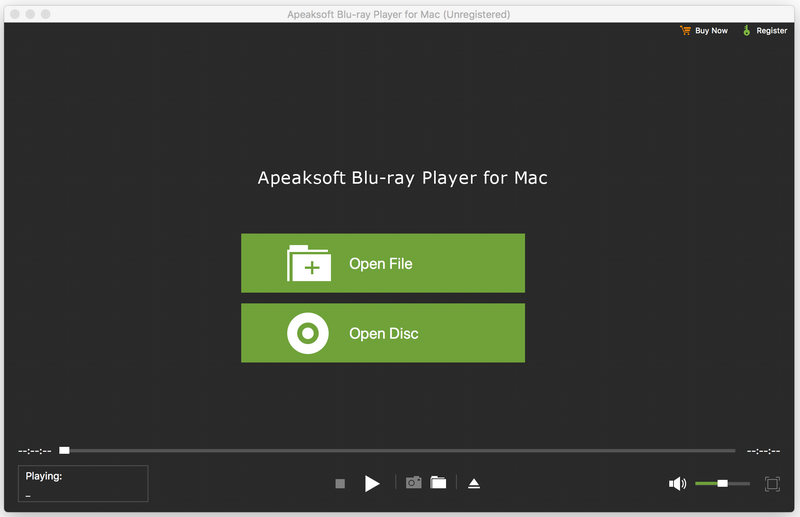
Apeaksoft Blu-ray Player for Mac

Apeaksoft Blu-ray Player for Mac allows you to enjoy Blu-ray disc/folder/ISO files with lossless quality on Mac. Apart from that, it enables you to play 4K UHD, 1080p/720p HD and SD videos including HD MPG, HD MPEG, HD MPEG2, HD MPEG4, HD MP4, QuickTime HD MOV and common video files like MP4, MTS, MKV, AVI, FLV, MOV and more. Moreover, it enables you to choose your needed video and audio track. You can also choose your needed language as you like.

Key functions:

1. Play any Blu-ray disc/folder/ISO files on Mac
This Blu-ray Player enables you to play any 2D/3D Blu-ray disc, Blu-ray folder/ISO image files with high quality of video and audio. So you can enjoy your videos with perfect image quality.

2. Play any video like 4K UHD, 1080p/720p HD and SD, MP4, MOV, etc.
This professional Mac Blu-ray Player can also play 4K UHD, 1080p/720p HD and SD videos for better watching experience. You can enjoy any HD videos like HD AVI, HD H.264/MPEG-4 AVC, HD MKV, etc. Meanwhile, you can play common videos like MP4, MOV, M4V, MKV, AVI, WMV, TS, etc. on Mac.

3. Choose your needed video and audio track
With this Blu-ray Player for Mac, you can set the most suitable subtitle track by clicking video, and then clicking video track. You can also click audio, and then choose your needed audio track, audio channel and audio device.

4. Wonderful user experience
Apeaksoft Blu-ray Player for Mac is an easy-to-use media player program. Its simple operation steps let you use it easily without any confusion.

Aiseesoft FoneTrans 9.1.56

Type: Shareware
Cost: $39.96
Size: 1.67 MB
Release date: Apr 12 2021
Platform: Win2000,WinXP,Win7 x32,Win7 x64,Windows 8,Windows 10,WinServer,WinOther,WinVista,WinVista x64
Publisher’s Site:  https://www.aiseesoft.com
Publisher’s Product Page:  https://www.aiseesoft.com/ios-transfer/
Country: China


Aiseesoft FoneTrans

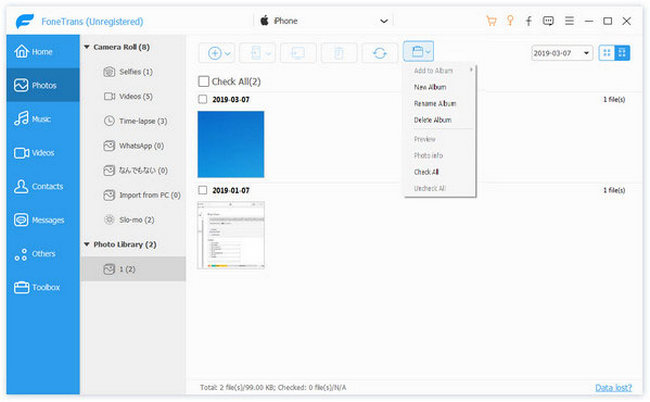
Aiseesoft FoneTrans is powerful iPhone transfer software, which does well in file transfer between iOS devices and computer. It can help you sync and manage photos, music, contacts, messages, videos, notes, calendars, Safari, eBooks and call log from iPhone/iPad/iPod. It’s compatible with the latest iOS 14. It also enables you to make iPhone ringtone and convert image format from HEIC to JPG/PNG and more. And now it enables you to rotate photos when previewing them. And the latest version has fixed the bugs in older version and added new powerful features.

Key Features:
1. Transfer file between iOS device and PC
FoneTrans can help you import video, music, photo and other media files from computer to iPhone/iPad/iPod for enjoyment anywhere and anytime. It also allows you to export files from iOS devices to computer/iTunes for backup.

2. Share files between iPhone/iPod/iPad
Apart from transferring files between computer and iOS devices, you are allowed to transfer files between any iOS devices for file sharing and the shareable files include music, movie, picture, TV show, Podcast, iTunes U, eBook, camera roll, ringtone, etc.

3. Back up iPhone SMS (MMS) and Contacts
With FoneTrans, you can copy SMS to PC for backup and they can be saved in excel, text or html format. Users can also back up the important contacts to PC in case of losing or damaging of their iDevice.

4. De-duplicate Function
To avoid repeated contacts/music, you can delete repeated ones or merge different contacts of the same person.

5. Ringtone Maker and HEIC Converter
In the toolbox, there are two other features that allow you to make ringtones for your iOS device at ease. You can also convert HEIC images to other common formats like JPG or PNG.