Category Archives: Audio & Multimedia

Audio Encoders/Decoders, Audio File Players, Audio File Recorders, CD Burners, CD Players, Multimedia Creation Tools, Music Composers, Other, Presentation Tools, Rippers & Converters, Speech, Video Tools

Vidmore Screen Recorder for Mac 1.0.16

Type: Shareware
Cost: $29.95
Size: 19.17 MB
Release date: Aug 13 2020
Platform: Mac OS X,
Publisher’s Site:  https://www.vidmore.com/
Publisher’s Product Page:  https://www.vidmore.com/screen-recorder/
Country: China
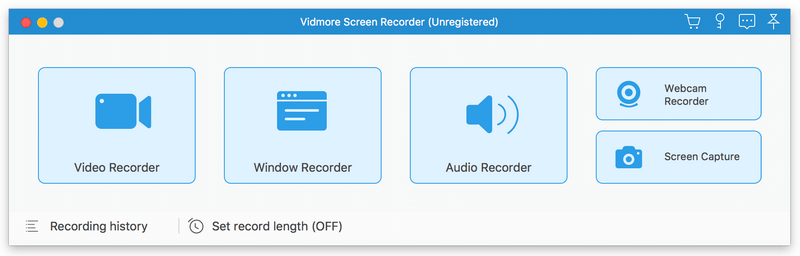

Vidmore Screen Recorder for Mac

Vidmore Screen Recorder for Mac is an easy-to-use screen recording program, with it, you could record online videos that you could not download, record the audio files you want to save and so on. In addition, recording the system and microphone sound is also possible.


Key functions:

1. Record video and audio files
With Vidmore Screen Recorder for Mac, you could save any precious media files you want to use in the future. It is able to record all kinds of media files without any hassle. And it also allows you to record the system and microphone sound. In addition, you could record the full screen or select the area you want to record as you like.

2. Trim Recordings and schedule recording task
If you just want to save a part of your recordings and you do not want to record it again, please do not worry, Vidmore Screen Recorder for Mac could help you solve this easily. You just need to choose the start and end time for your clip after recording, then you could save the part you want. If you want Vidmore Screen Recorder for Mac to record the files later automatically, you could schedule the recording task by setting the task name, the starting and ending time and the duration, then it will record at the time you want.

3. Record GIF
Do you want to save media files as GIF? With Vidmore Screen Recorder for Mac, the output video or screenshot format could be saved as GIF files.

4. Powerful editing functions
You could set the output video format, video codec and video quality according to your need. Moreover, you are able to add text, arrows and shapes to your recording files. If you want to set hotkeys for start and pause recording or screen capture, all of this could be achieved with Vidmore Screen Recorder for Mac easily.

Graphcat<

Aiseesoft Video Converter Ultimate 10.1.18

Type: Shareware
Cost: $39.20
Size: 1.79 MB
Release date: Dec 28 2020
Platform: Win2000,WinXP,Win7 x32,Win7 x64,Windows 8,Windows 10,WinServer,WinOther,WinVista,WinVista x64
Publisher’s Site:  https://www.aiseesoft.com/
Publisher’s Product Page:  https://www.aiseesoft.com/video-converter-ultimate/
Country: China


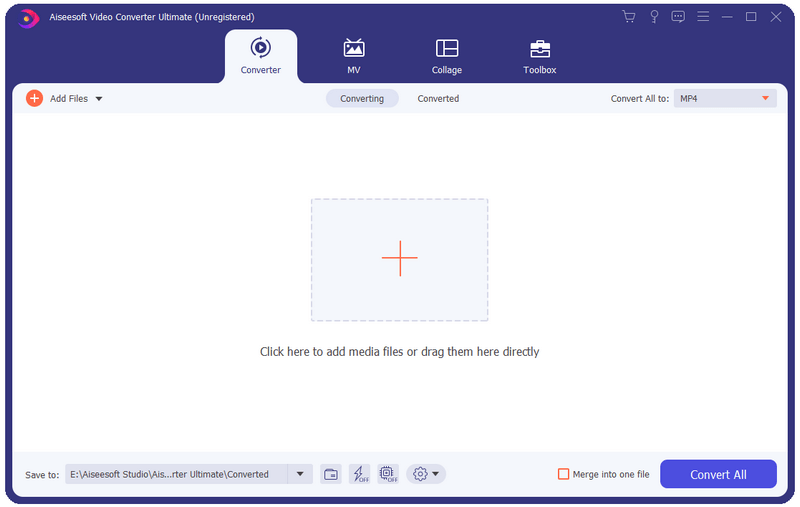
Aiseesoft Video Converter Ultimate

Aiseesoft Video Converter Ultimate is a comprehensive video converter. It can convert any video, home-made DVD to over 1,000 video/audio formats including AVI, WMV, MOV, MP4, MP3, FLAC, etc. Now this video converter comes with more powerful features to help you process your video files effortlessly.

Key functions
1. Convert over 1,000 video (4K/3D included) and audio formats as well as DVDs to other popular formats.
This software can convert videos/audio and home-made DVDs to over 1,000 formats. It also converts videos among the different resolution of SD, HD and 4K video.

2. Powerful editing functions
You can trim video length, enhance video quality, adjust video effects and add text or picture watermark as needed with its powerful editing feature. There are a bunch of stunning filters for you to use in one click, including whirpool, HongKong movie, orange dots, purple, plain, coordinates, warm, Stars, etc.

3. Fast conversion speed and super-high quality
The latest converting and enhancing engine will bring you faster converting speed while still keep the perfect image and sound quality. Plus, we have used the world’s leading Blu-Hyper technology, which includes Graphics card image processing, and video decoding/encoding technology based on CPU level, so the video converting speed has been 30X faster than before.

4. New features added
This new Video Converter Ultimate comes with more new tools, including Video Compressor, Media Metadata Editor, GIF Maker and MV feature. You can compress large videos to a smaller size, add and edit ID3 tags to newly created song, create GIF image from video clips as you like. The MV feature enables you to produce a cool video in minutes even though you have less skills. It provides many profiles to help you export video in the right size of different platforms, like Facebook, Twitter, Instagram, YouTube, TikTok, Amazon, eBay, etc.

Apeaksoft Blu-ray Player 1.1.6

Type: Shareware
Cost: $39.20
Size: 54.50 MB
Release date: Nov 30 2020
Platform: Win2000,WinXP,Win7 x32,Win7 x64,Windows 8,Windows 10,WinServer,WinOther,WinVista,WinVista x64
Publisher’s Site:  https://www.apeaksoft.com/
Publisher’s Product Page:  https://www.apeaksoft.com/blu-ray-player/
Country: China


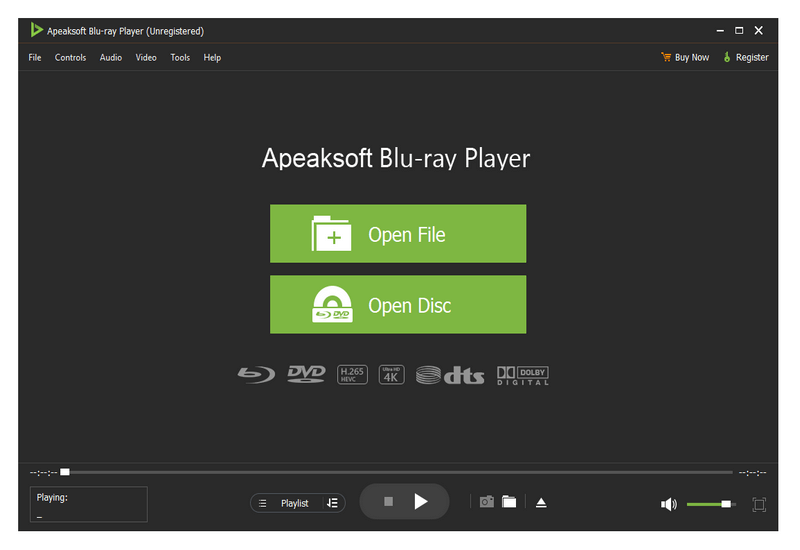
Apeaksoft Blu-ray Player

Apeaksoft Blu-ray Player can play DVD/Blu-ray disc/folder/ISO files with high image quality. Meanwhile, it can also support 4K and 1080p HD videos. Besides, it allows you to play common videos including MP4, MOV, AVI, M4V, MPEG, MKV, FLV, etc. This magical software also enables you to select your needed audio track, subtitle track as well as the video track.

Key functions:

1. Play DVD/Blu-ray disc/folder/ISO files with perfect effect
This professional Blu-ray Player can play DVD/Blu-ray disc/folder/ISO files with high-quality and it would bring you wonderful watching experience.

2. Play 4K videos, 1080p HD videos and common videos
With the assistance of Apeaksoft Blu-ray Player, you can play your 4K videos like 4K H.265 MP4, 4K H.264 TS, 4K MKV and others with high-quality. Furthermore, it is able to play 1080p videos like HD AVI Video (.avi), HD H.264/MPEG-4 AVC Video (.mp4), HD MKV Video Format (.mkv), HD MOV Video (.mov) and so on. Meanwhile, it can also play common videos like MP4, MOV, AVI, M4V, MPEG, MKV, FLV, TS etc.

3. Region free and various playback modes
As we all know that more and more Blu-ray discs have a region code, Apeaksoft Blu-ray Player could do you a favor in this case. With it, you could play any Blu-ray disc for region free. In addition, it provides various playback modes for users. When watching videos, you could change the screen size and move to the chapter or part you want to watch according to your need.

4. Customize your watching experience
This Blu-ray player software also allows you to adjust image and audio effect. You are able to change audio track, audio channel and audio device to get better audio effect. You can also choose video track or subtitle.