Category Archives: Audio & Multimedia

Audio Encoders/Decoders, Audio File Players, Audio File Recorders, CD Burners, CD Players, Multimedia Creation Tools, Music Composers, Other, Presentation Tools, Rippers & Converters, Speech, Video Tools

Apeaksoft Screen Recorder for Mac 2.0.36

Type: Shareware
Cost: $19.96
Size: 20.79 MB
Release date: Dec 24 2020
Platform: Mac OS X,
Publisher’s Site:  https://www.apeaksoft.com/
Publisher’s Product Page:  https://www.apeaksoft.com/screen-recorder/
Country: China
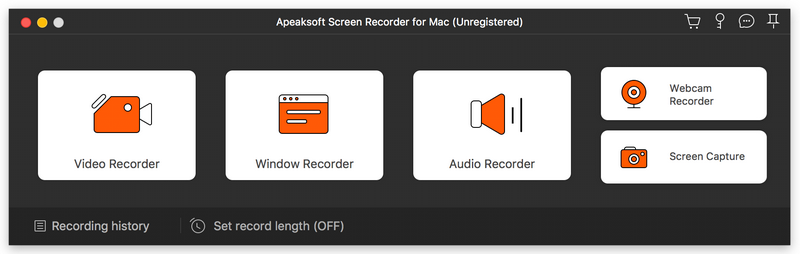

Apeaksoft Screen Recorder for Mac

Apeaksoft Screen Recorder for Mac makes it easy to record videos and audio played on Mac. The powerful video recording function allows you to save almost all videos to your Mac, such as online streaming videos you cannot download, video tutorials you want to capture and video meetings you want to save. You could also record the microphone voice and capture the screenshot on Mac.


Key functions:

1. Record videos freely
Having trouble in downloading some videos you want? Apeaksoft Screen Recorder for Mac is your best choice. With it, you could record the videos which you could not download without any hassle. And you could change the output format before recording as you like. In addition, it also has various editing functions.

2. Record audio files easily
Apeaksoft Screen Recorder for Mac enables you to record various music, radio or online audio instead of downloading them. You can save the recorded audio in MP3, WMA, AAC, M4A for future playback. Moreover, it can record microphone voice easily, you just need to choose microphone audio and turn off system audio to easily record the voice you need. Recording system sound could also be realized with it.

3. Take snapshots easily
Apeaksoft Screen Recorder for Mac enables you to take screen capture, and you could add watermark to your screen capture. Moreover, you are able to annotate the snapshots with a text box, arrow, highlight and more.

4. Highlight the mouse cursor as you wish
This is especially useful when you make video presentations. You can highlight the mouse cursor to make your act easier to be tracked on screen. Also you can define the color and the shape of the highlight.

Graphcat<

Vidmore Player 1.1.8

Type: Shareware
Cost: $29.95
Size: 1.69 MB
Release date: Dec 14 2020
Platform: Win2000,WinXP,Win7 x32,Win7 x64,Windows 8,Windows 10,WinServer,WinOther,WinVista,WinVista x64
Publisher’s Site:  https://www.vidmore.com/
Publisher’s Product Page:  https://www.vidmore.com/vidmore-player/
Country: China


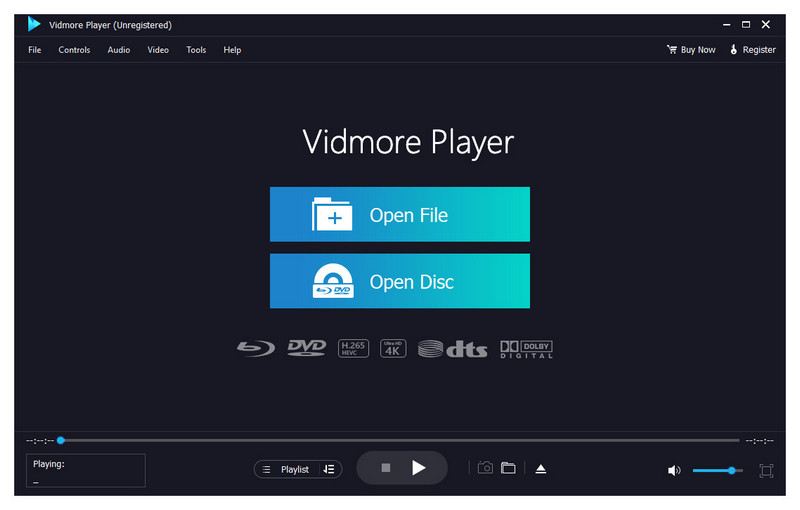
Vidmore Player

Do you have trouble in playing your Blu-ray disc/folder/ISO files and DVD disc/folder/ISO files? Are you looking for a powerful media player? Vidmore Player is your top choice. With it, you could play your Blu-rays and DVDs without any hassle.

Key functions:

1. Play Blu-ray disc/folder/ISO files
With Vidmore Player, you could play your Blu-ray disc/folder/ISO files with the lossless sound effect as well as HD image quality. It supports various Blu-ray disc types, such as BD-5, BD-9, BD-25, BD-50, etc. It provides the function to customize video effects like adjusting the hue/brightness/contrast/saturation and Gamma.

2. Play DVD disc/folder/ISO files
Do you want to play old DVD discs which you collected before? Do you want to play DVD folders? Do you want to play ISO files? Vidmore Player could accomplish this for you. It is able to play DVD disc/folder/ISO files and also lets you change the subtitle track/audio track.

3. Play any common videos
If you want to play any popular video and audio files, you could have a consideration of Vidmore Player. It could not only play Blu-ray disc/folder/ISO files and DVD disc/folder/ISO files, but also play other common videos like MP4, MPG, M4V, TS, MTS, M2TS, MXF, WMV, ASF, MKV, F4V, FLV, VOB, etc. In addition, you can enjoy the 4K UHD and 1080p/720 HD videos as well.

4. High output quality
With advanced audio decoding technologies like Dolby, DTS, AAC, TrueHD and more, you could enjoy the high quality of your media files. You could also click the Snapshot icon or use the shortcut key to take a screen shot when you play your movies.

Tipard Total Media Converter for Mac 9.1.36

Type: Shareware
Cost: $46.75
Size: 51.02 MB
Release date: Sep 03 2020
Platform: Mac OS X,
Publisher’s Site:  https://www.tipard.com/
Publisher’s Product Page:  https://www.tipard.com/total-media-converter-for-mac.html
Country: China


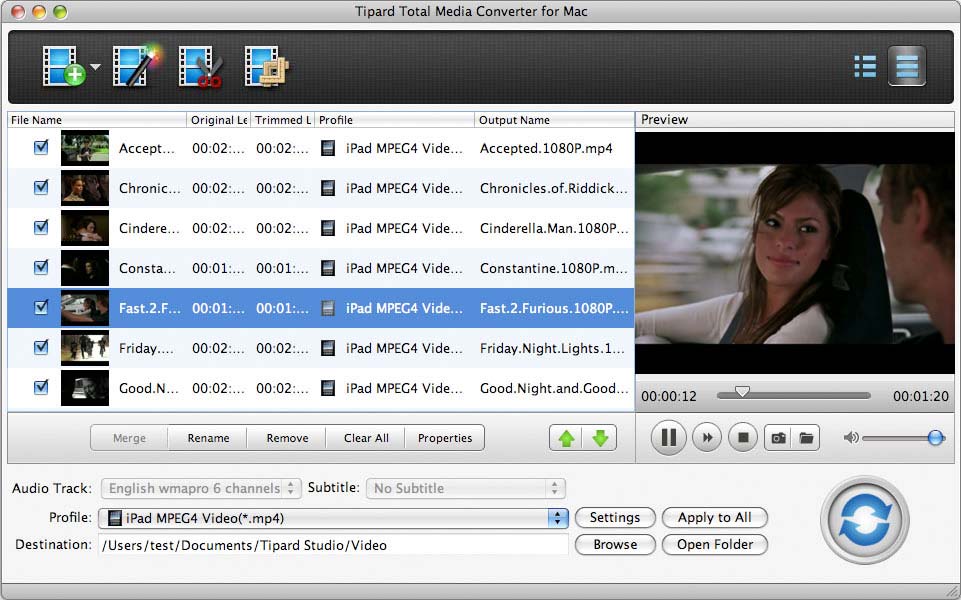
Tipard Total Media Converter for Mac

Tipard Total Media Converter for Mac allows you to rip DVD disc/folder/ISO file to any video formats like MP4, MOV, M4V, MKV, AVI, WMV, TS and more with excellent quality on Mac. Besides, it can also convert M2TS, MTS, TS, HD MPEG4, HD MP4, HD WMV to any video formats. Meanwhile, it is able to edit your video by clipping, cropping and so on.

Key function:
1.Rip DVD disc/folder/ISO file for Mac
Tipard Total Media Converter for Mac can rip DVD disc/DVD folder/DVD ISO file to HD AVI, HD MPG, HD TS, HD ASF and more 1080p HD videos. Meanwhile, it can also rip your DVD movies to MP4, MOV, M4V, AVI, MKV, FLV and so on.

2.Convert any video to MP4, MOV, M4V and so on
Tipard Total Media Converter for Mac can help you convert any video to general video formats like MP4, MOV, M4V, MKV, AVI, WMV, TS and more. Thus, you can enjoy your loved movie on iPhone 11/11 Pro/11 Pro Max/XS/XS Max/XR/X/8/7/6, and others. It can also help you convert 2D video to 3D video.

3.Extract audio from your DVD or videos
Tipard Total Media Converter for Mac enables you to get audio formats from DVD or video to common audio formats, such as MP3, FLAC, WAV, WMA, AAC, ALAC, AC3, etc.

4.Multiple editing functions for you to select
It is able to help you edit the video effect, such as trimming the video length, cropping the video frame, adding watermark to the video, adjusting the video effect. With effect function, you can adjust the Brightness, Saturation, Contrast, Hue and Volume. With trim function, you are able to trim any segment of the video from DVD or video file. With crop function, the video frame can be cropped as your like. With watermark function, you can add text or image watermark to the screen of the video, and adjust the position and transparency of the watermark.