Category Archives: Audio & Multimedia

Audio Encoders/Decoders, Audio File Players, Audio File Recorders, CD Burners, CD Players, Multimedia Creation Tools, Music Composers, Other, Presentation Tools, Rippers & Converters, Speech, Video Tools

Tipard HD Converter for Mac 9.1.22

Type: Shareware
Cost: $35.70
Size: 50.96 MB
Release date: Dec 22 2020
Platform: Mac OS X,
Publisher’s Site:  https://www.tipard.com/
Publisher’s Product Page:  http://www.tipard.com/hd-converter-for-mac.html
Country: China
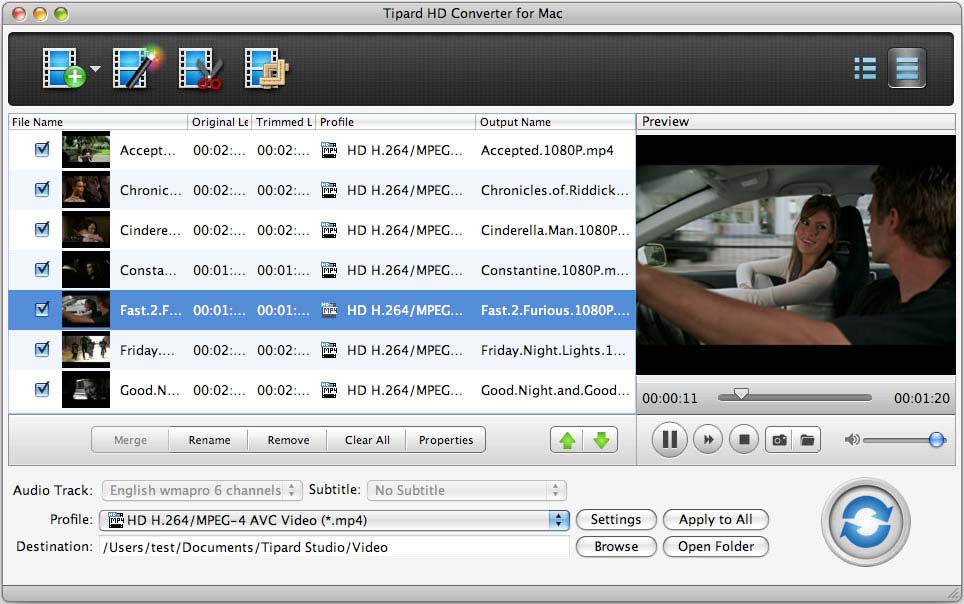

Tipard HD Converter for Mac

Tipard HD Converter for Mac is able to convert HD video on Mac. It can convert between HD video and SD video with fast speed. This HD Converter for Mac can also convert HD video to popular video formats, like VCD, DVD, 3GPP, MKV, FLV, SWF, VOB, MTV, M4V, AVI, DivX, XviD, ASF, WMV, MPEG-1, etc. And it supports various input file formats, like HD MPG, HD MPEG, HD MP4, HD WMV, HD TS, HD MTS, HD M2TS and so on. Moreover, it is highly compatible with iPad, iPhone, iPod, PSP, Sony Walkman, Microsoft Surface, and more.


Key functions:
1. Convert HD video to another video on Mac
Tipard HD Converter for Mac enables you to convert among HD videos, and convert HD video to many popular video formats.

2. Convert popular video formats on Mac
This perfect software allows you to convert popular video formats such as TS, RMVB, MOD, TOD, MOV, DIF, etc. on Mac for your portable devices with best enjoyment.

3. Powerful editing functions
Tipard HD Converter for Mac offers powerful editing functions for you to use. The "Crop" function can help you crop the video frame to remove the unwanted playing areas and the black edges to fit your player’s screen. And you can also trim video length and merge several video clips into one. What?s more, you are able to watermark your video in the form of a text or image.

4. Adjust the video effects
Tipard HD Converter for Mac provides the function of adjusting video settings, like Encoder, Bitrate, Resolution, Frame rate, and audio settings, like Encoder, Sample rate, Channels, Bitrate.

5. Preview and snapshot
You are allowed to preview the input and output video effects to get a whole picture of the output video. During the process of previewing, you can also capture your favorite pictures and save them.

Graphcat<

Aiseesoft Video Enhancer 9.2.36

Type: Shareware
Cost: $20
Size: 40.66 MB
Release date: Oct 13 2020
Platform: Win2000,WinXP,Win7 x32,Win7 x64,Windows 8,Windows 10,WinServer,WinOther,WinVista,WinVista x64
Publisher’s Site:  https://www.aiseesoft.com/
Publisher’s Product Page:  https://www.aiseesoft.com/video-enhancer/
Country: China


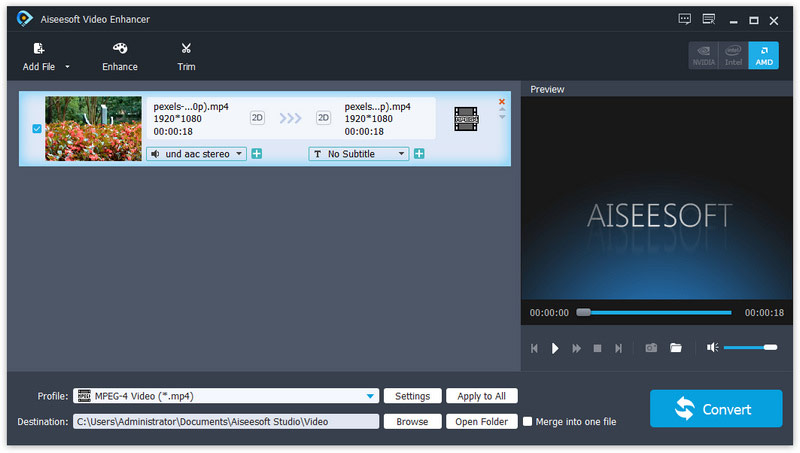
Aiseesoft Video Enhancer

Aiseesoft Video Enhancer aims to help you improve the video quality from many aspects. You can easily get a high quality video with its enhancing functions. With it, you are able to upscale video resolution, optimize brightness and contrast, remove video noise and reduce video shaking. It has many other editing functions such as clipping, cropping, rotating, and adding watermark. Now it supports for new profile like iPhone 11 Pro Max/11 Pro/11/XS/XR, etc.

Key Features

1. Upscale video resolution
It is unnecessary for you to worry about the low resolution of your video. With the professional Video Enhancer, you can upscale the video resolution with only one click. You can easily upscale your video from 480p to 720p or even 1080p.

2. Optimize brightness and contrast
When you have a video and want to optimize its brightness and contrast, Aiseesoft Video Enhancer will be your best assistant. The converted video will show you clearly the difference from the former one.

3. Remove video noise
Aiseesoft Video Enhancer provides you with a good solution to remove the annoying white noise from your old movies and DVD videos. You will get the clear videos without any mosaic or white noise.

4. Stabilize video
You might get a shaky video when you are recording a video with your camera or phone. The slight shake of your hand will cause the video unstable and the recorded video cannot meet your need. Now with its video deshaking function, you are able to fix this problem with ease.

5. Rotate video to the right angle
Another great function of this Video Enhancer is that, you are able to rotate and flip the video to the right angle. It allows you to rotate 90 clockwise and 90 counterclockwise. Or you can flip the video horizontally and vertically according to your need.

Tipard DVD Cloner 6.2.56

Type: Shareware
Cost: $29.75
Size: 20.08 MB
Release date: Dec 01 2020
Platform: Win2000,WinXP,Win7 x32,Win7 x64,Windows 8,Windows 10,WinServer,WinOther,WinVista,WinVista x64
Publisher’s Site:  https://www.tipard.com/
Publisher’s Product Page:  https://www.tipard.com/dvd-cloner-6.html
Country: China


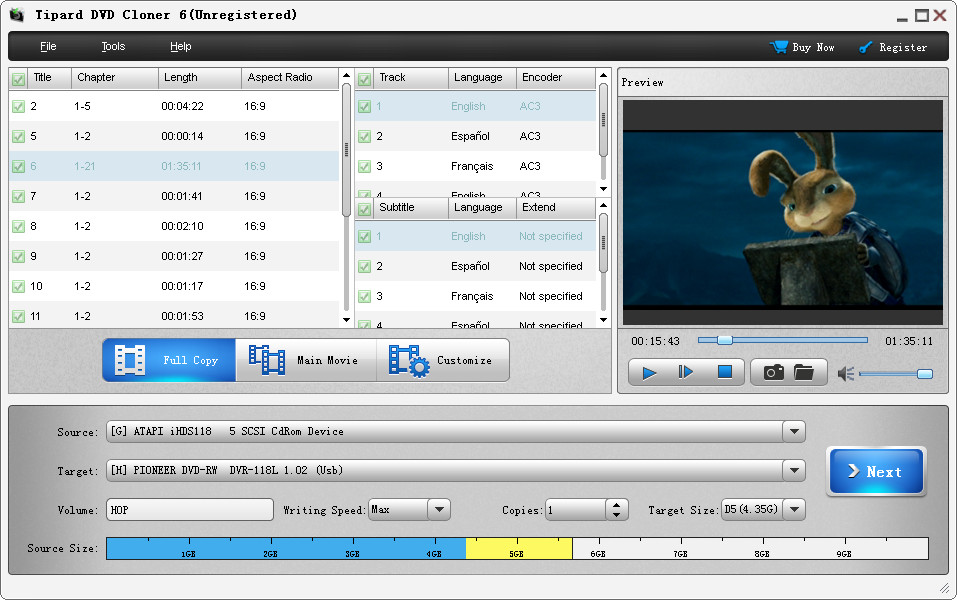
Tipard DVD Cloner

Tipard DVD Cloner allows to your copy DVD disc to DVD disc, such as DVD-9 to DVD-9, DVD-5 to DVD-5, DVD-9 to DVD-5. Besides, it also enables you to back up DVD disc to local computer as DVD folder or ISO files. Meanwhile, it can also copy local DVD folder or ISO files to your DVD disc. What’s more, you can select Full Copy, Main Movie or Customize as your copy mode. Moreover, you are able to choose your preferred audio track and add downloaded subtitle to the video file. It is compatible with Windows 10.

Key functions:
1. Clone and Back up DVD disc
Tipard DVD Copy can clone DVD disc to DVD Disc exactly in 1:1 ratio with all their contents. For instance, you are able to copy DVD-9 to DVD-5, DVD-9 to DVD-9, DVD-5 to DVD-5 with the best quality.

2. Copy DVD Disc to DVD folder/ISO files
This DVD Cloner allows you to back up and copy DVD disc to DVD folder or ISO file on your PC. Meanwhile, you can copy local DVD folder or ISO file to DVD disc losslessly.

3. More Copy Modes for you
Tipard DVD Cloner has three copy modes for you to select, they are Customize, Full Mode and Main Movie. You can choose whatever you like and you can copy any parts in the DVD according to your own requirements.

4. Choose volume and size
You can select a perfect volume and a fitful size like DVD 5 or DVD 9 for the target DVD disc. So you can make the best choice according to the condition of your DVD. With Tipard DVD Cloner, you can get the best copy results.