Category Archives: Audio & Multimedia

Audio Encoders/Decoders, Audio File Players, Audio File Recorders, CD Burners, CD Players, Multimedia Creation Tools, Music Composers, Other, Presentation Tools, Rippers & Converters, Speech, Video Tools

Vidmore Screen Recorder 1.1.16

Type: Shareware
Cost: $29.95
Size: 1.64 MB
Release date: Sep 09 2020
Platform: Win2000,WinXP,Win7 x32,Win7 x64,Windows 8,Windows 10,WinServer,WinOther,WinVista,WinVista x64
Publisher’s Site:  https://www.vidmore.com/
Publisher’s Product Page:  https://www.vidmore.com/screen-recorder/
Country: China

Vidmore Screen Recorder

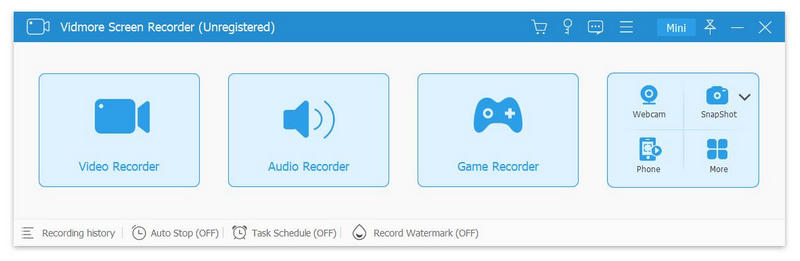
Do you have trouble in downloading some video or audio files? If you are looking for a solution to this problem, Vidmore Screen Recorder is your best choice. With it, you are able to record the video and audio files you could not download. And you could select the area you want to record according to your need.


Key functions:

1. Record video and audio files
Vidmore Screen Recorder is good at recording any video and audio files that you could not download or you want to convert the format of them. With this powerful recording software, you could save any precious video or audio files as you like. In addition, the audio recorder function also allows you to record the system and microphone sound.

2. Record GIF
Vidmore Screen Recorder could also be a GIF converter, it enables you to save the recorded videos or screenshot as GIF format.

3. Trim recordings
If you want to cut the recorded part after your finish the recording, please do not worry, the trim function could help you solve this problem. You could choose the start and end time for your recorded clip rather than recording it again.

4. Editing function
With the powerful editing function, you could add text, arrows and shapes to your recording or screenshot. What is more, you could also set video format, video codec and video quality as you like. In addition, adding mouse click and mouse area effects while recording is also possible.

Graphcat<

Apeaksoft Blu-ray Player for Mac 1.1.32

Type: Shareware
Cost: $39.20
Size: 35.46 MB
Release date: Sep 07 2020
Platform: Mac OS X,
Publisher’s Site:  https://www.apeaksoft.com/
Publisher’s Product Page:  https://www.apeaksoft.com/blu-ray-player/
Country: China


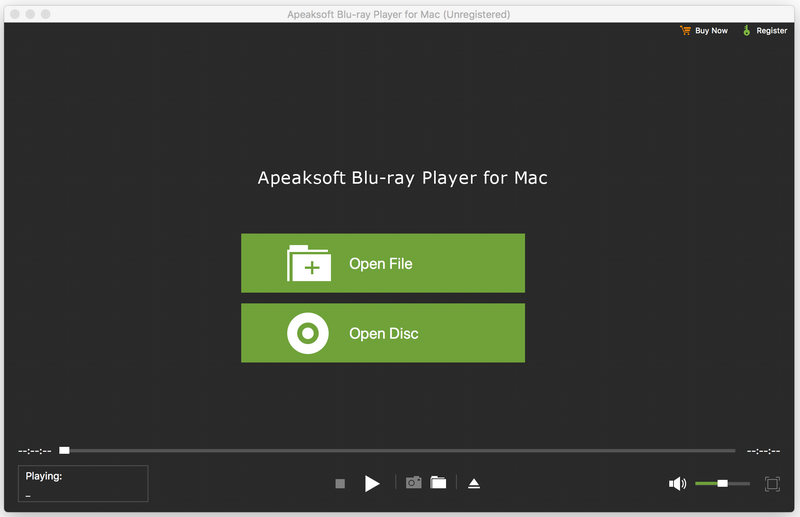
Apeaksoft Blu-ray Player for Mac

Apeaksoft Blu-ray Player for Mac allows you to enjoy Blu-ray disc/folder/ISO files with lossless quality on Mac. Apart from that, it enables you to play 4K UHD, 1080p/720p HD and SD videos including HD MPG, HD MPEG, HD MPEG2, HD MPEG4, HD MP4, QuickTime HD MOV and common video files like MP4, MTS, MKV, AVI, FLV, MOV and more. Moreover, it enables you to choose your needed video and audio track. You can also choose your needed language as you like.

Key functions:

1. Play any Blu-ray disc/folder/ISO files on Mac
This Blu-ray Player enables you to play any 2D/3D Blu-ray disc, Blu-ray folder/ISO image files with high quality of video and audio. So you can enjoy your videos with perfect image quality.

2. Play any video like 4K UHD, 1080p/720p HD and SD, MP4, MOV, etc.
This professional Mac Blu-ray Player can also play 4K UHD, 1080p/720p HD and SD videos for better watching experience. You can enjoy any HD videos like HD AVI, HD H.264/MPEG-4 AVC, HD MKV, etc. Meanwhile, you can play common videos like MP4, MOV, M4V, MKV, AVI, WMV, TS, etc. on Mac.

3. Choose your needed video and audio track
With this Blu-ray Player for Mac, you can set the most suitable subtitle track through clicking video, and then clicking video track. You can also click audio, and then choose your needed audio track, audio channel and audio device.

4. Wonderful user experience
Apeaksoft Blu-ray Player for Mac is an easy-to-use media player program. Its simple operation steps let you use it easily without any confusion.

UkeySoft DVD Ripper 5.0.0

Type: Shareware
Cost: $39.95
Size: 15.09 MB
Release date: Jan 01 2019
Platform: Win2000,WinXP,Win7 x32,Win7 x64,Windows 8,Windows 10,WinServer,WinOther,Windows2000,Windows2003,Windows Server 2000,Windows Server 2003,Windows Server 2008,Windows Server 2008r2,Windows Server 2012,Windows Tablet PC Edition 2005,Windows Media Center Edition 2005,WinVista,Windows Vista Starter,Windows Vista Home Basic,Windows Vista Home Premium,Windows Vista Business,Windows Vista Enterprise,Windows Vista Ultimate,WinVista x64,Windows Vista Home Basic x64,Windows Vista Home Premium x64,Windows Vista Business x64,Windows Vista Enterprise x64,Windows Vista Ultimate x64
Publisher’s Site:  https://www.ukeysoft.com
Publisher’s Product Page:  https://www.ukeysoft.com/dvd-ripper/
Country: China


UkeySoft DVD Ripper

Do you want to watch DVD movies or other DVD Music Video on mobile devices such as iPhone, iPad, Samsung, HTC, LG, Sony, Google Pixel/Nexus, HUAWEI, Motorola, ZTE, LG, Xiaomi and more Android smartphones and tablets? To watch DVD movies on mobile phone in anywhere you want, what you need to do is ripping and converting DVD to the video formats that compatible with the devices(you can only play DVD movies on the devices while you have the DVD player that can play it). To solve DVD playing problem, you can get help from Ukeysoft DVD Ripper.

– Rip DVD Movies to Any Video or Audio Formats.
* Convert DVD to MP4, AVI, WMV, FLV, MOV, MPEG, H.264, MP3 and more.

– Watch DVD Movies on Any Devices Without Limitation
* Make the DVD movies available on more devices as well as media players, so that you can enjoy DVD movies on any mobile devices, such as Apple iPhone/iPad/iPod/TV, Samsung/Sony/LG/Huawei/Google/Motorola/ZTE/Xiaomi/Oppo smart phones/tablets or PS3/PS4 game console, Nokia, Blackberry, Xbox, etc.

– Share your DVD Contents
* UkeySoft DVD Ripper is the best DVD ripping software to digitize discs for easier backup, archiving, editing and sharing.

– Edit DVD Videos before Ripping
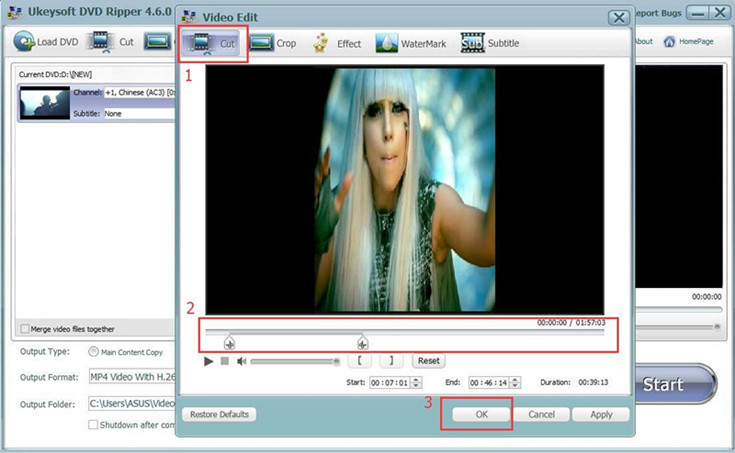
* Edit the DVD movie before converting to the video format you want: Cut, merge, crop, trim and rotate video

– Extract Audio From DVD
* Convert DVD music video to WAV, MP3, WMA, OGG, AAC, MP2, FLAC, etc,.

Supported input format: DVD Disc, DVD Folder, DVD IFO Files

Supported Standard output video format:
MPG, MPEG-1, MPEG-2, MPEG-4, H.264, H.264/MPEG-4 AVC, DivX, XviD, AVI, FLV, MP4, M4V, MKV, MOV, 3GP, 3G2, MTV, SWF, WMV, ASF, DPG, TS, DV, VOB, AMV, WebM

Supported HD output video format:
MTS, TS, M2TS, HD AVI, HD MP4, HD MPG, HD MOV, HD WMV, HD WebM, TRP, TP TRP

Supported output audio format:
AAC, AC3, AIFF, AMR, AU, FLAC, M4A, MKA, MP2, MP3, OGG, WAV, WMA

Supported output device:
Rip DVD to play on any devices without DVD player or DVD-Room.