Category Archives: Audio & Multimedia

Audio Encoders/Decoders, Audio File Players, Audio File Recorders, CD Burners, CD Players, Multimedia Creation Tools, Music Composers, Other, Presentation Tools, Rippers & Converters, Speech, Video Tools

Vidmore Video Converter 1.0.66

Type: Shareware
Cost: $19.95
Size: 1.61 MB
Release date: Aug 26 2020
Platform: Win2000,WinXP,Win7 x32,Win7 x64,Windows 8,Windows 10,WinServer,WinOther,WinVista,WinVista x64
Publisher’s Site:  https://www.vidmore.com/
Publisher’s Product Page:  https://www.vidmore.com/video-converter/
Country: China
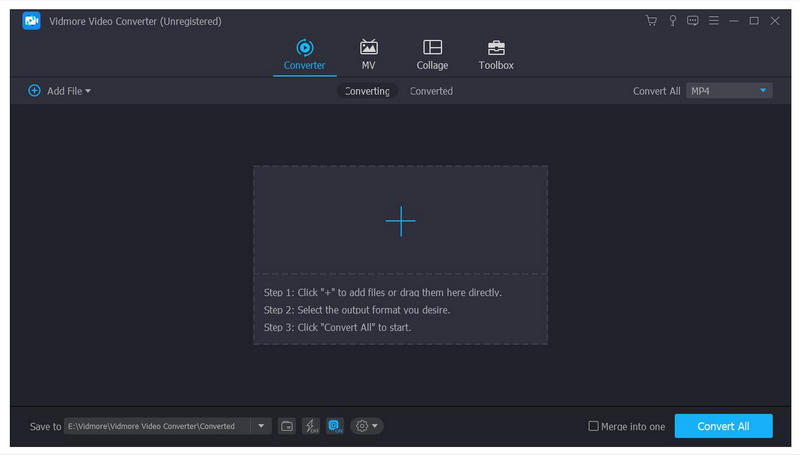

Vidmore Video Converter

Vidmore Video Converter is amazing software which could greatly help you to convert your video and audio files to any other formats. You can easily choose an output format and convert your video without hassle. And we will continue to add more supported formats to make it more perfect.


Key Functions

1.Convert video for any device
Vidmore Video Converter supports many kinds of devices, including the latest models of iPhone, iPad, Samsung Galaxy, Sony PlayStation, TV, and more, such as Xperia 10, Xperia XZ3, Xperia XZ2, Pixel 3, Pixel 3 XL, Mi 9, Mi 8, Mi MIX 3, LG G8, LG G7, HTC U12 life, Moto G7, etc.

2.Various video editing functions
Want to edit your video before conversion? With it, you could trim, rotate, crop, enhance, add watermark, change the brightness/contrast/saturation and hue of your videos.

3.High quality of the output files
Perhaps you are worrying that after conversion, the quality of the converted files is not the same as the original files. With Vidmore Video Converter, you will not have this problem. It could keep the original quality of your videos, including those in 1080p HD and 4K Ultra HD.

4.Fast conversion speed
With advanced hardware acceleration of NVIDIA CUDA, NVENC, Intel QSV and AMD APP, Vidmore Video Converter could provide fast conversion speed for you, so just within few minutes, it could complete the conversion process for you.

Graphcat<

Aiseesoft FoneTrans 9.1.50

Type: Shareware
Cost: $39.96
Size: 70.64 MB
Release date: Sep 25 2020
Platform: Win2000,WinXP,Win7 x32,Win7 x64,Windows 8,Windows 10,WinServer,WinOther,WinVista,WinVista x64
Publisher’s Site:  https://www.aiseesoft.com/
Publisher’s Product Page:  https://www.aiseesoft.com/ios-transfer/
Country: China


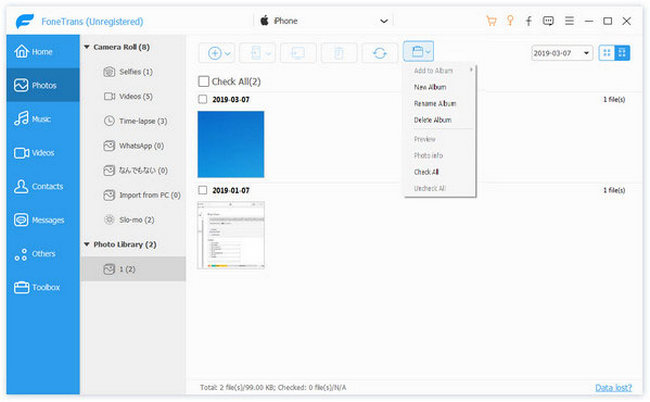
Aiseesoft FoneTrans

Aiseesoft FoneTrans is the first-granted iPhone Transfer software, which does well in file transfer between iOS devices and computer. It can transfer video, music, photo and many other multimedia files from computer to iOS device, including iPhone 11 Pro Max/11 Pro/11/XS/XS Max/XR/X, etc. It also enables you to make iPhone ringtone and convert image format from HEIC to JPG/PNG and more. And now it enalbes you to rotate photos when previewing them. And the latest version has fixed the bugs in older version and added new powerful features.

Key Features:
1. Transfer file between iOS device and PC
FoneTrans can help you import video, music, photo and other media files from computer to iPhone/iPad/iPod for enjoyment anywhere and anytime. It also allows you to export files from iOS devices to computer/iTunes for backup.

2. Share files between iPhone/iPod/iPad
Apart from transferring files between computer and iOS devices, you are allowed to transfer files between any iOS devices for file sharing and the shareable files include music, movie, picture, TV show, Podcast, iTunes U, eBook, camera roll, ringtone, etc.

3. Back up iPhone SMS (MMS) and Contacts
With FoneTrans, you can copy SMS to PC for backup and they can be saved in excel, text or html format. Users can also back up the important contacts to PC in case of losing or damaging of their iDevice.

4. De-duplicate Function
To avoid repeated contacts/music, you can delete repeated ones or merge different contacts of the same person.

5. Ringtone Maker and HEIC Converter
The newly added functions allow you to make ringtones for your iOS device at ease. You can also convert HEIC images to other common formats like JPG or PNG.

Vidmore Blu-ray Monster 1.0.8

Type: Shareware
Cost: $29.95
Size: 1.61 MB
Release date: Aug 06 2020
Platform: Win2000,WinXP,Win7 x32,Win7 x64,Windows 8,Windows 10,WinServer,WinOther,WinVista,WinVista x64
Publisher’s Site:  https://www.vidmore.com/
Publisher’s Product Page:  https://www.vidmore.com/blu-ray-ripper/
Country: China


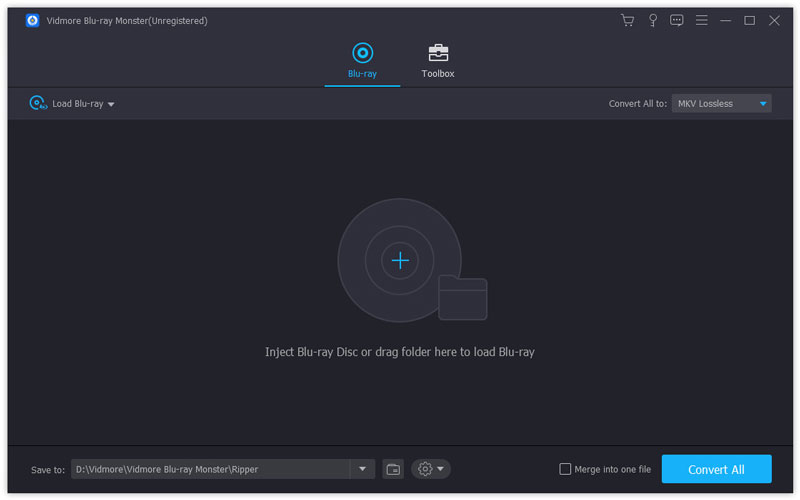
Vidmore Blu-ray Monster

If you want to convert your Blu-ray files completely, Vidmore Blu-ray Monster could do you a favor greatly. It could convert your Blu-ray files to various devices and output formats. More over, you could rotate and crop your videos as you like.

Key functions:

1. Convert your Blu-ray without any hassle
Vidmore Blu-ray Monster could help you convert the Blu-ray movies to any devices you want to save to. You could also convert it to MPG files, ISO files, Blu-ray folders as you like.

2. Support various output formats and devices
If you could not find the output format you want with other software, Vidmore Blu-ray Monster could solve this problem for you. It could convert the completed Blu-ray files to many kinds of popular formats such as MP4, AVI, MOV, WMV, FLV, M4V M4A, FLAC and so on. And you could also choose to convert your files to iPhone 11/11 Pro/11 Pro Max, Apple TV 4K, Apple TV, Xperia 10/XZ3, Pixel 3/3 XL, Xbox One/One S, LG G8/G7/G6/G5,etc.

3. Powerful edit functions
With Vidmore Blu-ray Monster, you could cut any clip of your videos according to your need. In addition, you are able to merge more than one titles of Blu-ray movies into one video file. Adjusting brightness, contrast, saturation and hue also could be realized with it. If you want to add watermark to your output videos, Vidmore Blu-ray Monster could also help you.

4. Fast conversion speed
With advanced technology, Vidmore Blu-ray Monster provides a much faster conversion speed for users. The most important thing is it could also keep the original file quality after conversion. So please do not worry that you will lose the quality of your files.