Category Archives: Audio & Multimedia

Audio Encoders/Decoders, Audio File Players, Audio File Recorders, CD Burners, CD Players, Multimedia Creation Tools, Music Composers, Other, Presentation Tools, Rippers & Converters, Speech, Video Tools

Aiseesoft FoneTrans 9.1.30

Type: Shareware
Cost: $39.96
Size: 71.00 MB
Release date: May 19 2020
Platform: Win2000,WinXP,Win7 x32,Win7 x64,Windows 8,Windows 10,WinServer,WinOther,WinVista,WinVista x64
Publisher’s Site:  https://www.aiseesoft.com
Publisher’s Product Page:  https://www.aiseesoft.com/ios-transfer/
Country: China

Aiseesoft FoneTrans

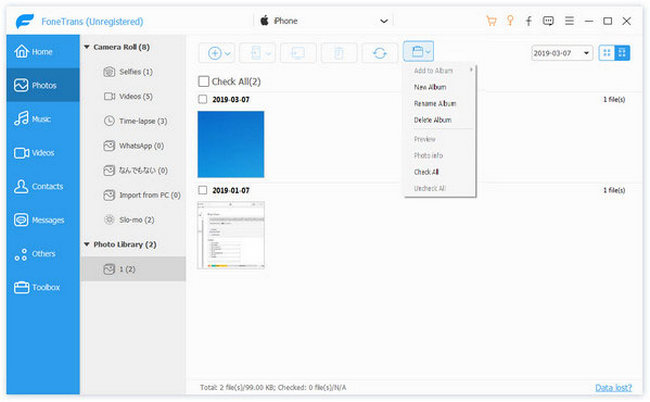
Aiseesoft FoneTrans is the first-granted iPhone Transfer software, which does well in file transfer between iOS devices and computer. It can transfer video, music, photo and many other multimedia files from computer to iOS device, including iPhone 11 Pro Max/11 Pro/11/XS/XS Max/XR/X, etc. It also enables you to make iPhone ringtone and convert image format from HEIC to JPG/PNG and more. And now it enalbes you to rotate photos when previewing them. And the latest version has fixed the bugs in older version and added new powerful features.


Key Features:
1. Transfer file between iOS device and PC
FoneTrans can help you import video, music, photo and other media files from computer to iPhone/iPad/iPod for enjoyment anywhere and anytime. It also allows you to export files from iOS devices to computer/iTunes for backup.

2. Share files between iPhone/iPod/iPad
Apart from transferring files between computer and iOS devices, you are allowed to transfer files between any iOS devices for file sharing and the shareable files include music, movie, picture, TV show, Podcast, iTunes U, eBook, camera roll, ringtone, etc.

3. Back up iPhone SMS (MMS) and Contacts
With FoneTrans, you can copy SMS to PC for backup and they can be saved in excel, text or html format. Users can also back up the important contacts to PC in case of losing or damaging of their iDevice.

4. De-duplicate Function
To avoid repeated contacts/music, you can delete repeated ones or merge different contacts of the same person.

5. Ringtone Maker and HEIC Converter
The newly added functions allow you to make ringtones for your iOS device at ease. You can also convert HEIC images to other common formats like JPG or PNG.

Graphcat<

AnyMP4 Blu-ray Copy Platinum 7.2.72

Type: Shareware
Cost: $33.75
Size: 26.30 MB
Release date: Jul 09 2020
Platform: Win2000,WinXP,Win7 x32,Win7 x64,Windows 8,Windows 10,WinServer,WinOther,WinVista,WinVista x64
Publisher’s Site:  https://www.anymp4.com
Publisher’s Product Page:  https://www.anymp4.com/blu-ray-copy-platinum/
Country: China


AnyMP4 Blu-ray Copy Platinum

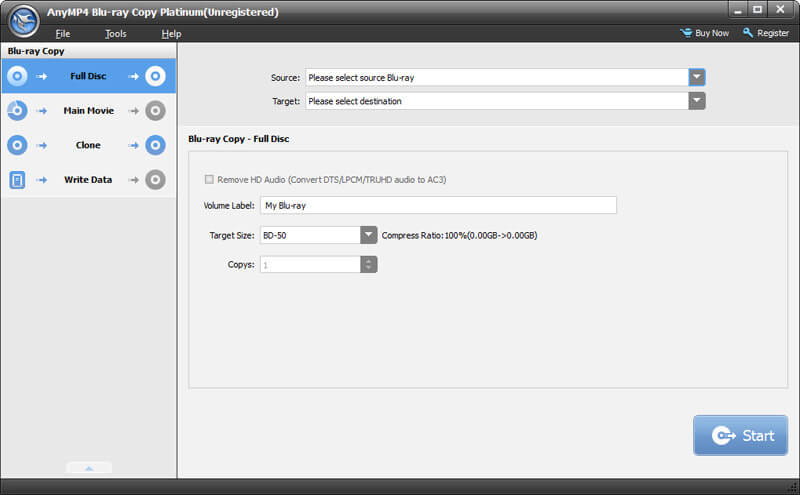
AnyMP4 Blu-ray Copy Platinum is a powerful and professional product. It can help you copy your major Blu-ray Discs as a Blu-ray folder or ISO image file to PC or hard drive.

Key Features:

1. Copy Blu-ray disc to a blank Blu-ray disc perfectly.
AnyMP4 Blu-ray Copy Platinum is a magic Blu-ray copier to keep the quality after copying process. Users can easily back up Blu-ray disc to a blank Blu-ray disc, copy Blu-ray disc with compressed BD-50 to BD-25 and keep the source original quality well.

2. Back up Blu-ray disc to local Blu-ray folder or ISO file.
AnyMP4 Blu-ray Copy Platinum helps you back up the Blu-ray disc to the hard drive as a Blu-ray folder or ISO file. To avoid Blu-ray disc loss and damage, this wizard Blu-ray backup software can also help you save the Blu-ray movies in your computer.

3. Burn local Blu-ray folder to Blu-ray disc or ISO file.
AnyMP4 Blu-ray Copy Platinum can burn local Blu-ray folder to Blu-ray disc or ISO file with super excellent Blu-ray quality. This multi-functional AnyMP4 Blu-ray Copy software provides you with three different copy modes for copying the Blu-ray Disc and movie like Complete Disc, Main Movie, Cloning modes. You can choose one according to your demand.

4. Easy and simple interface.
AnyMP4 Blu-ray Copy Platinum has a simple and user-friendly interface to help users quickly learn how to clone and back up Blu-ray disc.

JRiver Media Center 26.0.98

Type: Shareware
Cost: $59.98
Size: 37.07 MB
Release date: Jun 27 2020
Platform: Win2000,WinXP,Win7 x32,Win7 x64,Windows 8,Windows 10,WinServer,WinOther,WinVista,WinVista x64
Publisher’s Site:  https://www.jriver.com
Publisher’s Product Page:  https://www.jriver.com
Country: United States of America


JRiver Media Center

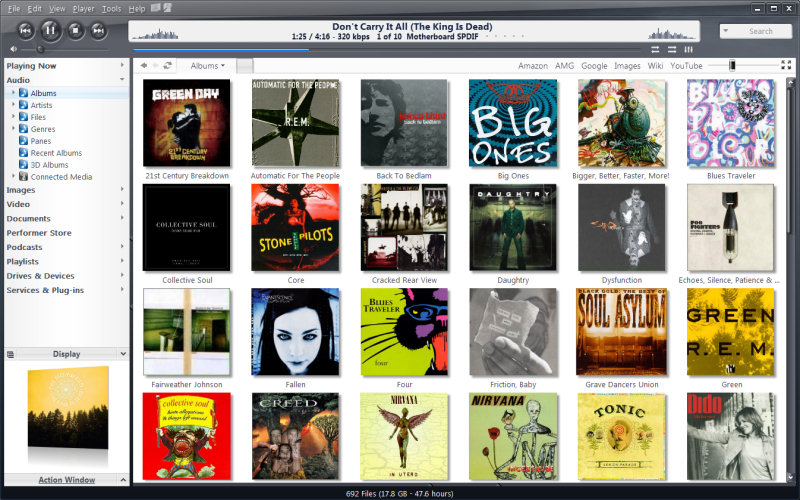
High quality media solution for large libraries. Organize, play, tag all types of media files. Rip, Burn, serve to Xbox, PS3, UPnP, DLNA, TiVo. Audiophile quality, DSD, madVR, Ten foot mode, remote control, HD TV recording in real time. Customizable media views. 3D views. Supports iPods, cameras, 90+ media file formats. Integration with Facebook, Flickr, Audible, Amazon MP3, Google, Youtube, Wikipedia, Hulu, Last.FM, Twitter. Cover art lookup.

Three skinned interfaces. A Visualization Studio feature lets you create your own visualizations, and a DSP Studio allows personalization of the listening environment. Media Scheduler for sleep, alarm and recording functions, Media Editor for editing sound files. Smartlists based on rules. Drag-and-drop for easy Playlist creation. Unique media browsing views for faster, easier and more powerful file search and play. Tagging studio. Integrated CD labeler. Support for CD and DVD database and support for popular handheld players, Sony PSP and PlaysForSure devices.