Category Archives: Audio & Multimedia

Audio Encoders/Decoders, Audio File Players, Audio File Recorders, CD Burners, CD Players, Multimedia Creation Tools, Music Composers, Other, Presentation Tools, Rippers & Converters, Speech, Video Tools

AnyMP4 4K Converter 7.2.28

Type: Shareware
Cost: $36.75
Size: 42.93 MB
Release date: Jun 10 2020
Platform: Win2000,WinXP,Win7 x32,Win7 x64,Windows 8,Windows 10,WinServer,WinOther,WinVista,WinVista x64
Publisher’s Site:  https://www.anymp4.com
Publisher’s Product Page:  https://www.anymp4.com/4k-converter/
Country: China
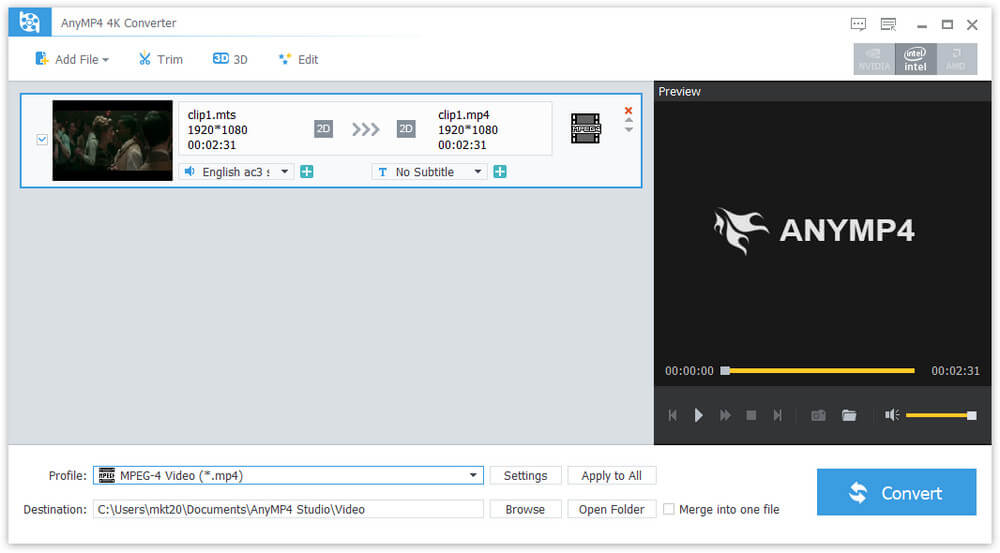

AnyMP4 4K Converter

AnyMP4 4K Converter allows you to convert 4K video to H.265/HEVC videos, 4K H.264/MPEG-4 AVC, 4K TS, 4K AVI, and more in 4096 x 2160 or 3840 x 2160 resolution. It also enables you to convert to video formats like MP4, HD MP4, MKV, AVI, WMV, MOV, M4V and so on. Besides, you can also convert 4K UHD videos to 3D videos. Thus, you can enjoy your videos on 3D player devices. It is compatible with Windows 10.


Key Functions:

1. Convert 4K videos to videos and audio.
AnyMP4 4K Converter can help you convert 4K video to H.265/HEVC videos, 4K H.264/MPEG-4 AVC, 4K TS, 4K AVI, and more. Meanwhile, you can also convert 4K videos to MP4, MKV, AVI, WMV, MOV, M4V, TS, MTS and other formats. Besides, you can convert 4K videos to MP3, FLAC, WAV, WMA, AAC, ALAC, AC3 and more. Thus you can enjoy the video/audio files on digital devices like iPhone 11 Pro Max/11 Pro/11, iPhone XS, iPhone XR, iPhone X, iPhone 8, iPad pro, iPad mini 5, iPod, Samsung series and so on.

2. Convert 4K videos to 3D videos.
This 4K Converter can help you convert 4K videos to 3D videos like MP4 3D, MKV 3D, TS 3D, AVI 3D, FLV 3D and more. You can also choose the most suitable 3D models like Anaglyph (Red/cyan), Side by Side (Full), Side by Side (Half-Weight), Top and Bottom (Full & Half-height) and so on.

3. Edit the video by trimming, cropping and more.
With this AnyMP4 4K Converter software, you can trim the videos to the length you need by setting the start time and the end time. Besides, you can crop the video frame, adjust the video effect and add text or picture watermark to the screen of the videos freely.

Graphcat<

AnyMP4 Mac Video Converter Ultimate 8.2.32

Type: Shareware
Cost: $41.25
Size: 51.61 MB
Release date: Jul 20 2020
Platform: Mac OS X,
Publisher’s Site:  https://www.anymp4.com
Publisher’s Product Page:  https://www.anymp4.com/mac-video-converter-ultimate/
Country: China


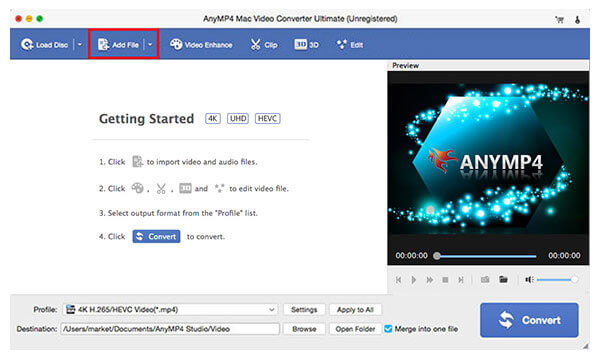
AnyMP4 Mac Video Converter Ultimate

AnyMP4 Mac Video Converter Ultimate helps convert any video to other formats like MP4, MOV, AVI and more so that you can enjoy your videos on more devices. Before converting, you could edit video effects. And enhancement function enables you to enhance video by optimizing brightness and contrast, upscaling video resolution, removing video noise etc.

Key features:

1. An excellent DVD disc converter.
AnyMP4 Mac Video Converter Ultimate enables you to open DVD videos or folders, and lets you edit and convert DVD videos with ease. You can convert DVD to video in MP4, AVI, WMV, 3GP, FLV and other formats and 3D video files with simple clicks.

2. Edit, enhance and rotate the video to meet your requirement.
You can rotate the video to the correct angle and enhance the video by upscaling resolution, optimizing brightness and contrast, removing video noise and reducing video shaking. You can choose any subtitles or audio track to enjoy it as well. Before converting your video to other video format, you are also able to edit your video as you like: crop the video area size, convert 2D to 3D, add watermark and adjust the video effect.

3. Support various devices.
With AnyMP4 Mac Video Converter Ultimate, you can convert video or audio files to various formats, which can be played via iOS devices, Android devices, USB flash drives or external hard drives easily. More importantly, all supported formats like MP4, MOV, MTS, AVI, WMV, MP3 and more will be intelligently converted to compatible ones during the conversion.

AnyMP4 MXF Converter 8.0.6

Type: Shareware
Cost: $22.50
Size: 42.17 MB
Release date: May 19 2020
Platform: Win2000,WinXP,Win7 x32,Win7 x64,Windows 8,Windows 10,WinServer,WinOther,WinVista,WinVista x64
Publisher’s Site:  https://www.anymp4.com
Publisher’s Product Page:  https://www.anymp4.com/mxf-converter/
Country: China


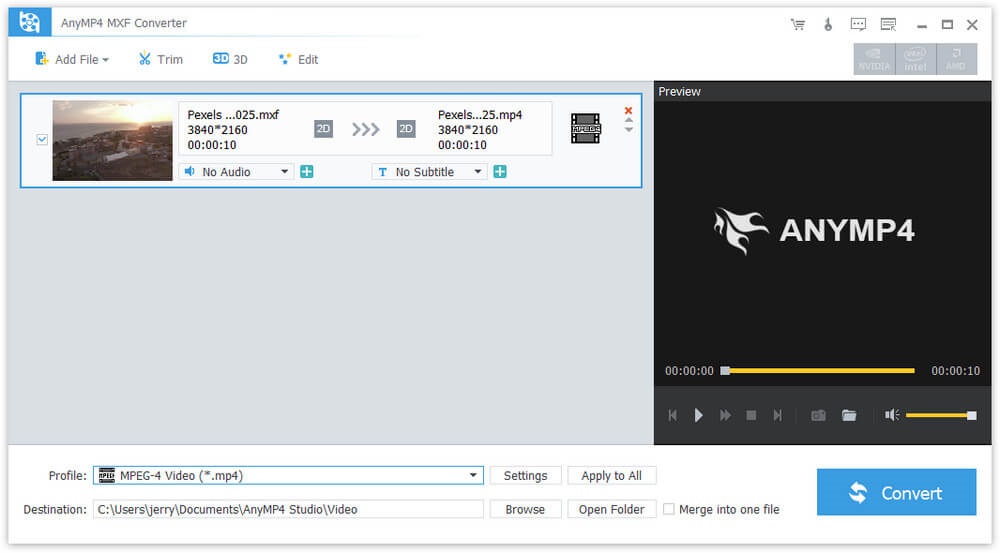
AnyMP4 MXF Converter

AnyMP4 MXF Converter can help you convert MXF to any video formats like MP4, AVI, WMV, MKV, MOV, M4V, TS, 4K UHD and so on. Besides, you can also convert MXF to 3D videos and HD videos. Meanwhile, this software has multiple editing functions. With this software, you can play your videos on many mainstream portable devices including iPhone 11 Pro Max/11 Pro/11/XR/XS/XS Max/X/8, iPad Mini 5, Galaxy series, Google Nexus 7, Kindle Fire, HTC One X, and Windows phone, etc. It is compatible with Windows 10 now.

Key Functions:

1. Convert MXF to any video formats.
AnyMP4 MXF Video Converter is able to convert MXF to various video formats like MP4, WMV, AVI, MOV, M4V, MKV, RMVB, MPEG, etc. Besides, it can also convert MXF to 3D video with high image quality. In addition, it can convert your MXF into HD videos such as HD H.264 TS Video, HD AVI video. At the same time, it supports 4K UHD formats now. Therefore, you can play and enjoy the videos on many digital devices including iPhone 11 Pro Max/11 Pro/11/XR/XS/XS Max/X/8, iPad mini 5, Galaxy series, Google Nexus 7, HTC One X and Windows phone, etc.

2. Personalize the output video.
With AnyMP4 MXF Converter software, you can clip the video to your needed length, crop the video frame, add any text/image watermark, adjust the video effect by setting the brightness, contrast, saturation, hue and volume.

3. Merge videos and rename the file.
AnyMP4 MXF Converter has merging and renaming function. With the merging function, you can merge two or more MXF videos into one video. Therefore, you can enjoy your videos continuously. Besides, you can rename your videos with your own unique name and find them easily.