Category Archives: Audio & Multimedia

Audio Encoders/Decoders, Audio File Players, Audio File Recorders, CD Burners, CD Players, Multimedia Creation Tools, Music Composers, Other, Presentation Tools, Rippers & Converters, Speech, Video Tools

Apeaksoft Free HEIC Converter 1.0.12

Type: Freeware
Cost: $0.00
Size: 11.74 MB
Release date: May 18 2020
Platform: Win2000,WinXP,Win7 x32,Win7 x64,Windows 8,Windows 10,WinServer,WinOther,WinVista,WinVista x64
Publisher’s Site:  https://www.apeaksoft.com/
Publisher’s Product Page:  https://www.apeaksoft.com/heic-converter/
Country: China

Apeaksoft Free HEIC Converter

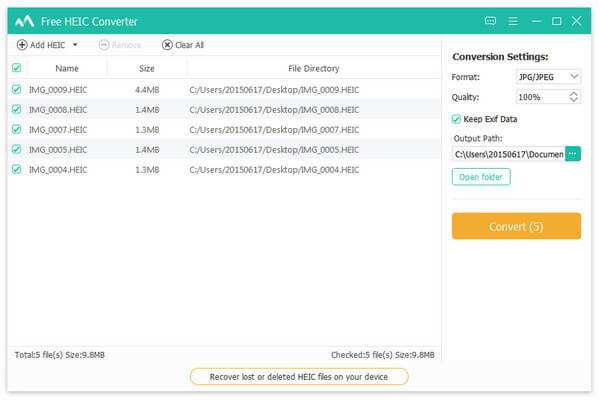
With Apeaksoft Free HEIC converter, you can convert all your HEIC (.heif) photos to JPG/JPEG or PNG without any hassle. This software supports nearly all Windows operating system such as Windows 7, 8, 10, XP, Vista and more. With simple interface, you could use this software conveniently.


Key functions:

1. Convert HEIC pictures to JPG/JPEG/PNG for free
Even though you are a novice, with this powerful converter software, you could convert the HEIC pictures to JPG/JPEG/PNG without any problem. It is easy to use for every customer. The most important thing is that it is free without any additional expense.

2. Adjust the quality of the output image files and batch convert HEIC Files
With this software you could adjust the quality of the converted pictures as you like. And it is really time-saving because you could batch convert your files at one time.

3. Keep the EXIF metadata of source HEIC files after conversion
Are you worried about that after conversion, you will lose the EXIF metadata of your HEIC files? With this convenient software, you could choose to maintain the EXIF metadata without any trouble.

4. Fast conversion speed and super-high quality
With advanced technology, Apeaksoft Free HEIC Converter has amazing fast conversion speed, the conversion process will be completed when you enjoy a song. The most important thing is it has the ability to convert HEIC pictures with high output quality.

Graphcat<

DarkWave Studio 5.9.3

Type: Freeware
Cost: $0
Size: 4.01 MB
Release date: Jun 29 2020
Platform: Win2000,WinXP,Win7 x32,Win7 x64,Windows 8,Windows 10,WinServer,WinOther,WinVista,WinVista x64
Publisher’s Site:  https://www.experimentalscene.com/
Publisher’s Product Page:  https://www.experimentalscene.com/software/darkwave-studio/
Country: Australia


DarkWave Studio

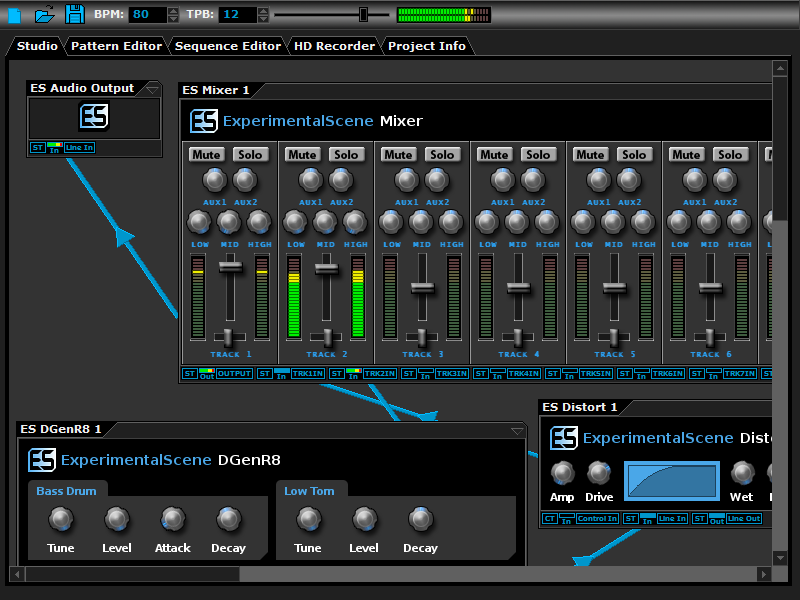
DarkWave Studio is a free Digital Audio Workstation (DAW) / modular virtual music studio for Windows. You can easily use the built in sequencer, bundled DarkPlug machines and third-party VST effects and VSTi instruments to create music. DarkWave Studio allows the connection of machines in an ad-hoc fashion. The installer ships with both a 32-bit and 64-bit version.

DarkWave consists of the following main parts:

Studio (Work With Machines)
Pattern Editor (Create Pieces Of Music)
Sequencer (Arrange Patterns Into A Song)
Multi-track Hard Disk Recorder (Master Your Music)

The following plugins are included with DarkWave:

ES Audio Input (Allows For Input From Sound Card)
ES Arpeggiator (Play Arpeggios With A MIDI Keyboard)
ES ControlChange Mapper (Map Control Change Events From One Index To Another)
ES MIDI Input (Use MIDI Keyboards With DarkWave Instruments)
ES MIDI Output (Sequence External MIDI Synthesizers)
ES AntiAlias (32x Digital Oversampling)
ES SpatialVerb (Room Modelling Reverb Unit)
ES Stomp (Rave Kick Generator)
ES BassHead (Subtractive Virtual Analog Synthesizer)
ES DGenR8 (Virtual Analog Drum Machine)
ES QuadDelay (Echo And Chorus Effect)
ES Mixer (8 Track Mixer With 2 Auxillary Tracks)
ES Distort (Basic Overdrive Distortion Effect)
ES Crunch (Limit Bits Per Sample Anywhere From 16 To 1 Bits)
ES StereoSplitter (Split An Input Stereo Signal Into Left And Right Output Mono Signals)
ES StereoJoiner (Combine Left And Right Input Mono Signals Into A Single Output Stereo Signal)
ES Scope (View Generated Waveforms In Realtime)
ES Control Monitor (View Control Messages)
ES DownStepper (Sample Rate Reduction Filter)

Features:

Highly Optimized 64-bit Double Precision Precision Audio Processing
Incredibly Fast And Small Download
Low Latency ASIO And DirectSound Audio Output Support
SSE2 (Streaming Single Instruction Multiple Data Extensions) Optimizations.

AnyMP4 PDF Converter Ultimate 3.3.26

Type: Shareware
Cost: $59.25
Size: 117.19 MB
Release date: Jul 22 2020
Platform: Win2000,WinXP,Win7 x32,Win7 x64,Windows 8,Windows 10,WinServer,WinOther,WinVista,WinVista x64
Publisher’s Site:  https://www.anymp4.com
Publisher’s Product Page:  https://www.anymp4.com/pdf-converter-ultimate/
Country: China


AnyMP4 PDF Converter Ultimate

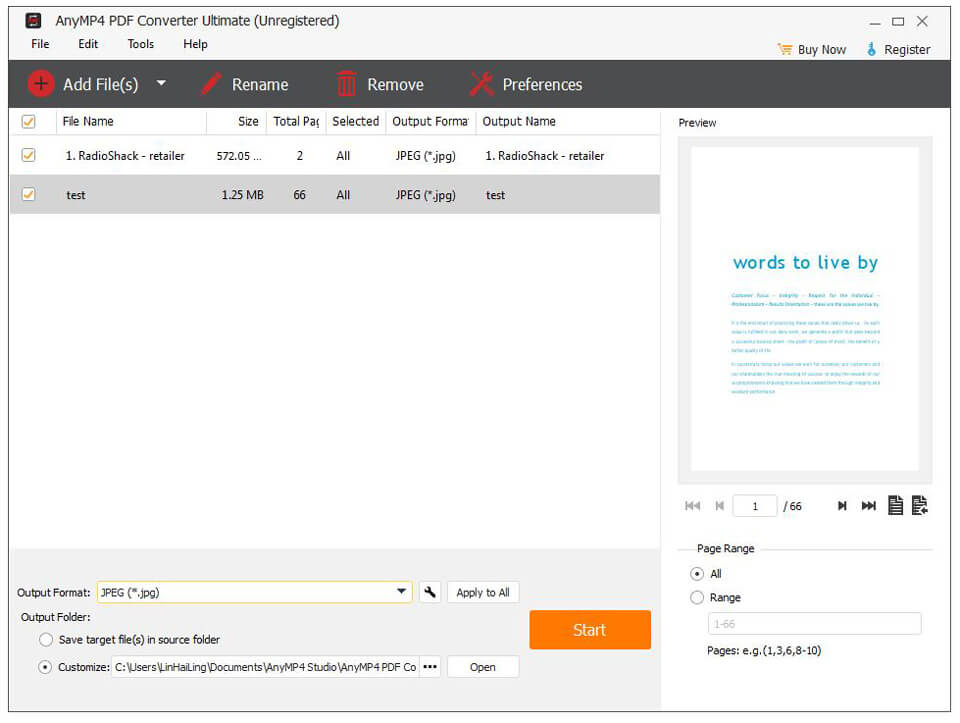
AnyMP4 PDF Converter Ultimate can not only convert PDF files to different documents like Text (*.txt), Microsoft Word (*.doc), Rich Text Format (*.rtf), Microsoft Excel (*.xls), EPUB, HTML, Microsoft PowerPoint and more, but also convert PDF files to TIFF, JPEG, PNG, GIF, BMP, TGA, PPM, JPEG 2000 and others with high quality and fast speed. Apart from that, it allows you to choose page range setting needed pages as the output pages. Meanwhile, it adopts OCR technology to help you convert.

Key Features:

1. Convert PDF file to any document formats.
AnyMP4 PDF Converter Ultimate is able to convert PDF files to different documents like Text (*.txt), Microsoft Word (*.doc), Rich Text Format (*.rtf), Microsoft Excel (*.xls), ePub, HTML, Microsoft PowerPoint (*.pptx) and more. With these document formats, you can read your files more easily.

2. Convert PDF file to various images.
The PDF Conversion software is mainly used to convert PDF files to various image formats, including TIFF, JPEG, PNG, GIF, BMP, TGA, PPM, JPEG2000, etc. Meanwhile, you can set the size and the color of the output images.

3. Adopt OCR technology.
This PDF Conversion software adopts OCR technology to improve the output file effect such as the accuracy, balance and speed. With the various language options, you can choose more language types by your own needs.

4. Selectively convert your PDF file.
The PDF Converter software allows you to choose the page range according to your need. You can convert the pages that you need. The unnecessary parts will not appear in your converted documents or images.

5. Easy to use and fast speed.
The main functions and using ways of this PDF Converter can be mastered easily. You never worry that you have no idea of how to use it. Meanwhile, you never worry about the conversion time. In just few minutes, you can enjoy your conversion result.