Category Archives: Audio & Multimedia

Audio Encoders/Decoders, Audio File Players, Audio File Recorders, CD Burners, CD Players, Multimedia Creation Tools, Music Composers, Other, Presentation Tools, Rippers & Converters, Speech, Video Tools

Vidmore DVD Creator 1.0.8

Type: Shareware
Cost: $29.95
Size: 56.28 MB
Release date: May 13 2020
Platform: Win2000,WinXP,Win7 x32,Win7 x64,Windows 8,Windows 10,WinServer,WinOther,WinVista,WinVista x64
Publisher’s Site:  https://www.vidmore.com/
Publisher’s Product Page:  https://www.vidmore.com/dvd-creator/
Country: China

Vidmore DVD Creator

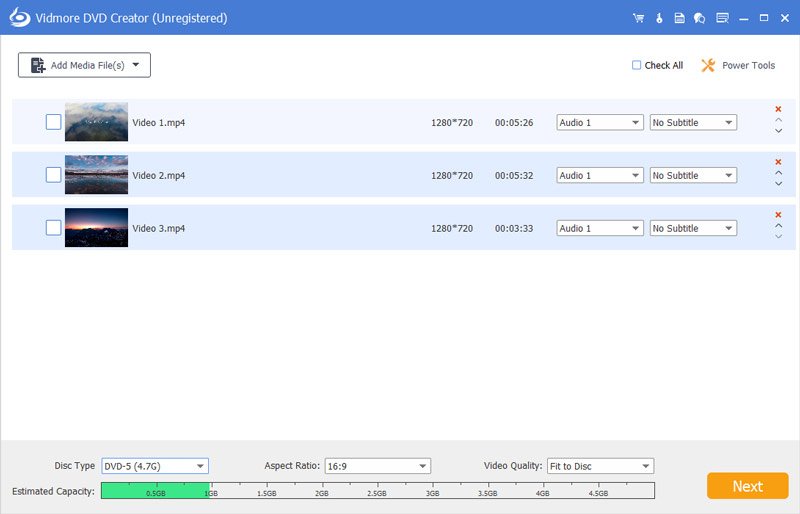
Vidmore DVD Creator enables you to make all kinds of popular videos to DVD or Blu-ray disc/folder/ISO file, such as MP4, AVI, MOV, WMV, MKV, FLV, TS, MTS, M2TS and so on. You could adjust the brightness and saturation of your videos and add watermark/audio track/subtitle to your videos before burning.


1. Make DVD or Blu-ray with any video
If you want to create your own DVD or Blu-ray, Vidmore DVD Creator is your top choice. It could burn any videos to DVD or Blu-ray disc/folder/ISO file. It supports all popular video formats like MP4, AVI, MOV, WMV and more. It also supports many disc types such as DVD-R/RW, DVD+R/RW, DVD+R DL, etc.

2. Edit your videos before burning
If you want to edit your videos before burning, Vidmore DVD Creator could also do you a favor. With it, you could trim/crop/rotate your videos. Enhancing your videos by adjusting the brightness, saturation, contrast is also possible. In addition, you could add audio track, watermark and subtitles to your videos. It is also able to insert chapters to long video automatically or manually.

3. Customize DVD menu
Vidmore DVD Creator provides various DVD menu templates, you could choose one according to your need. Moreover, you could customize the DVD menu by changing the content/font/color/size, etc. And you could also add background music or picture from your local files.

4. Preview your movies and fast burning speed
Vidmore DVD Creator enables you to preview videos before burning. And with the advanced technology of Intel, CUDA and AMD acceleration, it could provide fast burning speed for you, so you dont need to wait for long before enjoying your movies.

Graphcat<

5KPlayer for Mac 6.2

Type: Freeware
Cost: $0
Size: 71.43 MB
Release date: Mar 30 2020
Platform: Mac OS X,
Publisher’s Site:  http://www.5kplayer.com/
Publisher’s Product Page:  http://www.5kplayer.com
Country: China


5KPlayer for Mac

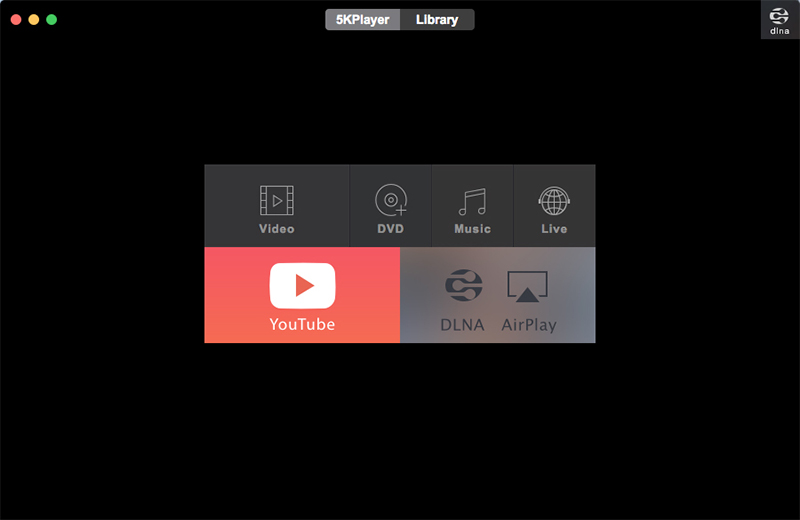
5KPlayer is a new-style free media player for Mac OS as all-in-one HD video/music/DVD player, AirPlay/DLNA streamer and free online video/music downloader. It plays 4K/5K, 360, MKV, AV1, MP4, AVI, WMV, MP3 music & DVD on Mac flawlessly. With the support of AirPlay & DLNA, 5KPlayer makes it much easier to stream media between Mac and iPhone/Android/TV.
Moreover, with 5KPlayer, you can free download any online video music and watch offline. With these advanced features, 5KPlayer can easily fulfill all of your music video playback demands. Just feel free to download this unique media player and enjoy a brand-new audiovisual experience.
Key features:
1. Play any media formats on Mac OS, including 4K/5K ultra HD videos, 360, MKV, AV1, M2TS, AVCHD, AVI, MP4, WMV, DVD movies, MP3 music, etc;
2. AirPlay supported, easily mirror iPhone iPad screen to Mac computer;
3. DLNA stream video music between Mac and Android/iPhone/Smart TV/PS4;
4. As a powerful online video/music downloader supporting over 300 sites, download video/music free from Yahoo, Dailymotion, Vimeo and so on;
5. Have embedded radio player to play radio from BBC, Heart, XFM, Kiss, Magic and other internet radio stations;
6. As a video to MP3 converter, free convert videos to MP3 or AAC music on Mac;
7. Work as an excellent file manager, easily organizing your video & music files;
8. Record iPhone/iPad/Mac screen with high quality by AirPlay mirroring.
9. Easy to use. Completely free and safe. No virus, malware or spyware.

Apeaksoft Slideshow Maker 1.0.20

Type: Shareware
Cost: $53.32
Size: 3.25 MB
Release date: Mar 03 2020
Platform: Win2000,WinXP,Win7 x32,Win7 x64,Windows 8,Windows 10,WinServer,WinOther,WinVista,WinVista x64
Publisher’s Site:  https://www.apeaksoft.com/
Publisher’s Product Page:  https://www.apeaksoft.com/slideshow-maker/
Country: China


Apeaksoft Slideshow Maker

If you want to change your videos, photos and audio files into slideshow, absolutely, Apeaksoft Slideshow Maker is your best choice. With it, you can load your files from videos (MP4, MOV, AVI, FLV, WMV, MTS, M2TS, TS, M4V, RMVB, ASF, VOB, etc.), photos (JPG, JPEG, PNG, TIF, TIFF, BMP, GIF, etc.), and audio (MP3, AIFF, FLAC, AAC, WAV, WMA, M4A, etc.) and make your own slideshow videos without any hassle.

Key functions:

1. Make slideshow easily
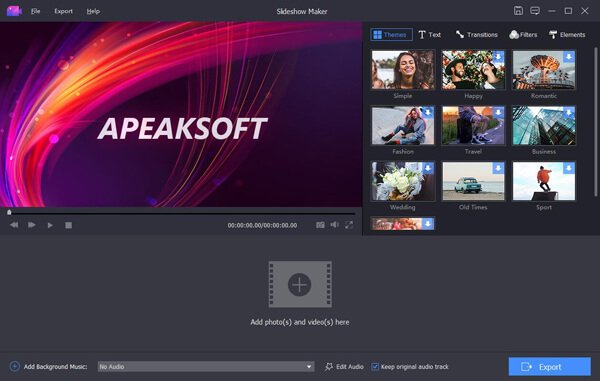
With Apeaksoft Slideshow Maker, you only need to load your own videos, photos, audio files, and you could also add the background music if you want. Then click the Export button, you will get your wonderful slideshow videos.

2. Support all kinds of media formats
Apeaksoft Slideshow Maker supports various video formats, such as M4V, RMVB, ASF, VOB, DAT, 3GP, MOD, TOD, WebM, etc. For the photos formats, it supports JPG, JPEG, PNG, TIF, TIFF, BMP, GIF, etc. It also supports the audio formats, such as FLAC, AAC, WAV, WMA, M4A, OGG and so on.

3. Select theme and edit
All kinds of slideshow themes such as Romantic, Fashion, Business, etc. are provided to create slideshow. You can choose the theme according to your demand.

4. Make your own slideshow themes
Besides the built-in slideshow themes, Apeaksoft Slideshow Maker has many text effects, transitions modes, filters and other elements to help you customize existing themes and make new themes.