Category Archives: Audio & Multimedia

Audio Encoders/Decoders, Audio File Players, Audio File Recorders, CD Burners, CD Players, Multimedia Creation Tools, Music Composers, Other, Presentation Tools, Rippers & Converters, Speech, Video Tools

Aiseesoft Video Converter Ultimate 10.0.8

Type: Shareware
Cost: $29.40
Size: 1.76 MB
Release date: Apr 10 2020
Platform: Win2000,WinXP,Win7 x32,Win7 x64,Windows 8,Windows 10,WinServer,WinOther,WinVista,WinVista x64
Publisher’s Site:  https://www.aiseesoft.com
Publisher’s Product Page:  https://www.aiseesoft.com/video-converter-ultimate/
Country: China

Aiseesoft Video Converter Ultimate

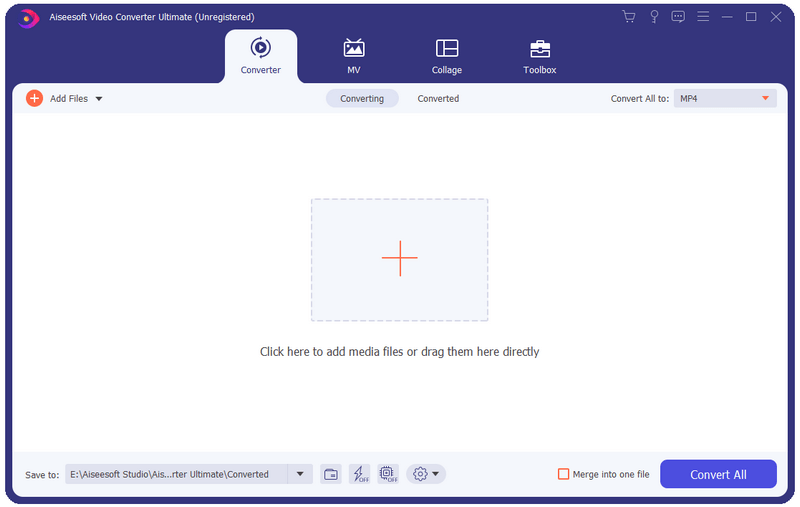
Aiseesoft Video Converter Ultimate is a comprehensive video converter. It can convert any video, home-made DVD to over 1,000 video/audio formats including AVI, WMV, MOV, MP4, MP3, FLAC, etc. Now this video converter comes with more powerful features to help you process your video files effortlessly.


Key functions
1. Convert over 1,000 video (4K/3D included) and audio formats as well as DVDs to other popular formats.
This software can convert videos/audio and home-made DVDs to over 1,000 formats. It also converts videos among the different resolution of SD, HD and 4K video.

2. Powerful editing functions
You can trim video length, enhance video quality, adjust video effects and add text or picture watermark as needed with its powerful editing feature. There are a bunch of stunning filters for you to use in one click, including whirpool, HongKong movie, orange dots, purple, plain, coordinates, warm, Stars, etc.

3. Add audio track & subtitles
You are allowed to add external subtitles and single or multi-audio tracks to your video as per your need. More over, the built-in Delay feature will solve the subtitle out of sunc issue perfectly.

4. Fast conversion speed and super-high quality
The latest converting and enhancing engine will bring you faster converting speed while still keep the perfect image and sound quality. Plus, we have used the world’s leading Blu-Hyper technology, which includes Graphics card image processing, and video decoding/encoding technology based on CPU level, so the video converting speed has been 30X faster than before.

5. New features added
This new Video Converter Ultimate comes with three new good-to-use tools, including Video Compressor, Media Metadata Editor and GIF Maker. Now you can compress large videos to a smaller size, add and edit ID3 tags to newly created song, create GIF image from video clips as you like.

Graphcat<

AnyMP4 Blu-ray Ripper for Mac 8.2.22

Type: Shareware
Cost: $44.25
Size: 49.44 MB
Release date: Jan 16 2020
Platform: Mac OS X,
Publisher’s Site:  https://www.anymp4.com/
Publisher’s Product Page:  https://www.anymp4.com/blu-ray-ripper-for-mac/
Country: China


AnyMP4  Blu-ray Ripper for Mac

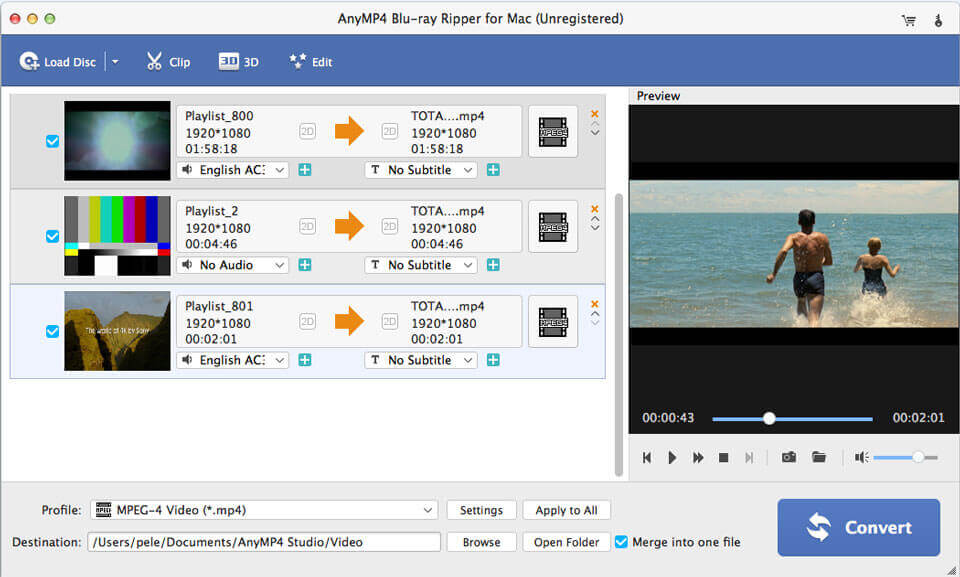
AnyMP4 Blu-ray Ripper for Mac can easily rip Blu-ray disc, Blu-ray folder, and Blu-ray ISO image file to multiple digital device like iPhone 11/11 Pro/XS/XS Max/X/8/8 Plus, iPad Pro/Air 3/mini 5, iPod touch, Samsung Galaxy 9/8/7, LG G5, Sony Z5, HTC 10, HUAWEI, and others. This software also lets you rip Blu-ray to other devices like Apple TV, Samsung TV, LG TV, Xbox 360, PS3/PS4, Final Cut Pro, iMovie, and more for playing or editing easily.

Key Features:

1.Edit Blu-ray and adjust video effects.
The professional Blu-ray Ripper for Mac is equipped with many useful editing features to help you customize video effects before ripping the Blu-ray. For instance, you can rotate video position, cut the video length to only save the necessary part, crop video to remove the black edge, add personal text and image watermark, adjust output video effects like brightness, contrast, saturation and hue.

2.Super fast Blu-ray ripping speed and high quality.
Thanks to the latest hardware acceleration technology, AnyMP4 Blu-ray Ripper for Mac gives you a super-fast Blu-ray ripping speed. It can rip Blu-ray to HD video format like MP4, MOV, MKV, AVI, WebM, TS and more. After ripping, you can enjoy the fantastic image and sound quality. In profile settings, you are allowed to set parameters, such as video codec, resolution, bitrate, frame rate, audio codec, audio channels, and so on.

3. Convenient use and easy operation.
If the original Blu-ray contains multiple audio tracks and subtitles, this Blu-ray Ripper will show you all audio tracks and subtitles. Then you can select your preferred audio track and subtitle for the output video. The built-in player helps you preview the Blu-ray and you can quickly check the desired titles of the Blu-ray.

AnyMP4 DVD Copy 3.1.36

Type: Shareware
Cost: $26.25
Size: 19.10 MB
Release date: Apr 28 2020
Platform: Win2000,WinXP,Win7 x32,Win7 x64,Windows 8,Windows 10,WinServer,WinOther,WinVista,WinVista x64
Publisher’s Site:  https://www.anymp4.com
Publisher’s Product Page:  https://www.anymp4.com/dvd-copy/
Country: China


AnyMP4 DVD Copy

What can this powerful DVD copying application do for you? It enables you to make 100% ratio copy of your DVD disc, and import DVD folder and ISO image file to a blank DVD disc for backup with zero quality loss. In addition, it supports 3D DVD disc as well as 2D DVD.

Key Features:

1. Copy DVD disc to blank DVD disc.
This excellent DVD copying software provides its ability to clone DVD disc to DVD disc. Besides that, it enables you to back up home-made DVD folder and ISO image file to blank DVD disc without any video quality loss.

2. Clone DVD disc to DVD folder/ISO files.
You can use the DVD copying tool to copy DVD disc to hard drive on your PC as DVD folder or ISO image files. Apart from backing up DVD disc, you are able to clone DVD folder to DVD ISO image files.

3. Three copy modes to customize DVD content.
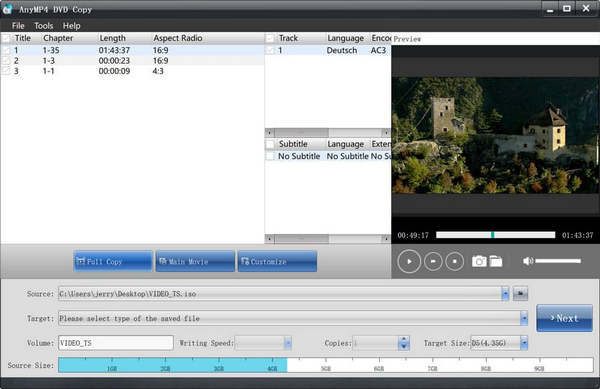
Three copying options are offered to copy DVD content. With ‘Full disc’, you can get a full backup of DVD disc/folder/ISO files; with ‘Main movie’, you can clone main part or any title or chapter of a movie; with ‘Custom’ mode, you can determine which video clips are copied.

4. Preview DVD and remove HD audio.
When you want to copy main movie to DVD folder/ISO file, the DVD Copy allows you to preview any chapter or title. When you use it to rip 2D/3D DVD disc to DVD folder/ISO files, you can convert DTS audio to AC3 to save more storage space.

5. Rename DVD disc with volume label.
Many humanized settings are designed in this DVD copying software, and you can handily rename the output DVD or ISO file with the volume label.