Category Archives: Audio & Multimedia

Audio Encoders/Decoders, Audio File Players, Audio File Recorders, CD Burners, CD Players, Multimedia Creation Tools, Music Composers, Other, Presentation Tools, Rippers & Converters, Speech, Video Tools

Aiseesoft Video Converter for Mac 9.2.30

Type: Shareware
Cost: $31.50
Size: 52.12 MB
Release date: Apr 15 2020
Platform: Mac OS X,
Publisher’s Site:  https://www.aiseesoft.com
Publisher’s Product Page:  https://www.aiseesoft.com/video-converter-for-mac.html
Country: China

Aiseesoft Video Converter for Mac

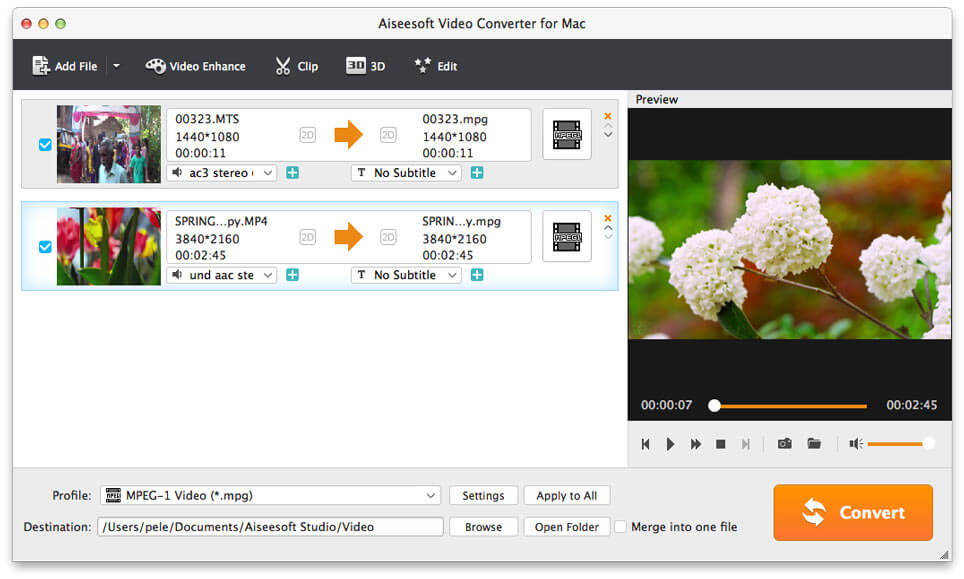
Aiseesoft Video Converter for Mac is used to help users convert any video to popular video (MKV, MOV, MTV, WMV, AVI, etc.) and audio (AAC, AIFF, AMR, FLAC, MP3, etc.) formats on Mac with super fast conversion speed and excellent output video/audio quality. What’s more, it is highly compatible with iPad mini 5, iPad Air, iPhone 11 Pro Max/11 Pro/11/XS/XS Max/XR, Samsung Galaxy S10, etc.


Key Features:

1. Convert any video/audio file including 4K video.
This Video Converter for Mac is able to help users convert any video/audio file, including 3GP, 3G2, AVI, DV, MP4, FLV, SWF, F4V, MOD, MJPG, MJPEG, MKV, QuickTime HD, WMV HD, HD TS, HD MTS, HD M2TS and more, and AAC, AIF, AIFF, APE, OGG, etc. audio on Mac.

2. Enhance video quality.
Upscale video resolution, optimize the brightness and remove video noise to make your video more energetic.

3. Crop, rotate, clip, merge, watermark videos.
You can clip a video to your desired time length by setting the start and end time, merge several video clips into one single file, cut off unwanted playing areas of a video to fit different portable players, or add watermark with image or text to customize your video.

4. Define video or audio effect.
This software enables you to define the output video or audio parameters, such as Video Encoder, Frame Rate, Video Bitrate, Resolution, and Audio Encoder, Sample Rate, Channels, Audio Bitrate. Also you can adjust the video brightness, contrast, saturation, hue and volume.

5. Add 3D effects to 2D video with ease
This video converter for Mac enables you to convert 2D video to fantastic 3D movie, up to 14 types of 3D modes including Anaglyph 3D (10 types), Side by Side (Half-Width) 3D, Side by Side (Full) 3D, Top and Bottom (Half-Height) 3D, etc. are available.

Graphcat<

AnyMP4 iPhone Transfer Pro for Mac 9.0.16

Type: Shareware
Cost: $33.75
Size: 49.12 MB
Release date: Jan 08 2020
Platform: Mac OS X,
Publisher’s Site:  https://www.anymp4.com
Publisher’s Product Page:  https://www.anymp4.com/iphone-transfer-for-mac/
Country: China


AnyMP4 iPhone Transfer Pro for Mac

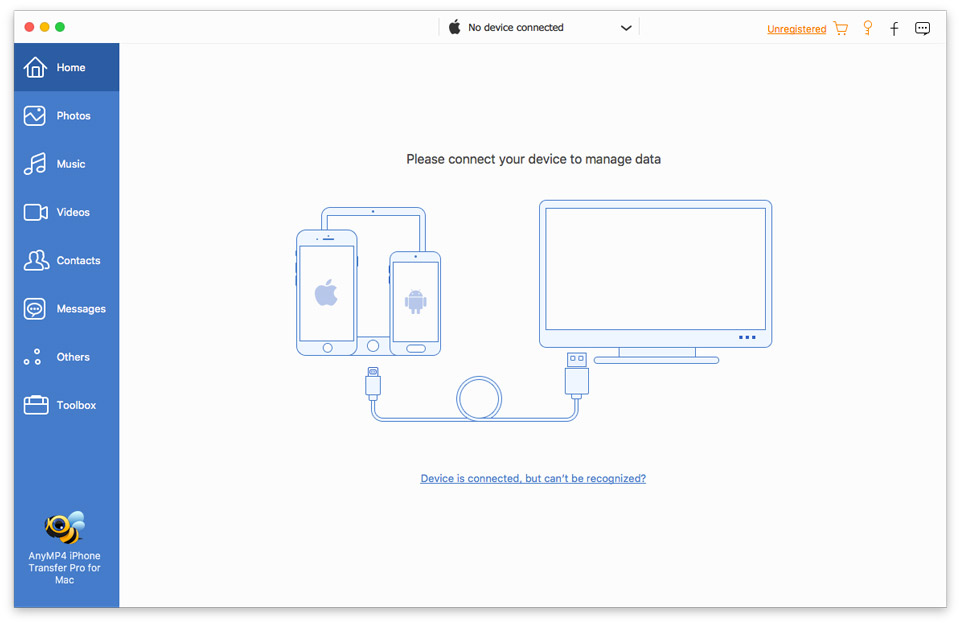
AnyMP4 iPhone Transfer Pro for Mac enables you to transfer photos, video, music and many other multimedia files from iPhone/iPad/iPod such as iPhone XR/XS/XS Max/X, iPad Air, iPad pro, iPad mini 4 and iPod,etc. to Mac for backup. It also allows you to import Mac/iTunes files to iPhone/iPad/iPod. It can also convert the incompatible video/audio to iPhone/iPad/iPod supported format.

Key Features:

1. Transfer files from iPhone/iPad/iPod to Mac or from Mac to iOS device
This iPhone to Mac Transfer can help you transfer photo, video, music and other media files from iPhone XR/XS/XS Max/X, iPad pro, iPad mini 4/3/2, iPod and more digital devices to Mac/iTunes for backup. With this Mac to iPhone Transfer, you can convert photo, video, music and others to iPhone/iPad/iPod.

2. Import files between iOS devices
AnyMP4 iPhone Transfer Pro for Mac can sync videos, music, pictures, etc. between any two iOS devices. For instance, if you connect your iPhone and iPad to Macbook, you can easily transfer your photos from iPhone to iPad.

3. Back up SMS/Contacts on your iPhone to Mac
With this program, you can copy your SMS to Mac for backup and they can be saved in excel, text or html format. You can also back up the important contacts to Mac in case of the damaging of iPhone, iPad or iPod. The de-duplication function can automatically delete repeated contacts or merge overlapping contact information for you.

4. Support the latest device
This iPhone Transfer for Mac is compatible with the latest iTunes and support all devices such as iPad pro, iPhoneXR/XS/XS Max/X, iPad Air 2, iPad mini 4/3/2, iPad pro and iPod 5, etc.

AnyMP4 Video Downloader 6.1.30

Type: Shareware
Cost: $26.25
Size: 41.13 MB
Release date: Mar 03 2020
Platform: Win2000,WinXP,Win7 x32,Win7 x64,Windows 8,Windows 10,WinServer,WinOther,WinVista,WinVista x64
Publisher’s Site:  https://www.anymp4.com
Publisher’s Product Page:  https://www.anymp4.com/youtube-downloader/
Country: China


AnyMP4 Video Downloader

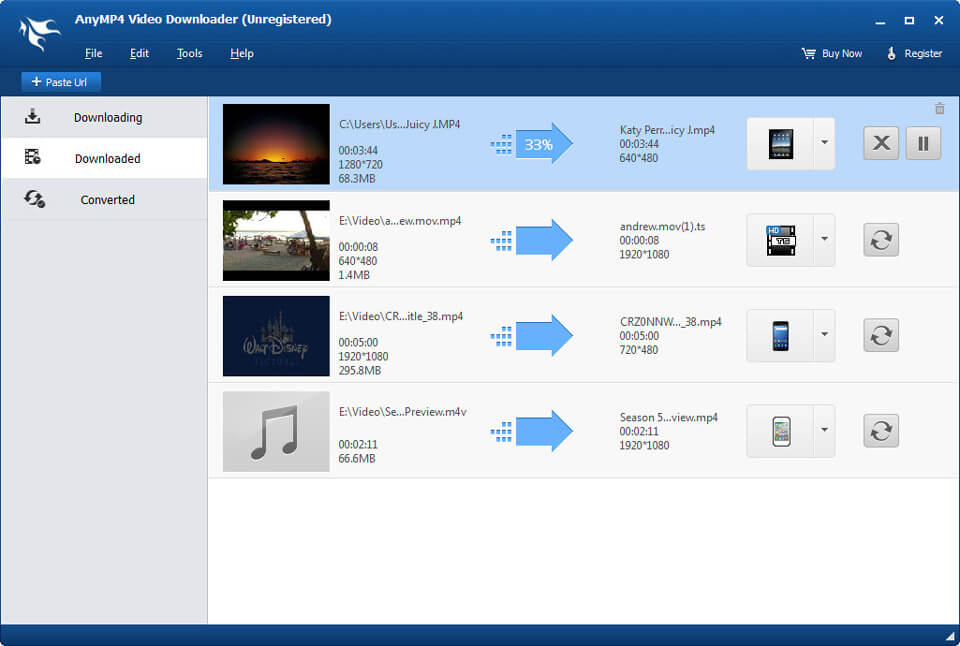
AnyMP4 Video Downloader can download online videos and convert them into any video formats automatically. It supports Vimeo, Metacafe, Facebook, Dailymotion and other online video websites. Meanwhile, this video downloader not only converts the downloaded videos, but also converts your local video files to MP4, MKV, AVI, WMV, MOV, M4V, TS and so on. You can enjoy the online video on iPhone, iPod (iPod touch, iPod Nano), Samsung Galaxy series. After updating, it is compatible with Windows 10 now.

Key functions:
1. Download online video from online websites.
AnyMP4 Video Downloader enables you to download online videos from Vimeo, Metacafe, Facebook, Dailymotion, Vevo, Yahoo and other popular websites.

2. Convert downloaded video and local video.
AnyMP4 Video Downloader can convert both the downloaded videos and the local videos to almost all popular video formats. For example, you can convert them to MP4, MKV, AVI, WMV, MOV, M4V, TS, etc. You can also convert them to 3D video such as Side by Side 3D Video, Top and Bottom 3D Video, Anaglyph 3D Video and so on. You can also convert them to audio formats like MP3, FLAC, WAV, WMA, AAC, ALAC, AC3 and so on. You can enjoy the converted videos and audio on iPhone (iPhone 11/11 Pro/11 Pro Max/XS/XS Max/XR/X/8/7/6s/6/SE), iPad (iPad Pro, iPad mini 5/4/3/2), iPod (iPod touch, iPod Nano), Samsung Galaxy series.

3. Choose the most suitable output format.
With this video downloader, you are able to choose the resolution such as 240P, 360P, 480P, 720P, and 1080P and the size of your downloading video. Now, it supports downloading online videos in 4K with high quality. Therefore, you can get the most perfect output effect according to your needs.

4. Intuitive interface and use it conveniently.
AnyMP4 Video Downloader has user-friendly interface, which can assist you to finish both downloading quickly.