Category Archives: Audio & Multimedia

Audio Encoders/Decoders, Audio File Players, Audio File Recorders, CD Burners, CD Players, Multimedia Creation Tools, Music Composers, Other, Presentation Tools, Rippers & Converters, Speech, Video Tools

Aiseesoft Video Enhancer 9.2.30

Type: Shareware
Cost: $17.50
Size: 40.64 MB
Release date: Apr 17 2020
Platform: Win2000,WinXP,Win7 x32,Win7 x64,Windows 8,Windows 10,WinServer,WinOther,WinVista,WinVista x64
Publisher’s Site:  https://www.aiseesoft.com
Publisher’s Product Page:  https://www.aiseesoft.com/video-enhancer/
Country: China
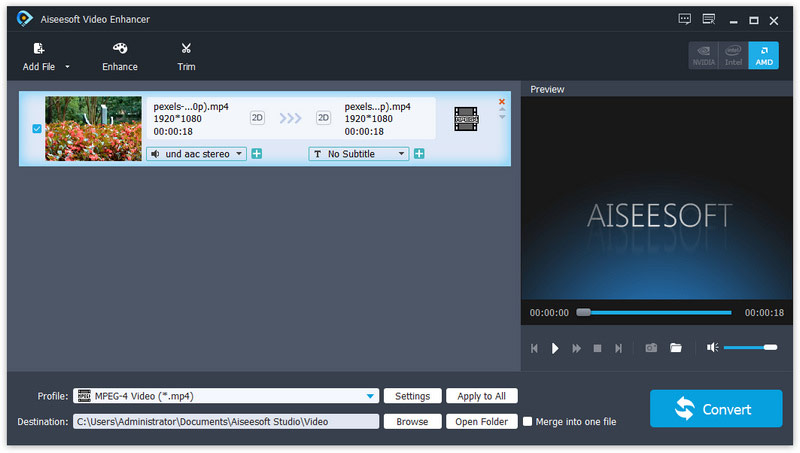

Aiseesoft Video Enhancer

Aiseesoft Video Enhancer aims to help you improve the video quality from many aspects. You can easily get a high quality video with its enhancing functions. With it, you are able to upscale video resolution, optimize brightness and contrast, remove video noise and reduce video shaking. It has many other editing functions such as clipping, cropping, rotating, and adding watermark. Now it supports for new profile like iPhone 11 Pro Max/11 Pro/11/XS/XR, etc.


Key Features

1. Upscale video resolution
It is unnecessary for you to worry about the low resolution of your video. With the professional Video Enhancer, you can upscale the video resolution with only one click. You can easily upscale your video from 480p to 720p or even 1080p.

2. Optimize brightness and contrast
When you have a video and want to optimize its brightness and contrast, Aiseesoft Video Enhancer will be your best assistant. The converted video will show you clearly the difference from the former one.

3. Remove video noise
Aiseesoft Video Enhancer provides you with a good solution to remove the annoying background noise from your old movies and DVD videos. You will get the clear videos without any mosaic and white noise.

4. Stabilize video
You might get a shaky video when you are recording a video with your camera and phone. The slight shake of your hand will cause the video unstable and the recorded video cannot meet your need. Now with its video deshaking function, you are able to fix this problem with ease.

5. Rotate video to the right angle
Another great function of this Video Enhancer is that, you are able to rotate and flip the video to the right angle. It allows you to rotate 90 clockwise and 90 counterclockwise. Or you can flip the video horizontally and vertically according to your need.

Graphcat<

AnyMP4 Video Editor 1.0.16

Type: Shareware
Cost: $58.95
Size: 3.46 MB
Release date: Feb 12 2020
Platform: Win2000,WinXP,Win7 x32,Win7 x64,Windows 8,Windows 10,WinServer,WinOther,WinVista,WinVista x64
Publisher’s Site:  https://www.anymp4.com
Publisher’s Product Page:  https://www.anymp4.com/video-editor/
Country: China


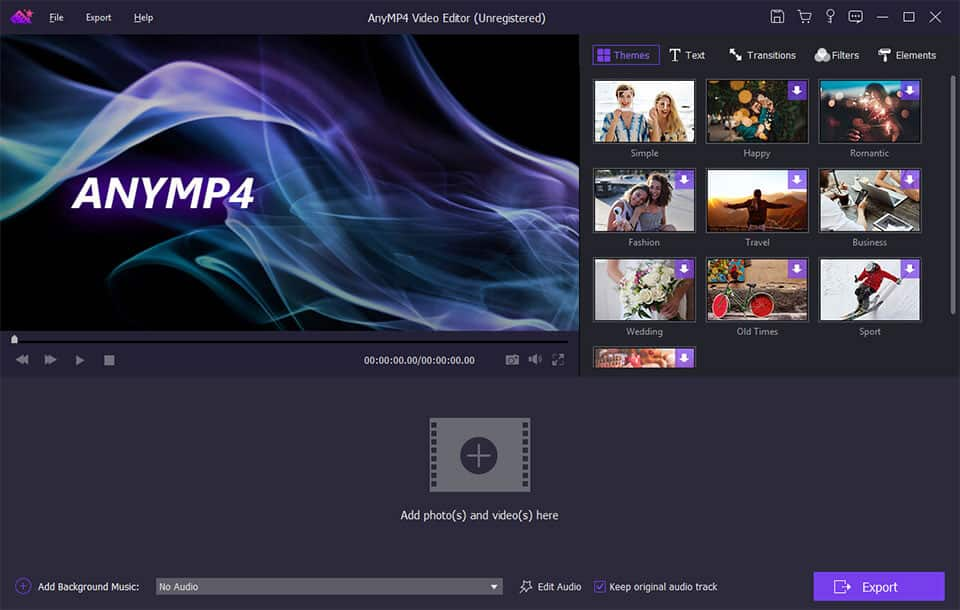
AnyMP4 Video Editor

AnyMP4 Video Editor aims to help you edit the video from many aspects. You can easily get a high-quality video with its editing functions. With it, you are able to set video speed and volume, optimize brightness and contrast, crop video frame and clip video to several segments. There are many other editing functions such as clipping, cropping, rotating, and adding watermark. You can share on TV, YouTube, tablets, mobile devices and more with the recreated video.

Key Features:

1. Set video speed and volume.
You are allowed to change video speed to make slow motion video or speed up video, and set the video volume to meet your needs.

2. Optimize brightness and contrast.
You can easily adjust the brightness of a video file, and switch the difference between the darkest and lightest areas of a video.

3. Personalize video slideshow with various effects.
AnyMP4 Video Editor includes the function of Transitions like mosaic, Filters such as purple, Elements like leaves, hearts, etc. So, you can recreate video depending on your preference.

4. Crop video frame and Clip video to several segments.
AnyMP4 Video Editor can support to crop video in 16:9, 4:3 or other aspect ratio. So, you can adapt video to any screen or platform such as TV, computer, smartphone, or tablet. Besides, it can help you clip and trim video files, so you can remove unwanted video parts and reduce videos to the most important sections. It is up to your needs.

AnyMP4 DVD Creator 7.2.36

Type: Shareware
Cost: $35.00
Size: 69.68 MB
Release date: Mar 03 2020
Platform: Win2000,WinXP,Win7 x32,Win7 x64,Windows 8,Windows 10,WinServer,WinOther,WinVista,WinVista x64
Publisher’s Site:  https://www.anymp4.com
Publisher’s Product Page:  https://www.anymp4.com/dvd-creator/
Country: China


AnyMP4  DVD Creator

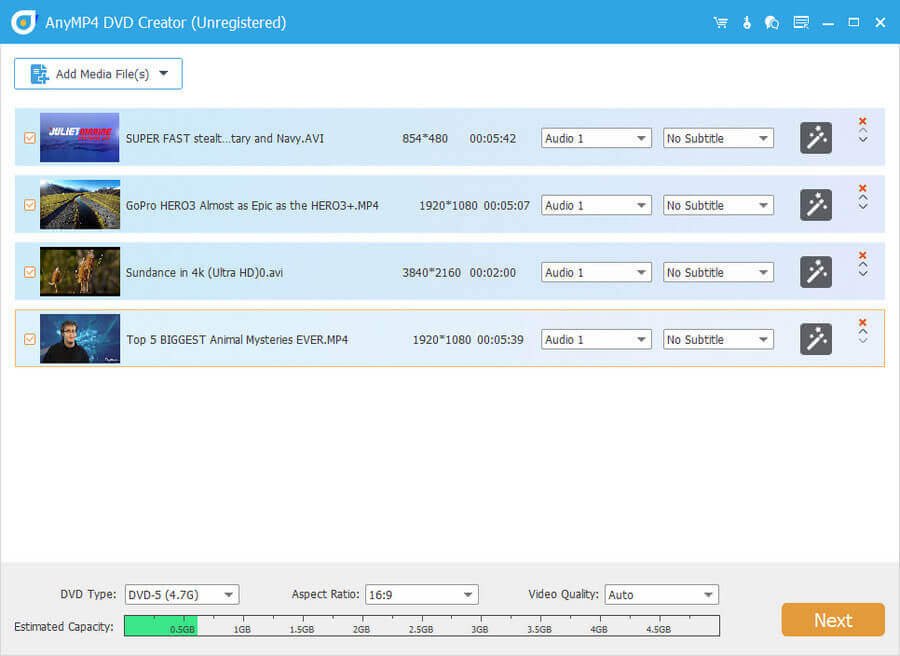
AnyMP4 DVD Creator is intended to create DVD disc, DVD folder and DVD ISO files from TS, MTS, M2TS, TRP, TP, MGP, MPEG, MPEG-2, MPA, VOB, DAT, MP4, M4V, RM, RMVB, WMV, ASF, MKV, AVI, 3GP, 3G2, FLV, SWF, F4V, MPV, MOD, TOD, QT, MOV, DV, DIF, MJPG, MJPEG, NSV, WEBM video formats. It supports DVD-5 (4.7GB), DVD-9 (8.5GB), and DVD format like DVD-R, DVD+R, DVD-RW, DVD+RW and DVD-RAM. Besides, it supports Windows 10 now.

Key Features:

1. Create DVD from various video files.
Nearly all kinds of video can be burned into DVD disc, DVD folder or DVD ISO files, such as 3GP, AVI, DV, VOB, FLV, M2TS, MTS, SWF, MKV, MPG, MPEG, MPA, DAT, MP4, TS, NSV, MOV, QT, RMVB, etc.

2. Edit the source video.
AnyMP4 DVD Creator provides users with powerful video editing functions. With it, users can clip the video to any time length by setting the start and end time, cut off unwanted playing areas of the video to fit different portable players, personalize the video with the image or text watermarks, even adjust the video brightness, saturation, contrast, hue, and volume. Also, you can now add video filtering effect to video before burning.

3. Create stylish DVD menu.
This DVD Creator allows users to attach menus before burning. User can choose the menu template, select the menu frame and button style, edit the menu text content and define its font, size and color, even add the background picture and music.

4. Add and set audio track.
Users can choose the exciting audio track to the DVD and add your own audio track or background music to the DVD. Users are also allowed to adjust the volume, and choose audio encoder, bitrate and channels.