Category Archives: Audio & Multimedia

Audio Encoders/Decoders, Audio File Players, Audio File Recorders, CD Burners, CD Players, Multimedia Creation Tools, Music Composers, Other, Presentation Tools, Rippers & Converters, Speech, Video Tools

Blu-ray Master Free Blu-ray Ripper 1.0.28

Type: Freeware
Cost: $0
Size: 30.80 MB
Release date: Mar 16 2020
Platform: Win2000,WinXP,Win7 x32,Win7 x64,Windows 8,Windows 10,WinServer,WinOther,WinVista,WinVista x64
Publisher’s Site:  https://www.bluraycopys.com
Publisher’s Product Page:  https://www.bluraycopys.com/free-blu-ray-ripper/
Country: China

Blu-ray Master Free Blu-ray Ripper

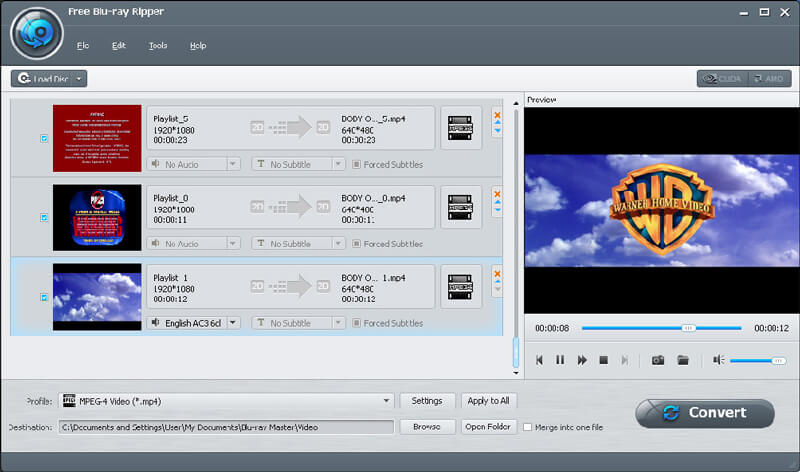
Free Blu-ray Ripper is the most wonderful free Blu-ray Ripping software, which can help you rip/convert Blu-ray movie to many other popular video formats with fast speed and high image quality. And you can enjoy them on the portable devices such as iPad, iPhone 5S/5C, iPod, Black berry, Nokia and more. What?s more, you can optimize the output videos by adjusting Encoder, Frame Rate, Resolution, Aspect Ratio, and Video Bitrate.


Key Features:

1. Convert Blu-ray disc to general video formats
Free Blu-ray Ripper is capable of ripping Blu-ray disc to some common video formats including MP4, MOV, M4V, AVI, WMV and even HD MP4, HD MKV video formats with excellent speed and high quality. Thus, you can enjoy them on your any portable device like iPod (iPod touch, iPod Nano), iPhone5S/5C, iPad, iPod, Black berry, Nokia, Zune, PS3 and so forth. Besides, it supports the latest iOS7.

2. Extract audio files from Blu-ray
With this Free Blu-ray Ripper, you can extract audios from any Blu-ray disc and convert them to your needed audio format like FLAC, OGG, WAV, WMA and more.

3. Customize video effect
With this software, you can personalize the video effect by adjusting Encoder, Frame Rate, Resolution, Aspect Ratio, and Video Bitrate. Also, you are able to adjusting Audio Settings includes Encoder, Sample Rate, Channels, and Audio Bitrate.

4. Easy to use
This multi-functional Free Blu-ray Ripper software offers user-friendly interface. With is software you are able to can capture your favorite pictures and save them as an image while previewing the video and share them with your families and friends. Besides, this software supports batch conversion and it has high speed and quality.

Graphcat<

AnyMP4 DVD Toolkit 6.0.70

Type: Shareware
Cost: $51.75
Size: 160.52 MB
Release date: Jan 15 2020
Platform: Win2000,WinXP,Win7 x32,Win7 x64,Windows 8,Windows 10,WinServer,WinOther,WinVista,WinVista x64
Publisher’s Site:  https://www.anymp4.com
Publisher’s Product Page:  https://www.anymp4.com/dvd-toolkit/
Country: China


AnyMP4 DVD Toolkit

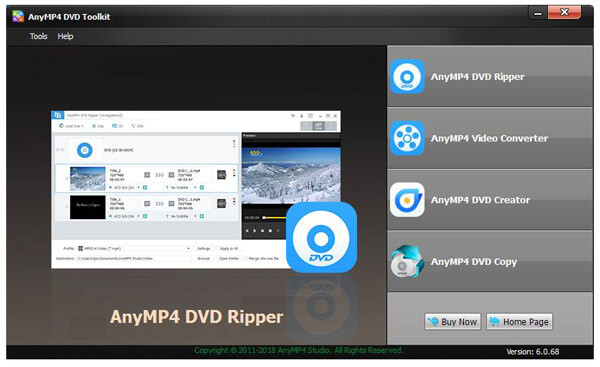
AnyMP4 DVD Toolkit includes AnyMP4 DVD Ripper, AnyMP4 Video Converter, AnyMP4 DVD Creator and AnyMP4 DVD Copy. AnyMP4 DVD Ripper help you rip DVD movies/disc to MP4, MOV, M4V, AVI, RMVB, WMV, FLV, MP3, AAC, AIFF, MP2, WAV and so on. AnyMP4 Video Converter can convert your videos to any video formats. AnyMP4 DVD Creator can create your own DVD with various video formats. AnyMP4 DVD Copy can copy DVD in order to back up it for later use.

Key functions:

1. Rip DVD to any video formats.
This DVD Ripper can rip DVD movies/disc to any video formats, such as MP4, MOV, M4V, WMV, MKV, AVI, FLV, MTS, M2TS and more. So you can enjoy DVD movies on various digital devices like iPhone 11 Pro Max/11 Pro/11/XS/XS Max, iPad pro, iPad mini 5, iPod, Android devices, Samsung devices and other popular devices.

2. Convert video to any video/audio format.
AnyMP4 DVD Toolkit includes Video Converter. Hence, with this software, you can convert you videos to MP4, MOV, M4V, WMV, MKV, AVI, FLV, MTS and so on. Besides, you can also convert your videos to extract your needed audio formats like MP3, FLAC, WAV, WMA, AAC, ALAC, and similar ones on PC.

3. Burn DVD with various video formats.
AnyMP4 DVD Creator will help you create DVD disc, DVD folder, and ISO image file with popular formats like MP4, MOV, M4V, MTS, AVI, WMV, FLV, MKV, and MOV and others.

4. Copy DVD disc to make a backup.
You can copy DVD-9 or DVD-5 disc with the software of DVD Copy in this package. In addition, you can clone DVD disc to DVD folder and ISO files to your local disc at incredible speed. With this software, you don’t need to worry that your loved movies will lost.

AnyMP4 DVD Toolkit for Mac 8.1.20

Type: Shareware
Cost: $51.75
Size: 170.06 MB
Release date: Nov 13 2019
Platform: Mac OS X,
Publisher’s Site:  https://www.anymp4.com
Publisher’s Product Page:  https://www.anymp4.com/dvd-toolkit-for-mac/
Country: China


AnyMP4 DVD Toolkit for Mac

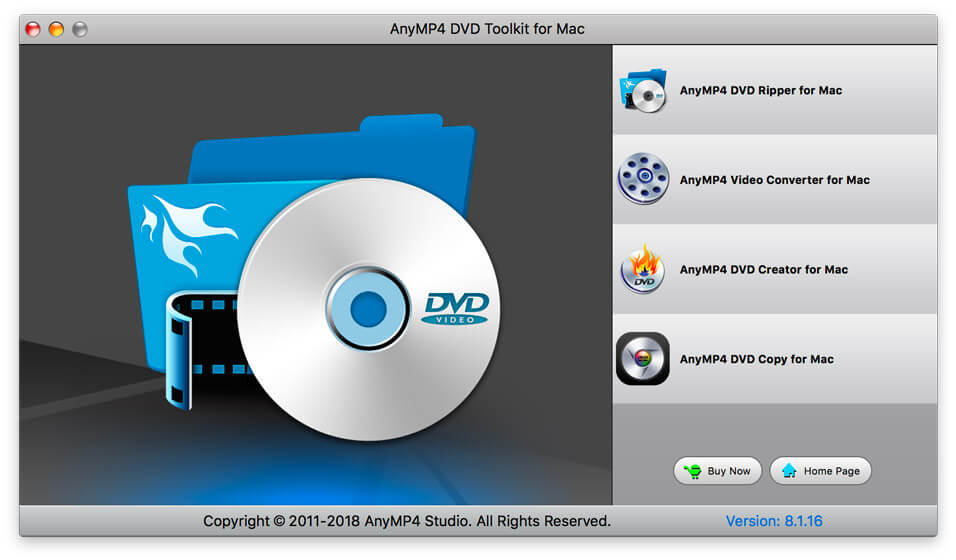
AnyMP4 DVD Toolkit for Mac contains four software like DVD Ripper for Mac, Video Converter for Mac, DVD Creator for Mac and DVD Copy for Mac. DVD Ripper for Mac can help you rip DVD movies/disc to MP4, MOV, M4V, WMV, AVI, MKV, FLV, MTS and so forth on Mac. Video Converter for Mac can convert your videos to any video formats. DVD Creator for Mac can create your own DVD with various video formats. DVD Copy for Mac can copy DVD to Mac for later use.

Key functions:

1. Rip DVD to any video formats.
This DVD Ripper for Mac can rip DVD movies/disc to any video formats, such as MP4, MOV, M4V, WMV, MKV, AVI, FLV, MTS, M2TS and more. So you can enjoy DVD movies on various digital devices like iPhone 11 Pro Max/11 Pro/11/XS/XS Max, iPad pro, iPad mini 4/3, iPod, Android devices, Samsung devices and other popular devices.

2. Convert video to any video/audio format.
AnyMP4 DVD Toolkit for Mac includes Video Converter for Mac. Hence, with this software, you can convert you videos to MP4, MOV, M4V, WMV, MKV, AVI, FLV, MTS, and others on Mac. Besides, you can also convert your videos to extract your needed audio formats like MP3, FLAC, WAV, WMA, AAC, ALAC, and similar ones for Mac.

3. Burn DVD with various video formats.
DVD Creator for Mac will help you create DVD disc, DVD folder, and ISO image file with popular formats like MP4, MOV, M4V, MTS, AVI, WMV, FLV, MKV, and MOV and others.

4. Copy DVD disc to make a backup.
You can copy DVD-9 or DVD-5 disc with the software of DVD Copy for Mac in this package. In addition, you can clone DVD disc to DVD folder and ISO files to your local disc at incredible speed. With this software, you don’t need to worry that your loved movies will lost.

5. Own multiple video editing function
This DVD Toolkit for Mac can help you edit videos according to your own needs. For example, you can trim the video to the suitable length, merge two or three videos to one single file, clip the videos into several parts and so on.