Category Archives: Audio & Multimedia

Audio Encoders/Decoders, Audio File Players, Audio File Recorders, CD Burners, CD Players, Multimedia Creation Tools, Music Composers, Other, Presentation Tools, Rippers & Converters, Speech, Video Tools

AnyMP4 DVD Creator for Mac 6.2.16

Type: Shareware
Cost: $26.25
Size: 37.14 MB
Release date: Feb 27 2020
Platform: Mac OS X,
Publisher’s Site:  https://www.anymp4.com
Publisher’s Product Page:  https://www.anymp4.com/dvd-creator-for-mac/
Country: China

AnyMP4 DVD Creator for Mac

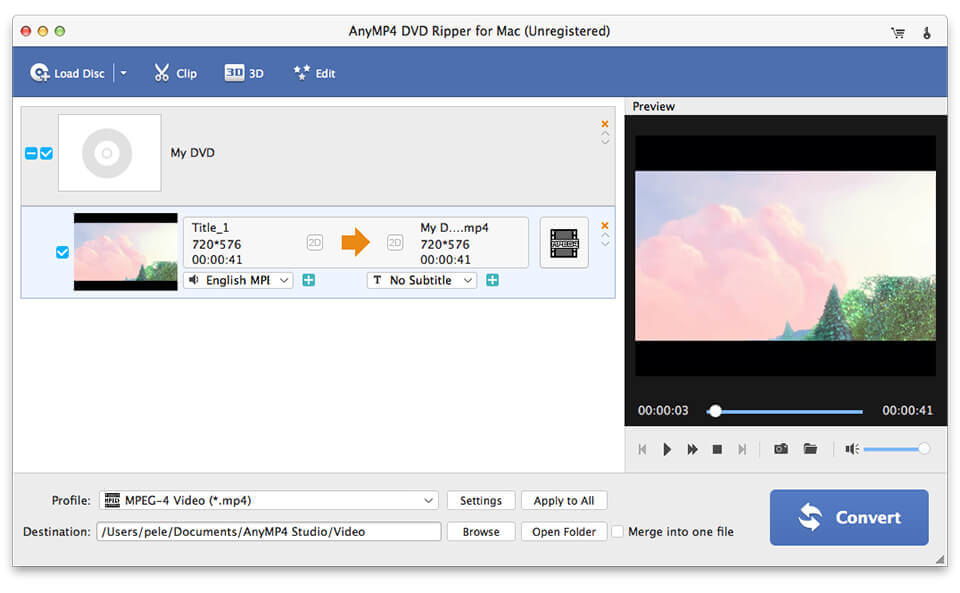
AnyMP4 DVD Creator for Mac can burn DVD with MP4, MOV, M4V, MKV, AVI, M2TS, TS, MTS and more video formats for Mac. Apart from that, this software enables you to add background music/pictures, select your preferred DVD menu and add/edit audio track and subtitle. In addition, you can edit the video effect through trimming the video length, cropping the video frame, adding the watermark according to your needs.


Key Features:

1. Create DVD disc/folder/ISO file on Mac.
This DVD Creator for Mac enables you to create DVD folder and DVD ISO file with both general video and HD video such as MP4, MOV, M4V, AVI, MTS, M2TS, SWF, FLV, MKV, MPG, MPEG and so forth. With fast speed and excellent quality, you can easily enjoy them on your home DVD players.

2. Select your favorite menu.
With this DVD Creator for Mac software, you can choose your ideal menu from six kinds of menu templates such as scenery, festival, animal, city, plant, etc. Besides, you can choose other templates like frame, button and text. Meanwhile, you can add background music and picture as you like.

3. Add/edit the audio track and subtitle.
This Mac DVD Creator allows you add/edit the audio track including language, volume, latency, encoder, bitrates, and channels. Meanwhile, your preferred subtitles can also be added to the screen of the videos and you can choose its language, change its position, and set the delay, font size, its name and color.

4. Edit your video.
AnyMP4 DVD Creator for Mac allows you to edit your video by trimming the start time and the end time, cropping the video frame, adding text or picture watermark to the screen of the video, adjusting the video effect. With these editions, you can fully enjoy your own customized video on your home player, crop the video frame, add text or picture watermark to the screen of the video, adjust the video effect. With these editions, you can fully enjoy your own customized video on your home player.

Graphcat<

AnyMP4 MP3 Converter for Mac 8.2.12

Type: Shareware
Cost: $18.75
Size: 49.29 MB
Release date: Mar 19 2020
Platform: Mac OS X,
Publisher’s Site:  https://www.anymp4.com
Publisher’s Product Page:  https://www.anymp4.com/mp3-converter-for-mac/
Country: China


AnyMP4 MP3 Converter for Mac

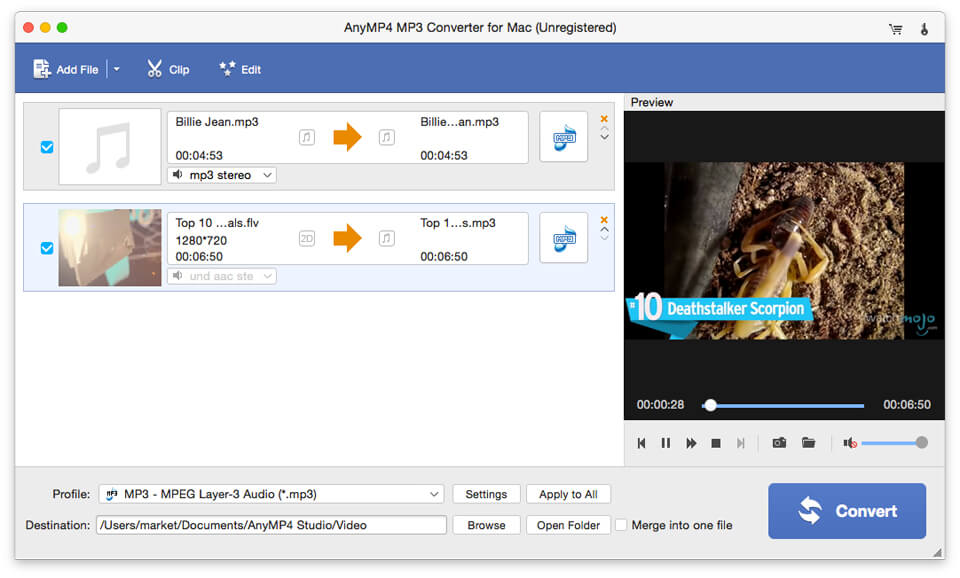
AnyMP4 MP3 Converter for Mac can not only convert any audio to MP3, AAC, AIFF, ALAC, WAV and M4A, but also extract audio from the video files and then convert them to MP3, AAC, ALAC and other your needed formats on Mac. Besides, it owns powerful editing functions like trimming the audio to your needed length, merging audio segments into single one, adjusting audio settings and renaming your audio. So you are able to enjoy these audio on your portable devices like iPhone 11/11 Pro/11 Pro Max/XS/XS Max/XR/X/8, iPad Air, iPad mini, Samsung Galaxy serial and so on.

Key Functions:

1. Convert any audio to MP3, AAC, AIFF, etc. on Mac.
This MP3 Converter for Mac can convert any audio like FLAC, WAV, WMA, MP3, AAC, AC3, AIFF, etc. to MP3, AAC, AIFF, ALAC, WAV and M4A with good quality. You can play the output audio file on iPhone 11/11 Pro/11 Pro Max/XS/XS Max/XR/X/8, iPad 4, iPad Mini, iPod Touch, Samsung Galaxy serial, HTC, Kindle, Sony Ericsson Xperia, etc.

2. Extract audio file from video and convert them.
With MP3 Converter for Mac, you can extract audio files from various videos like MP4, MOV, M4V, MKV, AVI, WMV, TS, MTS and so on. Then you can convert them to MP3, AAC, AIFF, ALAC, WAV and M4A and enjoy your audio at any time and any place.

3. Customize the audio file.
With this software, you can trim the audio to your needed length by setting the start time and the end time, you can merge several audio clips into one file. Meanwhile, you can rename you audio with unique names, so that you can find your video more easily.

4. Easy operations.
AnyMP4 MP3 Converter for Mac has a user-friendly interface, which can help you use it easily. Only a few clicks help you finish the whole processing. Besides, it supports batch conversion, so you can convert several files simultaneously.

Aiseesoft Video Editor 1.0.10

Type: Shareware
Cost: $25.16
Size: 41.30 MB
Release date: Mar 10 2019
Platform: Win2000,WinXP,Win7 x32,Win7 x64,Windows 8,Windows 10,WinServer,WinOther,WinVista,WinVista x64
Publisher’s Site:  https://www.aiseesoft.com
Publisher’s Product Page:  https://www.aiseesoft.com/video-editor/
Country: China


Aiseesoft Video Editor

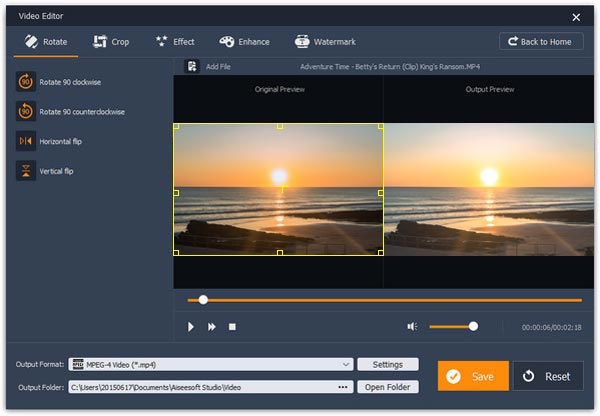
Aiseesoft Video Editor aims to help you edit the video from in many aspects. You can easily get a high quality video with its powerful editing functions. With this video editing tool, you are able to optimize video brightness and contrast, crop video frame, clip video to several segments, and set video speed and volume, etc. It also has many other editing functions such as clipping, cropping, rotating, and adding watermark.

Key Features

1. Set video speed and volume
You are allowed to change video speed to make slow motion video or speed up video, and set the video volume to meet your needs.

2. Optimize brightness and contrast
You can easily adjust the brightness of a video file, and switch the difference between the darkest and lightest areas of a video.

3. Crop video frame
Crop video in 16:9, 4:3 or other aspect ratio. So you can play your video on any screen or platform such as TV, computer, smartphone, or tablet.

4. Clip video to several segments
Clip and trim video files to remove unwanted video parts and reduce videos to the most important sections. It is up to your needs.

5. Convert video and audio
You can also use this software as a video converter. It supports for more than 300+ video and audio formats. You are allowed to convert video/audio to many popular formats like MP4, M4V, AVI, FLV, MP3, FLAC, AIFF, OGG, and more.