Category Archives: Audio & Multimedia

Audio Encoders/Decoders, Audio File Players, Audio File Recorders, CD Burners, CD Players, Multimedia Creation Tools, Music Composers, Other, Presentation Tools, Rippers & Converters, Speech, Video Tools

Aiseesoft MTS Converter 9.2.22

Type: Shareware
Cost: $22.40
Size: 47.49 MB
Release date: Apr 28 2019
Platform: Win2000,WinXP,Win7 x32,Win7 x64,Windows 8,Windows 10,WinServer,WinOther,WinVista,WinVista x64
Publisher’s Site:  https://www.aiseesoft.com
Publisher’s Product Page:  https://www.aiseesoft.com/mts-converter.html
Country: China

Aiseesoft MTS Converter

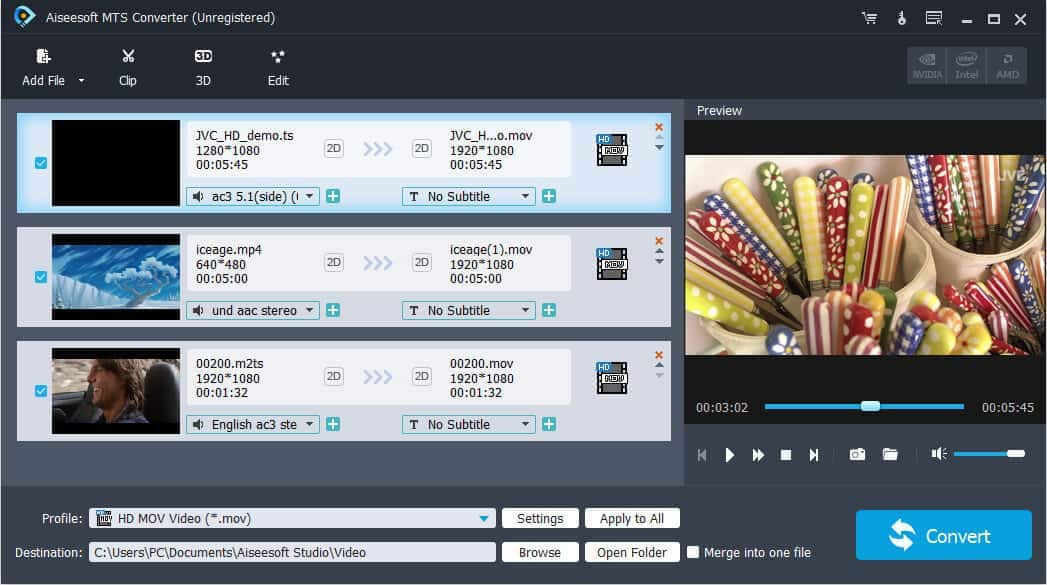
Aiseesoft MTS Converter owns powerful encoder and decoder technology to convert MTS, TS, M2TS, and popular video/audio files to any video(AMV, ASF, AVI, DivX, Flash H264, H.264 AVI, FLV, SWF, H.264/MPEG-4 AVC, M4V MPEG-4, MKV, MOV, MPEG-1, MPEG-2, MPEG-4, MTV, VOB, WMV, XviD, DV, VCD, WebM, HD video) and audio(AAC, AC3, AIFF, AMR, AU, M4A, MKA, FLAC, MP2, MP3, OGG, WAV, WMA) format. Moreover, it supports iPhone XS Max/XR/X/8/7 6s/6s Plus/6, iPad mini 3/2, iPad Air 2, iPad Air and Samsung Galaxy Note 5, etc.


Key Features

1.Convert MTS to other video/audio format
It can convert MTS and other video/audio files to the video format of AMV, ASF, AVI, DivX, Flash H264, FLV, SWF, H.264 AVI, H.264/MPEG-4 AVC, DV, MKV, MOV, MPEG-1, MPEG-2, MPEG-4, MTV, VOB, WMV, XviD, VCD, WebM and HD or audio format of AAC, AC3, AIFF, AMR, AU, FLAC, M4A, MKA, MP2, MP3, OGG, WAV, WMA.

2.Convert one file to Multiple formats
Choose multiple output formats for the source video/audio, and you will get multiple output video or audio formats at the same time.

3.Adjust output video effect
You are allowed to define the output video and audio parameters, such as Video Resolution, Video Bitrate, Frame Rate, Encoder and Audio Channels, Sample Rate, Encoder, Audio Bitrate as well as video Brightness, Contrast, Saturation, Hue, and Volume. Personalizing your video with the image or text watermarks can be realized either.

4.Crop Video Frame Size
Unwanted playing areas of a video can be cut out so as to fit your different portable players. you can also rrim a video or audio to your desired time length segments by setting the start and end time. Merging several video or audio files into one is a piece of cake.

5.Convert files to all players
The output files can be played on: iPhone X/XR/XS Max8/7/6s/6s Plus/6/5S/5C, iPhone 5, iPad mini 3/2, iPad Air 2, iPad Air, ipad 4, iPad mini, iPod touch 5, iPod nano 7, Samsung Galaxy S4, Samsung Note 5, HTC One X and Kindle Fire HD, etc.

Graphcat<

DarkWave Studio 5.9.1

Type: Freeware
Cost: $0
Size: 4.01 MB
Release date: Dec 29 2019
Platform: Win2000,WinXP,Win7 x32,Win7 x64,Windows 8,Windows 10,WinServer,WinOther,WinVista,WinVista x64
Publisher’s Site:  https://www.experimentalscene.com/
Publisher’s Product Page:  https://www.experimentalscene.com/software/darkwave-studio/
Country: Australia


DarkWave Studio

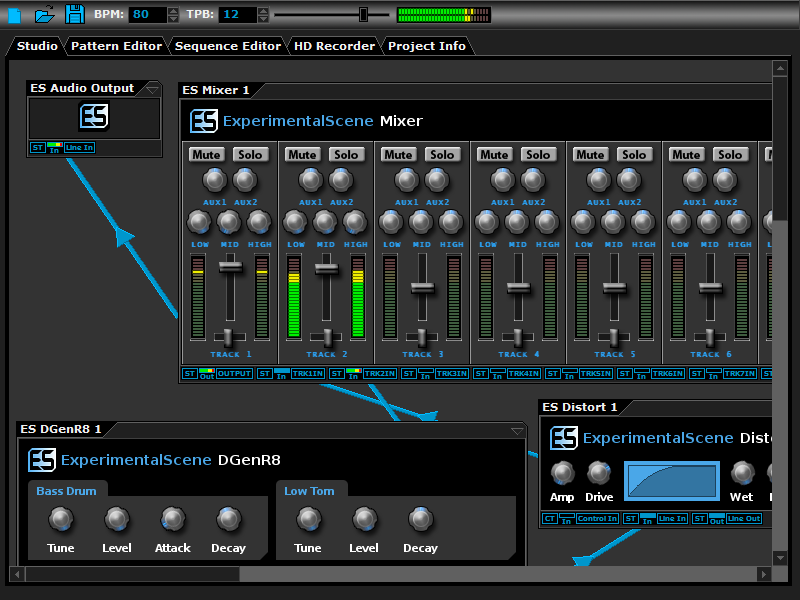
DarkWave Studio is a free Digital Audio Workstation (DAW) / modular virtual music studio for Windows. You can easily use the built in sequencer, bundled DarkPlug machines and third-party VST effects and VSTi instruments to create music. DarkWave Studio allows the connection of machines in an ad-hoc fashion. The installer ships with both a 32-bit and 64-bit version.

DarkWave consists of the following main parts:

Studio (Work With Machines)
Pattern Editor (Create Pieces Of Music)
Sequencer (Arrange Patterns Into A Song)
Multi-track Hard Disk Recorder (Master Your Music)

The following plugins are included with DarkWave:

ES Audio Input (Allows For Input From Sound Card)
ES Arpeggiator (Play Arpeggios With A MIDI Keyboard)
ES ControlChange Mapper (Map Control Change Events From One Index To Another)
ES MIDI Input (Use MIDI Keyboards With DarkWave Instruments)
ES MIDI Output (Sequence External MIDI Synthesizers)
ES AntiAlias (32x Digital Oversampling)
ES SpatialVerb (Room Modelling Reverb Unit)
ES Stomp (Rave Kick Generator)
ES BassHead (Subtractive Virtual Analog Synthesizer)
ES DGenR8 (Virtual Analog Drum Machine)
ES QuadDelay (Echo And Chorus Effect)
ES Mixer (8 Track Mixer With 2 Auxillary Tracks)
ES Distort (Basic Overdrive Distortion Effect)
ES Crunch (Limit Bits Per Sample Anywhere From 16 To 1 Bits)
ES StereoSplitter (Split An Input Stereo Signal Into Left And Right Output Mono Signals)
ES StereoJoiner (Combine Left And Right Input Mono Signals Into A Single Output Stereo Signal)
ES Scope (View Generated Waveforms In Realtime)
ES Control Monitor (View Control Messages)
ES DownStepper (Sample Rate Reduction Filter)

Features:

Highly Optimized 64-bit Double Precision Precision Audio Processing
Incredibly Fast And Small Download
Low Latency ASIO And DirectSound Audio Output Support
SSE2 (Streaming Single Instruction Multiple Data Extensions) Optimizations.

Aiseesoft Video Converter Ultimate 9.2.80

Type: Shareware
Cost: $29.40
Size: 38.70 MB
Release date: Dec 09 2019
Platform: Win2000,WinXP,Win7 x32,Win7 x64,Windows 8,Windows 10,WinServer,WinOther,WinVista,WinVista x64
Publisher’s Site:  https://www.aiseesoft.com/
Publisher’s Product Page:  https://www.aiseesoft.com/video-converter-ultimate/
Country: China


Aiseesoft Video Converter Ultimate

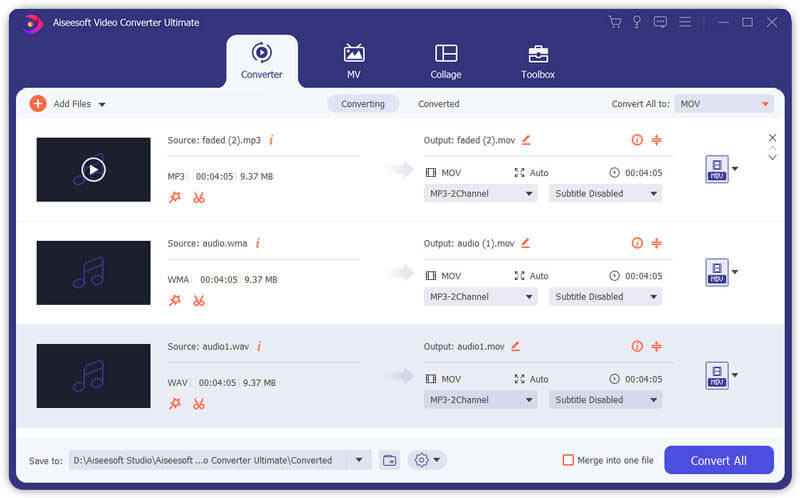
Aiseesoft Video Converter Ultimate is a comprehensive video converter. It can convert any video, home-made DVD to video/audio format including AVI, WMV, MOV, MP4, MP3, FLAC, etc. It adds more powerful editing functions to enhance video by upscaling resolution, optimizing brightness and contrast, removing video noise, and reducing video shaking. You can also add additional subtitles and audio tracks to the video.

Key functions
1. Convert over 1,000 video(4K/3D included) and audio formats as well as DVDs to other popular formats.
This software can convert videos and home-made DVDs to other formats, like AVI, WMV, MOV, MP4, TS, etc. It also converts videos among the different resolution of SD, HD and 4K video. For 4K videos, it supports converting videos to 4K MP4, 4K TS, 4K AVI, 4K FLV, 4K MKV, 4K WEBM. In addition, it supports converting 2D to 3D for an extraordinary visual experience.

2. Powerful editing functions
You can trim video length, catch screenshot, adjust video effects and add text or picture watermark as needed with its powerful editing feature. You can use it to upscale video to higher resolution, optimize the visual effect in one click and remove video noise. For your shaky video, it can reduce the video shaking easily. It also lets you rotate and flip the video.

3. Fast conversion speed and super-high quality
This converting software adopts AMD APP and NVIDIA CUDA technology, which enables batch conversion and merging process at super-fast speed and with zero-quality loss.

4. Support all popular devices
This software offers many default settings for iPhone/iPad/iPod (iPad Air 2, iPhone 11 Pro/11/XS/XS Max/XR included), Android devices, Samsung devices and other popular devices.