Category Archives: Audio & Multimedia

Audio Encoders/Decoders, Audio File Players, Audio File Recorders, CD Burners, CD Players, Multimedia Creation Tools, Music Composers, Other, Presentation Tools, Rippers & Converters, Speech, Video Tools

Aiseesoft Video Converter for Mac 9.2.28

Type: Shareware
Cost: $31.50
Size: 52.53 MB
Release date: Jan 14 2020
Platform: Mac OS X,
Publisher’s Site:  https://www.aiseesoft.com/
Publisher’s Product Page:  https://www.aiseesoft.com/video-converter-for-mac.html
Country: China
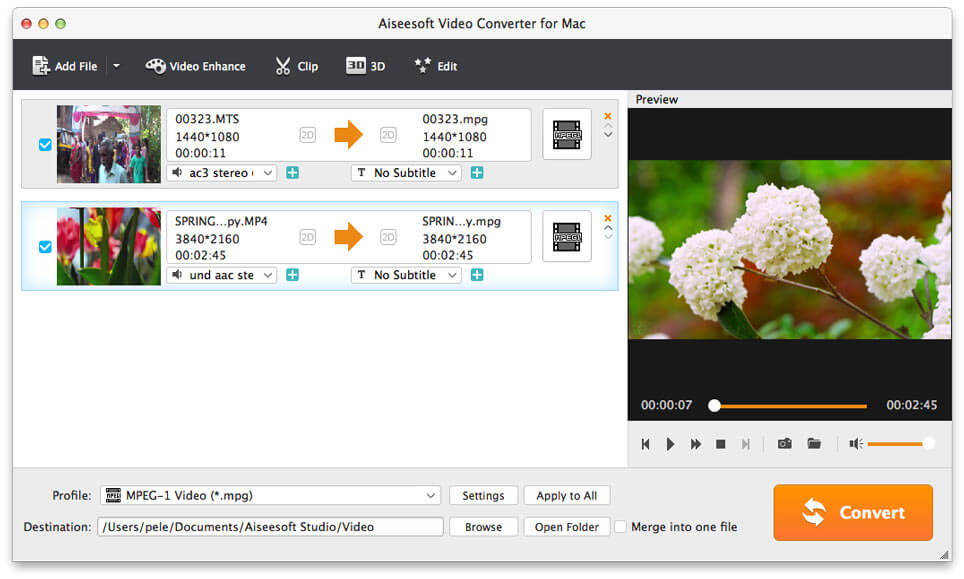

Aiseesoft Video Converter for Mac

Aiseesoft Video Converter for Mac is used to help users convert any video to popular video (MKV, MOV, MTV, WMV, AVI, etc.) and audio (AAC, AIFF, AMR, FLAC, MP3, etc.) formats on Mac with the super fast conversion speed and excellent output video/audio quality. What’s more, it is highly compatible with iPad mini 5, iPad Air, iPhone 11/11 Pro/XS/XS Max/XR, Samsung Galaxy S10 now.


Key Features:

1. Convert any video/audio file including 4K video.
This Video Converter for Mac is able to help users convert any video/audio file, including 3GP, 3G2, AVI, DV, DIF, FLV, SWF, F4V, MOD, MJPG, MJPEG, MKV, DAT, MP4, M4V, MPV, QT, MOV, RM, RMVB, TOD, TS, TRP, TP, WMV, ASF, MPEG-2 HD, MPEG-4 HD, QuickTime HD, WMV HD, HD TS, HD MTS, HD M2TS, HD TRP video and AAC, AIF, AIFF, APE, OGG, etc. audio on Mac.

2. Enhance video quality.
Upscale video resolution, optimize the brightness and remove video noise to make your video more energetic. What’s more, you are allowed to rotate and flip your video to the right angle according to your needs.

3. Clip and merge videos.
Clip a video to your desired time length by setting the start and end time. In addition, you can try to merge different videos to one.

4. Crop video frame and add video watermarks.
You can cut off unwanted playing areas of a video to fit your different portable players. Personalize your video with the image or text watermarks, adjust its position, transparency, etc.

5. Define video or audio effect.
This software enables you to define the output video or audio parameters, such as Video Encoder, Frame Rate, Video Bitrate, Resolution, and Audio Encoder, Sample Rate, Channels, Audio Bitrate. Also you can adjust the video brightness, contrast, saturation, hue and volume.

6. Convert one file to multiple formats.
Aiseesoft Video Converter for Mac enables users to select multiple output formats for the source video/audio, and then users can get multiple output video or audio formats at the same time.

Graphcat<

AnyMP4 DVD Ripper 7.2.28

Type: Shareware
Cost: $26.25
Size: 39.90 MB
Release date: Jan 02 2020
Platform: Win2000,WinXP,Win7 x32,Win7 x64,Windows 8,Windows 10,WinServer,WinOther,WinVista,WinVista x64
Publisher’s Site:  https://www.anymp4.com/
Publisher’s Product Page:  https://www.anymp4.com/dvd-ripper/
Country: China


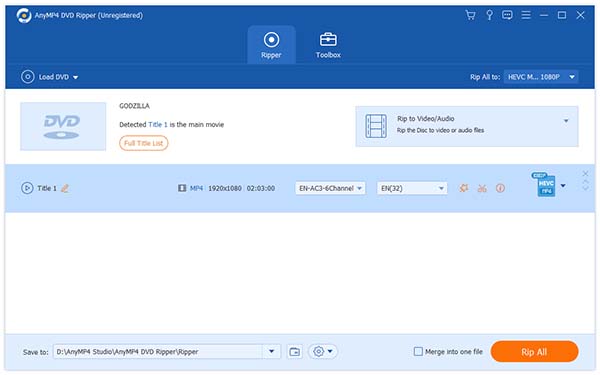
AnyMP4  DVD Ripper

AnyMP4 DVD Ripper software is a wonderful ripper tool and there is comprehensive and powerful editing function, you can rip and edit the DVD movies on base of your choice. It highly supports most portable iOS and Android devices, such as iPhone 11/11 Pro/11 Pro Max/XS/XS Max/XR/X/8/8 Plus, iPad Pro/mini 4, iPod touch, Samsung Galaxy 10 etc. So you can view DVD movies on your smart phone or tablet.

Key Features:

1.Professional conversion.
AnyMP4 DVD Ripper can rip DVD to AVI, MP4, TS, DivX, WebM, 3GP and other 4K/1080p/720p video formats, etc. What’s more, it has the function of extracting audio from DVD to MP3, WAV, WMA, AAC, M4A, ALAC, FLAC, OGG audio formats. After converting, it will be much easier to enjoy DVD movies on your personal players.

2. Own comprehensive and useful editing function.
AnyMP4 DVD Ripper allows you to change video effect like Brightness, Contrast, Saturation, Hue and Volume. It also can support the function of cropping video to remove the black edge, add personal text and image watermark, rotate video position, trim the video, etc.

3. Choose output profile and change the profile setting according to your demand.
AnyMP4 DVD Ripper supports different and various output profiles, you can choose one and besides, in profile settings, you are allowed to set parameters, such as video codec, resolution, bitrate, frame rate, audio codec, audio channels, and so on. In addition, there is simple user interface with the program, user can use it smoothly without any obstacle.

Mixcraft 9.0

Type: Shareware
Cost: $99
Size: 238.86 MB
Release date: Jan 13 2020
Platform: Win2000,WinXP,Win7 x32,Win7 x64,Windows 8,Windows 10,WinServer,WinOther,WinVista,WinVista x64
Publisher’s Site:  http://www.acoustica.com/
Publisher’s Product Page:  https://acoustica.com/mixcraft
Country: United States of America


Mixcraft

Record,mix and edit your tracks with this user-friendly music recording software. Mixcraft 8 is driven by a new, lightning-fast sound engine, featuring advanced audio and MIDI routing, native sidechaining, and Audio Control, an innovative new feature allowing audio signals to control instrument and effect parameters. Comprehensive support has been added for VST3 plug-ins and MP4 video, both must-have formats in professional studio environments.

Mixcraft 8 is packed with high-end features including live performance panel recording, nested submixes, track grouping, and so much more. Weve even integrated Melodyne pitch correction directly into Mixcraft 8 Pro Studios interface for flawless vocal performances. Mixcrafts enormous collection of royalty-free studio-quality loops is organized into Song Kits, for incredibly easy track creation no musical training required! Over 7,500 loops, music beds, sound effects, and samples for fast and easy professional music production. Infinitely broaden your sound palette with built-in Freesound.org browsing and import functions.

Rock the house with automatically synced, non-stop audio and MIDI clip grooves using the amazingly flexible Performance Panel. Create mixes and mashups with audio warping and song slicing. Manipulate the Performance Panel under your fingers with a Novation Launchpad, MIDI controller, or even your computers keyboard, and jam along with Mixcrafts powerful virtual instruments. Record loops directly to Performance Panel grid locations for instant creation of layered live loop performances. Get ready for a plethora of virtual instruments, including emulations of classic synthesizers, rock organs, and electric pianos.

Mixcraft 8 Pro Studio is packed with over $1250 worth of additional plug-ins, including Melodyne Essentials, Celemonys astounding pitch correction and editing suite, which goes beyond the plug-in realm with full integration into Mixcrafts audio editor window.