Category Archives: Audio & Multimedia

Audio Encoders/Decoders, Audio File Players, Audio File Recorders, CD Burners, CD Players, Multimedia Creation Tools, Music Composers, Other, Presentation Tools, Rippers & Converters, Speech, Video Tools

AnyMP4 Video Converter for Mac 8.2.16

Type: Shareware
Cost: $27
Size: 48.08 MB
Release date: Oct 29 2019
Platform: Mac OS X,
Publisher’s Site:  https://www.anymp4.com
Publisher’s Product Page:  https://www.anymp4.com/video-converter-for-mac/
Country: China

AnyMP4 Video Converter for Mac

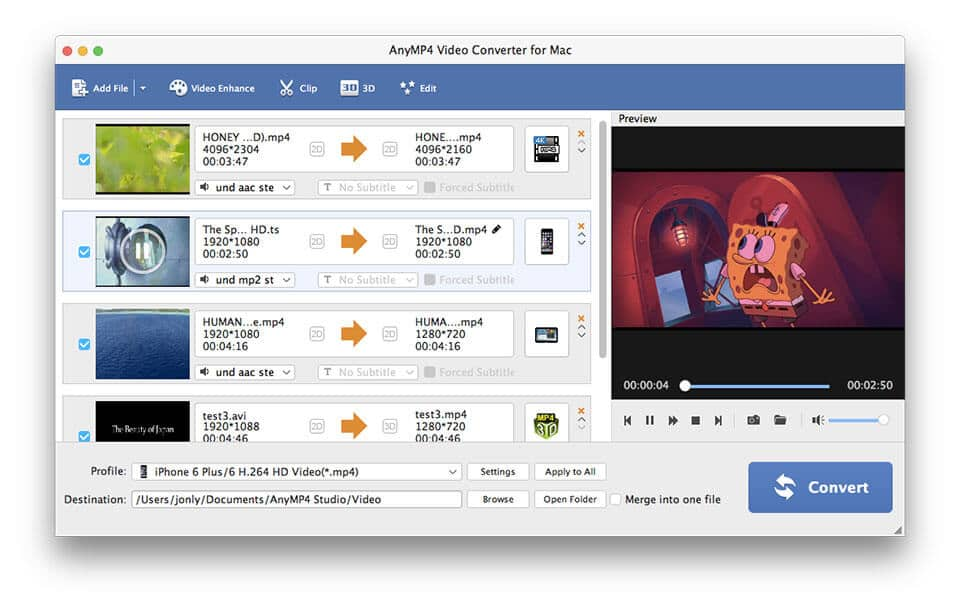
AnyMP4 Video Converter for Mac is one of the best video converters for Mac users. It can convert such video formats on Mac as MPEG, MP4, H.264, MOD, AVI, WMV, MOV, etc. Highly supporting HD and 4K videos, it lets you enjoy videos on iPad, iPhone, iPod, Samsung, etc. What’s more, it provides perfect 3D vision and 4K UHD videos for Mac users as well.


Key Features:

1. Convert Video Files on Mac
AnyMP4 Video Converter for Mac is one professional video converting tool to convert video files on Mac OS, such as MP4, MPEG, AVI, MOV, VOB, TS, MTS, and so on. Video Converter for Mac can convert video files to any portable devices for enjoyment, like iPad Pro, iPad mini 4, iPhone like iPhone 11 Pro Max/11 Pro/11/XS/XS Max, iPod, Samsung series, Samsung Galxy Note and other Android/ iOS/Windows devices.

2. Enhance, Rotate and Flip Video
AnyMP4 Video Converter for Mac provides you with various editing features. It can help you cut video length, crop video to remove unwanted part, merge segments into one new file, add personal watermarks. You can upscale video resolution, optimize the brightness and remove video noise to make your video more energetic. Whats more, you are allowed to rotate and flip your video to the right angle according to your needs.

3. Various Output Settings
AnyMP4 Video Converter for Mac offers you various video and audio settings for you to choose, such as Video Encoder, Resolution, Frame Rate, Video Bitrate, Audio Encoder, Sample Rate, Channels, and Audio Bitrate. You can also input the self-defined resolution if the provided ones can’t meet your need. For example. you can adjust the video brightness, contrast, saturation, hue and volume and choose the fittest output format, audio track and subtitle for your video.

Graphcat<

Burnova 1.3.56

Type: Shareware
Cost: $21.57
Size: 63.59 MB
Release date: Nov 10 2019
Platform: Win2000,WinXP,Win7 x32,Win7 x64,Windows 8,Windows 10,WinServer,WinOther,WinVista,WinVista x64
Publisher’s Site:  https://www.aiseesoft.com/
Publisher’s Product Page:  https://www.aiseesoft.com/burnova/
Country: China


Burnova

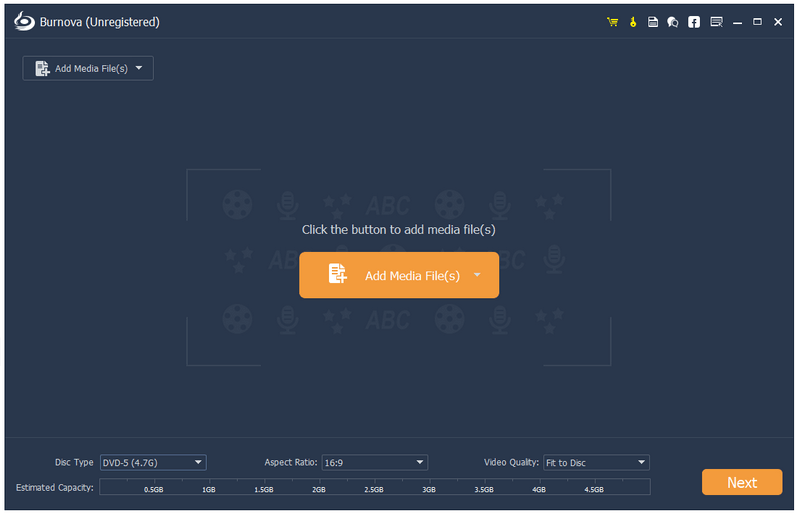
Burnova is compatible with almost all video formats for DVD/Blu-ray making. You are able to import video from MP4, AVI, WMV, MKV, M4V, MOV, M2TS/MTS, 3GP, VOB, FLV, MPEG, MPG, DV, RMVB, TOD, ASF, etc. even HD video files are supported. It lets you add external audio track from MP3, AAC, AIFF, FLAC, WAV, WMA, OGG, AC3, MPA, MP2, etc. to make your own video.

Key Features:

1. Create various video files to DVD/Blu-ray disc/folder/iSO files
Aiseesoft Burnova has the function of creating any popular video to Blu-ray disc, Blu-ray folder and ISO files. And there are two Blu-ray types for you to choose: BD-25 and BD-50. And you can make movies to various DVD types, like DVD-R, DVD+R, DVD-RW, DVD+R DL, DVD-R DL, DVD-5, DVD-9, etc.

2. Customize your DVD/Blu-ray
If editing functions is to fulfill your video content, then menu editing will be necessary to string together all content. Burnova provides you with various templates (holiday, family, travel, wedding and more styles) to specify your different type of movies or videos. You can also add your own images as the background to tell your own story for the video. For the title, menu and play button, you are allowed to edit or drag the buttons to the place you want. For the opening film, you are capable of importing your favorite video clips.

3. Select your loved menu
Aiseesoft Burnova allows you to attach menus before burning. User can choose the preferred menu template, select the menu frame and button style, edit the menu text content and define its font, size and color, even add the background picture, music and opening film to the menu.

4. Add and set audio track/subtitle
Users can add audio track and subtitle to the Blu-ray/DVD. It’s also possible to add your own audio track.

AnyMP4 iPhone Transfer Pro for Mac 8.3.12

Type: Shareware
Cost: $33.75
Size: 35.62 MB
Release date: Jun 30 2019
Platform: Mac OS X
Publisher’s Site:  https://www.anymp4.com
Publisher’s Product Page:  https://www.anymp4.com/iphone-transfer-for-mac/
Country: China


AnyMP4 iPhone Transfer Pro for Mac

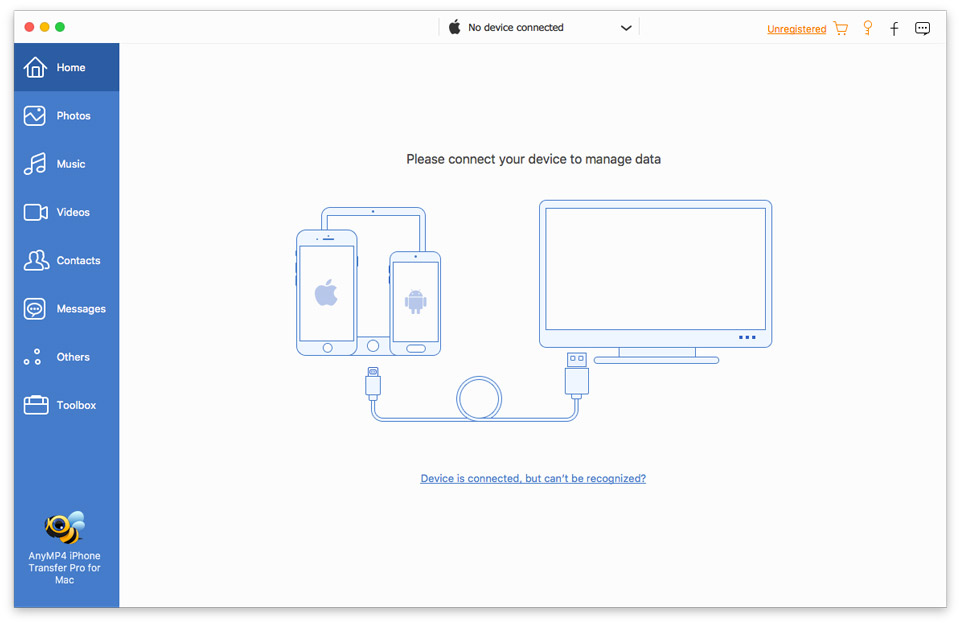
AnyMP4 iPhone Transfer Pro for Mac enables you to transfer photos, video, music and many other multimedia files from iPhone/iPad/iPod such as iPhone XR/XS/XS Max/X, iPad Air, iPad pro, iPad mini 4 and iPod,etc. to Mac for backup. It also allows you to import Mac/iTunes files to iPhone/iPad/iPod. It can also convert the incompatible video/audio to iPhone/iPad/iPod supported format.

Key Features:

1. Transfer files from iPhone/iPad/iPod to Mac or from Mac to iOS device
This iPhone to Mac Transfer can help you transfer photo, video, music and other media files from iPhone XR/XS/XS Max/X, iPad pro, iPad mini 4/3/2, iPod and more digital devices to Mac/iTunes for backup. With this Mac to iPhone Transfer, you can convert photo, video, music and others to iPhone/iPad/iPod.

2. Import files between iOS devices
AnyMP4 iPhone Transfer Pro for Mac can sync videos, music, pictures, etc. between any two iOS devices. For instance, if you connect your iPhone and iPad to Macbook, you can easily transfer your photos from iPhone to iPad.

3. Back up SMS/Contacts on your iPhone to Mac
With this program, you can copy your SMS to Mac for backup and they can be saved in excel, text or html format. You can also back up the important contacts to Mac in case of the damaging of iPhone, iPad or iPod. The de-duplication function can automatically delete repeated contacts or merge overlapping contact information for you.

4. Support the latest device
This iPhone Transfer for Mac is compatible with the latest iTunes and support all devices such as iPad pro, iPhoneXR/XS/XS Max/X, iPad Air 2, iPad mini 4/3/2, iPad pro and iPod 5, etc.