Category Archives: Audio & Multimedia

Audio Encoders/Decoders, Audio File Players, Audio File Recorders, CD Burners, CD Players, Multimedia Creation Tools, Music Composers, Other, Presentation Tools, Rippers & Converters, Speech, Video Tools

Ukeysoft M4V Converter for Mac 2.1.0

Type: Shareware
Cost: $44.95
Size: 7.06 MB
Release date: Jan 01 2019
Platform: Mac OS X
Publisher’s Site:  https://www.ukeysoft.com
Publisher’s Product Page:  https://www.ukeysoft.com/m4v-converter/
Country: China

Ukeysoft M4V Converter for Mac

You may have already rented some iTunes movies, TV shows and music videos on iTunes store, but soon you would discover many restrictions in the iTunes movie rentals, especially the limited watching period. You only have 30 days to start watching a movie rental. After you start watching the movie, you have 24 hours to finish it. If you dont start watching a movie within 30 days, you must rent it again. However, how to extend iTunes movie rentals beyond 24 Hours & keep iTunes rentals forever? How to move and save iTunes movies to external hard drive for playback? How offline play iTunes movies on Android devices, MP4 player, TV, Xbox, PS4, etc.? What you need to do is removing DRM from iTunes purchased or rented movies/TV shows/music videos and convert them to DRM-free MP4 format.


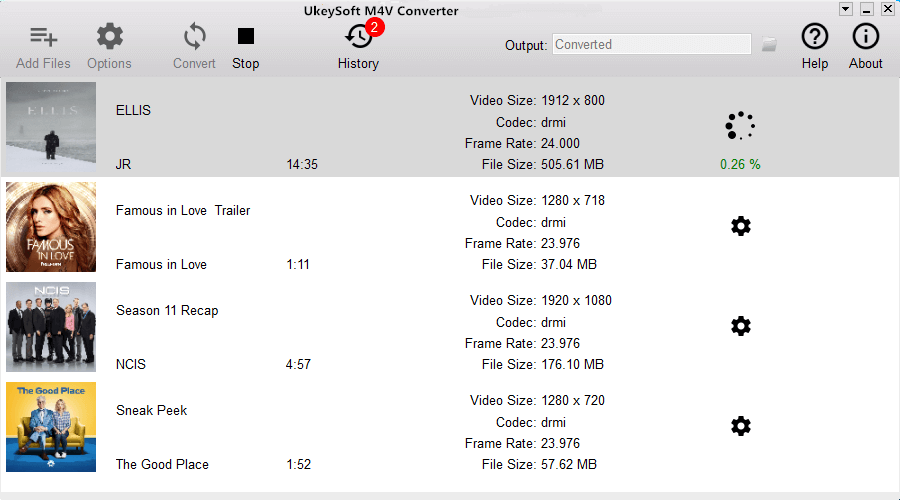
UkeySoft M4V Converter for Mac is specially designed to remove DRM from iTunes purchased and rented videos on MacBook, MacBook Air, MacBook Pro, iMac, iMac Pro. It can convert iTunes DRM M4V videos to MP4 at 30X fast speed with lossless quality. After removing DRM from purchased and rented iTunes movies, TV shows and music videos, and convert iTunes DRM-protected M4V videos to lossless DRM-free MP4, you can keep iTunes rentals forever, or transfer the converted iTunes movies to any devices to offline watching at any time anywhere you want, such as Samsung Galaxy S10/S9/S8, Huawei Mate X/Mate 20/P20(Pro), iPhone XS(Max), iPhone X, iPhone 8, TV, MP4 player, PSP and so on.

Features:
1.Convert iTunes movies, episodes, TV shows, Music videos and iTunes rentals to DRM-free MP4 video files.

2.Keep all audio track & subtitles including AC3 Dolby 5.1, Closed Captioning, Audio descriptions on the output MP4 video files.

3.Convert iTunes M4V videos to MP4 up to 30X conversion speed.

4.Output 1080P HD with 100% original quality after convert iTunes video.

5.Enjoy iTunes movies & TV shows on any MP4 compatible devices offline.

Graphcat<

M-SPEAKER Server 1.0

Type: Freeware
Cost: $0
Size: 3.94 MB
Release date: Sep 30 2019
Platform: Win2000,WinXP,Win7 x32,Win7 x64,Windows 8,Windows 10,WinServer,WinOther,WinVista,WinVista x64
Publisher’s Site:  http://www.nolansoftware.com
Publisher’s Product Page:  http://nolansoftware.com/mspeaker/help/index.htm
Country: China


M-SPEAKER Server

What is M-SPEAKER?
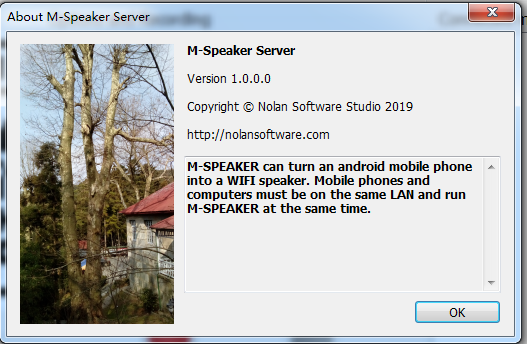
M-SPEAKER can turn an android mobile phone into a PC WiFi speaker. Mobile phones and computers must be on the same LAN and run M-SPEAKER at the same time. It is free of charge for basic functions.

Why use M-SPEAKER?
If you have an old unused android smart phone, throw it away? In fact, you can turn it into a PC WiFi speaker with M-SPEAKER.

Every day, a large number of old mobile phones are abandoned, which is not only a waste, but also a kind of pollution. We should find ways to continue using these old mobile phones. In fact, they are some powerful computers. M-SPEAKER is one way to continue using these old mobile phones, which can turn your old mobile phone into a computer speaker.

Using steps

Step1:Install M-Speaker Server on your computer. The computer’s operator system must be windown7/8/10 and must install .Net Framework 4.

Step2: Install M-Speaker on your android mobile phone.

Step3: Run M-Speaker Server on your computer at first.

Setp4:Run M-Speaker on your android mobile phone.

Aiseesoft Video Editor for Mac 1.0.10

Type: Shareware
Cost: $25.16
Size: 52.53 MB
Release date: Mar 14 2019
Platform: Mac OS X
Publisher’s Site:  https://www.aiseesoft.com
Publisher’s Product Page:  https://www.aiseesoft.com/video-editor/
Country: China


Aiseesoft Video Editor for Mac

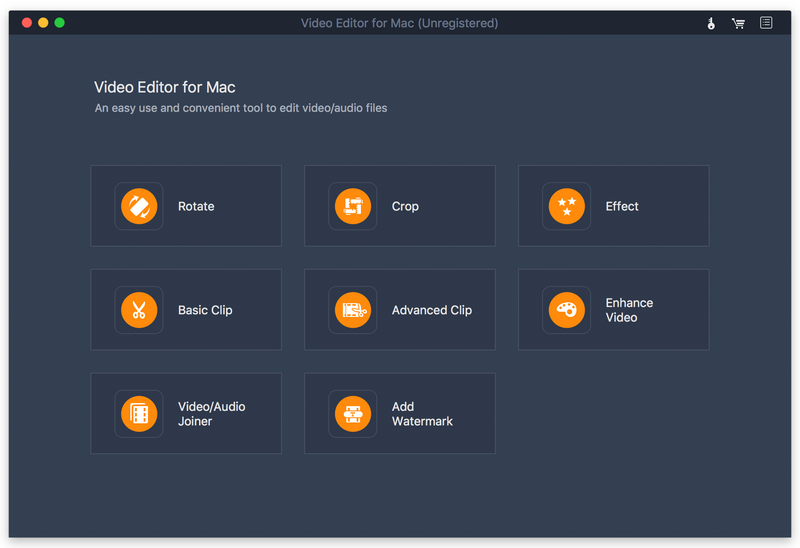
Aiseesoft Video Editor for Mac aims to help you edit video from many aspects. You can easily get a high quality video with its editing functions. With it, you are able to set video speed and volume, optimize brightness and contrast, crop video frame and clip video to several segments. It has many other editing functions such as clipping, cropping, rotating, and adding watermark.

Key Features

1. Set video speed and volume
You are allowed to change video speed to make slow motion video or speed up video, and set the video volume to meet your needs.

2. Optimize brightness and contrast
You can easily adjust the brightness of a video file, and switch the difference between the darkest and lightest areas of a video.

3. Crop video frame
Crop video in 16:9, 4:3 or other aspect ratio. So you can adapt video to any screen or platform such as TV, computer, smartphone, or tablet.

4. Clip video to several segments
Clip and trim video files to remove unwanted video parts and reduce videos to the most important sections. It is up to your needs.