Category Archives: Audio & Multimedia

Audio Encoders/Decoders, Audio File Players, Audio File Recorders, CD Burners, CD Players, Multimedia Creation Tools, Music Composers, Other, Presentation Tools, Rippers & Converters, Speech, Video Tools

AnyMP4 Mac Video Enhancement 8.2.10

Type: Shareware
Cost: $14.96
Size: 47.84 MB
Release date: Apr 25 2019
Platform: Mac OS X
Publisher’s Site:  https://www.anymp4.com
Publisher’s Product Page:  https://www.anymp4.com/mac-video-enhancement/
Country: China

AnyMP4 Mac Video Enhancement

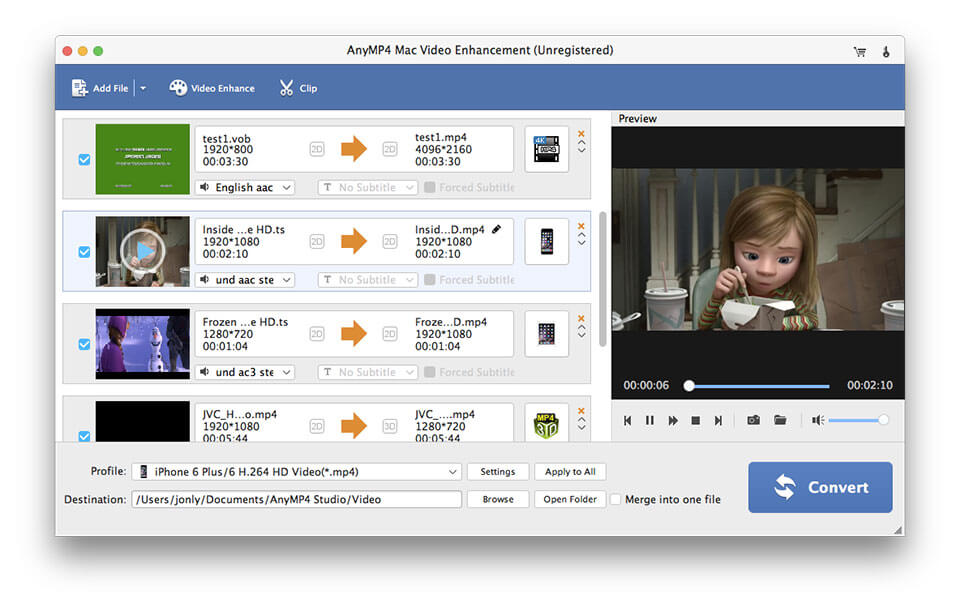
AnyMP4 Mac Video Enhancement not only enhances your video quality but also rotates or flip your video direction on Mac. Besides, this Video Enhancement Software can convert your video to MP4, MOV, M4V, MKV, AVI, WMV, TS and others. Thus, you can enjoy your video on iPhoneXS/XS Max/XR/X/8 plus, iPhone 6/6 plus, iPhone 5s/5/4s, iPad Pro, iPad mini 4/3, Samsung and more devices. It can also edit your video with the function of clip, crop, and add watermark for Mac.


Key Feature:

1. Enhance video quality greatly on Mac
Video Enhancer Mac can make your video quality get greatly improvement. It can upscale the resolution of the video; you can optimize brightness and contrast; you can remove video noise.

2. Rotate your video direction for Mac
Video Enhancer for Mac can rotate your video direction such rotate 90 clockwise to your video and rotate 90 counterclockwise on Mac. It also flips the video direction by horizontal flip and vertical flip for Mac.

3. Convert video to MP4, MKV, AVI, WMV and more
This Video Enhancement for Mac can convert your video to 4k Ultra HD like 4K H.265/HEVC Video, 4K H.264/MPEG-4 AVC, 4K TS, 4K AVI, 4K H.264 FLV, 4K MKV and more, as well as 1080p HD video such as MTS, TS, M2TS, HD MPG, HD MPEG, HD MP4, HD WMV, QuickTime HD MOV and others for Mac.

4. Edit your video effect
Mac Video Enhancement Software can adjust the Brightness, Saturation, Contrast, Hue and Volume. It can clip your video into several segments on Mac. Besides, it is able to crop the video frame at your disposal, and add text or watermark to the screen of the video for Mac.

Graphcat<

Aiseesoft HEIC Converter 1.0.10

Type: Shareware
Cost: $19.95
Size: 12.11 MB
Release date: Jan 20 2019
Platform: Win2000,WinXP,Win7 x32,Win7 x64,Windows 8,Windows 10,WinServer,WinOther,WinVista,WinVista x64
Publisher’s Site:  http://www.aiseesoft.com
Publisher’s Product Page:  https://www.aiseesoft.com/free-heic-converter/
Country: China


Aiseesoft HEIC Converter

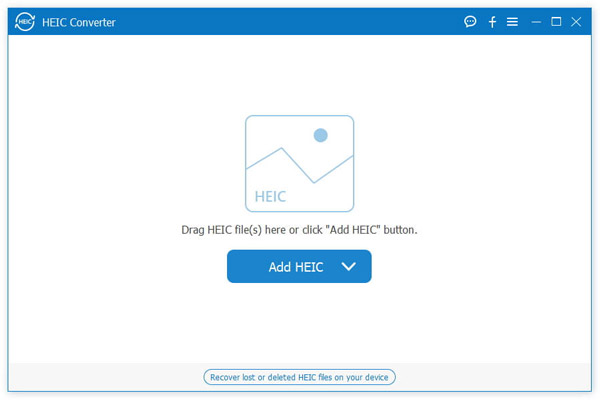
Aiseesoft HEIC converter, which allows you to convert all your HEIF (.heic) photos to JPG/JPEG or to PNG on Windows or Mac computer without any hassle. Besides, it provides amazingly fast and time-saved conversion process. This software support nearly all windows system such Windows 10, 8, 7, XP, Vista and more. And it also supports most popular portable devices, like iPhone XS/ XR/XS Max/X/ 8/8 Plus/5S/5C, iPad mini 3/2, iPad Air 2/iPod, etc.

Key Features

1. Convert HEIC to JPG/JPEG on Windows or Mac
JPG/JPEG is more useful and compatible with the majority of platforms. JPG is a file type developed by JPEG, also referring to the Joint Photographic Experts Group. It is a standard for professional photographers. JPG images compress image data by reducing sections of images

2. Convert HEIC to PNG and Batch Convert HEIC Files
PNG images support multiple colors and internet graphics. Professionally convert unlimited HEIC images to JPG or PNG without hassle.

3.Suppor various Devices
This software highly supports iPhone XS/ XR/XS Max/X/ 8/8 Plus, iPad mini 3/2, iPad Air 2, iPod, Apple TV,etc. This software support nearly all windows system such Windows 10, 8, 7, XP, Vista and more.

4: Free and Fast
HEIC Converter lets you convert 10 HEIC files for free, providing amazingly fast and time-saving conversion process. It adopts more advanced and modern compression, allowing digital photographs taken by iPhone, iPad or iPod running iOS 11 to be created in smaller file sizes, while keeping higher image quality.

Graphic Equalizer Studio 2019

Type: Shareware
Cost: $49
Size: 25.72 MB
Release date: Feb 27 2019
Platform: Win2000,WinXP,Win7 x32,Win7 x64,Windows 8,Windows 10,WinServer,WinOther,WinVista,WinVista x64
Publisher’s Site:  http://www.pas-products.com
Publisher’s Product Page:  http://www.pas-products.com/eqstudio.html
Country: Germany


Graphic Equalizer Studio

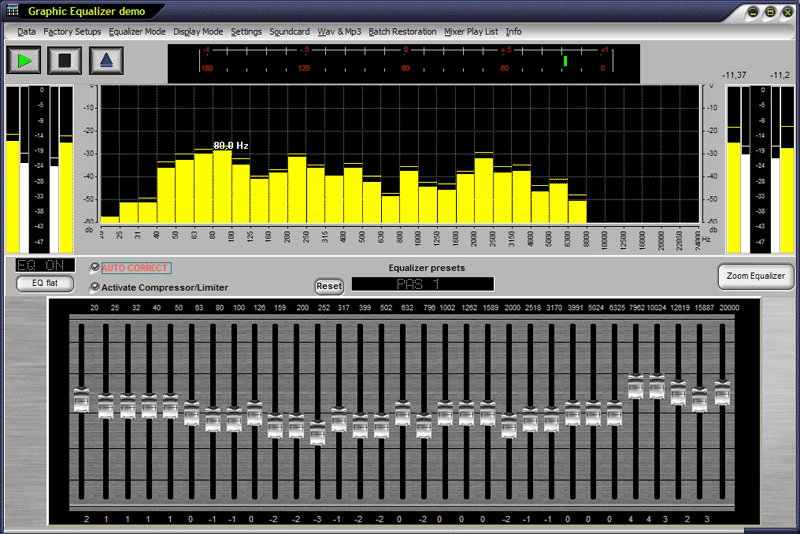
you can run any windows sound application or DVD Player software above the Equalizer. The Equalizer will correct the audio stream automatic and will include the Limiter and the compressor to be sure, that the audio signal is not to loud or not to low. If you load a wav file or a mp3 file you can hear the different and the effect of the Equalizer. You will be very impressed and you think that you have new sound speakers. All the playlist you have made, sounds now much better and you can use any sound application. Watch movies with nice bass sounds and a limiter to lower the loud passages. The compressor will made the low signal a little bit louder. Whhen Auto Correct is enabled, it will scan all selected frequencies in the wav file to determine the minimum and maximum amplitudes.It will then correct these variations by automatically increasing or decreasing the levels of attenuation at specific frequency intervals (usually 1/3 octave).The result is a nearly linear frequency response. For the listener, this creates more consistent sounding audio. A typical application that would benefit from this tool is an internet radio station. A common problem that many of these stations experience is an inconsistency in true audio reproduction (i.e., different songs sound different).