Category Archives: Audio & Multimedia

Audio Encoders/Decoders, Audio File Players, Audio File Recorders, CD Burners, CD Players, Multimedia Creation Tools, Music Composers, Other, Presentation Tools, Rippers & Converters, Speech, Video Tools

Aiseesoft HD Video Converter 9.2.20

Type: Shareware
Cost: $22.40
Size: 42.68 MB
Release date: Mar 28 2019
Platform: Win2000,WinXP,Win7 x32,Win7 x64,Windows 8,Windows 10,WinServer,WinOther,WinVista,WinVista x64
Publisher’s Site:  https://www.aiseesoft.com
Publisher’s Product Page:  https://www.aiseesoft.com/hd-video-converter.html
Country: China
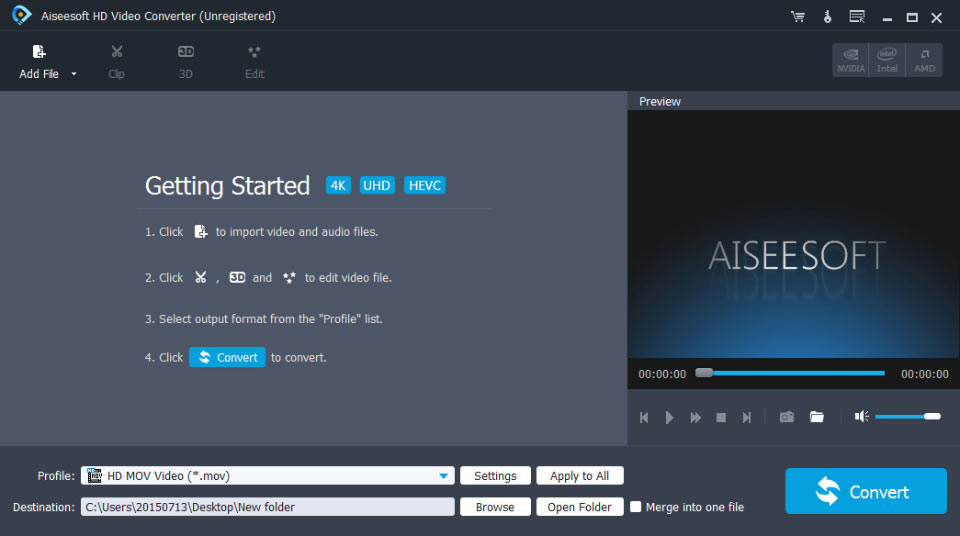

Aiseesoft HD Video Converter

Aiseesoft HD Video Converter aims at converting HD video and other popular videos to any video(AMV, ASF, AVI, DivX, Flash H264, FLV, SWF, H.264 AVI, H.264/MPEG-4 AVC, MOV, MKV, M4V MPEG-4, MPEG-1, MPEG-2, MPEG-4, MTV, VOB, WMV, XviD, DV, VCD, WebM, HD) and audio(AAC, AC3, AMR, FLAC, M4A, MKA, MP2, MP3, OGG, WAV, WMA, AIFF, AU) format. Also you can use it to convert one audio to another. What’s more,applying AMD APP and NVIDIA CUDA technology, it works much faster. And it also supports most popular portable devices, like iPhoneXR/XS/XS Max/X/8, iPad mini 3/2, iPad Air 2, HTC One X, HTC Butterfly, Samsung Galaxy S4, Samsung Galaxy Note 5, Kindle Fire HD, etc.


Key Features

1. Convert HD videos
A variety of HD Video formats can be converted by this software, including TS, HD WMV, QuickTime HD MOV, MTS, M2TS, MXF/P2 MXF, HD MP4, HD H.264, and it can also convert standard-definition videos, like MPG, RMVB, WMV, ASF, MKV, AVI, MPEG, MPEG
2, 3GP, 3G2, QT, etc. Meanwhile, if you have the need to convert any video to 4K video, this software can also help you a lot.

2. Convert 2D video to 3D format
2D videos can be easily converted to numerous 3D modes, such as Side by Side (Half-Width) 3D, Side by Side (Full) 3D, Anaglyph 3D (10 types), Top and Bottom (Half-Height) 3D and Top and Bottom (Full) 3D.

3. Convert audio files
It is possible to convert HD videos, SD videos and popular audio files to AAC, AC3, AIFF, AMR, AU, FLAC, MP3, M4V, MP2, OGG, WAV, WMA audio.

4. Set output video/audio effect
With it, you can define Video Encoder, Frame Rate, Video Bitrate, Resolution, and Audio Encoder, Sample Rate, Channels, Audio Bitrate. Also you can adjust the video brightness, contrast, saturation, hue and volume.

Graphcat<

Aiseesoft Mac FoneTrans 8.2.10

Type: Shareware
Cost: $29.97
Size: 38.68 MB
Release date: Feb 17 2019
Platform: Mac OS X
Publisher’s Site:  http://www.aiseesoft.com
Publisher’s Product Page:  https://www.aiseesoft.com/mac-ios-transfer/
Country: China


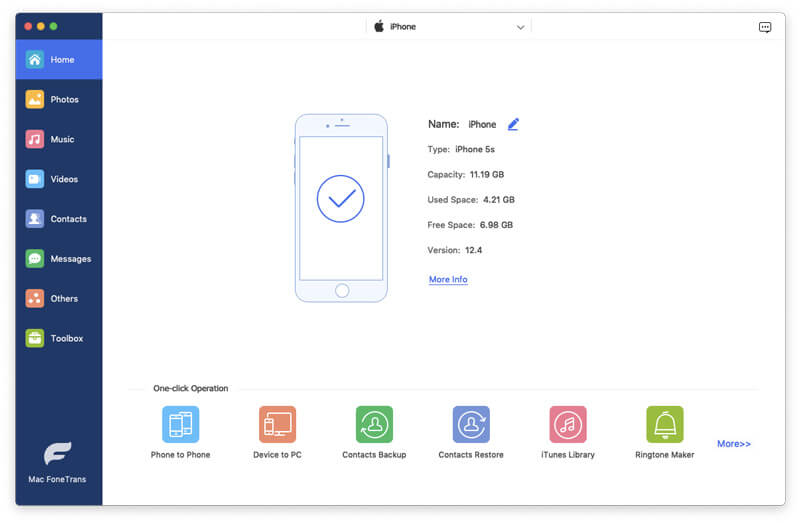
Aiseesoft Mac FoneTrans

Aiseesoft Mac FoneTrans is better than iTunes which can easily help you transfer files such as music, photos, contacts and so on between Mac and iOS devices. It can also help you transfer files such as photos, playlists and contacts, etc. between any two iOS devices. With it, you can also backup movies, music and playlist, etc. to iTunes without any loss. Mac FoneTrans is perfect software to manage your iPod, iPhone and iPad. Moreover, it is highly compatible with the new iOS 12 and iTunes 12.8.

Key Features:

1. Export files from Mac to your device
Want to transfer your favourite music, pictures or videos to your iPhone? That shouldn’t be a problem any longer. With this software, you can export videos, music, contacts and more from Mac to your iPhone, iPod or iPad as easy as pie. Whenever you transfer incompatible files to your device, this iOS transfer tool will convert the file properly for you.

2. Transfer the files on your iPhone/iPod/iPad to Mac
Have you lost your photos, music or other files due to the iTunes crash, a system reformat or other unknown reason? Wish to transfer these files on Mac for backup? Wish to manage or share these files on your Mac? Mac FoneTrans makes the transfer of photos, albums, music, playlists and more from your device to the Mac. With it, you can easily make it.

3. Transfer files between two iOS devices
It enables you to transfer files(including music, photos, contacts, app data, playlists and album, etc.) on one device to another quickly.

4. Backup files from iDevice to iTunes
With it, you can transfer the playlists, movies and all music on your iPhone/iPad/iPod to your iTunes smartly. And the smart export to iTunes means that it can export all music on your device by filtering out the ones already in your iTunes.

5. Other features
To better manage your files, it allows you to delete many files at one time. You can also built new album and add photos or built new playlist and add songs to it.

AnyMP4 Mac Blu-ray Player 6.3.6

Type: Shareware
Cost: $23.40
Size: 35.53 MB
Release date: Jan 16 2019
Platform: Mac OS X
Publisher’s Site:  https://www.anymp4.com
Publisher’s Product Page:  https://www.anymp4.com/mac-blu-ray-player/
Country: China


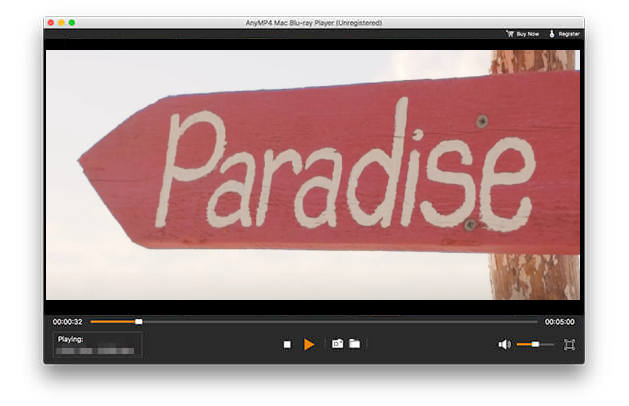
AnyMP4 Mac Blu-ray Player

AnyMP4 Mac Blu-ray Player can play any Blu-ray disc and Blu-ray movies on your Mac. Meanwhile, you can play the Blu-ray movie from Blu-ray folder and Blu-ray ISO image file with super image quality. Moreover, you are able to play 4K videos like 4K H.265 MP4, 4K H.264 TS, XviD 4K, 4K MKV and more, and 1080p HD video like TS, HD MP4, HD AVI, HD MOV, HD H.264/MPEG-4 AVC, as well as the general video formats like MP4, MOV, M4V, MKV, AVI, WMV, etc.

Key Features:

1. Play any Blu-ray disc/folder/ISO image file on your Mac
This Blu-ray Player for Mac Software can help you play Blu-ray disc, Blu-ray folder and Blu-ray ISO image file on your Mac, so you can enjoy the wonderful Blu-ray movie at any time.

2. Play any video on Mac
With Video Player for Mac you can play 4K H.265 MP4, 4K H.264 TS, XviD 4K, 4K MKV and more, and 1080p HD video including TS, MTS, HD MP4, HD AVI, HD MOV, HD H.264/MPEG-4 AVC and more. Meanwhile, you can also convert general video like MP4, MOV, M4V, MKV, AVI, WMV and more on Mac.

3. Choose your needed audio track and subtitle track
This Mac Blu-ray Player Software can allow you to choose your needed audio track and subtitle track. For example, your Blu-ray disc owns English, Spanish, French, and Chinese track, you can choose English subtitle track and French audio track. All the choice is depended by your favor.

4. Easy to operate
With this Mac Blu-ray Player software, you can operate the whole process easily. For example, you can switch the screen size and view the guidance. Besides, you can choose your preferred Blu-ray Title/Chapter, capture your liked snapshot while you play the video. So you can share the exciting movies with your friends and families at home comfortably.