Category Archives: Audio & Multimedia

Audio Encoders/Decoders, Audio File Players, Audio File Recorders, CD Burners, CD Players, Multimedia Creation Tools, Music Composers, Other, Presentation Tools, Rippers & Converters, Speech, Video Tools

eTinysoft Total Video Converter Mac 4.4.1

Type: Shareware
Cost: $29.99
Size: 36.63 MB
Release date: Mar 04 2019
Platform: Mac OS X
Publisher’s Site:  http://www.macvideostudio.com
Publisher’s Product Page:  http://www.macvideostudio.com/total-video-converter-mac.html
Country: Hong Kong


eTinysoft Total Video Converter Mac

Total Video Converter Mac Pro developed by EffectMatrix Ltd is the official legal version of Total Video Converter which was a globally recognized brand since 2006.


Total Video Converter for Mac Pro = Mac Video / Audio Converter + Mac DVD Burner + DV Auto Importer + Video Combiner + GIF Exporter + Audio Extractor + Video Editor + Video Multiplex + Video/Audio Trimer

Total Video Converter for Mac Pro has everything you need to make and watch videos! It is more than just a video converter! You can use this all-in-one video tool to do everything! It is very easy to use! No technical knowledge is needed!

Main Features:
1 Support VoiceOver and 4K HD video output format.
2 HDTV: Samsung TV, Panasonic TV, Toshiba TV, Philips TV, HDTV 720P, HDTV 1080P etc.
3 Professional video editing function.
4 Convert your multi-track video with your favorite sound track
5 Importing lots of subtitle file formats, including .srt, .sub, .ssa, .ass .smi, .smai etc.
6 Burn both SD and HD video to NTSC/PAL DVD with high speed
7 CONVERT almost all video formats to any device!
8 EXTRACT lossless audio form a video file.
9 AUTO import DV videos and easily convert to iMovie, FCP and other mobile devices
10 TRIM video/audio to desired clip with setting customized ‘start’ and ‘end’ time point
11 Despite the formats of the videos, you can merge multiple video files into a singe long video.
12 Videos of various sizes can be converted to animated GIF which has smaller size and needs less network traffic to upload.
13 Adjust the brightness, contrast, saturation, rotate or flip your video, add artistic effects like 3D or sharpen to make your video different and special.
14 Highly compatible HDV and DV video formats: *.mod, *.tod, *.m2ts, *.evo, *.vro, *.mts, etc.
15 Support 13 Languages: English, German, Japanese, Russian, Spanish etc.

Graphcat<

DataNumen PowerPoint Recovery 1.0

Type: Freeware
Cost: $0
Size: 2.65 MB
Release date: Jan 18 2019
Platform: Win2000,WinXP,Win7 x32,Win7 x64,Windows 8,Windows 10,WinServer,WinOther,WinVista,WinVista x64
Publisher’s Site:  https://www.datanumen.com
Publisher’s Product Page:  https://www.datanumen.com/powerpoint-recovery/
Country: Hong Kong


DataNumen PowerPoint Recovery

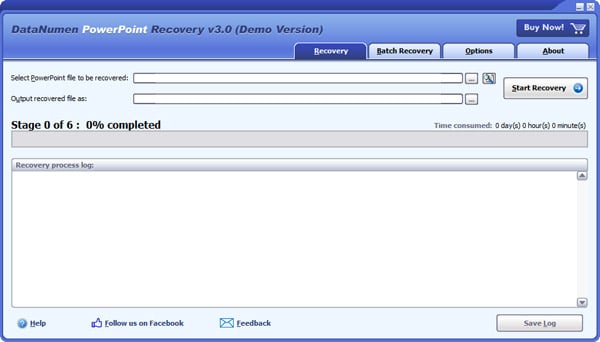
DataNumen PowerPoint Recovery (DPPTR) is a powerful tool to repair and recover corrupt Microsoft PowerPoint PPTX files. It uses advanced technologies to scan the corrupt or damaged PowerPoint PPTX files and recover your data in them as much as possible, so to minimize the loss in file corruption. Currently DPPTR supports to recover Microsoft PowerPoint 2007 to 2019 and PowerPoint for Office 365 files. Moreover, it is integrated with Windows Explorer, supports drag & drop operations and command line parameters, which will make you repair files easily and quickly.

Main Features:

1. Support Microsoft PowerPoint 2007, 2010, 2013, 2016, 2019 and PowerPoint for Office 365 pptx files.
2. Support to recover slide masters, layouts, slides, notes masters, notes, handout masters and themes.
3. Support to recover all kinds of medias, including pictures, 3D models, videos and audios.
4. Support to repair PowerPoint files on corrupted media, such as floppy disks, Zip disks, CDROMs, etc.
5. Support to repair a batch of PowerPoint files.
6. Support to find and select the PowerPoint files to be repaired on the local computer.
7. Support integration with Windows Explorer, so you can repair a PowerPoint file with the context menu of Windows Explorer easily.
8. Support drag & drop operation.
9. Support command line parameters.

AnyMP4 DVD Creator 7.2.26

Type: Shareware
Cost: $35.00
Size: 73.80 MB
Release date: Jan 29 2019
Platform: Win2000,WinXP,Win7 x32,Win7 x64,Windows 8,Windows 10,WinServer,WinOther,WinVista,WinVista x64
Publisher’s Site:  https://www.anymp4.com
Publisher’s Product Page:  https://www.anymp4.com/dvd-creator/
Country: China


AnyMP4  DVD Creator

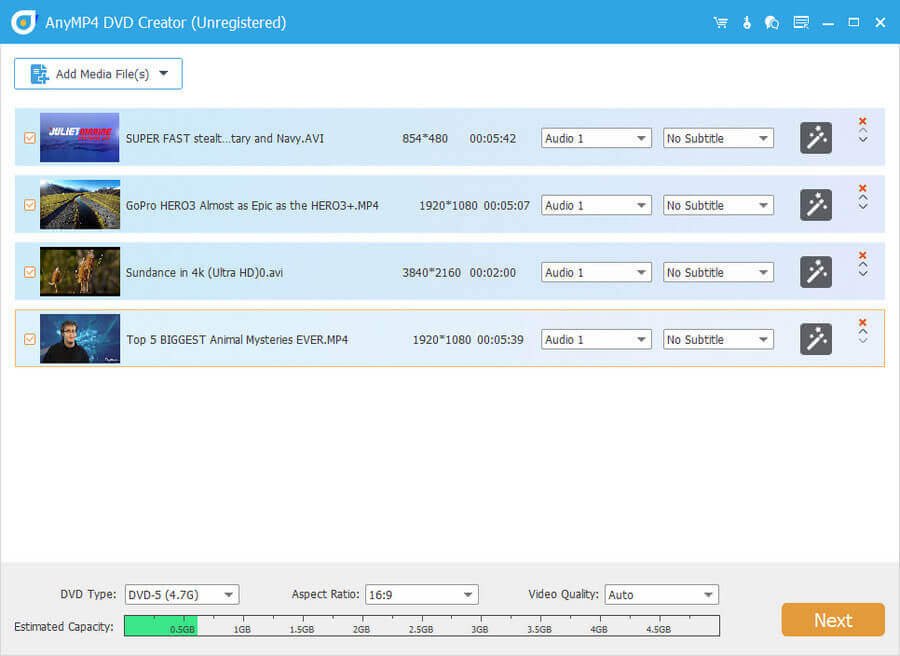
AnyMP4 DVD Creator is intended to create DVD disc, DVD folder and DVD ISO files from TS, MTS, M2TS, TRP, TP, MGP, MPEG, MPEG-2, MPA, VOB, DAT, MP4, M4V, RM, RMVB, WMV, ASF, MKV, AVI, 3GP, 3G2, FLV, SWF, F4V, MPV, MOD, TOD, QT, MOV, DV, DIF, MJPG, MJPEG, NSV, WEBM video formats. Moreover,the function of digital signature will bring more fun to users. Besides, it now supports windows 8.1.

Key Features

1. Create DVD from various video files
Nearly all kinds of video can be burned into DVD disc, DVD folder or DVD ISO files, such as 3GP, AVI, DV, VOB, FLV, M2TS, MTS, SWF, MKV, MPG, MPEG, MPA, DAT, MP4, TS, NSV, MOV, QT, RMVB, etc.

2. Edit the source video
AnyMP4 DVD Creator provides users with powerful video editing functions. With it, users can clip the video to any time length segments by setting the start and end time, cut off unwanted playing areas of the video to fit different portable players, personalize the video with the image or text watermarks, even adjust the video brightness, saturation, contrast, hue, and volume.

3. Create stylish DVD menu
This DVD Creator allows users to attach menus before burning. User can choose the prefer menu template, select the menu frame and button style, edit the menu text content and define its font, size and color, even add the background picture, music and opening film to the menu.

4. Add and set audio track
Users can choose the exciting audio track to the DVD and add your own audio track or background music to the DVD. Users are also allowed to adjust the volume, and choose audio encoder, bitrate and channels.