Category Archives: Audio & Multimedia

Audio Encoders/Decoders, Audio File Players, Audio File Recorders, CD Burners, CD Players, Multimedia Creation Tools, Music Composers, Other, Presentation Tools, Rippers & Converters, Speech, Video Tools

M4V Converter Plus for Win 5.2.1

Type: Shareware
Cost: $49.95
Size: 9.85 MB
Release date: Jun 20 2016
Platform: Win2000,WinXP,Win7 x32,Win7 x64,Windows 8,Windows 10,WinServer,WinOther,WinVista,WinVista x64
Publisher’s Site:  http://www.m4vconverterplus.com
Publisher’s Product Page:  http://www.m4vconverterplus.com/m4v-converter-plus-win/index.html
Country: United States of America

M4V Converter Plus for Win

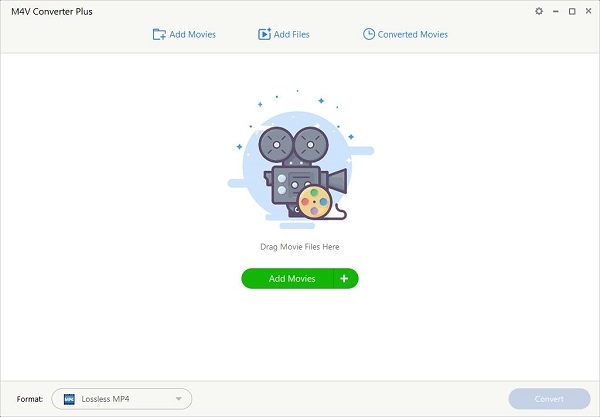
M4V Converter Plus for Win is a professional and powerful M4V converter, which is used to convert any kind of M4V files, including purchased iTunes movie and iTunes M4V rental to MP4, AVI, 3GP, FLV, MOV and WMV formats.
M4V Converter Plus for Win is also a DRM removal tool. That is to say, it can remove DRM protection from purchased M4V or rent M4V videos from iTunes Store, and convert them to unprotected videos formats so as to play them on iPad, iPhone, PSP, PS3, iRiver, Creative Zen, Mobile Phone, Tablet and so on.
In addition, M4V Converter Plus for Win supports users kinds of humanized functions, like batch conversion, customized settings, easy option and high conversion speed. All of the functions help you make full use of M4V Converter Plus for Win.

Graphcat<

Icecream Slideshow Maker 1.60

Type: Freeware
Cost: $0
Size: 26.22 MB
Release date: May 23 2016
Platform: Win2000,WinXP,Win7 x32,Win7 x64,Windows 8,Windows 10,WinServer,WinOther,WinVista,WinVista x64
Publisher’s Site:  http://icecreamapps.com/
Publisher’s Product Page:  http://icecreamapps.com/Slideshow-Maker/
Country: Cyprus


Icecream Slideshow Maker

Icecream Slideshow Maker deals with JPG, JPEG, PNG and BMP images and helps you create stunning slideshows with zero experience. You don?t need to spend hours to figure out how the software works ? a few clicks will help you create a slideshow presentation with audio which is close to perfect.
The program allows you to set the desired resolution for images and adapt them for a slideshow even if all of them were uploaded in different formats, sizes and quality. Besides, you can keep an original aspect ratio of the images to prevent their stretching or distortion. Otherwise, choose the ?Scale to fit? option to adapt the file for the size of your screen.
It?s possible to set transition effects between the images to make the slideshow fancier. There are 26 effects available (for example Pixelate, Mosaic Spiral, Wipe, Zoom, and many more. If you don?t care about the type of the effect, choose the ?Random? option and the program will set a random effect; if you don?t want to use any effects whatsoever, choose the ?None? option and files will be displayed without transition effects. You can use different effects for each slide or set the same effect for all the files.
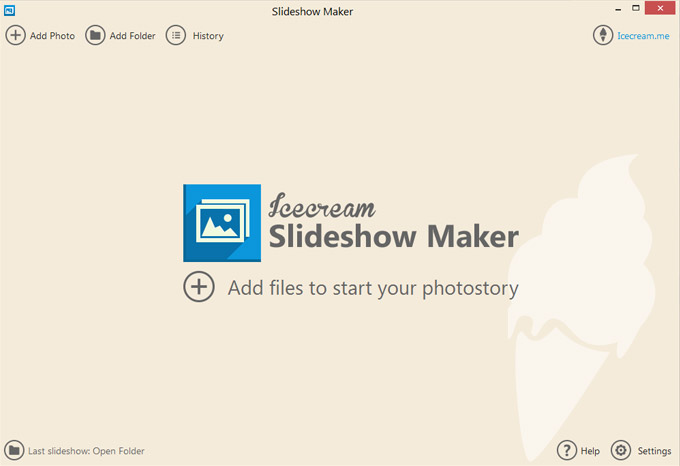
Unlike the majority of free tools, Icecream Slideshow Maker is beautifully designed and appears to be an eye candy. Coupled with intuitive interface, its design makes the program a pleasure to use.

Icecream Slideshow Maker 2.11

Type: Shareware
Cost: $19.95
Size: 31.18 MB
Release date: Aug 19 2016
Platform: Win2000,WinXP,Win7 x32,Win7 x64,Windows 8,Windows 10,WinServer,WinOther,WinVista,WinVista x64
Publisher’s Site:  http://icecreamapps.com/
Publisher’s Product Page:  http://icecreamapps.com/Slideshow-Maker/
Country: Cyprus


Icecream Slideshow Maker

Icecream Slideshow Maker deals with JPG, JPEG, PNG and BMP images and helps you create stunning slideshows with zero experience. You do not need to spend hours to figure out how the software works as just a few clicks will help you create a slideshow presentation with audio which is close to perfect.
The program lets you set the desired resolution for images and adapt them for a slideshow even if all of them were uploaded in different formats, sizes and quality. Besides, you can keep an original aspect ratio of the images to prevent their stretching or distortion. Otherwise, choose the Scale to fit option to adapt the file for the size of your screen.
It is possible to set transition effects between the images to make the slideshow fancier. There are 26 effects available, for example Pixelate, Mosaic Spiral, Wipe, Zoom, and many more. If you do not care about the type of the effect, choose the Random option and the program will set a random effect. If you do not want to use any effects whatsoever, choose the None option and files will be displayed without transition effects. You can use different effects for each slide or set the same effect for all the files.
Unlike the majority of free tools, Icecream Slideshow Maker is beautifully designed and appears to be an eye candy. Coupled with intuitive interface, its design makes the program a pleasure to use.