Category Archives: Audio & Multimedia

Audio Encoders/Decoders, Audio File Players, Audio File Recorders, CD Burners, CD Players, Multimedia Creation Tools, Music Composers, Other, Presentation Tools, Rippers & Converters, Speech, Video Tools

DarkWave Studio 5.5.3

Type: Freeware
Cost: $0
Size: 2.88 MB
Release date: Jul 07 2016
Platform: Win2000,WinXP,Win7 x32,Win7 x64,Windows 8,Windows 10,WinServer,WinOther,WinVista,WinVista x64
Publisher’s Site:  http://www.experimentalscene.com/
Publisher’s Product Page:  http://www.experimentalscene.com/software/darkwave-studio/
Country: Australia

DarkWave Studio

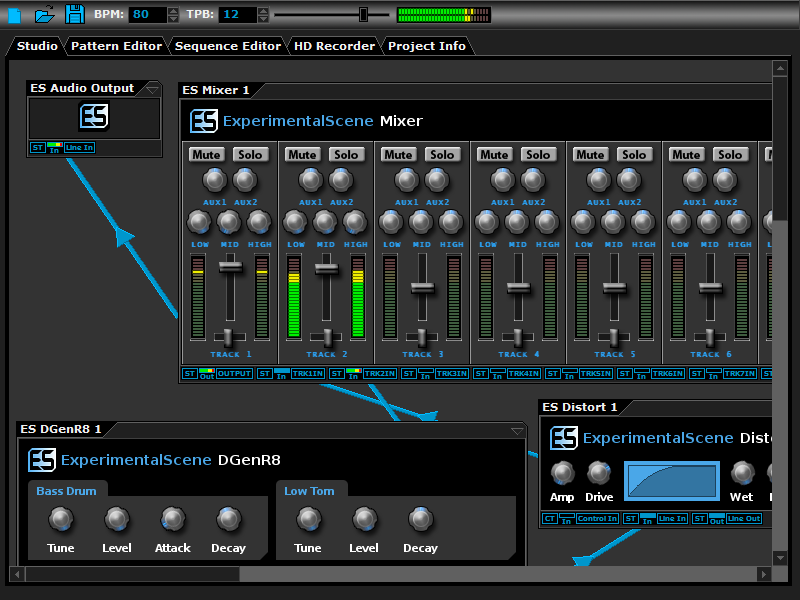
DarkWave Studio is a free Digital Audio Workstation (DAW) / modular virtual music studio for Windows. You can easily use the built in sequencer, bundled DarkPlug machines and third-party VST effects and VSTi instruments to create music. DarkWave Studio allows the connection of machines in an ad-hoc fashion. The installer ships with both a 32-bit and 64-bit version.


DarkWave consists of the following main parts:

Studio (Work With Machines)
Pattern Editor (Create Pieces Of Music)
Sequencer (Arrange Patterns Into A Song)
Multi-track Hard Disk Recorder (Master Your Music)

The following plugins are included with DarkWave:

ES Audio Input (Allows For Input From Sound Card)
ES Arpeggiator (Play Arpeggios With A MIDI Keyboard)
ES ControlChange Mapper (Map Control Change Events From One Index To Another)
ES MIDI Input (Use MIDI Keyboards With DarkWave Instruments)
ES MIDI Output (Sequence External MIDI Synthesizers)
ES AntiAlias (32x Digital Oversampling)
ES SpatialVerb (Room Modelling Reverb Unit)
ES Stomp (Rave Kick Generator)
ES BassHead (Subtractive Virtual Analog Synthesizer)
ES DGenR8 (Virtual Analog Drum Machine)
ES QuadDelay (Echo And Chorus Effect)
ES Mixer (8 Track Mixer With 2 Auxillary Tracks)
ES Distort (Basic Overdrive Distortion Effect)
ES Crunch (Limit Bits Per Sample Anywhere From 16 To 1 Bits)
ES StereoSplitter (Split An Input Stereo Signal Into Left And Right Output Mono Signals)
ES StereoJoiner (Combine Left And Right Input Mono Signals Into A Single Output Stereo Signal)
ES Scope (View Generated Waveforms In Realtime)
ES Control Monitor (View Control Messages)

Features:

Highly Optimized 64-bit Double Precision Precision Audio Processing
Incredibly Fast And Small Download
Low Latency ASIO And DirectSound Audio Output Support
SSE2 (Streaming Single Instruction Multiple Data Extensions) Optimizations.

Graphcat<

Tanida Demo Builder 11.0.9.0

Type: Shareware
Cost: $199
Size: 78.58 MB
Release date: May 16 2016
Platform: Win2000,WinXP,Win7 x32,Win7 x64,Windows 8,Windows 10,WinServer,WinOther,WinVista,WinVista x64
Publisher’s Site:  http://www.demo-builder.com
Publisher’s Product Page:  http://www.demo-builder.com/index.html
Country: Canada


Tanida Demo Builder

Demo Builder allows you to create eye-catching and professional interactive presentations that do not require any programming skills. It uses a very simple interface which takes mere minutes to get used to. It gives you everything you need to capture the activities in running applications and comes with a wide range of tools to edit the recorded material. Add a voice-over narration track or background music, visual effects, annotations, comments and other elements that add to the effectiveness of your presentation.

Demo Builder brings you a whole new level of interaction with the viewer; users can now click buttons incorporated into the movie, control the behavior of your movie, answer questions and quizzes within the movie, jump to markers and so much more! Demo Builder records running applications, enables the auto-recording of actions and records your screen with screenshots based on actions taken.

Presentations, tutorials, demonstrations can also be created from a series of images or video files. Export your movie in popular video formats such as HTML5, H264(MP4), Flash(SWF), Standalone(EXE), Video(MP4,WMV,WEBM,AVI), Image Files and Word(Handouts) formats and save to the local disk, an FTP server or upload to Youtube, DropBox, Google Drive and SkyDrive. Unique Demo Builder features also include 3D support (rotate your movie or objects), sketching your own custom animations, audio editing tools and the all new Character feature.

Now you can easily animate a Character to present your movie using a wide range of movements, gestures and speech tools.

Icecream Slideshow Maker 1.61

Type: Freeware
Cost: $0
Size: 26.22 MB
Release date: Jun 22 2016
Platform: Win2000,WinXP,Win7 x32,Win7 x64,Windows 8,Windows 10,WinServer,WinOther,WinVista,WinVista x64
Publisher’s Site:  http://icecreamapps.com/
Publisher’s Product Page:  http://icecreamapps.com/Slideshow-Maker/
Country: Cyprus


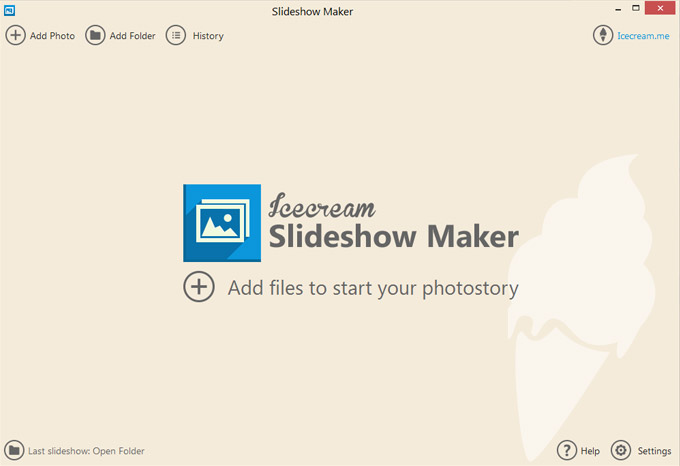
Icecream Slideshow Maker

Icecream Slideshow Maker deals with JPG, JPEG, PNG and BMP images and helps you create stunning slideshows with zero experience. You do not need to spend hours to figure out how the software works as just a few clicks will help you create a slideshow presentation with audio which is close to perfect.
The program allows you to set the desired resolution for images and adapt them for a slideshow even if all of them were uploaded in different formats, sizes and quality. Besides, you can keep an original aspect ratio of the images to prevent their stretching or distortion. Otherwise, choose the Scale to fit option to adapt the file for the size of your screen.
It is possible to set transition effects between the images to make the slideshow fancier. There are 26 effects available, for example Pixelate, Mosaic Spiral, Wipe, Zoom, and many more. If you do not care about the type of the effect, choose the Random option and the program will set a random effect; if you do not want to use any effects whatsoever, choose the None option and files will be displayed without transition effects. You can use different effects for each slide or set the same effect for all the files.
Unlike the majority of free tools, Icecream Slideshow Maker is beautifully designed and appears to be an eye candy. Coupled with intuitive interface, its design makes the program a pleasure to use.