Category Archives: Audio & Multimedia

Audio Encoders/Decoders, Audio File Players, Audio File Recorders, CD Burners, CD Players, Multimedia Creation Tools, Music Composers, Other, Presentation Tools, Rippers & Converters, Speech, Video Tools

UkeySoft Tidal Music Converter 1.1.0

Type: Shareware
Cost: $14.95
Size: 131.81 MB
Release date: Mar 28 2022
Platform: Win2000,WinXP,Win7 x32,Win7 x64,Windows 8,Windows 10,WinServer,WinOther,WinVista,WinVista x64
Publisher’s Site:  https://www.ukeysoft.com
Publisher’s Product Page:  https://www.ukeysoft.com/tidal-music-converter/
Country: China
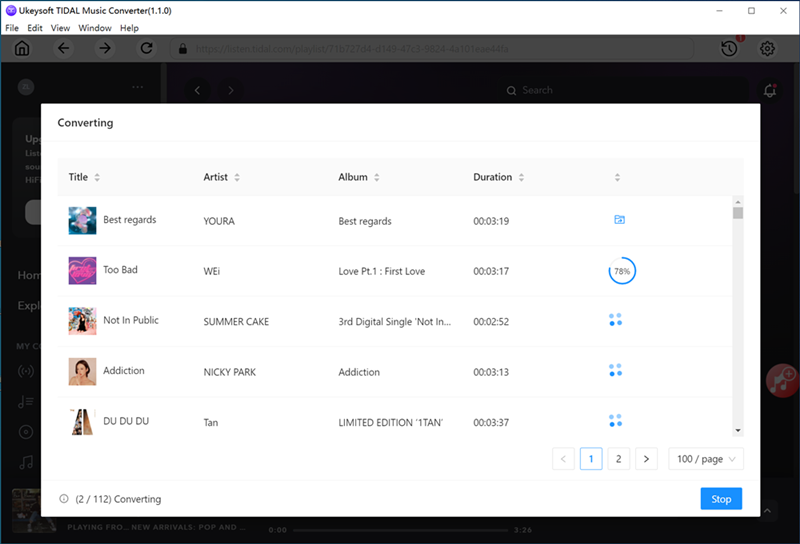

UkeySoft Tidal Music Converter

A built-in web player in the UkeySoft Music Converter, with this tool, music lover can easily download music, playlist and albums from Tidal to computer, and convert Tidal Music to MP3, M4A, AAC, WAV, FLAC or AIFF format at 10X faster speed, keep 100% original audio quality, no need to install any extra apps. Besides, the ID3 tags and metadata reserved after conversion.


Take Full Control of Tidal Music Subscriptions
Tidal Free users can only listen to the ad-sponsored music and find no way to download Tidal Music for offline playing, even the Tidal subscribers cannot download music to computer for offline playback. Yet, download permission is granted for Tidal HiFi subscriber on mobile phone while all the songs downloads are found to be encoded files, users cannot play Tidal music on MP3 player and other devices. But, with this tool, you can you can download Tidal Music to MP3 on computer.

Multiple Output Format& Crystal Clear Audio
Freely download, convert, and save your Tidal Music into local computer, save music as MP3, M4A, AAC, AIFF, WAV, and FLAC audio files. You not only can set the output formats, but also able to change the audio parameters such as bitrate and sample rate to settings as 320 Kbps, 44.1 kHz. Converting Tidal Music to MP3 files in high music quality, keep 100% original audio quality.

For All Tidal Users
Tidal Free users and Tidal Free & Tidal HiFi subscribers can download Tidal Music as plain audio files, like MP3, M4A, FLAC, WAV, locally storing music on the computer.
So, that, you can burn the Tidal music to CD for playback in your car, and transfer them to any MP3 player, iPods for listening offline!

Save ID3 Metadata Tags after Conversion
Tag info is important for us to manage music library. UkeySoft Tidal Music Converter can keep original ID3 tag information including song title, album, artist, and album cover after conversion.

Multilingual interface: English, Espaol, Franais, Deutsch, Japanese, Simplified Chinese.

Graphcat<

Vidmore Video Converter for Mac 2.1.12

Type: Shareware
Cost: $19.95
Size: 103.24 MB
Release date: May 27 2021
Platform: Mac OS X,
Publisher’s Site:  https://www.vidmore.com/
Publisher’s Product Page:  https://www.vidmore.com/video-converter/
Country: China


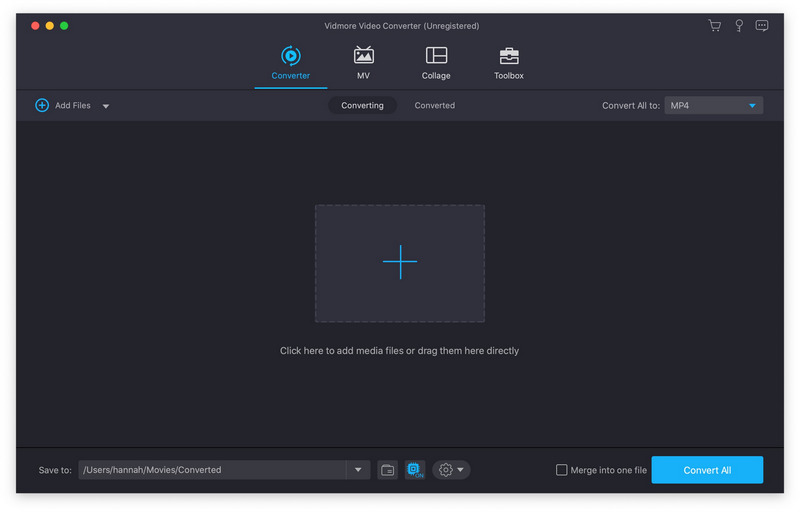
Vidmore Video Converter for Mac

Vidmore Video Converter for Mac is powerful software which could help you convert your video and audio files to any other formats. You can easily choose an output format and convert your videos without hassle. In addition, you could also rotate, crop, clip your videos freely.

Key functions:

1. Convert video/audio files to any other formats
Vidmore Video Converter for Mac is powerful in converting your video/audio files to other formats such as AVI/MKV/MOV/MP4, etc. Moreover, it is able to convert 4K videos to other formats or convert videos to 1080p. In addition, it supports many kinds of devices, including iPhone/iPad/Samsung/Huawei/Sony and so on.

2. Various video editing functions
If you want to edit your videos before conversion, with Vidmore Video Converter for Mac, you could trim/rotate/crop/merge your videos, add watermark to videos or change the brightness/contrast/saturation and hue of your files.

3. Compress large files, make GIF and 3D files, enhance your videos
With the built-in Video Compressor function, you could compress your large files to a smaller size. In addition, you could make your own GIFs with the GIF Maker. And you could also convert common files to 3D format with the 3D Maker. With the Video Enhancer function, you could enhance your video quality simply.

4. High quality of the output files and fast conversion speed
Vidmore Video Converter for Mac could keep the original media metadata and quality of your videos, including 1080p HD and 4K Ultra HD videos. With advanced hardware acceleration of NVIDIA CUDA, it could provide fast conversion speed for you, so you do not need to wait long for the conversion process.

Apeaksoft Slideshow Maker 1.0.28

Type: Shareware
Cost: $53.32
Size: 1.90 MB
Release date: Feb 22 2022
Platform: Win2000,WinXP,Win7 x32,Win7 x64,Windows 8,Windows 10,WinServer,WinOther,WinVista,WinVista x64
Publisher’s Site:  https://www.apeaksoft.com/
Publisher’s Product Page:  https://www.apeaksoft.com/slideshow-maker/
Country: China


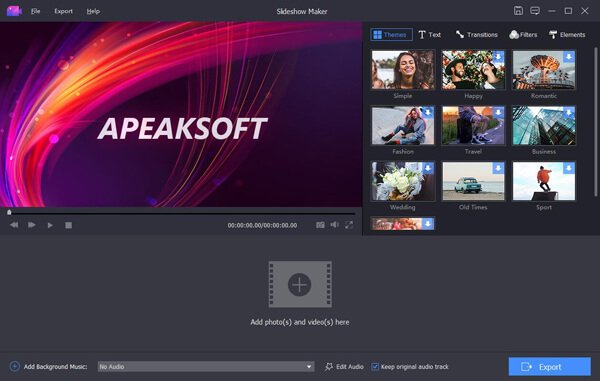
Apeaksoft Slideshow Maker

If you want to change your videos, photos and audio files into slideshow, absolutely, Apeaksoft Slideshow Maker is your best choice. With it, you can load your files from videos (MP4, MOV, AVI, FLV, WMV, MTS, M2TS, TS, M4V, RMVB, ASF, VOB, etc.), photos (JPG, JPEG, PNG, TIF, TIFF, BMP, GIF, etc.), and audio (MP3, AIFF, FLAC, AAC, WAV, WMA, M4A, etc.) and make your own slideshow videos without any hassle.

Key functions:

1. Make slideshow easily
With Apeaksoft Slideshow Maker, you only need to load your own videos, photos, audio files, and you could also add the background music if you want. Then click the Export button, you will get your wonderful slideshow videos.

2. Support all kinds of media formats
Apeaksoft Slideshow Maker supports various video formats, such as M4V, RMVB, ASF, VOB, DAT, 3GP, MOD, TOD, WebM, etc. For the photo formats, it supports JPG, JPEG, PNG, TIF, TIFF, BMP, GIF, etc. It also supports various audio formats, such as FLAC, AAC, WAV, WMA, M4A, OGG and so on.

3. Provide various themes
All kinds of slideshow themes such as Romantic, Fashion, Business, etc. are provided to create slideshow. You can choose the theme according to your demand. Besides the built-in slideshow themes, Apeaksoft Slideshow Maker has many text effects, transitions modes, filters and other elements to help you customize existing themes or make new themes.

4. Powerful editing functions
Apeaksoft Slideshow Maker also helps you to edit your videos and you can rotate/crop/clip videos, adjust contrast/saturation/hue/brightness, speed up or slow down videos, adjust audio volume, etc.