Category Archives: Audio & Multimedia

Audio Encoders/Decoders, Audio File Players, Audio File Recorders, CD Burners, CD Players, Multimedia Creation Tools, Music Composers, Other, Presentation Tools, Rippers & Converters, Speech, Video Tools

Inovideo (Mac) 1.19.0

Type: Shareware
Cost: $49.95
Size: 126.79 MB
Release date: Jun 12 2020
Platform: Mac OS X,
Publisher’s Site:  https://www.inovideoapp.com/
Publisher’s Product Page:  https://www.inovideoapp.com/
Country: United States of America

Inovideo (Mac)

Batch Download


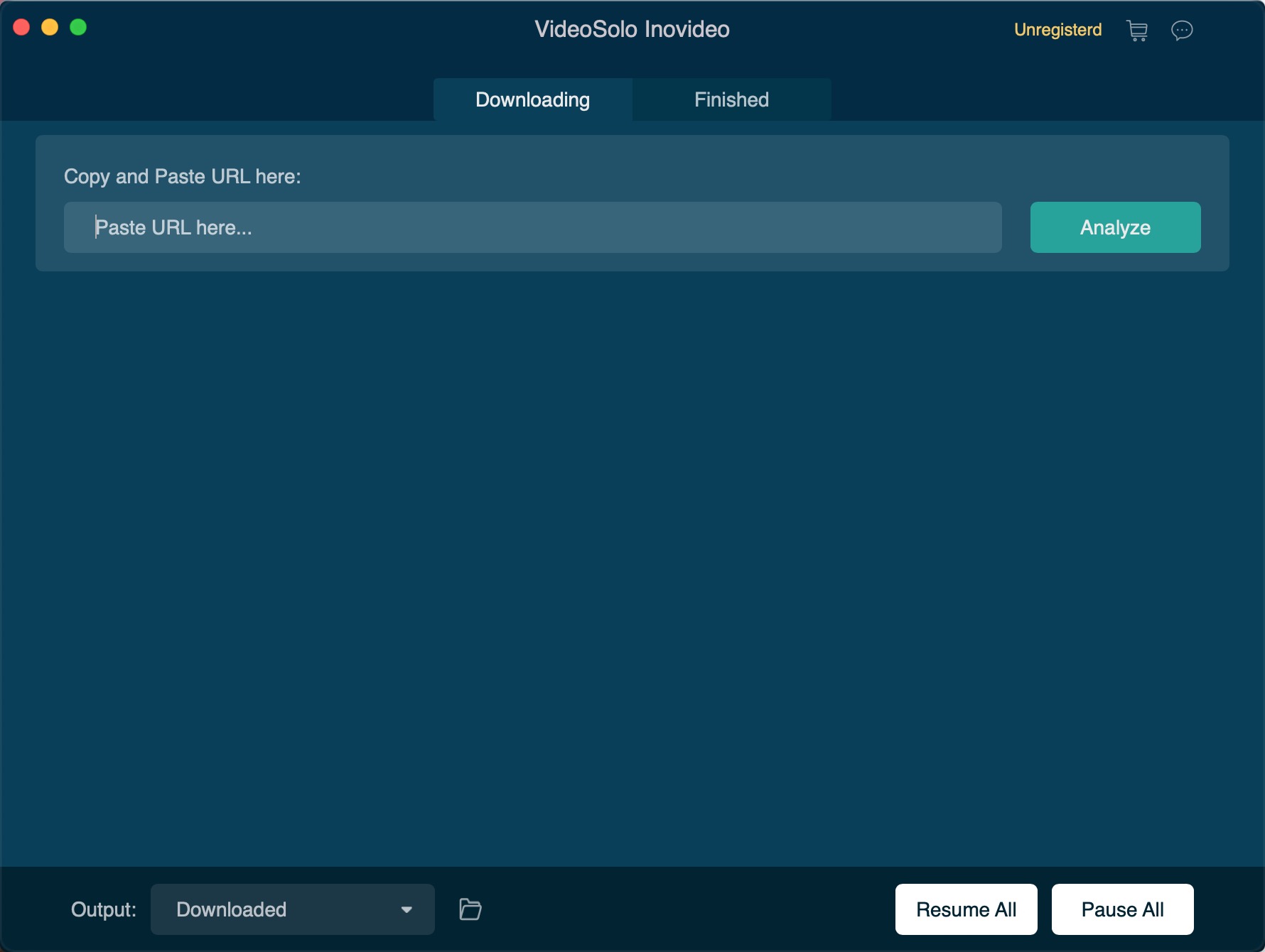
All the videos that have been added to the list can be downloaded concurrently. You can control the download process: pause, resume download for each video or all the videos.

Fast Speed

With advanced download technology, Inovideo can download videos in full speed. Without waiting too long, you will able to enjoy the original quality videos offline.

Free to Try

The trial version allows you to download online videos for free within 15 days. But you can only download 10 videos in 2K, 4K, 8K resolution, by using the free trial version.

Save Audio Track to MP3
Inovideo can not only download the music in some music websites but can also extract audio from the video and save it as a separate audio file. The audio will be saved as MP3 format, which is natively supported by almost all devices.

Graphcat<

Vidmore DVD Monster for Mac 1.0.8

Type: Shareware
Cost: $29.95
Size: 70.70 MB
Release date: Apr 28 2021
Platform: Mac OS X,
Publisher’s Site:  https://www.vidmore.com/
Publisher’s Product Page:  https://www.vidmore.com/dvd-ripper/
Country: China


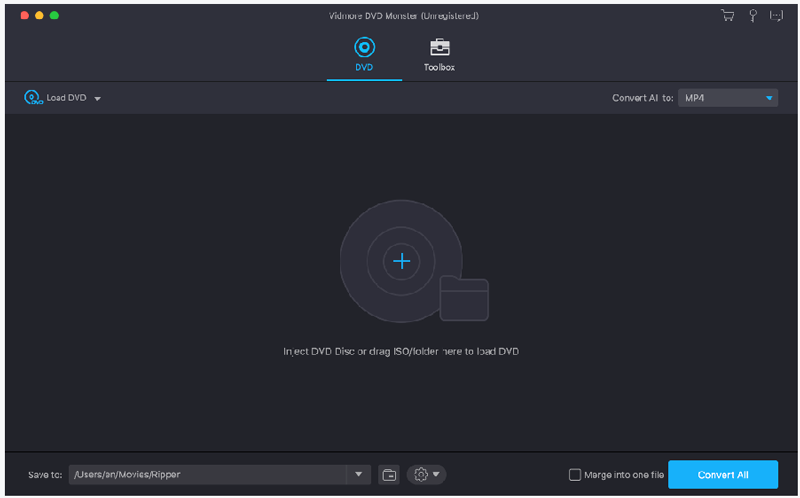
Vidmore DVD Monster for Mac

Do you want to convert your DVD disc/folder/ISO files to other formats so that you could play them later on portable devices? If so, you could have a look at Vidmore DVD Monster for Mac. It could not only convert DVD disc/folder/ISO files to other formats, but also edit your videos as you like.

Key functions:

1. Convert DVD to other popular formats and support various portable devices
With Vidmore DVD Monster for Mac, you could convert your DVD disc/folder/ISO files to video formats including MP4/MKV/AVI/MOV, etc. You are also able to extract the audio from your DVD videos and save them as MP3/M4A/AAC, etc. In addition, it supports many popular devices, such as iPhone/iPad/Samsung/Huawei/LG/Xiaomi/Sony and more.

2. Edit your videos before conversion
With Vidmore DVD Monster for Mac, you are able to edit your DVD before conversion, such as trim your videos, merge multiple DVD tiles into one file, adjust brightness/contrast/saturation/hue of your files, add an external subtitle file or watermark to your DVD, etc.

3. Compress files, make GIFs and 3D files, enhance videos
Vidmore DVD Monster for Mac could not only compress large files to a proper size you want, but also create 3D files for you. With it, you could make interesting GIFs with your media files, too. In addition, you could use it as a video enhancer, it could enhance your video quality in several aspects.

4. Convert DVD without any quality loss, fast conversion speed
Vidmore DVD Monster for Mac enables you to keep the original quality of your DVD movies and it could also keep the original media metadata information. Moreover, it supports batch conversion which could provide fast conversion speed for you.

Coolcut 1.8.3

Type: Freeware
Cost: $0
Size: 592.00 kB
Release date: Mar 22 2022
Platform: Win2000,WinXP,Win7 x32,Win7 x64,Windows 8,Windows 10,WinServer,WinOther,WinVista,WinVista x64
Publisher’s Site:  https://www.coolcut.tv/index/advertise3.html?c=21
Publisher’s Product Page:  https://www.coolcut.tv/index/advertise3.html?c=21
Country: China


Coolcut

A combination of two powerful utilities, Coolcut is both an outstanding video editor and an excellent screen capture and live video recording tool. With Coolcut you can produce high-end tutorials, take screenshots of your desktop, and embellish your new videos with all kinds of transitions, effects, filters, multiple soundtracks, and audio effects, watermarks, etc., all in a convenient and intuitive timeline-based workspace and at no cost for you.
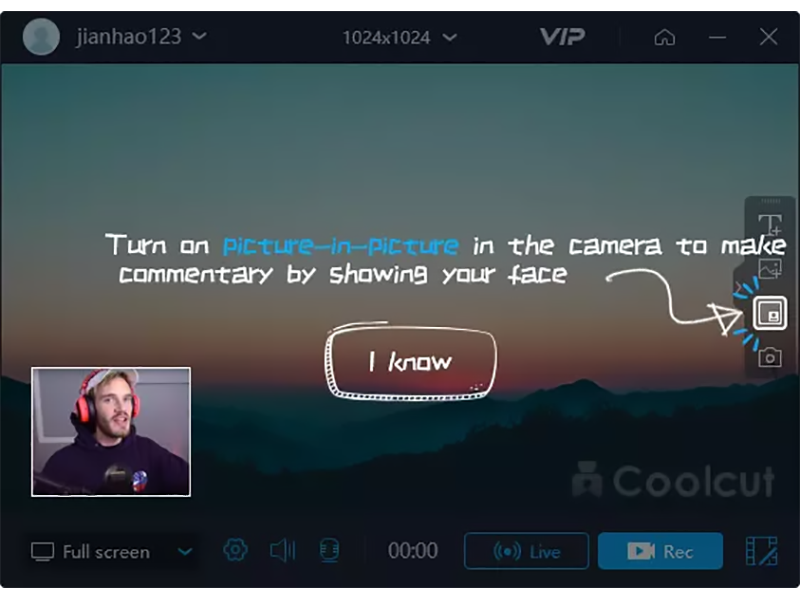
The desktop recording tool is extremely flexible, allowing you to take screenshots of your desktop and make high-quality recordings of anything taking place on your desktop. This flexibility allows you to produce tutorials and dynamic presentations, make online video and audio recordings, and save conferences, workshops, business meetings, etc., as convenient video files for later use. It comes with all the features you would expect from a professional screen recorder, with tools to add text and images to your presentations and a full set of settings to customize the quality of your recordings.
The video editor is in itself a professional tool with all the knots and bolts you find inexpensive video editing tools. Its timeline will let you place and move all kinds of media and related tracks (such as text), so you can combine and overlap them in the most convenient way just by dragging them with your mouse. The video player embedded in its interface will let you check, modify, and correct all of the changes you perform on your videos. Transitions, soundtracks, filters, text-to-speech capabilities, green screen, dubbing, speed change, and the most common editing features are all part of this impressive editor.