Category Archives: Audio & Multimedia

Audio Encoders/Decoders, Audio File Players, Audio File Recorders, CD Burners, CD Players, Multimedia Creation Tools, Music Composers, Other, Presentation Tools, Rippers & Converters, Speech, Video Tools

AnyMP4 DVD Ripper for Mac 9.0.16

Type: Shareware
Cost: $26.25
Size: 103.64 MB
Release date: Jul 07 2021
Platform: Mac OS X,
Publisher’s Site:  https://www.anymp4.com/
Publisher’s Product Page:  https://www.anymp4.com/dvd-ripper-for-mac/
Country: China
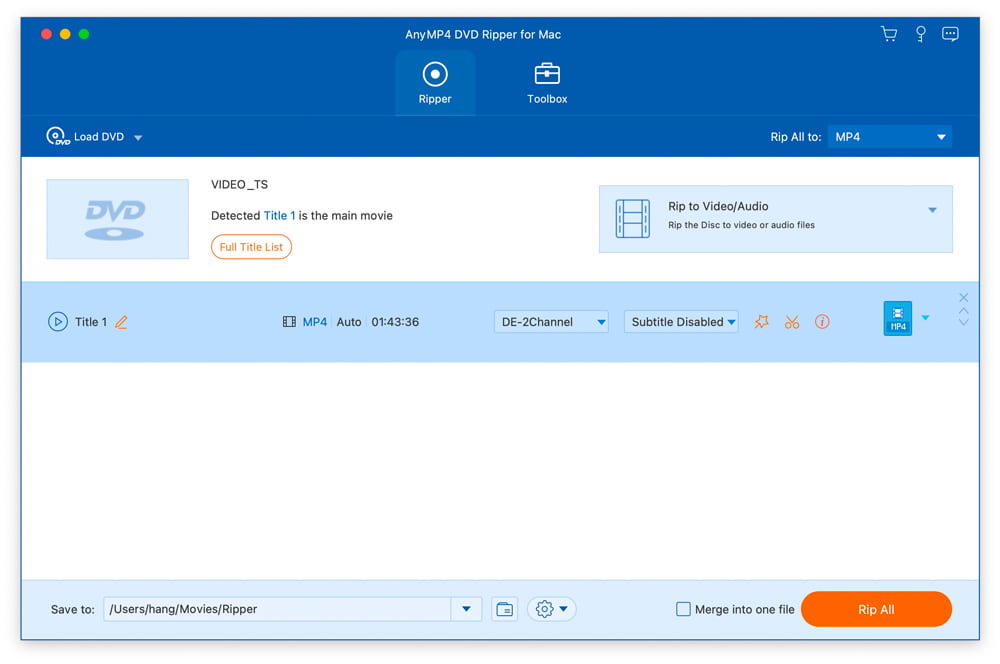

AnyMP4 DVD Ripper for Mac

AnyMP4 DVD Ripper for Mac is designed with many pre-defined output profiles, so you can choose one profile at your disposal. It highly supports most portable iOS and Android devices, such as iPhone 12/11 Pro Max/11 Pro/11, iPhone XS, iPhone XS Max, iPhone XR, iPhone X, iPhone 8, iPad, iPod, Samsung Galaxy S10, HTC, HUAWEI, etc. It allows you to easily view DVD movies on your smart phone or tablet.


Key Features:

1. Convert DVD to any video or audio files.
AnyMP4 DVD Ripper for Mac can help you convert DVD to popular videos like MP4, MKV, AVI, MOV, WMV, FLV, M4V, TS, DivX, WebM, 3GP and it can also rip DVD to popular audio formats including MP3, WAV, OGG, M4A, WMA, AC3, etc. with high ripping speed and quality.

2. Edit DVD and adjust video effects.
AnyMP4 DVD Ripper for Mac is equipped with many useful editing features to help you customize video effects before ripping the DVD. For instance, you can rotate video position, cut the video length to only save the necessary part, crop video to remove the black edge, add personal text and image watermark, adjust output video effects like brightness, contrast, saturation, and hue.

3. New functions for Mac version.
In the latest Mac version, you can enhance video quality easily. And you can compress a large HD/SD video in MTS, TS, MP4, MOV, etc. into a smaller size file according to you need. And you can make GIF image with it conveniently.

Graphcat<

AnyMP4 DVD Creator 7.2.66

Type: Shareware
Cost: $35.00
Size: 1.79 MB
Release date: Apr 08 2021
Platform: Win2000,WinXP,Win7 x32,Win7 x64,Windows 8,Windows 10,WinServer,WinOther,WinVista,WinVista x64
Publisher’s Site:  https://www.anymp4.com
Publisher’s Product Page:  https://www.anymp4.com/dvd-creator/
Country: China


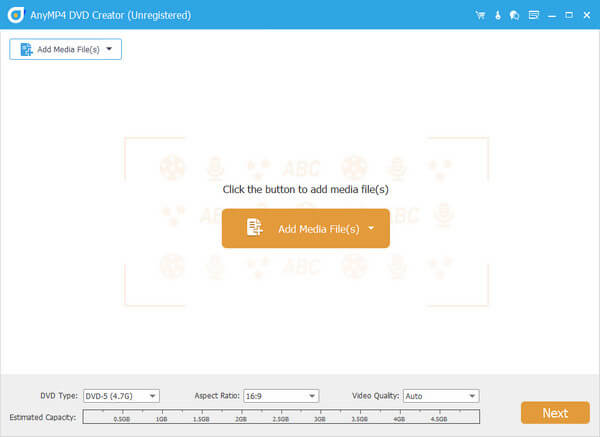
AnyMP4  DVD Creator

AnyMP4 DVD Creator is intended to create DVD disc, DVD folder and DVD ISO files from TS, MTS, M2TS, TRP, TP, MGP, MPEG, MPEG-2, MPA, VOB, DAT, MP4, M4V, RM, RMVB, WMV, ASF, MKV, AVI, 3GP, 3G2, FLV, SWF, F4V, MPV, MOD, TOD, QT, MOV, DV, DIF, MJPG, MJPEG, NSV, WEBM video formats. It supports DVD-5 (4.7GB), DVD-9 (8.5GB), and DVD format like DVD-R, DVD+R, DVD-RW, DVD+RW and DVD-RAM.

Key Features:

1. Create DVD from various video files.
Nearly all kinds of video can be burned into DVD disc, DVD folder or DVD ISO files, such as 3GP, AVI, DV, VOB, FLV, M2TS, MTS, SWF, MKV, MPG, MPEG, MPA, DAT, MP4, TS, NSV, MOV, QT, RMVB, etc.

2. Edit the source video.
AnyMP4 DVD Creator provides users with powerful video editing functions. With it, users can clip the video to any time length by setting the start and end time, cut off unwanted playing areas of the video to fit different portable players, personalize the video with the image or text watermarks, even adjust the video brightness, saturation, contrast, hue, and volume. Also, you can now add video filtering effect to video before burning.

3. Create stylish DVD menu.
This DVD Creator allows users to attach menus before burning. You can choose the menu template, select the menu frame, and button style, edit the menu text content, and define its font, size and color, even add the background picture and music.

4. Add and set audio track.
You can choose the audio track and add your own audio track or background music to the DVD. Users are also allowed to adjust the volume, and choose audio encoder, bitrate, and channels.

Apeaksoft Screen Recorder for Mac 2.0.50

Type: Shareware
Cost: $19.96
Size: 20.79 MB
Release date: Jul 28 2021
Platform: Mac OS X,
Publisher’s Site:  https://www.apeaksoft.com/
Publisher’s Product Page:  https://www.apeaksoft.com/screen-recorder/
Country: China


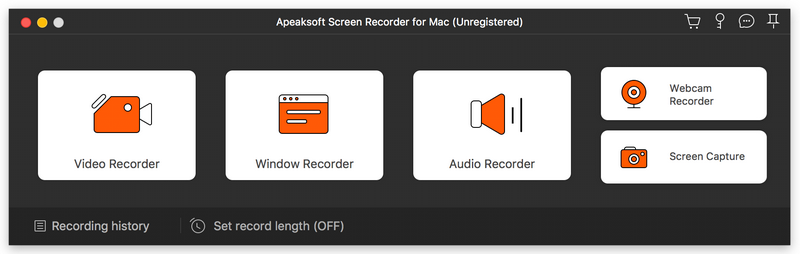
Apeaksoft Screen Recorder for Mac

Apeaksoft Screen Recorder for Mac makes it easy to record videos and audio played on Mac. The powerful video recording function allows you to save almost all videos to your Mac, such as online streaming videos you cannot download, video tutorials you want to capture and video meetings you want to save. You could also record the microphone voice and capture the screenshot on Mac.

Key functions:

1. Record videos freely
Having trouble in downloading some videos you want? Apeaksoft Screen Recorder for Mac is your best choice. With it, you could record the videos which you could not download without any hassle. And you could change the output format before recording as you like. In addition, it also has various editing functions.

2. Record audio files easily
Apeaksoft Screen Recorder for Mac enables you to record various music, radio or online audio instead of downloading them. You can save the recorded audio in MP3, WMA, AAC, M4A for future playback. Moreover, it can record microphone voice easily, you just need to choose microphone audio and turn off system audio to easily record the voice you need. Recording system sound could also be realized with it.

3. Take snapshots easily
Apeaksoft Screen Recorder for Mac enables you to take screen capture, and you could add watermark to your screen capture. Moreover, you are able to annotate the snapshots with a text box, arrow, highlight and more.

4. Highlight the mouse cursor as you wish
This is especially useful when you make video presentations. You can highlight the mouse cursor to make your act easier to be tracked on screen. Also you can define the color and the shape of the highlight.