Category Archives: Audio & Multimedia

Audio Encoders/Decoders, Audio File Players, Audio File Recorders, CD Burners, CD Players, Multimedia Creation Tools, Music Composers, Other, Presentation Tools, Rippers & Converters, Speech, Video Tools

Tipard Mac Video Converter Ultimate 10.2.6

Type: Shareware
Cost: $28
Size: 115.40 MB
Release date: Oct 12 2021
Platform: Mac OS X,
Publisher’s Site:  https://www.tipard.com/
Publisher’s Product Page:  https://www.tipard.com/mac-video-converter-ultimate/
Country: China

Tipard  Mac Video Converter Ultimate

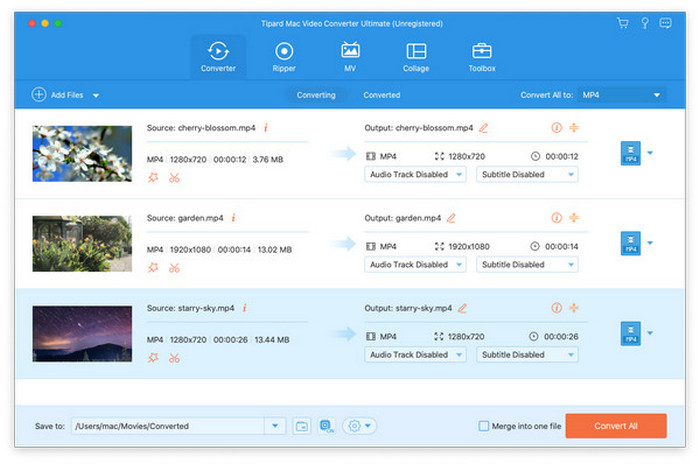
Tipard Mac Video Converter Ultimate helps convert any video to other formats like MP4, MOV, AVI and more so that you could watch your videos on different devices. There is also an editing function which enables you to improve video quality greatly by enhancing video resolution and reducing video shaking. You could also rotate or clip video freely in order to meet your needs.


Key features
1. Convert video homemade DVD to popular formats on Mac
It is made to convert homemade DVD and any other video to MP4, AVI, MOV, MKV, etc. You could also convert your 4K video to other 360p, 720p, 1080p video. You are also allowed to convert music video to any audio formats such as MP3, AAC, AC3 and OGG.

2. Edit, enhance and rotate the video to meet your requirement
You can rotate the video to the correct angle and enhance the video by increasing resolution, optimizing brightness and contrast, removing video noise and reducing video shaking, all of them could let you enjoy a high quality video. Before converting your video, you are also able to edit your video as you like, such as cropping the video area size, converting 2D to 3D, adding watermark and adjusting the video effect.

3. Powerfully functions added
With Tipard Mac Video Converter Ultimate, you are able to use the Video Compressor, Media Metadata Editor and GIF Maker, 3D Maker, Video Enhancer features in Toolbox. With these features, you can adjust the metadata of your video/audio files, you can also make gif or a 3D video as you like, besides, the Video Enhancer feature enables you to improve your videos quality. Furthermore, you can also make MV and collage via this Tipard Mac Video Converter Ultimate.

4. Support various devices
This software is compatible with iPhone, iPad, iPod and Samsung, HTC, PS3, Xbox and more mobile devices, as a result, you can play any of your videos with the supported formats and enjoy them freely.

Graphcat<

AnyMP4 Screen Recorder for Mac 2.0.32

Type: Shareware
Cost: $29.25
Size: 24.76 MB
Release date: Oct 14 2021
Platform: Mac OS X,
Publisher’s Site:  https://www.anymp4.com/
Publisher’s Product Page:  https://www.anymp4.com/screen-recorder/
Country: China


AnyMP4 Screen Recorder for Mac

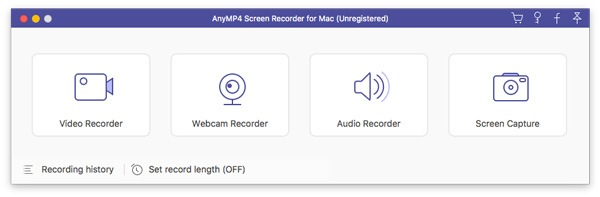
AnyMP4 Screen Recorder for Mac helps to capture almost any video that played on your computer, including 4K videos. You can use this screen capture software to record various kinds of videos, like video conference, video tutorials, game play and other videos you want to save. When you record the screen, you can choose to record the sound of the video itself or record your own voice through microphone.

Key features:

1. Record any videos on Mac.
AnyMP4 Screen Recorder for Mac can help you capture screen videos, and they are saved in MP4 or WMV formats for easy playback. You can capture videos, record live game videos, etc. Also, if you attend an online meeting, or make a Skype call, you can also record the video from webcam for further use.

2. Record audio for playback on Mac.
AnyMP4 Screen Recorder for Mac makes it easy for you to record audio. And you can also record microphone audio to save the conversation in a business talk in case. The recorded audio will be saved as MP3, M4A, AAC and WMA formats.

3. Operate easily with simple interface.
AnyMP4 Screen Recorder for Mac enables you to capture screen videos and audio on Mac. The user-friendly hotkey gives you a quick operation. You can follow or change the hotkey to stop/start, or pause/resume capture according to your preference. If you are busy in other things, you could set the duration time to start/stop capturing screen automatically. Also, you can highlight the mouse cursor to show it in your recordings.

AnyMP4 PDF Converter Ultimate 3.3.28

Type: Shareware
Cost: $59.25
Size: 1.59 MB
Release date: Apr 28 2021
Platform: Win2000,WinXP,Win7 x32,Win7 x64,Windows 8,Windows 10,WinServer,WinOther,WinVista,WinVista x64
Publisher’s Site:  https://www.anymp4.com
Publisher’s Product Page:  https://www.anymp4.com/pdf-converter-ultimate/
Country: China


AnyMP4 PDF Converter Ultimate

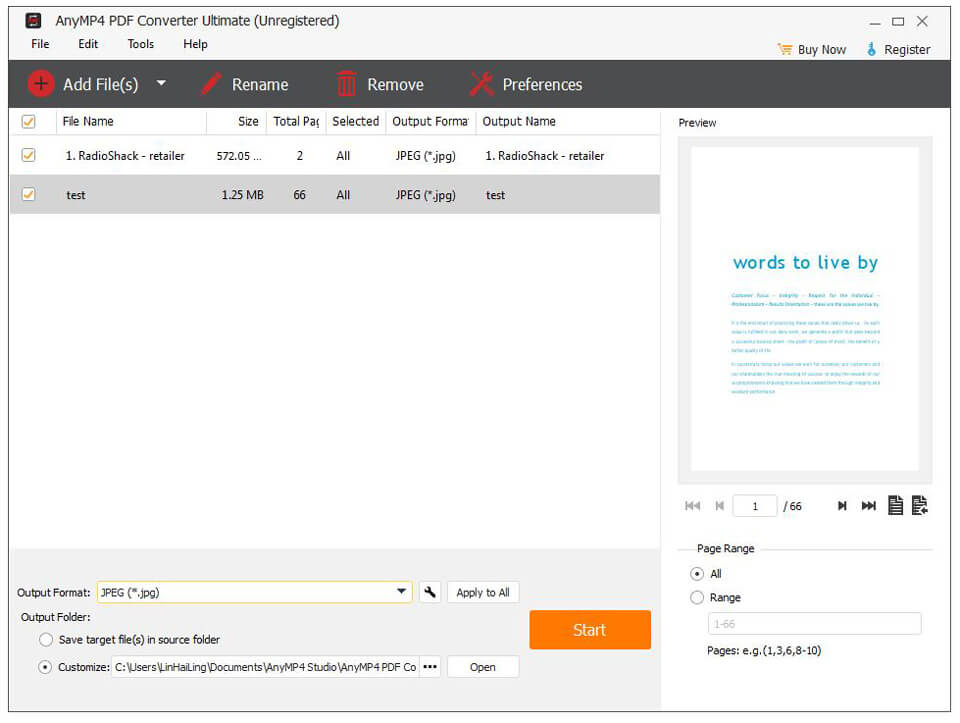
AnyMP4 PDF Converter Ultimate can not only convert PDF files to different documents like Text (*.txt), Microsoft Word (*.doc), Rich Text Format (*.rtf), Microsoft Excel (*.xls), EPUB, HTML, Microsoft PowerPoint and more, but also convert PDF files to TIFF, JPEG, PNG, GIF, BMP, TGA, PPM, JPEG 2000 and others with high quality and fast speed. Apart from that, it allows you to choose page range setting needed pages as the output pages. Meanwhile, it adopts OCR technology to help you convert.

Key Features:

1. Convert PDF file to any document formats.
AnyMP4 PDF Converter Ultimate is able to convert PDF files to different documents like Text (*.txt), Microsoft Word (*.doc), Rich Text Format (*.rtf), Microsoft Excel (*.xls), ePub, HTML, Microsoft PowerPoint (*.pptx) and more. With these document formats, you can read your files more easily.

2. Convert PDF file to various images.
The PDF conversion software is mainly used to convert PDF files to various image formats, including TIFF, JPEG, PNG, GIF, BMP, TGA, PPM, JPEG2000, etc. Meanwhile, you can set the size and the color of the output images.

3. Adopt OCR technology.
AnyMP4 PDF Converter Ultimate adopts OCR technology to improve the output file effect such as the accuracy, balance and speed. With the various language options, you can choose language according to your demands.

4. Selectively convert your PDF file.
The PDF converter software allows you to choose the page range according to your need. You can convert the pages that you need. The unnecessary parts will not appear in your converted documents or images.

5. Easy to use and fast speed.
The main functions and using ways of this PDF Converter can be mastered easily. You never worry that you have no idea of how to use it. Meanwhile, you never worry about the conversion time. It supports batch conversion. Then you can convert multiple PDF files at fast speed.