Category Archives: Audio & Multimedia

Audio Encoders/Decoders, Audio File Players, Audio File Recorders, CD Burners, CD Players, Multimedia Creation Tools, Music Composers, Other, Presentation Tools, Rippers & Converters, Speech, Video Tools

Apeaksoft DVD Creator for Mac 1.0.32

Type: Shareware
Cost: $31.20
Size: 36.16 MB
Release date: Dec 08 2021
Platform: Mac OS X,
Publisher’s Site:  https://www.apeaksoft.com/
Publisher’s Product Page:  https://www.apeaksoft.com/dvd-creator/
Country: China
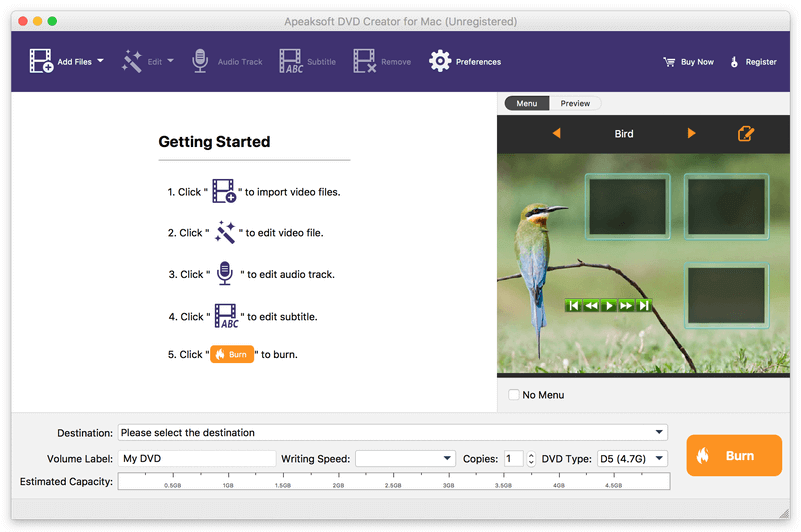

Apeaksoft  DVD Creator for Mac

Apeaksoft DVD Creator for Mac can create DVD/Blu-ray disc/folder/ISO files with all kinds of popular videos. Therefore, you can convert MP4 to DVD/Blu-ray, AVI to DVD/Blu-ray and other videos to DVD/Blu-ray. Moreover, it can help you add the audio track and subtitle. In addition, you can choose your preferred menu templates, frames and button styles and add the background music. Furthermore, you can trim the video length, crop the video frame and add watermark to the videos as you like.


Key functions:

1. Create DVD/Blu-ray with any video formats
Apeaksoft DVD Creator for Mac can help you burn DVD/Blu-ray disc/folder/ISO files with any video formats including MP4, AVI, WMV, MKV, MOV, M4V, MTS, etc.

2. Edit your DVD/Blu-ray
It is able to help you edit the video effect, such as trimming the video length, cropping the video frame, adding watermark to the video, adjusting the video effect.

3. Customize the DVD/Blu-ray menu
With this software, you can choose your favorite DVD/Blu-ray menu like frame/button/text style. Moreover, you can add background music, add background picture and browse opening film according to your needs.

4. Add audio track and subtitle
This software allows you to add the audio track as you like. Meanwhile, your preferred subtitles can also be added to the videos and you can choose its language, change its position, and set the delay, font size, its name and colors.

5. Fast speed and high quality
Apeaksoft DVD Creator for Mac can provide fast burning speed and high quality for you. You never need to wait for long time for the creation. Just a few minutes, you can enjoy your DVD/Blu-ray in your DVD/Blu-ray player.

Graphcat<

Vidmore Video Converter 1.3.8

Type: Shareware
Cost: $19.95
Size: 2.23 MB
Release date: Sep 17 2021
Platform: Win2000,WinXP,Win7 x32,Win7 x64,Windows 8,Windows 10,WinServer,WinOther,WinVista,WinVista x64
Publisher’s Site:  https://www.vidmore.com/
Publisher’s Product Page:  https://www.vidmore.com/video-converter/
Country: China


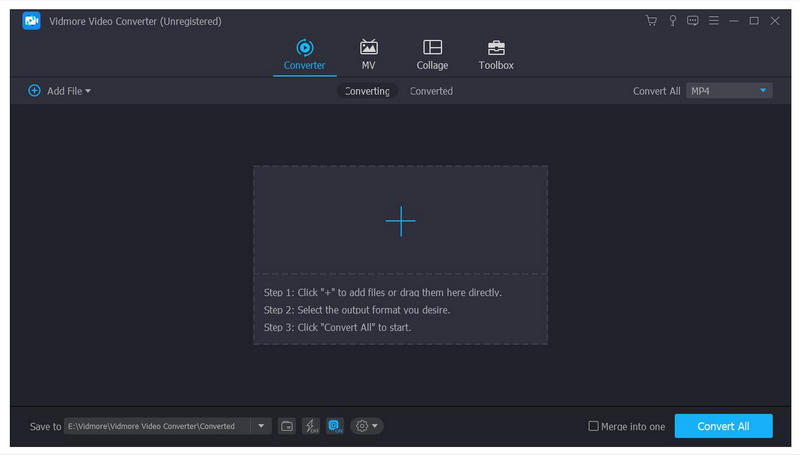
Vidmore Video Converter

Vidmore Video Converter is amazing software which could greatly help you convert your media files to any other formats. You can edit your files before conversion and convert them without hassle.

Key functions:

1. Convert videos to various output formats
Vidmore Video Converter is powerful in converting media files to other formats, such as MP4/AVI/WMV/MOV/MKV/M4V/MPEG/FLV/MP3/WAV/M4A/AAC, etc. In addition, it supports many kinds of devices, including iPhone/iPad, Samsung/Huawei/Google/Xiaomi/LG/HTC and more.

2. Various video editing functions
Want to edit your videos before conversion? With Vidmore Video Converter, you could merge/trim/rotate/crop your files, add watermark to them or change the brightness/contrast/saturation/hue of the media files. You could also enhance the video quality and compress large files to a smaller size.

3. Create MV, GIF Maker, 3D Maker, make collage
Vidmore Video Converter could not only convert media files to other formats, but also create wonderful MV for you. You are able to create your own fabulous MV with different themes. Moreover, it allows to you make customized GIFs with your video files. Creating 3D videos from 2D files is also possible. In addition, you could make your own fantastic collage with different templates and filters. In addition, it is able to reverse videos, speed up or slow down videos.

4. High quality of the output files
Vidmore Video Converter can keep the original quality of your videos, including those in 1080p HD and 4K Ultra HD, so there is no quality loss after conversion. With advanced hardware acceleration, it can also provide fast conversion speed for you.

Aiseesoft DVD Creator for Mac 5.2.20

Type: Shareware
Cost: $20
Size: 42.02 MB
Release date: Nov 23 2021
Platform: Mac OS X,
Publisher’s Site:  https://www.aiseesoft.com/
Publisher’s Product Page:  https://www.aiseesoft.com/dvd-creator-for-mac/
Country: China


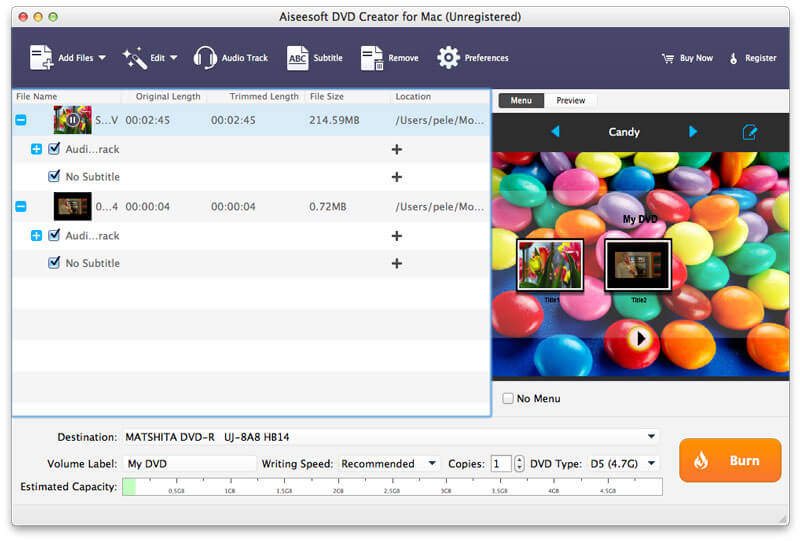
Aiseesoft DVD Creator for Mac

Aiseesoft DVD Creator for Mac lets you create DVDs easily on Mac OS X 10.9 or above (macOS Big Sur and macOS Monterey) from all kinds of popular video formats, such as MP4, AVI, MKV, VOB, FLV, MXF, MOV, etc.

Features:
1. Create DVD from any video
With DVD Creator for Mac, you can easily merge multiple video files in different formats and burn them into a single DVD or a DVD folder or into ISO image files.

2. Customize DVD menu
There are dozens of DVD menu templates built in this Mac DVD burning software, such as Animal, City, Festival, Plant, Scenery and more. You can personalize your own DVD menu by defining the menu frame and button, editing the menu text, defining its font, size and color, adding a background picture, and more.

3. Add audio tracks and subtitles
You are able to add multiple audio tracks as well as subtitles into your video files before burning DVD. You can even adjust the subtitle’s position, font, size or color and the audio track volume, and select the audio encoder/bitrate/channels as you like. Moreover, if the audio track doesn’t match the video scenes, this DVD burner for Mac allows you to adjust the audio latency, so do the subtitles.

4. Edit video effects before creating DVD
You can adjust the brightness, hue, saturation, contrast and the output volume, cut, crop, add watermark to your source videos to enhance the video quality. After that, you can burn the videos to most types of DVD+-R/RW/R DL, DVD-RAM, DVD-5(4.5G) and DVD-9(8.5GB) discs.