Category Archives: Business

Accounting & Finance, Calculators & Converters, Databases & Tools, Helpdesk & Remote PC, Inventory & Barcoding, Investment Tools, Math & Scientific Tools, Office Suites & Tools, Other, PIMS & Calendars, Project Management, Vertical Market Apps

DataNumen Office Repair 3.0

Type: Demo
Cost: $499.95
Size: 17.71 MB
Release date: Jul 23 2018
Platform: Win2000,WinXP,Win7 x32,Win7 x64,Windows 8,Windows 10,WinServer,WinOther,WinVista,WinVista x64
Publisher’s Site:  https://www.datanumen.com
Publisher’s Product Page:  https://www.datanumen.com/office-repair/
Country: Hong Kong
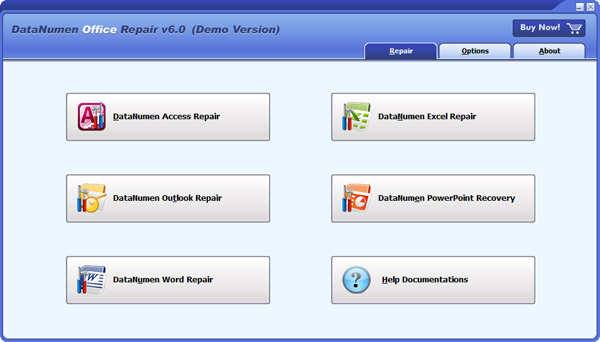

DataNumen Office Repair

DataNumen Office Repair(formerly Advanced Office Repair) is a Microsoft Office data recovery suite. It includes recovery tools for corrupt or damaged MS Access databases, MS Excel worksheets, MS Word documents, MS Outlook data files, and MS Outlook Express dbx and mbx files.


Main features:

1. Support to repair Microsoft Access 95 to 2016 and Access for Office 365 databases.

2. Support to repair Microsoft Excel xls and xlsx files in Excel version 3.0 to 2016 and Excel for Office 365 formats.

3. Support to repair Microsoft Word 6.0 to 2016 and Word for Office 365 .doc and .docx documents.

4. Support to repair Microsoft Outlook 97 to 2016 and Outlook for Office 365 PST data files.

5. Support to recover Microsoft Outlook Express 4 mbx files and Outlook Express 5/6 dbx files.

6. Support to repair files on corrupted medias, such as floppy disks, Zip disks, CDROMs, etc.

7. Support to repair a batch of corrupt files.

8. Support integration with Windows Explorer, so you can repair a file with the context menu of Windows Explorer easily.

9. Support drag & drop operation.

10. Support command line parameters.

Graphcat<

XLSTAT 2018.4

Type: Demo
Cost: $295
Size: 144.93 MB
Release date: May 29 2018
Platform: Win2000,WinXP,Win7 x32,Win7 x64,Windows 8,Windows 10,WinServer,WinOther,WinVista,WinVista x64
Publisher’s Site:  https://www.xlstat.com
Publisher’s Product Page:  https://www.xlstat.com/en/solutions
Country: France


XLSTAT

XLSTAT is a complete analysis and statistics add-in for Excel. It has been developed since 1993. XLSTAT includes more than 200 features in general or field-specific solutions. The use of Excel as an interface makes XLSTAT a user-friendly and highly efficient statistical and multivariate data analysis package.
It includes regression (linear, logistic, nonlinear), multivariate data analysis (Principal Component Analysis, Discriminant Analysis, Correspondence Analysis, Multidimensional Scaling, Agglomerative Hierarchical Clustering, K-means, K-Nearest Neighbors, Decision trees), correlation tests, parametric tests, non parametric tests, ANOVA, ANCOVA, mixed models and much more. Field-specific solutions allow for advanced multivariate analysis (RDA, CCA, MFA), Preference Mapping and other sensometrics tools, Statistical Process Control, Simulations, Time series analysis, Dose response effects, Survival models, Conjoint analysis, PLS modelling, Structural Equation Modelling, OMICS data analysis… Optional modules include 3D Visualization and Latent Class models.
The XLSTAT statistical analysis software is compatible with all Excel versions from 2003 to 2016. A Mac version is also available on the XLSTAT website, and works on Excel 2011 & 2016.

Agile Commander for Mac 1.2.1

Type: Shareware
Cost: $4.99
Size: 9.36 MB
Release date: Sep 23 2018
Platform: Mac OS X
Publisher’s Site:  https://digitalkarabela.com
Publisher’s Product Page:  https://agilecommander.com/
Country: Poland


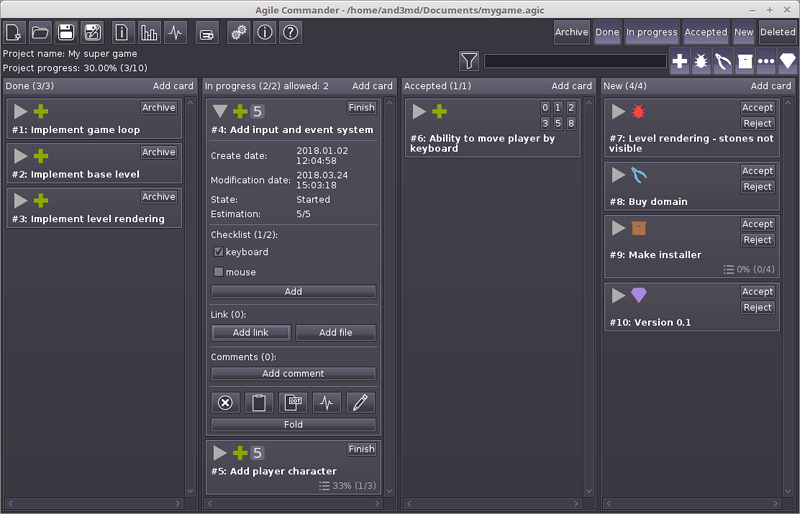
Agile Commander for Mac

Agile Commander is a desktop kanban board for IT project management Its goal is to be extremely powerful for single programmers (indie developers, freelancers, start-ups) and small teams. Agile Commander is consistent with the software agile principles. Its also a good bug tracker. Available for Windows, MacOS (OSX) and Linux.

Which Agile Commander feature decide, that program is designed especially for single users or small teams?
– is classic application – don’t need server or any additional infrastructure, you can use it on your own computer;
– have got small hardware – requirements application need after launch just about 40 MB RAM, don’t strain your computer resources and don’t affect its efficiency when is off;
– made you an owner of your data – every project is written in custom file in JSON readable format, don’t need to install any database server;
– made your actualization under control – while Agile Commander is a common desktop application, you don’t need to worry that at a crucial moment of your project the web application provider make fundamental changes or end the services. It only depends on you when you switch to a newer version of the software;
– work offline – you do not need an internet connection, work wherever you be without worrying about accessing your data;
– had perpetual license – no monthly fees (subscription);
– had quick story filtering by using text and easily accessible story type buttons.
– checklists
– links and file management
– moving cards between columns using drag&drop
– activity log – full history of changes in the project with convenient filtering
– project statistics – you can check the current state of work at any time