Category Archives: Business

Accounting & Finance, Calculators & Converters, Databases & Tools, Helpdesk & Remote PC, Inventory & Barcoding, Investment Tools, Math & Scientific Tools, Office Suites & Tools, Other, PIMS & Calendars, Project Management, Vertical Market Apps

SQLRD SSRS Data Driven Automation 7.4.20180926

Type: Shareware
Cost: $1400
Size: 621.61 MB
Release date: Sep 28 2018
Platform: Win2000,WinXP,Win7 x32,Win7 x64,Windows 8,Windows 10,WinServer,WinOther,WinVista,WinVista x64
Publisher’s Site:  https://christiansteven.com
Publisher’s Product Page:  https://go.christiansteven.com/ssrs-reports-scheduler-ssrs-reports-automation-sql-rd
Country: United States of America

SQLRD SSRS Data Driven Automation

Data Driven & Automated SSRS Reports with SQL-RD


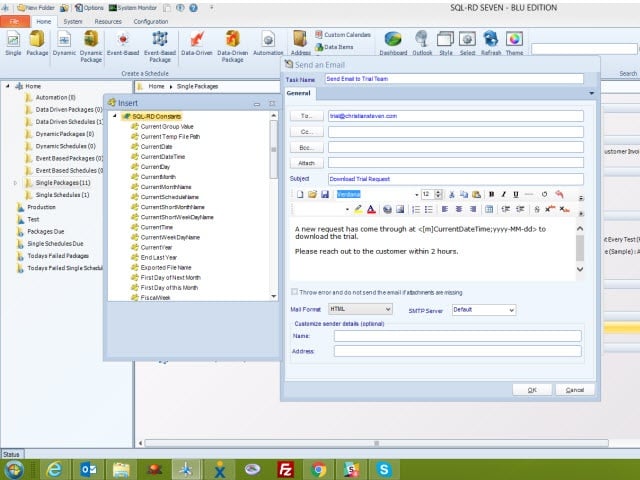
SQL-RD is a dynamic, flexible, function-rich & intuitive automation tool for scheduling, exporting, distributing & delivering your Microsoft SQL Server Reporting Services (SSRS) Reports. Automate report delivery in SSRS & send the reports to printer, fax, folder, FTP, SMS, DropBox, Sharepoint & email in a number of formats including Excel, Word, PDF, Txt, CSV & more. SQL-RD contains powerful system, event triggered, data-driven & business process workflow functions which will make an instant impact on the efficiency of your business.

Automate SQL Reports

Simply set up a ‘schedule’ stating how often you would like each report to run, whether you’d like the output in Word, Excel, HTML, RTF, Acrobat, XML or CSV & who it should be sent to. SQL-RD will do the automated delivery for you, delivering reports to folder, email, printer, fax, DropBox, Sharepoint, FTP or SFTP! You can even select, manage & schedule reports hosted in different SSRS instances.

Date & Time Scheduling

Schedule SSRS Reports to run at a specific date & time, or to run them hourly, daily, weekly, or monthly or set up your own custom frequencies e.g. 4-4-3, every other day, third Monday of the month, & so on. And the same report can be scheduled to be run multiple times with different parameters, formats, frequencies, & destinations.

Event Triggers

Respond to your business needs by setting schedules to run based on events & triggers rather than date. Add real-time monitoring to your SSRS Reports distribution process with SQL-RD’s Event Based Schedules, reports are fired off when events occur e.g. database value is present, file is modified, window is open, an email is received, etc.

Dynamic & Data Driven

Use SQL-RD’s unique Dynamic & Data Driven Schedule processes to trawl through your database to find the parameter values to use & then generate & deliver a unique report for each value.

Graphcat<

MARS Automation For MS Access 7.0.20180517

Type: Shareware
Cost: $700
Size: 889.69 MB
Release date: May 17 2018
Platform: Win2000,WinXP,Win7 x32,Win7 x64,Windows 8,Windows 10,WinServer,WinOther,WinVista,WinVista x64
Publisher’s Site:  https://christiansteven.com
Publisher’s Product Page:  https://go.christiansteven.com/ms-access-reports-query-macro-automation-scheduler-mars
Country: United States of America


MARS Automation For MS Access

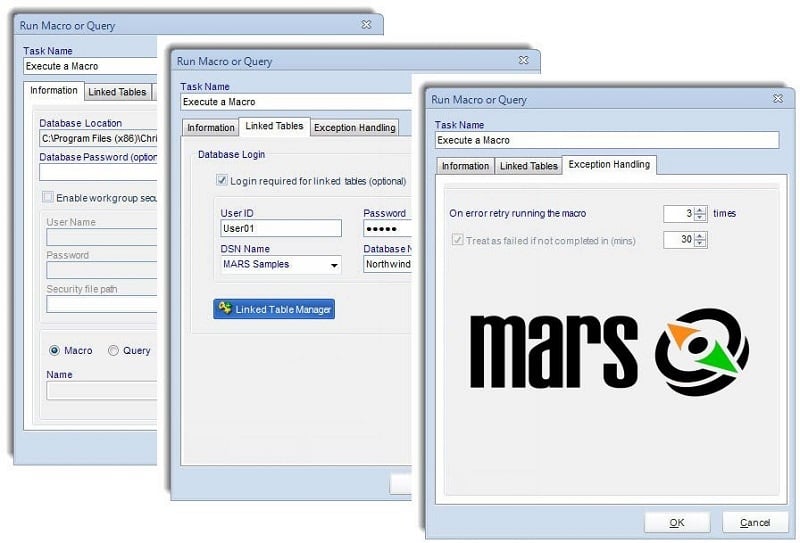
MARS (Microsoft Access Reports Scheduler) is a dynamic, flexible, function-rich and intuitive automation tool for automating, scheduling, exporting, distributing and delivering your Microsoft Access reports, queries & macros.

Easy To Use

Simply set up a ‘schedule’ stating how often you would like each report or query to run, whether you’d like the output in Word, Excel, HTML, RTF, Acrobat, & more & who it should be sent to. MARS will do the automated delivery for you, delivering reports to folder, email, printer, fax, DropBox, Sharepoint, FTP or SFTP!

Date & Time Scheduling

It’s easy to schedule Micrsoft Access reports, queries & macros to run at a specific date & time, or to run them hourly, daily, weekly, or monthly or set up your own custom frequencies e.g. 4-4-3, every other day, third Monday of the month, & so on. And the same report or query can be scheduled to be run multiple times with different parameters, formats, frequencies, & destinations.

Event Triggers

Distribute MS Access Reports & respond to your business needs by setting schedules to run based on events & triggers rather than date. Add real-time monitoring to your MS Access automation process with MARS’ Event Based Schedules, reports are fired off when events occur e.g. database value is present, file is modified, window is open, an email is received, etc.

Dynamic & Data Driven

Use MARS’ unique Dynamic & Data-Driven Schedule processes to trawl through your database to find the parameter values to use & then generate & deliver a unique report for each value. Bring advanced Data-Driven functionality to your MS Access infrastructure.

Pre & Post Delivery Automation

Once your schedule has been executed, why stop there? Use MARS’ unique Custom Actions to run another program, enter values in a database, modify a file & lots more. Or use Automation Schedules for general business process automation without scheduling any reports at all.

GHSAuth 7.11.0.77

Type: Freeware
Cost: $0
Size: 578.00 kB
Release date: Jan 01 2018
Platform: Win2000,WinXP,Win7 x32,Win7 x64,Windows 8,Windows 10,WinServer,WinOther,WinVista,WinVista x64
Publisher’s Site:  http://www.mar-kov.com
Publisher’s Product Page:  http://ghsauth.com
Country: Canada


GHSAuth

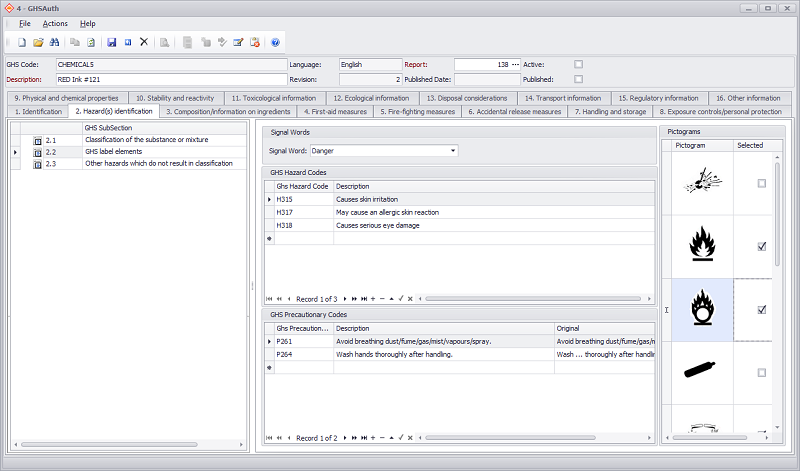
GHS compliant SDS and Safety Label Authoring Tool for Chemical Manufacturers is a tool for authoring Global Harmonized Standard (GHS) compliant Safety Data Sheet (SDS) documents and Safety Labels.

This tool will allow EH&S staff to author and organize GHS data and generate SDS and Safety Label documents for your organization.

Feature include:
– Author Safety Data Sheets (SDS) which conform to GHS standard formatting
– Organize your organization’s GHS records
– SDS revision control and change tracking
– Multiple languages (translation of data) supported
– Built-in catalog of GHS hazard codes and precautionary phrases
– Create user-defined library of phrases for easy document authoring

Free and paid versions are available.