Category Archives: Business

Accounting & Finance, Calculators & Converters, Databases & Tools, Helpdesk & Remote PC, Inventory & Barcoding, Investment Tools, Math & Scientific Tools, Office Suites & Tools, Other, PIMS & Calendars, Project Management, Vertical Market Apps

Eye4Software Hydromagic 7.0.15.929

Type: Demo
Cost: $1549.93
Size: 83.02 MB
Release date: Oct 09 2015
Platform: Win2000,WinXP,Win7 x32,Win7 x64,Windows 8,Windows 10,WinServer,WinOther,WinVista,WinVista x64
Publisher’s Site:  http://www.eye4software.com
Publisher’s Product Page:  http://www.eye4software.com/hydromagic
Country: Netherlands

Eye4Software Hydromagic

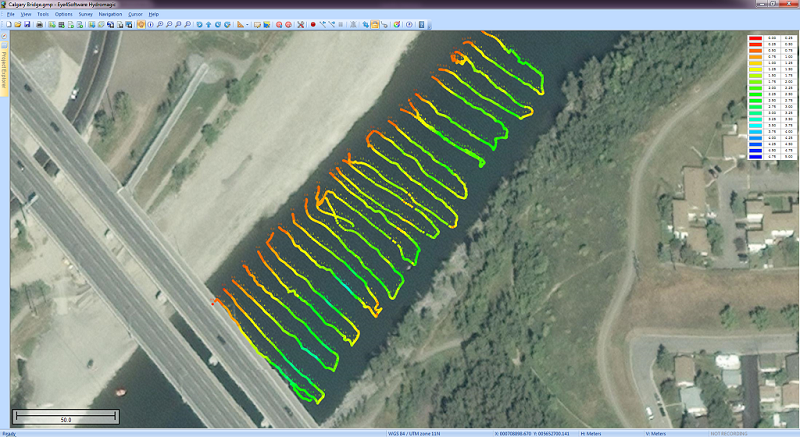
Eye4Software Hydromagic is hydrographic survey software for Windows. It can be used to generare depth maps using a GPS or RTK receiver and an echosounder or fishfinder.


After recording the sounding, you can generate DTM’s (Digital Terrain Models), depth contours, 3D views and cross-sections.

It offers various methods of calculating volumes of bassins, ponds, river sections and lakes.

The software is capable of reading and writing most popular CAD, GIS and nautical chart formats, including: GeoTIFF, Microstation DGN, ARC/INFO, MapInfo MIF/MID, AutoCad DXF files, IHO S57/S63 Electronic Natutical Charts, Google Earth KML/KMZ files and ESRI shapefiles.

A wide range of map projections is build in. More then 5000 map projections are built in. In addition, NTv2, NADCON and HARN correction grids are supported.

The software is also able to calculate tide levels in real time by using a RTK receiver connected to the PC. Using the antenna height, antenna offset and a geoid model, the tide level is calculated and applied to the sounding, resulting in a height values relative to the local vertical datum.

When no map is available for your area, you can use the build-in map downloading tool. Use OpenStreetMap, Google Maps or Bing maps as background maps.

Since this latest version, the software can be used to collect and process dual frequency sounding data, as well as additional sensor data, such as magnetometer data, or advanced data from echosounders, like reflectivity or bottom-loss.

Another big improvement is the use of shorelines. Shorelines can be used to add data collected near the shore, to create islands or to clip your DTM data, by just by specifying on which side of the shoreline the water is.

For the people who want to perform their survey by using planned lines, there is also good news: It is now possible to calculate a DTM or depth contours from multiple soundings or shorelines. Just press a single key to start a new line !

Graphcat<

Aloaha PDF Suite Light 6.0.133

Type: Shareware
Cost: $35.08
Size: 29.28 MB
Release date: Jul 30 2015
Platform: Win2000,WinXP,Win7 x32,Win7 x64,Windows 8,WinServer,WinOther,WinVista,WinVista x64
Publisher’s Site:  http://www.aloaha.com
Publisher’s Product Page:  http://www.aloaha.com/pdf-applications/aloaha-pdf-suite-2/aloaha-pdf-suite-light/
Country: Malta


Aloaha PDF Suite Light

Your PDF Files are just one click away!
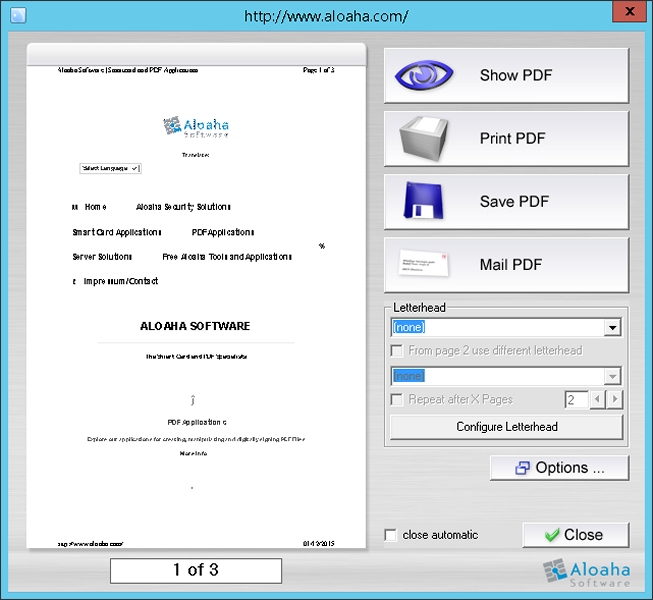
Aloaha PDF Suite is the perfect tool to create your PDF Documents. One click is enough! Just print your document to any of your printers and Aloaha will convert the print job to a PDF Document, which you can save, email, fax or publish to an exchange public folder.

– Creates and edits vector based PDF Files
– 40 and 128 Bit Encryption
– PDF Editor and Split and Merge included.
– compression
– JPEG2000 compression
– Password Protection
– No special Printer Driver required
– Archives your PDF files
– Sends your PDF files via email or fax
– MAPI, WebDAV and SMTP supported.
– No page size limits. Even formats like A0-A8, 1×1 meter and custom supported
– Preview Function
– Page mover
– Publish high quality PDFs without high costs
– Communicate across operating systems
– Maintain security for confidential material
– Preserve content integrity – keep fonts, images and layout intact
– Letterhead or Watermark imposition
– direct Image 2 PDF Conversion
– batch prints your existing PDF
– ZUGFeRD
– automatically emails or faxes files depending on embedded commands
– APDFPR included
– No Acrobat needed
– Windows Terminal Services supported
– Citrix Metaframe supported

RationalPlan Project Server 4.12.2

Type: Shareware
Cost: $94
Size: 79.83 MB
Release date: Nov 04 2015
Platform: Win2000,WinXP,Win7 x32,Win7 x64,Windows 8,Windows 10,WinServer,WinOther,WinVista,WinVista x64
Publisher’s Site:  http://www.rationalplan.com
Publisher’s Product Page:  http://www.rationalplan.com/server-project-management-software.php
Country: Romania


RationalPlan Project Server

RationalPlan Project Server by Stand By Soft is a project management platform capable of handling multiple interrelated projects and concurrent user modifications. It is the best project management software solution for those that need to work as a team on common tasks and projects. It provides a centralized management solution for company projects while offering concurrent/controlled access for different users.

It is a powerful project management software designed to assist project managers in developing plans, allocating resources, tracking progress, managing budgets and analyzing workload.

If you are working in the area of construction, engineering, services and consulting, business, software development or even working on a simple student project then you can use RationalPlan. It will help you to complete your project as scheduled, on time and within budget.

If you have projects that are interrelated that is certain tasks from one project depend on other tasks from the other projects and you need concurrent access to your projects from multiple places (Internet or Intranet) then RationalPlan Project Server is the right tool for you.

Here are some key reasons for using RationalPlan Project Server:
* concurrent management for multiple users by connecting to RationalPlan Project Server and working on a centralized data repository
* manage your company projects and share resources between them
* create users and assign access rights
* load existing RationalPlan Multi Project files
* version management system

Users can connect to RationalPlan Project Server through the use of RationalPlan Multi Project (which is best suited for project managers) and a web-based interface (for server administration and for resource assignments).

The application is covering project management area from WBS construction, project planning and scheduling to critical path management, overallocated resources detection, progress tracking, cost estimation etc.