Category Archives: Business

Accounting & Finance, Calculators & Converters, Databases & Tools, Helpdesk & Remote PC, Inventory & Barcoding, Investment Tools, Math & Scientific Tools, Office Suites & Tools, Other, PIMS & Calendars, Project Management, Vertical Market Apps

Comindware Project 2.7.57

Type: Shareware
Cost: $9.99
Size: 58.51 MB
Release date: Oct 08 2015
Platform: WinXP,Win7 x32,Win7 x64,Windows 8,Windows 10,WinServer,WinOther,WinVista,WinVista x64,Linux,Linux Console,Linux Gnome,Linux GPL,Linux Open Source,Mac OS X,Android,iPhone,iPad,iOS
Publisher’s Site:  http://www.comindware.com
Publisher’s Product Page:  https://www.comindware.com/project-management-software/
Country: United States of America
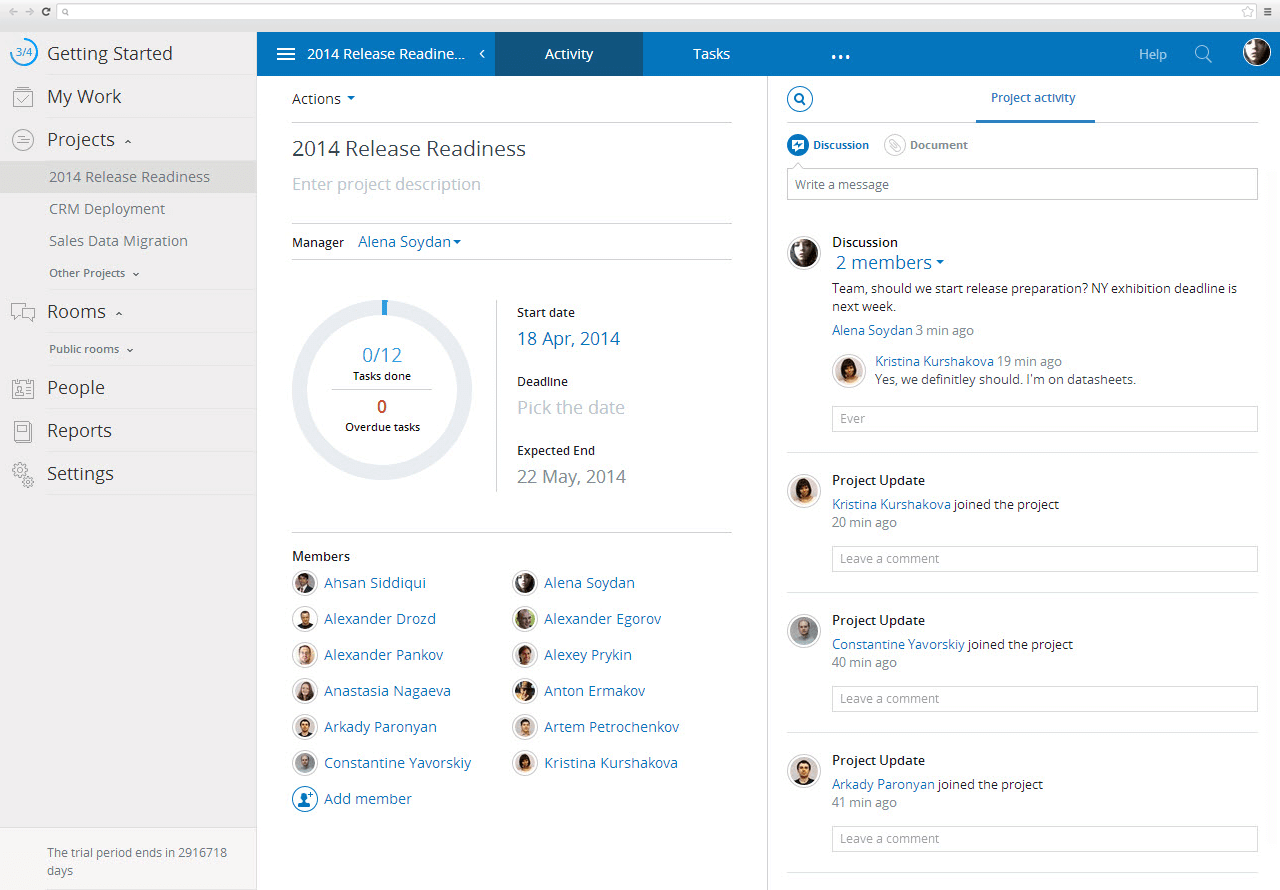

Comindware Project

Comindware Project is a professional Project Management solution for Project Managers and team members that brings an innovative technology for efficient project planning, execution and collaboration. It is designed for mid to large businesses including IT, Marketing, software development and other.


Comindware Project allows users to significantly reduce planning time and minimize planning errors thru end-to-end process automation and an intuitive user interface, while enhanced resource allocation and leveling mechanisms allow companies to maximize resource and asset utilization.

The project plan in Comindware Project is scheduled just by assigning tasks and defining priorities through a simple drag-and-drop interface. Comindware Project allows users to create a fully visual project chart a Work Breakdown Structure and get a clear project task hierarchy with an unlimited number of task levels. The Predictive Gantt chart automatically reschedules the remainder of the work so that the overall plan constantly remains up-to-date and renders the real project status as well as actual estimated milestones and the completion date. Finally, Comindware Project allows users to prevent resource conflicts in advance by allocating resources to different projects based on the distributed workload information.

Comindware Project is available in Cloud as well as on-premise. The Solution is also available on mobile platforms; the recently released iPad version provides Project Managers with a complete project planning functionality available now on touch devices. Comindware Project integration with MS Outlook allows users to manage project activities and documents without leaving the familiar working environment.

Graphcat<

Dose for Excel 3.1.5

Type: Shareware
Cost: $9.95
Size: 1.26 MB
Release date: Sep 02 2015
Platform: Win2000,WinXP,Win7 x32,Win7 x64,Windows 8,Windows 10,WinServer,WinOther,WinVista,WinVista x64
Publisher’s Site:  http://www.zbrainsoft.com/
Publisher’s Product Page:  http://www.zbrainsoft.com/
Country: Saudi Arabia


Dose for Excel

Dose for Excel is a powerful, feature-rich add-in for Microsoft Excel, which allows you to quickly perform functions that would otherwise take up much time. The tool integrates with excel and allows you to easily access its features from the command ribbon.
The advantages brought by Dose for Excel are simple and very handy especially for users who often work with Excel. Some features are new to Excel while others are greatly simplified.
All functions are available for current sheet, for the selected cells or the entire workbook:

1- Delete rows: entire empty lines, at least one empty cell or identical rows or with a specific value.
2- Clear spaces: remove leading, trailing, extra spaces or all fields.
3- Cells values: advanced Merge and split cells with many features.
4- Filter by: advanced data filters.
5- Row-to-column: make it easy to view long row data.
6- Data entry: date picker to enter date in cells.
7- Work area: customize the size of the work area.
8- Comments assistant: display only comments or symbols, convert comments into cells and vice versa, and more.
9- Change case letters: upper, lower, proper and capitalize letters.
10- Reading layout view: highlight row and column of the active cell as target shape for easy read.
11- Cell color assistant: create your custom cell format (back color, fore color, borders, text alignment, font size, font bold, etc) which you can use it whenever you work on excel all the time.
12- Sheets Names: extract sheets names with hyperlink to easily navigate to sheets.
13- Import Files Names: import your folder files names into sheet with hyperlink to open or delete them.
14- Backup settings: you can set the tool to auto backup the data each time you open Excel, or only on demand.
15-Export Sheets: Export sheets each in separate workbook to your local disk.

The add-in integrates with Excel and creates an individual section in the command ribbon. Moreover, its ease of use makes it convenient for any user.

ADEO Multi-Page TIFF Editor 2.9.10.782

Type: Demo
Cost: $39.99
Size: 15.92 MB
Release date: Oct 10 2015
Platform: Win2000,WinXP,Win7 x32,Win7 x64,Windows 8,Windows 10,WinServer,WinOther,WinVista,WinVista x64
Publisher’s Site:  http://www.adeoimaging.com
Publisher’s Product Page:  http://www.adeoimaging.com
Country: Estonia


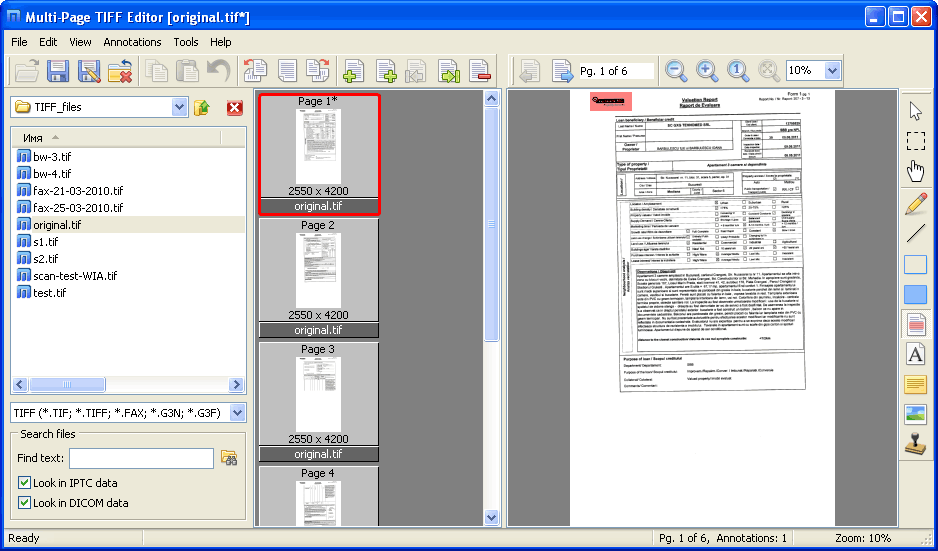
ADEO Multi-Page TIFF Editor

Multi-Page TIFF Editor (MPTE) is a complete solution for viewing, editing, creating and converting multipage TIFF files. This program can be useful for viewing or editing scanned documents (faxes, business papers etc.) – it is an absolutely necessary tool to work with documents in TIFF format. Apart from all basic image editing functions, this editor supports reading and writing IPTC metadata (headlines, captions, keywords etc.) and common DICOM metadata. Combined with the ability to search files in folders by metadata fields, you’ll get a powerful and convenient tool to manage your TIFF documents.