Category Archives: Graphic Apps

Animation Tools, CAD, Converters & Optimizers, Editors, Font Tools, Gallery & Cataloging Tools, Icon Tools, Other, Screen Capture, Viewers

The Logo Creator by Laughingbird Software 7.2.9.2

Type: Demo
Cost: $20
Size: 24.50 MB
Release date: Feb 26 2017
Platform: Win2000,WinXP,Win7 x32,Win7 x64,Windows 8,Windows 10,WinServer,WinOther,WinVista,WinVista x64
Publisher’s Site:  https://www.laughingbirdsoftware.com
Publisher’s Product Page:  https://www.laughingbirdsoftware.com
Country: United States of America

The Logo Creator by Laughingbird Software

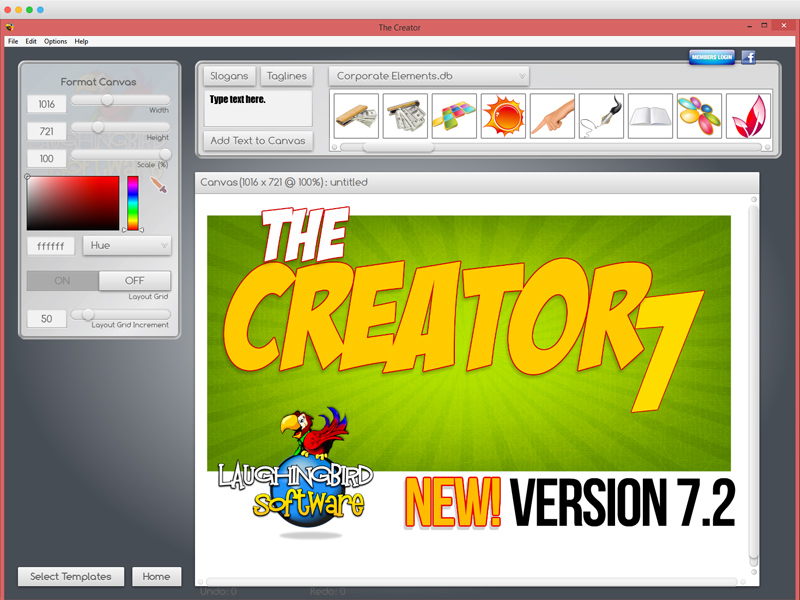
The Logo Creator by Laughingbird Software – create logos that look like a Photoshop guru spent hours laboring over!


The Logo Creator starts you off by showing you over 200 creative templates! No extra work on your part.

So now your landing pages, sales pages and membership sites will all look stunning!

Super easy editing tools! You won’t find any complex Photoshop-like icons to confuse you.

Click on the text, you’ll get your text options.
Click on an image, you’ll get your image options!

With Laughingbird’s amazing software, you can stop wasting time and money and start creating (and selling!) professional graphics that will make you proud.

You can ALSO create web graphics, podcast albums, page headers, Facebook timeline images, and all kinds of graphics for your website, blog or social network group.

It’s WAY more than just Logo design software.

Come visit http://www.thelogocreator.com for more logos and special software (like ANiMATED logo creation toos!)

Graphcat<

Q2ID 2017

Type: Demo
Cost: $199
Size: 46.16 MB
Release date: Nov 10 2016
Platform: Win2000,WinXP,Win7 x32,Win7 x64,Windows 8,Windows 10,WinServer,WinOther,WinVista,WinVista x64
Publisher’s Site:  http://www.markzware.com
Publisher’s Product Page:  https://markzware.com/products/q2id/
Country: United States of America


Q2ID

Q2ID is an InDesign plugin to quickly convert QuarkXPress documents in Adobe InDesign. No more re-creating documents from scratch. The Q2ID InDesign plugin gives you a big head-start on QuarkXPress to InDesign data conversion.

Our Q2ID Bundle Subscription gives you access to all current Q2ID plugin versions. You will have access to Q2ID for InDesign CC, CS6, CS5.5 and CS5 both Macintosh and Windows platforms with a single purchase and License.

Currently running Adobe InDesign CS5 but thinking of upgrading? You’ll be covered when you decide to upgrade to CS6 or CC.
If Adobe releases a new CC version which breaks compatibility with our current CC plugin, you’ll get the upgraded plugin for free.
What’s that you say? Quark released a new version? You’ll have access to the upgraded plugins which can convert the new Quark documents.
Easy License Management: Never Remember an Activation Code again!

Markzware’s Q2ID data conversion software converts the intricate details of the original QuarkXPress document and instantly re-creates the document within Adobe InDesign. Q2ID works in InDesign CC, CS6, CS5.5 or CS5 on both Macintosh and Windows platforms.

Items that convert from QuarkXPress using the Q2ID QuarkXPress to InDesign plugin include: page positioning, color models, fonts and styles, images, and text attributes, as well as tables, layers, blends, runarounds, linked text boxes, anchored boxes, and pantone colors.

Q2ID converts Quark 4 through Quark 10 documents. That gives you the ability to convert over 15 years worth of documents.

Read more here: https://markzware.com/products/q2id/

reaConverter Pro 7.3.32

Type: Shareware
Cost: $99.99
Size: 165.55 MB
Release date: Jul 03 2017
Platform: Win2000,WinXP,Win7 x32,Win7 x64,Windows 8,Windows 10,WinServer,WinOther,WinVista,WinVista x64
Publisher’s Site:  http://reasoft.com
Publisher’s Product Page:  http://www.reaconverter.com/
Country: United States of America


reaConverter Pro

Convert Multiple Images Quickly with a Bulk Image Converter

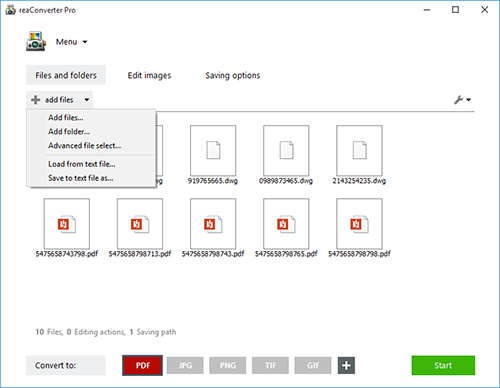
reaConverter is a bulk image converter providing a quick and convenient way to convert any number of images with just a few clicks. Thanks to its simple and clear interface, the program is understandable immediately even to those who have little or no experience with using such programs. When you need to convert large numbers of images all at once or make simple changes to multiple images, this batch image converter makes things quick and simple. Using this software, you will literally save hours and hours compared to manually converting each individual image.

reaConverter is a highly versatile solution which supports virtually every image format that you are ever likely to encounter. You can easily convert folders containing thousands of images in a single operation, and the process is quick and efficient as well. The program can read a huge variety of different formats, including all of the standard formats such as BMP and JPG. It also support numerous RAW format types used by professional digital cameras as well as other advanced formats, metafiles, CAD/AutoCAD formats, vector formats and even formats which are nowadays extremely rare. In total, reaConverter can read no less than 545 different formats, including 338 rare ones. Most of these rare formats will not open with any standard photo or image viewer application, so using the bulk image converter is a great way to make them more accessible with just a few clicks. In addition, reaConverter supports 55 output formats, allowing you to convert any of the supported read formats into a variety of common, advanced and other formats. In short, reaConverter supports pretty much every conceivable image format that you will ever encounter.