Category Archives: Graphic Apps

Animation Tools, CAD, Converters & Optimizers, Editors, Font Tools, Gallery & Cataloging Tools, Icon Tools, Other, Screen Capture, Viewers

PDF-XChange Editor 6.0.322.4

Type: Shareware
Cost: $43.50
Size: 110.52 MB
Release date: May 20 2017
Platform: Win2000,WinXP,Win7 x32,Win7 x64,Windows 8,Windows 10,WinServer,WinOther,WinVista,WinVista x64
Publisher’s Site:  http://www.tracker-software.com
Publisher’s Product Page:  http://www.tracker-software.com/product/pdf-xchange-editor
Country: Canada
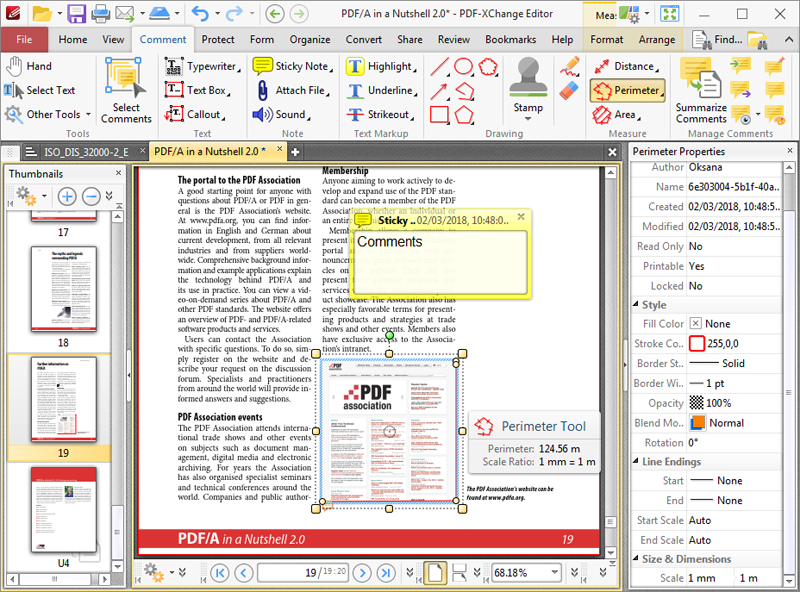

PDF-XChange Editor

Full Page Text Content Editing, Extended OCR options – OCR, Spellchecker, Expanded XFA forms support, Listen/add audio comments, View embedded Multimedia support, Significantly improved rendering and page load speed, New Extended Digital Signature Support, PDF Security Support, Add Comments and Annotations, Add & apply Custom Stamps, Direct Content Editing (Paths & Images), Combine PDFs open/closed pdfs, Import Directly from XPS and other support formats, Bates Numbering, Send PDF files via email, Crop/Insert/Delete Pages, Scan Direct to PDF, Compatible with Windows XP and later, Plug-Ins for both MS IE or Firefox Browser’s

Graphcat<

Canvas Draw for Mac 4.0.0.28

Type: Shareware
Cost: $199
Size: 244.94 MB
Release date: Jun 22 2017
Platform: Mac OS X
Publisher’s Site:  http://www.acdsee.com
Publisher’s Product Page:  http://www.canvasgfx.com/en/products/canvas-draw
Country: Canada


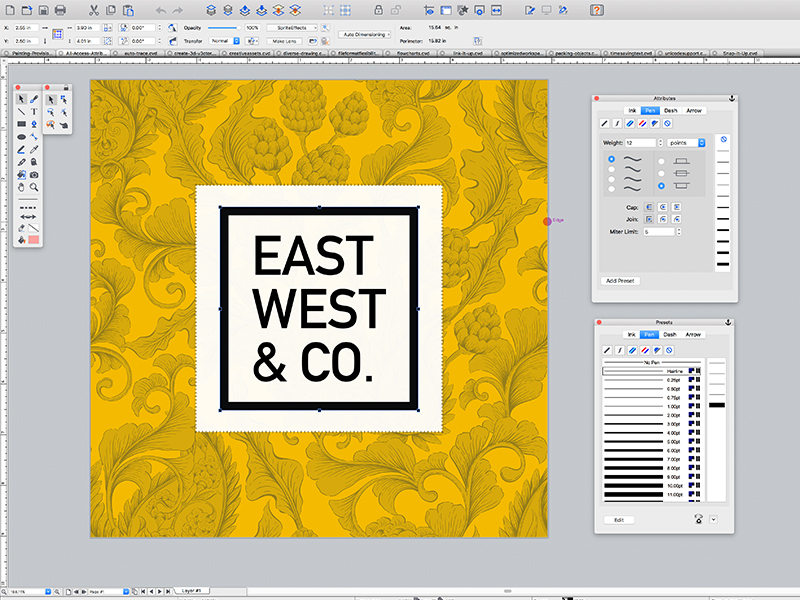
Canvas Draw for Mac

Take your business to the next level with the most diverse content creation tool on the market. Designed for business professionals and creatives alike, Canvas Draw 4 includes a comprehensive set of vector object and advanced raster image editing tools, allowing you to combine adaptable text, image, object, and effect elements in a single document.


This powerful software comes loaded with tools for developing creative content, printable drawings, and shareable PDFs. Allow Canvas Draw 4 to make short work of your technical and creative tasks, including generating advertising materials, reports, graphs, metrics, mock-ups, web content, floor plans, architectural designs, and much more.

Branding & Vector Illustration
Canvas Draw 4 makes your creative marketing efforts easy and dynamic with an integrated design environment. With an extensive collection of symbols, a wide range of file compatibility, and advanced editing tools, you can paint, draw, select, retouch, color correct, and clone your way to seamless designs, typography, and branding.

Blueprints & Technical Illustration
Create blueprints, floor plans, scale drawings, architectural designs, and other technical drawings with measured definitude and placement. Snap objects into exact positions relative to each other, draw from center points, define scale, systematically align, display sizes, add labels, callouts, or comments, create flowchart diagrams, and more.

Real Estate & Computer-aided Design
Communicate the characteristics of a space by blowing up specific areas, creating 3D vector and text objects, tracing out features and converting them to paths, and much more. Reach your audience by creating composites, touching up images, using transparency effects, and a variety of industry-leading tools and filters.

ACDSee 20.4.630

Type: Shareware
Cost: $59.99
Size: 1.25 MB
Release date: May 10 2017
Platform: Win2000,WinXP,Win7 x32,Win7 x64,Windows 8,Windows 10,WinServer,WinOther,WinVista,WinVista x64
Publisher’s Site:  http://www.acdsee.com
Publisher’s Product Page:  http://www.acdsee.com/en/products/acdsee
Country: Canada


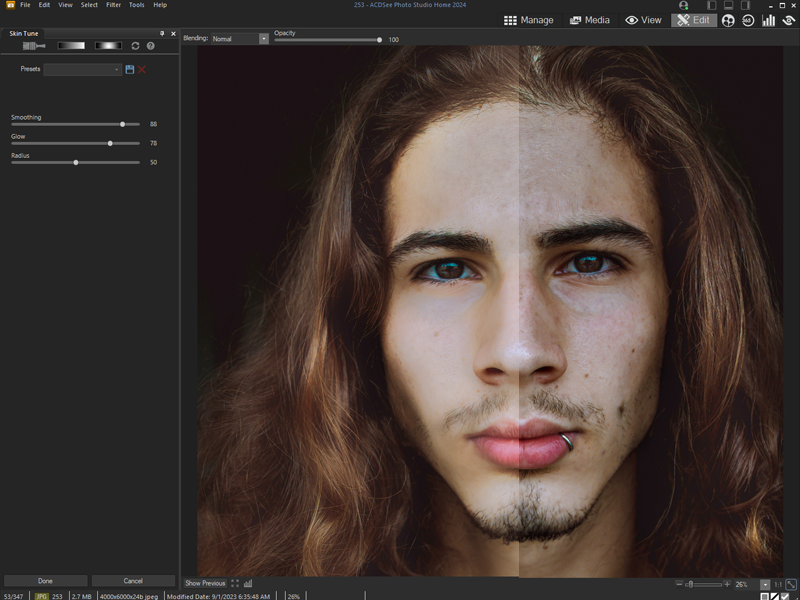
ACDSee

ACDSee 20 – Organize, edit, and share your photos with ease.

Overview: As the choice software for the practical amateur, ACDSee 20 is trusted digital asset management paired with photo editing essentials. ACDSee 20 is packed with efficiency-driven tools to help you organize your photos, tweak as needed, and inspire your friends, family and followers.

Now featuring improved performance and stability, increased interface customizability to suit your process, more advanced noise reduction, and much more, ACDSee 20 provides all of the fundamental elements you need for your productivity-motivated photography workflow. With a new mode dedicated to assessing yours stats on the fly, as well as settings to easily identify orphans amidst your library, ACDSee 20 is the perfect solution for your growing photo collection.

Filtering Flexibility
With performance dramatically enhanced, Photos mode now boasts even more ways to filter your viewing experience so that you can target specific areas of your hard drive, your Microsoft OneDrive collection, or your image collection in its entirety. Configure customizable metadata pop-ups and easily pick out orphans displayed in sepia.

The Right Versatility
Right-click to conveniently switch between drawing with foreground and background colors. Or use right-click to quickly erase adjustments made with the Edit brush.

Get Your Fill
Use the Edit Mode Fill tool to select a color to enrich with your chosen background color for speedy enhancements.

Gradients
Apply a radial or linear gradient to gradually progress outward from a center point or subtly across your photo.

Detail Defense
The latest noise reduction technology makes it easy to remove the grainy artefacts from your image while retaining details. You can even specify the level of detail to be preserved.

Skim Your Stats
With the addition of Dashboard mode, you can assess camera, file, and database statistics at a glance.