Category Archives: Graphic Apps

Animation Tools, CAD, Converters & Optimizers, Editors, Font Tools, Gallery & Cataloging Tools, Icon Tools, Other, Screen Capture, Viewers

Passport Photo Workshop 3.0

Type: Shareware
Cost: $119.95
Size: 22.17 MB
Release date: Apr 19 2017
Platform: Win2000,WinXP,Win7 x32,Win7 x64,Windows 8,Windows 10,WinServer,WinOther,WinVista,WinVista x64
Publisher’s Site:  http://www.PassportPhotoWorkshop.com/
Publisher’s Product Page:  http://www.PassportPhotoWorkshop.com/
Country: United States of America


Passport Photo Workshop

Passport Photo Workshop is an all-in-one biometric passport photo software for home, business and organization users. It provides step-by-step wizard style user interface with informative tips, dozen of passport photo templates and layouts and powerful but easy to use editing tools, which enable users to create biometric passport photos, visa photos and other types of photo identification with in minutes without any special training!


Features:
Built-in Auto Crop and Manual Crop feature
For higher accuracy, Manual Crop enables users to manually pinpoint facial feature to produce ISO/ICAO standard compiled passport photos. For faster processing speed, users may use Auto Crop, The Auto Crop feature can automatically recognize facial feature.
Variety of photo import methods
Supports import photos from files, webcam, Wifi SD cards, digital camera(Canon EOS series), and the software also inbuilt a watch folder feature.
Powerful output feature
The layout feature can layout a number of passport photos on A6, A5, A4, 3R or 4R papers, or you may choose directly save as image files such as JPG or PNG files, it is all up to you.
Customizable templates and layouts
Not only the software has inbuilt dozen of passport photo templates and layouts, but also provide the ability to let users to create customize templates and layouts.
Easy to use photo adjustment tools
Brightness adjustment, contrast adjustment, smooth skin and other photo adjustment tools are included inside the software.
Business-friendly features
Includes output history feature for furture re-print or re-output. Batch processing for users who want to process dozen of photos with just few clicks.

Graphcat<

reaConverter Pro 7.3.02

Type: Shareware
Cost: $99.99
Size: 159.19 MB
Release date: Mar 14 2017
Platform: Win2000,WinXP,Win7 x32,Win7 x64,Windows 8,Windows 10,WinServer,WinOther,WinVista,WinVista x64
Publisher’s Site:  http://reasoft.com
Publisher’s Product Page:  http://www.reaconverter.com/
Country: United States of America


reaConverter Pro

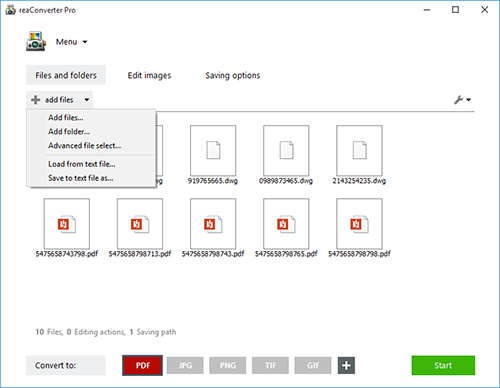
Convert Multiple Images Quickly with a Bulk Image Converter

reaConverter is a bulk image converter providing a quick and convenient way to convert any number of images with just a few clicks. Thanks to its simple and clear interface, the program is understandable immediately even to those who have little or no experience with using such programs. When you need to convert large numbers of images all at once or make simple changes to multiple images, this batch image converter makes things quick and simple. Using this software, you will literally save hours and hours compared to manually converting each individual image.

reaConverter is a highly versatile solution which supports virtually every image format that you are ever likely to encounter. You can easily convert folders containing thousands of images in a single operation, and the process is quick and efficient as well. The program can read a huge variety of different formats, including all of the standard formats such as BMP and JPG. It also support numerous RAW format types used by professional digital cameras as well as other advanced formats, metafiles, CAD/AutoCAD formats, vector formats and even formats which are nowadays extremely rare. In total, reaConverter can read no less than 545 different formats, including 338 rare ones. Most of these rare formats will not open with any standard photo or image viewer application, so using the bulk image converter is a great way to make them more accessible with just a few clicks. In addition, reaConverter supports 55 output formats, allowing you to convert any of the supported read formats into a variety of common, advanced and other formats. In short, reaConverter supports pretty much every conceivable image format that you will ever encounter.

The Creator for Mac 7.2.9

Type: Demo
Cost: $37
Size: 28.68 MB
Release date: Oct 06 2016
Platform: Mac OS X
Publisher’s Site:  https://www.laughingbirdsoftware.com
Publisher’s Product Page:  https://www.laughingbirdsoftware.com/
Country: United States of America


The Creator for Mac

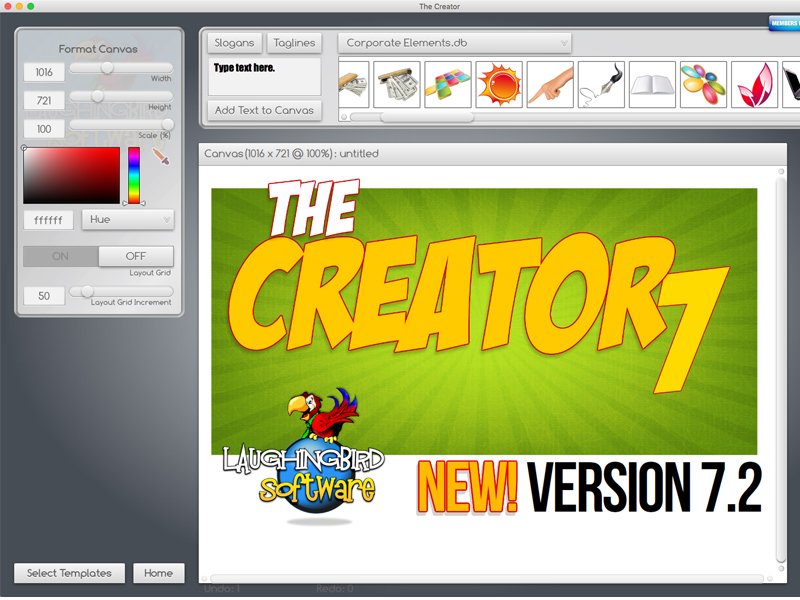
The Logo Creator by Laughingbird Software – create logos that look like a Photoshop guru spent hours laboring over!

The Logo Creator starts you off by showing you over 200 creative templates! No extra work on your part.

So now your landing pages, sales pages and membership sites will all look stunning!

Super easy editing tools! You won’t find any complex Photoshop-like icons to confuse you.

Click on the text – you’ll get your text options.
Click on an image, you’ll get your image options!

With Laughingbird’s amazing software, you can stop wasting time and money and start creating (and selling!) professional graphics that will make you proud.

You can ALSO create web graphics, podcast albums, page headers, Facebook timeline images, and all kinds of graphics for your website, blog or social network group.

It’s WAY more than just Logo design software.

Come visit http://www.thelogocreator.com for more logos and special software (like ANiMATED logo creation toos!)