Category Archives: Graphic Apps

Animation Tools, CAD, Converters & Optimizers, Editors, Font Tools, Gallery & Cataloging Tools, Icon Tools, Other, Screen Capture, Viewers

Extreme Thumbnail Generator 2.0

Type: Shareware
Cost: $29.95
Size: 15.21 MB
Release date: Sep 27 2016
Platform: Win2000,WinXP,Win7 x32,Win7 x64,Windows 8,Windows 10,WinServer,WinOther,WinVista,WinVista x64
Publisher’s Site:  http://www.exisoftware.com
Publisher’s Product Page:  http://www.exisoftware.com/thumbnail_generator/index.html
Country: Ukraine


Extreme Thumbnail Generator

Create beautiful web galleries of your digital photos and publish them instantly to any website with Extreme Thumbnail Generator! Even if you know nothing about HTML and image processing – the result will be outstanding!


Extreme Thumbnail Generator offers more than 40 unique HTML photo gallery templates to choose from. You can easily edit any of them in the built-in template editor or in your favorite HTML editor to make your photo galleries match the design of the rest of your website. Also it’s very easy to add a slideshow or Lightbox effect to your galleries – just a couple of mouse clicks! Program’s wizard-like interface is straight-forward and guides you though entire gallery creation process step by step.

Advanced users can use Extreme Thumbnail Generator’s image editing features. Fine-tune your photos by adjusting brightness, contrast or adding special effects like Emboss. Plus you can easily add any text to all photos in the gallery (for example your copyright notice to protect your photos) or draw your logo on each of them automatically.

So, whether you want to create a family photo gallery, wedding photo album, online presentation or catalog for your business, or a website to sell your photos – Extreme Thumbnail Generator is a perfect tool for you! And best of all – you can download and try it yourself right now. It’s absolutely free for 20 days.

Graphcat<

Canvas Draw for Mac 3.0.2.245

Type: Shareware
Cost: $199
Size: 229.75 MB
Release date: Jun 16 2016
Platform: Mac OS X
Publisher’s Site:  http://www.acdsee.com
Publisher’s Product Page:  http://www.canvasgfx.com/en/products/canvas-draw
Country: United States of America


Canvas Draw for Mac

Canvas Draw 3 for Mac is a powerful software specifically designed to make it possible for designers, illustrators, and professionals to advertise and communicate with confidence. Now with a unicode text engine and user interface, text edit improvements, pressure sensitivity support for drawing tablets and more, Canvas Draw is your best choice for creating and sharing personal, business and marketing content.

Features Overview:
Catering to business professionals and creatives alike, Canvas Draw for Mac’s impressive and comprehensive set of vector object illustration and advanced raster image editing tools, along with its unique and integrated design environment, make it easy to conquer your project. Work with and combine all graphical elements and apply high-end effects in a single document.

Complete Versatility
Canvas Draw comes loaded with tools and techniques that allow you to easily create marketing or business materials, as well as creative content, printable drawings, and shareable PDFs. Put Canvas Draw to work designing brochures, collages, business cards, school projects, cover pages, handouts, printable advertisements, reports, graphs, metrics, web content, mock-ups, layouts, logos, scale drawings, floor plans, architectural designs, and other drawings best served with measured precision, placement, and the ability to combine text, images, and objects.

Icecream Screen Recorder 4.30

Type: Shareware
Cost: $29.95
Size: 49.04 MB
Release date: Sep 30 2016
Platform: Win2000,WinXP,Win7 x32,Win7 x64,Windows 8,Windows 10,WinServer,WinOther,WinVista,WinVista x64
Publisher’s Site:  http://icecreamapps.com/
Publisher’s Product Page:  http://icecreamapps.com/Screen-Recorder/
Country: Cyprus


Icecream Screen Recorder

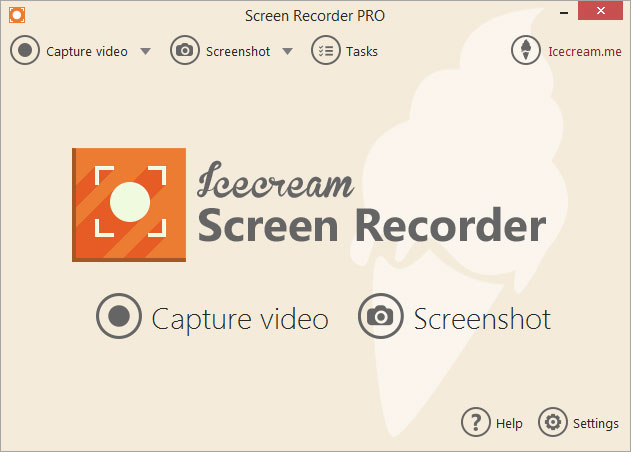
Icecream Screen Recorder has everything you need for effortless screen capturing and screenshots taking. The program creates screenshots and screencasts, records full screen or selected areas, captures video with audio and microphone, supports scheduled screen recording, and features drawing tools and additional options for controlling the recording.

The program features several recording modes modes that are Custom area, Fullscreen, Last area, Area auto detection and Around mouse. Zooming in and out is available during the screen capture.

There is a drawing panel with a number of basic drawing tools like brush, rectangle, oval, arrow, text and step tool. Using these tools, you can comment on the screenshot or video, highlight important information and make notes. Besides, there is a standard text tool with the ability to choose font color and size. Use the step tool to add numbered markers to the videos or screenshots.

The program supports multiple additional options such as audio recording, particularly, it is capable of recording system sounds and microphone, setting minimum disk space and max file sizes, hiding desktop icons, showing or hiding mouse cursor, showing countdown before recording, disabling screensaver, highlighting mouse cursor and even more.

Videos are saved in WebM, MP4 or MKV format. Screenshots can be saved as images in JPG or PNG format (customized in Settings), URL, or copied to clipboard.

User may add webcamera window of custom size and location within the selected recording area.

Uploading of user watermark along with setting of its opacity level and position in the video is available.

Icecream Screen Recorder supports recording scheduled tasks, all you need to do is set the time for the start and stop and the program will record video within selected area for you at the needed time. Note that the screensavers and Windows sleep mode will be blocked automatically.

The program is available on multiple languages.