Category Archives: Graphic Apps

Animation Tools, CAD, Converters & Optimizers, Editors, Font Tools, Gallery & Cataloging Tools, Icon Tools, Other, Screen Capture, Viewers

reaConverter Pro 7.1.68

Type: Shareware
Cost: $99.99
Size: 104.51 MB
Release date: Oct 22 2015
Platform: Win2000,WinXP,Win7 x32,Win7 x64,Windows 8,Windows 10,WinServer,WinOther,WinVista,WinVista x64
Publisher’s Site:  http://reasoft.com
Publisher’s Product Page:  http://www.reaconverter.com/
Country: United States of America

reaConverter Pro

Convert Multiple Images Quickly with a Bulk Image Converter


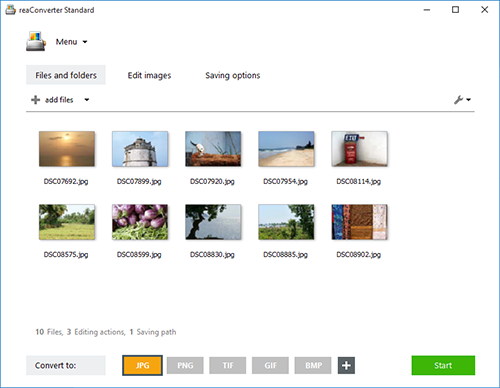
reaConverter is a bulk image converter providing a quick and convenient way to convert any number of images with just a few clicks. Thanks to its simple and clear interface, the program is understandable immediately even to those who have little or no experience with using such programs. When you need to convert large numbers of images all at once or make simple changes to multiple images, this batch image converter makes things quick and simple. Using this software, you will literally save hours and hours compared to manually converting each individual image.

reaConverter is a highly versatile solution which supports virtually every image format that you are ever likely to encounter. You can easily convert folders containing thousands of images in a single operation, and the process is quick and efficient as well. The program can read a huge variety of different formats, including all of the standard formats such as BMP and JPG. It also support numerous RAW format types used by professional digital cameras as well as other advanced formats, metafiles, CAD/AutoCAD formats, vector formats and even formats which are nowadays extremely rare. In total, reaConverter can read no less than 545 different formats, including 338 rare ones. Most of these rare formats will not open with any standard photo or image viewer application, so using the bulk image converter is a great way to make them more accessible with just a few clicks. In addition, reaConverter supports 55 output formats, allowing you to convert any of the supported read formats into a variety of common, advanced and other formats. In short, reaConverter supports pretty much every conceivable image format that you will ever encounter.

Graphcat<

Super PhotoCut for Mac 1.6.1

Type: Shareware
Cost: $29.99
Size: 16.97 MB
Release date: Oct 21 2015
Platform: Mac OS X
Publisher’s Site:  http://www.effectmatrix.com
Publisher’s Product Page:  http://www.effectmatrix.com/mac-appstore/free-remove-background-from-image-for-mac.htm
Country: Hong Kong


Super PhotoCut for Mac

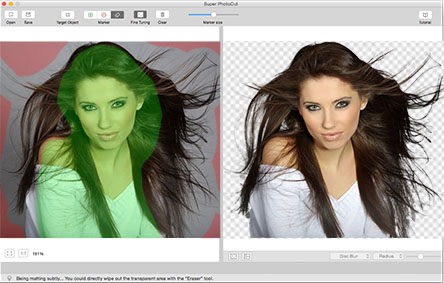
Super PhotoCut for Mac supports instantly Removing Background from Image for Mac. Get the dramatic stand-out images done in seconds-to-minutes instead of minutes-to-hours. It is time to say goodbye to the PhotoShop lasso and magic wand tool in order to remove background from image for Mac.

Key Features:

1 Precision Tool: The only tool for making red/green marks for extremely fast separation without sacrificing quality.

2 Instantly and Accurately remove complex background from images.

3 Smart Algorithm: Cuts object out with critical precision. It enables extremely fast operation with great results on any image, minimizing the amount of work you need to put in.

4 Supports almost all image formats: JPG,BMP,PNG,GIF…

5 Separate foreground from background easily.

6 Simple Interface with real-time feedback: Instant preview final result. Just stay focused and save more time.

7 Transparency Processing Supported. Export to Transparent PNG images.

8 20 kinds of background transition effects are for your choices:
Disc Blur, Gaussian Blur, Box Blur, Motion Blur, Zoom Blur, Color Controls, Exposure Adjust, Gamma Adjust, Hue Adjust, Vibrance, Color Invert, Color Posterize, Chrome, Fade, Instant, Mono, Process, Transfer, Sepia Tone, Vignette, Vignette Effect, Bump Distortion.

9 Zoom and Pan to any level: Nothing is more productive than inspecting details while navigating your image.

10 Create isolated images with colored or transparent backgrounds. Or import your favorite picture as the background image.

11 Undo / Redo: No mistake will ever get your work progress back to zero.

12 Configurable Auto-Brush-Size: The mark size adapts dynamically to your zoom level so that you can easily zoom in to make detailed edits.

13 Auto-Save: No fear of losing your edits. No hassle of dealing with backups. Just enjoy your editing time to the fullest!

CAD KAS PDF Editor 5.0

Type: Demo
Cost: $79.00
Size: 7.29 MB
Release date: Sep 17 2015
Platform: Win2000,WinXP,Win7 x32,Win7 x64,Windows 8,Windows 10,WinServer,WinOther,WinVista,WinVista x64
Publisher’s Site:  http://www.cadkas.com
Publisher’s Product Page:  http://www.cadkas.com/pdf-editor-edit-pdfs.php
Country: Germany


CAD KAS PDF Editor

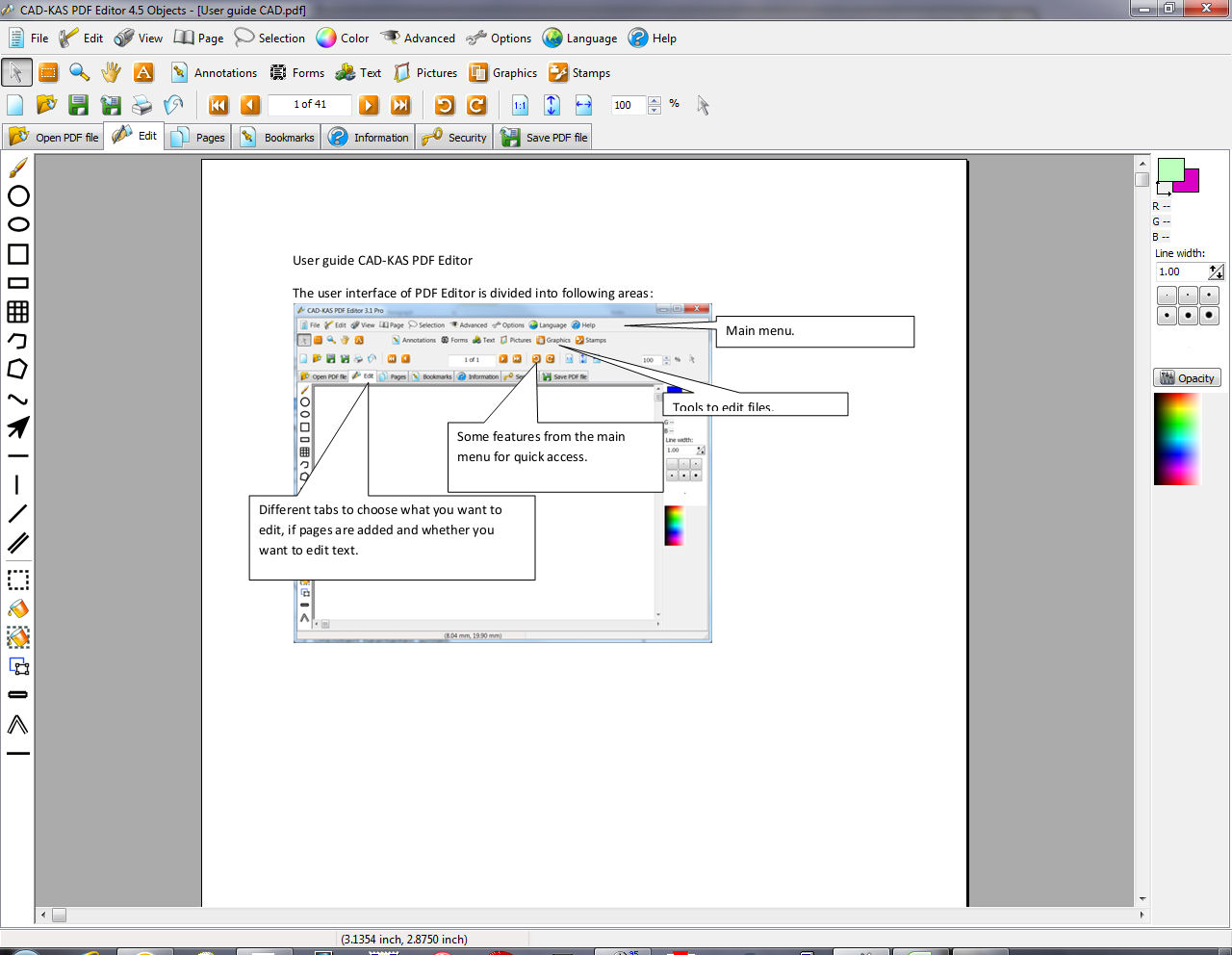
Edit PDF files now! You can write annotations, add text, change the text (correct spelling errors) or delete words completely. Now you can also add or delete pictures and vector graphics and add text in any font you want! With the 11 new tools you can move and zoom the text and pictures and you can edit text blocks, insert empty lines or change the line breaks freely just like a text editor or word processor. Underline, highlight and strikeout text and edit bookmarks too. Change the order of the pages or delete pages. Also you can hide the information on a page so that it is invisible in the Acrobat Reader but can be unhidden later. You can change the page size or move the content. Add stamps like "Confidential" or "Top secret". The source code of the page (a language like HTML) is editable for you. Use the program to read and write encrypted pdf files. The program leaves the layout untouched after saving if you don’t want to change it. New in version 2.5: 1)New function: File/Reduce file size 2)Stamp functions 3)Page numbers and headers/footers function 4)Search and replace for the document text and search only function 5)Multiple form fields can be selected New functions for form fields 6) Better file repair function for corrupted pdf files 7)Faster drawing of vector objects 30% faster 8)Free highlighting function without the need for text objects (scanned file) 9)Split text objects into parts (split table rows into columns) New in version 2.6: 1) New form elements (pro version): Listbox, Drop-Down box, Radiobutton 2) New annotation fields: rectangle, ellipse, line, pencil 3) Rotate form fields 4) Setup the view of the file when opening the pdf file (for example show/hide bookmarks) 5) Page setup function for a scaled printout 6) A double click on a page under "Pages" opens the page in the Editor New in version 3.1: 1) You can write characters in any language (unicode support) 2) Just add a new font which contains your characters