Category Archives: Graphic Apps

Animation Tools, CAD, Converters & Optimizers, Editors, Font Tools, Gallery & Cataloging Tools, Icon Tools, Other, Screen Capture, Viewers

PhotoPDF Photo to PDF Convertor 3.4.2

Type: Shareware
Cost: $29.95
Size: 45.97 MB
Release date: Jun 08 2015
Platform: Win2000,WinXP,Win7 x32,Win7 x64,Windows 8,WinServer,WinOther,WinVista,WinVista x64
Publisher’s Site:  http://www.evinco-software.com
Publisher’s Product Page:  http://www.evinco-software.com/eng/photopdf.php
Country: Hong Kong


PhotoPDF Photo to PDF Convertor

PhotoPDF is a batch-processing tool to convert photos into PDF file. PhotoPDF provides three mode of conversion: Batch Convert, Photos Merge and Thumbnail Page. "Batch Convert" convert each photo into individual PDF files in batch. "Photos Merge" merge multiple photos into a single PDF file. "Thumbnail Page" generate photos into thumbnail PDF. The customized settings allow altering the output. User can specify the paper size, like Image Size, A3, A4, A5, or self-defined. The output orientation can be chosen between portrait and landscape. And the resolution can be adjusted from 72 dpi to 1800 dpi. PhotoPDF supports BMP, JPG and GIF format.

Graphcat<

PhotoX Batch Watermark Creator 3.3.1

Type: Shareware
Cost: $34.95
Size: 39.54 MB
Release date: Jul 07 2015
Platform: Win2000,WinXP,Win7 x32,Win7 x64,Windows 8,WinServer,WinOther,WinVista,WinVista x64
Publisher’s Site:  http://www.evinco-software.com
Publisher’s Product Page:  http://www.evinco-software.com/eng/photox-batch-watermark-software.php
Country: Hong Kong


PhotoX Batch Watermark Creator

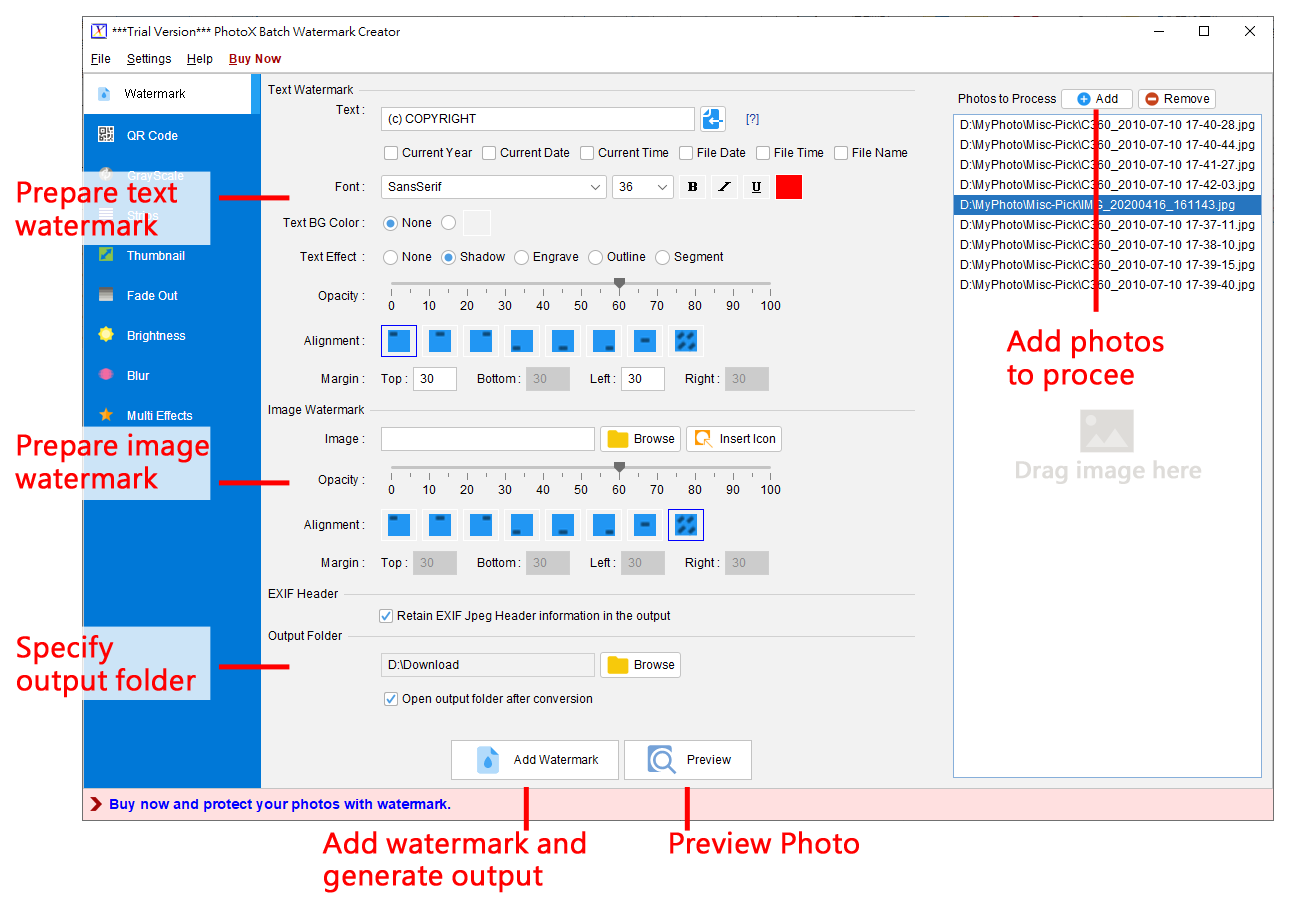
PhotoX software provides a quickest and easiest way to watermark your photo. Avoid unauthorized use of your product photos, stamp your product photos with watermark. You can add text or image watermark. For Text Watermark, you can set different font face, font size, bold, italic or underline with different color. For Image Watermark, you can pick from different formats of image, include gif, jpg, png and others. The watermark can be set into different position of the photo. It can also be aligned diagonally on the photo. You can also adjust the opacity of the watermark to ensure the readability of photo. Besides watermarking, you can make use of other tools to protect your photos. They are Grayscale, Add Strip, Thumbnail and Fade Out effect. With these tools, you can: convert your photos into grayscale; add strips on top of photos; generate thumbnail of photos and apply fade out effect on the photos.

reaConverter 7.1.45

Type: Shareware
Cost: $49.99
Size: 93.99 MB
Release date: Jun 26 2015
Platform: Win2000,WinXP,Win7 x32,Win7 x64,Windows 8,WinServer,WinOther,WinVista,WinVista x64
Publisher’s Site:  http://reasoft.com
Publisher’s Product Page:  https://www.reaconverter.com/
Country: United States of America


reaConverter

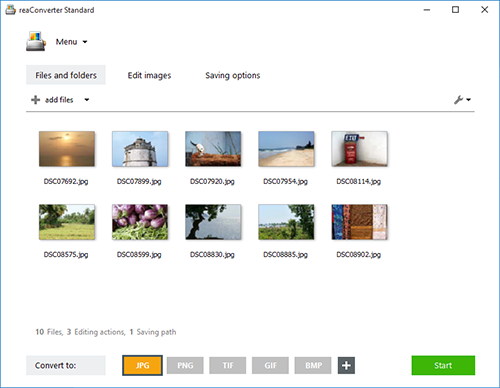
reaConverter is a powerful batch image converter which allows you to convert multiple images between a huge variety of different formats in a single operation. The bulk image converter provides immense support for different formats, so you can use it to open and convert any image of any format you are ever likely to encounter, including both rare and obsolete formats. In total, 545 input image formats are supported as well as 56 output formats.


Supported formats include all of the standard and advanced formats, RAW formats used by professional digital photographers, Microsoft Office Document formats including DOC, DOCX and RTF, AutoCAD formats and a whole lot more.

In addition to standard bulk image conversion features, you can also edit multiple images in one hit, including resizing, mirroring, applying filters and watermarks and much more. If you are looking for the ultimate batch image converter, then reaConverter is the solution you should be looking for.

The new update of reaConverter 7 lets creative people do what they should – create – taking the most of routine operations upon itself. The feature is called Watch Folders, and that’s what it does: watches folders containing images for new or modified files
and instantly applies predefined actions to them. Working invisibly in the background, reaConverter’s Watch Folders feature allows a user to resize, crop, adjust brightness and colors, add watermarks and otherwise alter images of 400+ supported formats that landed in the specified source folder.

You can find out more at http://www.reaconverter.com and download a trial version or purchase the bulk image converter today.