Category Archives: Graphic Apps

Animation Tools, CAD, Converters & Optimizers, Editors, Font Tools, Gallery & Cataloging Tools, Icon Tools, Other, Screen Capture, Viewers

ORPALIS Virtual Barcode Reader 1.0.0.3

Type: Freeware
Cost: $0
Size: 11.14 MB
Release date: Sep 20 2014
Platform: WinXP,Win7 x32,Win7 x64,Windows 8,WinVista,WinVista x64
Publisher’s Site:  http://www.orpalis.com/
Publisher’s Product Page:  http://www.orpalis.com/labs/virtualbarcodereader/
Country: France


ORPALIS Virtual Barcode Reader


The ORPALIS Virtual Barcode Reader makes your barcode scanning processes simpler! The application is fully integrated in the Windows’ system tray and is available from any windowed application.


You can easily choose the barcode you want to scan, and send the result in another window field, or copy it in the clipboard.

It supports near than 20 industrial linear barcode symbologies and also DataMatrix, PDF 417, Qr-Code and Micro Qr-Code symbols.

No more complicated software to use, just scroll over the barcode with your mouse, click and get the result instantly!

System requirements: .NET Framework 3.5 or higher.
Works on Windows XP SP3 or later, on both 32-bit and 64-bit versions.

Graphcat<

ScanSpeeder 1.0.46

Type: Shareware
Cost: $29.95
Size: 1.15 MB
Release date: Jan 04 2013
Platform: WinXP,Win7 x32,Win7 x64,Windows 8,WinVista,WinVista x64
Publisher’s Site:  http://scanspeeder.com/
Publisher’s Product Page:  http://scanspeeder.com/
Country: Canada


ScanSpeeder


Speed up the photo scanning process of your old photos by easily scanning multiple photos at once. Place as many photos as you can fit on your flatbed scanner. This software can automatically detect and automatically straighten your photos, then save them to separate image files.

Simplified interface and streamlined workflow minimizes what you need to do, making the photo scanning process even faster.

Features:
– automatic or manual photo detection
– can automatically straighten photos
– manual controls to correct crookedness and orientation
– preserve written comments on photos
– save both archival and email quality at the same time
– optionally send photos directly to your Facebook account

Capture ScreenShot Pro 13

Type: Shareware
Cost: $46
Size: 1.75 MB
Release date: Apr 20 2013
Platform: WinXP,Win7 x32,Win7 x64,Windows 8,WinServer,WinOther,Win2000,WinVista,WinVista x64
Publisher’s Site:  http://www.gutmannsoft.com
Publisher’s Product Page:  http://www.gutmannsoft.com/en/screenshot/
Country: Switzerland


Capture ScreenShot Pro


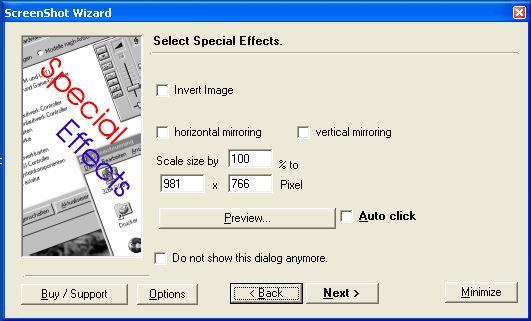
ScreenShot captures your current screen view and provides you with options to modify, display, save, print or copy to clipboard. Shots/views can be captured in full-screen, active window or cursor selections. Optionally use the editor to grab specific window parts. Save and re-open the results in your favourite graphic application. Define and automate a custom your screenshot process. Every step in the process can be executed automatically. The tool is easy to use. The included wizard guides you through the process. ScreenShot is made for all users but popular with computer journalist, documentation creators and for home users.
Fully functional trial version. Screenshot runs in your system tray. Includes optional cursor capturing and uninstaller.