
Category Archives: Graphic Apps

Animation Tools, CAD, Converters & Optimizers, Editors, Font Tools, Gallery & Cataloging Tools, Icon Tools, Other, Screen Capture, Viewers

Capture Screenshot lite 13

Type: Freeware
Cost: $0
Size: 1.35 MB
Release date: Mar 19 2013
Platform: Win2000,WinXP,Win7 x32,Win7 x64,Windows 8,WinServer,WinVista,WinVista x64
Publisher’s Site:  http://www.gutmannsoft.com
Publisher’s Product Page:  http://www.gutmannsoft.com/en/screenshot/capture-screenshot-lite.php
Country: Switzerland
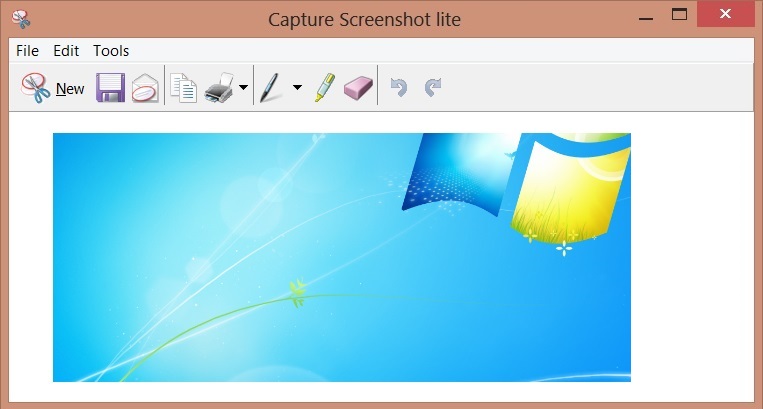

Capture Screenshot lite


Capture everything on your screen. Take the full-screen, a window or a cursor selection.


Highlight areas with the marker and delete confidential parts with the eraser. Email the screenshot using Outlook or with any other email application. Save the results as JPG, GIF, BMP and PNG graphic file. Print directly from the application. Copy to Windows clipboard for further use in applications such as Word, Powerpoint or Excel.

Capture screenshot lite is made for all users but particularly popular with computer journalists, documentation creators and for home users.

Contains all the features that the Windows Snipping Tool is missing. Let’s you print, use the Print Screen key and runs also on Windows XP. Can be used at any company PC even if you don’t have installation privileges.

Fully functional version. Screenshot runs in your system tray. Includes optional cursor capturing and uninstaller.

Graphcat<

AutoSplitter 1.4.33

Type: Shareware
Cost: $29
Size: 3.15 MB
Release date: May 31 2014
Platform: Win2000,WinXP,Win7 x32,Win7 x64,Windows 8,WinServer,WinVista,WinVista x64
Publisher’s Site:  http://autosplitter.com
Publisher’s Product Page:  http://autosplitter.com/?download
Country: Hungary


AutoSplitter


AutoSplitter will automatically recognize your photographs in the scanned image, will crop and straighten (deskew) them. Adjust clipping, rotations and orientation manually if you desire.

This software remarkably simplifies the process of scanning photographs. Just place your photographs in your scanner, scan them with AutoSplitter and the rest will be done automatically. Photographs will be recognized by the software, split into separate output images. AutoSplitter will also deskew your photos. Of course you can adjust the clipping and rotation manually if you wish.

AutoSplitter saves a LOT of time and hassle for you. Ever tried clipping and deskewing your scanned photographs by yourself? It takes a lot of time and effort to do that.

I’m sure you have a lot of precious photographs to digitize, but you just could not bring yourself to scan and edit all these images. This is your chance to catch up with that task!

MyCadbox 1.0.0.0

Type: Freeware
Cost: $0
Size: 2.40 MB
Release date: May 29 2013
Platform: Win7 x32,Win7 x64
Publisher’s Site:  http://www.cadfaster.com
Publisher’s Product Page:  http://www.mycadbox.com
Country: Finland


MyCadbox


MyCadbox highlights:
* Open large STEP and IGES files ultra-fast on PC and iPad
* Share STEP and IGES files easily with your team
* Sync files and markups automatically between PC and iPad
* Open STEP and IGES files on iPad from email attachments and from Dropbox
* Free iPad app available through Apple

MyCadbox is an online CAD viewer enabling ultra-fast viewing, sharing, markup, and co-viewing of large 3D STEP and IGES files on PC and iPad. Model sharing is perfect for team environments as it greatly reduces model opening times within the team. Files and markups are automatically synced between PC and iPad. MyCadbox iPad app is available through Apple free of charge. It can open STEP and IGES files from email attachments and from Dropbox.

Users can add files to MyCadbox in several ways. If the user has associated STEP and IGES files to MyCadbox during installation on PC, simple double-click add files to MyCadbox. If file association was bypassed users can add files by clicking a file name with secondary mouse button and choosing ?Open in MyCadbox?. MyCadbox iPad app users can access all the files added on PC and they can also add files on iPad from emails or from Dropbox. MyCadbox syncs files seamlessly between PC and iPad.

Sharing is one of the most powerful features in MyCadbox. When MyCadbox users click on a particular file for the first time, it will be optimized for viewing and sharing by MyCadbox cloud service. Next time anyone in the team accesses the file either on PC or iPad, MyCadbox optimization has reduced the opening time to a fraction of the time required by conventional tools.

Markups added in MyCadbox app are synchronized automatically on PC and iPad for all team members without the need for sending markup files. Team members can review the model and related markups in ?co-viewing sessions? (live meetings) where one person acts as host and drives the viewing for others.

Free MyCadbox iPad app is available through Apple.