Category Archives: Network & Internet

Ad Blockers, Browser Tools, Browsers, Download Managers, File Sharing/Peer to Peer, FTP Clients, Network Monitoring, Other, Remote Computing, Search/Lookup Tools, Terminal & Telnet Clients, Timers & Time Synch, Trace & Ping Tools

Vivaldi for MacOS 2.3

Type: Freeware
Cost: $0
Size: 76.59 MB
Release date: Sep 26 2018
Platform: Mac OS X
Publisher’s Site:  http://vivaldi.com
Publisher’s Product Page:  http://vivaldi.com
Country: Norway

Vivaldi for MacOS

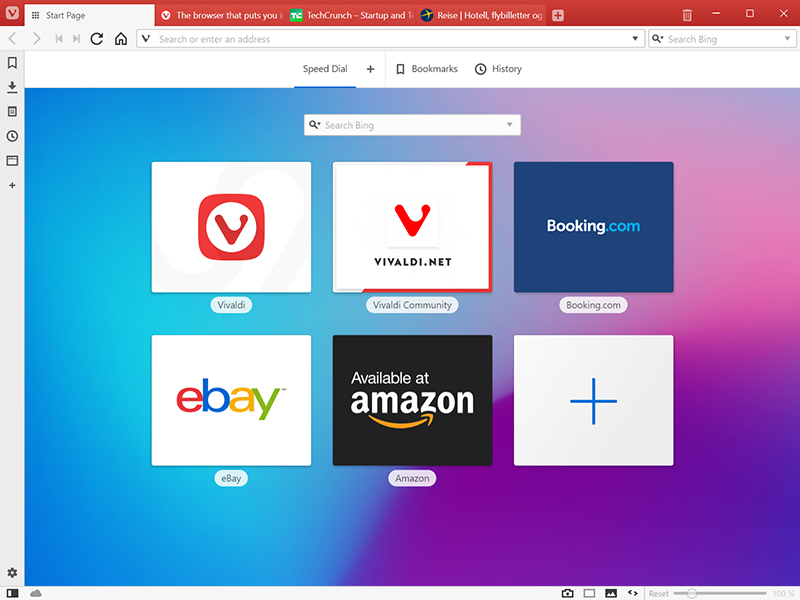
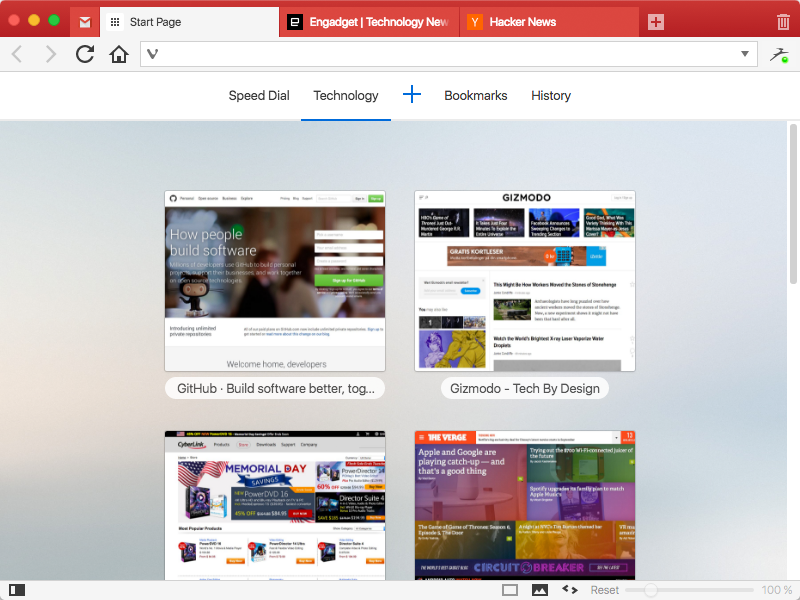
A browser is used by everyone, everywhere making it the most important tool on your computer. It used to just be a way to show static pages, now its a portal to the way we live, learn, work and play. Vivaldi helps you do more of everything you love faster, easier, and safer. Steered by Jon von Tetzchner (co-founder of Opera browser), Vivaldi is driven by the real needs of users today and ensures that they have the best tool to browse and do the job. The vision of Vivaldi is simple users should be in control of how the browser looks, feels and works. Vivaldi offers more features than any other modern browser and does not track its users


Users can truly create a browser that reflects their interests, passions, and personality right from the start. Users can tailor the browser to their needs by modifying not only how the browser looks, but the layout of its elements. There is no limit to the customization on offer here. Some of the highlight features include:

Powerful Tab Management – Ability to group (stack), rename, tile (split-screen view of tabs), search in addition to pin, drag, hibernate and mute tabs.
Smarter Browsing – Side Panel with easy access to bookmarks, downloads, a tree-style access to tabs, notes, browsing history and websites of users’ choice.
Raise the Productivity Bar – Built-in functionality such as the screenshot Capture tool, Notes and Image Properties.
Effortless Navigation – Keyboard Shortcuts and Mouse Gestures for quick browser commands and powerful History overview that lets users explore their browsing patterns, backed by statistics and visual clues.
Unique and Customizable Interface – Change the browser’s look with Themes, Speed Dials, Adjustable Zoom levels, Clutter-free Reader View with endless options in Vivaldi’s Settings.
Privacy is paramount – Encrypted data Syncing across computers including Bookmarks and Speed-Dials, saved passwords and autofill information, History, extensions and uniquely, Notes.

Graphcat<

Vivaldi for Windows 64 2.3

Type: Freeware
Cost: $0
Size: 55.20 MB
Release date: Feb 06 2019
Platform: Win2000,WinXP,Win7 x32,Win7 x64,Windows 8,Windows 10,WinServer,WinOther,WinVista,WinVista x64
Publisher’s Site:  http://vivaldi.com
Publisher’s Product Page:  http://vivaldi.com
Country: Norway


Vivaldi for Windows 64

A browser is used by everyone, everywhere making it the most important tool on your computer. It used to just be a way to show static pages, now its a portal to the way we live, learn, work and play. Vivaldi helps you do more of everything you love faster, easier, and safer. Steered by Jon von Tetzchner (co-founder of Opera browser), Vivaldi is driven by the real needs of users today and ensures that they have the best tool to browse and do the job. The vision of Vivaldi is simple users should be in control of how the browser looks, feels and works. Vivaldi offers more features than any other modern browser and does not track its users

Users can truly create a browser that reflects their interests, passions, and personality right from the start. Users can tailor the browser to their needs by modifying not only how the browser looks, but the layout of its elements. There is no limit to the customization on offer here. Some of the highlight features include:

Powerful Tab Management – Ability to group (stack), rename, tile (split-screen view of tabs), search in addition to pin, drag, hibernate and mute tabs.
Smarter Browsing – Side Panel with easy access to bookmarks, downloads, a tree-style access to tabs, notes, browsing history and websites of users’ choice.
Raise the Productivity Bar – Built-in functionality such as the screenshot Capture tool, Notes and Image Properties.
Effortless Navigation – Keyboard Shortcuts and Mouse Gestures for quick browser commands and powerful History overview that lets users explore their browsing patterns, backed by statistics and visual clues.
Unique and Customizable Interface – Change the browser’s look with Themes, Speed Dials, Adjustable Zoom levels, Clutter-free Reader View with endless options in Vivaldi’s Settings.
Privacy is paramount – Encrypted data Syncing across computers including Bookmarks and Speed-Dials, saved passwords and autofill information, History, extensions and uniquely, Notes.

Start Hotspot Cloud WiFi Software 2.0.0

Type: Shareware
Cost: $8
Size: 16.00 kB
Release date: Nov 16 2017
Platform: Win2000,WinXP,Win7 x32,Win7 x64,Windows 8,Windows 10,WinServer,WinOther,WinVista,WinVista x64
Publisher’s Site:  http://starthotspot.com/
Publisher’s Product Page:  http://starthotspot.com/
Country: Serbia


Start Hotspot Cloud WiFi Software

Hospitality WiFi solution needs to be great – as your guests expect it. A fast and reliable WiFi network with uninterrupted wireless coverage over the entire facility is just a starting point to satisfy guests. The second, equally important task is to promote hotel amenities, offer high-speed paid Internet access, and collect guest surveys – so that you can get real-time feedback and use it to increase your rank on review sites like TripAdvisor and Booking.com.

Start Hotspot Cloud WiFi Software is a robust and cost effective solution suitable for any hospitality deployment. It controls user Internet access, sets limits, processes payments, engages users, provides powerful analytics and helps you run different marketing strategies to maximize revenue from your WiFi.

WI-FI LOCATIONS
Each WiFi location may have different branding, Internet access limits and engage your guests in unique ways, which can increase your revenue. New promotions are easily prepared and can be updated by hotel manager.

INTERNET PLANS
Tiered Internet access allows implementation of different usage rights. During signup, guest can choose a free or paid Internet plan which determines download and upload speed, total bandwidth data available for transfer, optional session duration, as well as optional expiration date. User accounts can be created manually with desired Internet Plan and such ticket issued to the guest.

ADS FOR ACCESS
Keep your guests satisfied with free WiFi while you engage them with video or image ads. Location based video ads counts for the best engagement motivators with high conversion rate. Our software helps you create ads, which are displayed to the guest when connected to Wi-Fi.

SURVEYS
Customer survey is a great tool for collecting guest data, opinions and reviews. It provides valuable information which can be used for marketing purposes and improving your service.